1
Multi-format, Multi-standard Waveform Monitors
WFM700HD • WFM700A • WFM700M
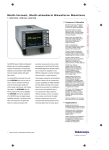
WFM700 Data display.
Digital Audio Monitoring
Available on All Models
All members of the WFM700 Series detect
and report the presence or absence of
embedded audio channels. You can add
more extensive capability for monitoring
AES/EBU digital audio channels by including Option DG in your order for any
WFM700 Series waveform monitor. You
can add this audio monitoring capability to
a previously purchased WFM700 model by
ordering the WFM7DG field upgrade.
WFM700 Series digital audio monitoring
and measurement features include:
Monitoring of up to 16 embedded digital
audio channels
4 AES/EBU audio inputs/outputs for monitoring
up to 8 non-embedded audio channels, or
producing up to 8 channels of de-embedded
audio output
Support for multi-channel digital audio in 5.1
and 7.1 formats
Audio Level Bar display of 2, 4, 6, or 8 audio
channels with true peak, PPM, and Extended
VU meter ballistics and selectable scaling
Single-axis Phase Correlation Meter showing
the phase relationship between signals on an
audio channel pair
Flexible Lissajous display showing the phase
relationship between channels, with X/Y or
Sound Stage (L/R) axis orientation and
automatic gain control
WFM700 Eye Pattern display.
Surround Sound Display for 5.1 multi-channel
digital audio format with total volume, center
volume, phantom source and dominant
sound indicator as well as LS and RS
correlation meter
Surround Sound Display helps you more
precisely mix, master, edit and verify 5.1
multi-channel digital audio. The visual
representation of the sound image
complements your auditory experience.
WFM700 5.1 multi-channel Surround Sound
display.
Phantom source indicators (PSIs) located on
each side of the display show the location
of potential phantom sound sources formed
by adjacent channels.
The display also has a cross-hair pointer that
shows the location of the dominant sound in
the sound image, and a correlation meter at
the bottom of the display that shows the
correlation between the Ls and Rs channel.
The display shows the audio level balance
among the left (L), right (R), left-surround
(LS), and right-surround (RS) channels on the
ruled scales radiating from the center. A
vertical bar between the L and R channels
shows the center (C) channel audio level.
The polygon formed by connecting the level
indicator endpoints shows the total sound
volume formed by the L, R, LS, and RS
channels. This connecting line will bend
away from the center if the two signals
have a positive correlation, will bend
towards the center if the signals have a
negative correlation, and will not bend if
the signals have no correlation. In addition
to this total volume indicator, the display
has a separate center volume indicator by
connecting the ends of the L, C, and R
channel level by straight lines.
Waveform Monitors • www.tektronix.com/video_audio
5