1
.
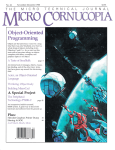
July-August 1989
No. 48
T HE
$3.95
MICRO
Tools For The
Physically
Impaired
What's important to people who have
handicaps? We asked them. (Their
responses may surprise you.)
The Adventure Begins
page 8
Dallas Vordahl demonstrates what you
can do with a computer, a mouthstick,
and a very limited amou nt of head
motion.
Writing Software For
The Blind
page 16
Don' t exclude the blind from your next
software package.
File Transfer Via The
Parallel Port
page 20
The LIMBO Project
page 28
Build a maze-running robot.
And More ...
Debugging A Processor
Growing Your Own
Software Business
Great SOGs
And Much, Much, More
page 44
page 66
page 83
07
a
7447019388
3
TECHN I CAL
J
0 URN A L
U[J!]£?[jj) J/@[J!]£? !fJ©llfU/5Ju O[jj)(]@ (j] /JJ@r:'.JQ£?fj[J!]O
/LfI1@@£?(JJ(]@£?J/ (j][jj)@ @[jj)@]O[jj)QQ£?O[jj)@] (]@@ODDD
Introducing ...
The PC-LabCard
Family
Only from
HSC Electronic Supply
Digital 1/0 and
Counter Card
• 32 Digital Input Channels
- TTL compatible
- Low loading: 0.2 rnA at O.4V input
• 32 Digital Output Channels
- TTL compatible
- Driving capacity: Sink 24 rnA,
source 15 rnA
• Intel 8253 Timer/Counter
- 3 channels of timer/counter
- Breadboard area for flexible user
configuration
PCL-720 ...............................$160.00
IBM PC/XT/AT and it's
compatible models are moving into
Industrial/Laboratory applications at
an increasing rate. The reasons for
this include their price/performance
ratio and short user learning curve.
PC-based data acquisition boards
are now taking the place of the
traditional data loggers or recorders
which cost several times more.
"PC-LabCard" is a family of
add-on cards to turn your PC into a
high performance data acquisition/
testing system at an attractive price.
It includes not only the hardware
cards, but also the software,
accessories and application support
packages which come together to
make a thoughtful solution to your
PC-based automation needs.
Prototype Development
Card
• Large breadboard area (3290 holes)
• Independent memory and I/O address
decoders built-in
• Memory and I/O ports are jumper
selectable
• All bus signals are buffered, marked,
and ready for use
PCL-750 ....................................$74.00
QuickMod V2.0 Compiler. ..
Just think what the two of you can do.
You can make software engineering faster
and easier than it's ever been before. The
high performance QuickMod by Stony
Brook delivers a compilation speed that
exceeds 15000 lines per minute on AT
machines. And it's a true two-pass,
Modula-2 compiler with an intelligent
environment that determines dependencies automatically and builds your program with a single keystroke. You do little
more than enter the program text-then
let Stony Brook handle the work load.
QuickMod is more than a supercharged
compiler-it is a fully supported package
backed up by a text editor, a linker, a
library manager, a symbolic debugger and
a runtime library that offers more functionality than anything else on the market.
All for $95. Versions available for DOS
and OS/2.
© 1989 Gogesch Micro Systems. Inc.
And when you need more horsepower.
you can move into the Professional
Modula-2, Stony Brook's fully optimized
compiler. You get the same high productivity environment with code generation
and flexibility you can't find in any other
product in the industry.
Stony Brook-we design our products
specifically to improve developer performance. And we. know software engineering. Put us to work for you.
Call us direct and we'll mail product
information to you within 24 hours.
800/624-7487
805/496-5837 ~.,aJif~~~~~ational
805/496-7429 Fax
SOFIWARE
Your Partner
in Software Development
Reader Service Number 152
187 East Wilbur Road, Suite 9,
Thousand Oaks, CA 91360
MICRO CORNUCOPIA, #48, July-August, 1989
1
§JERTI01U§ ]])JEIB1UGGRNG at a RJEA§ONAIBJLJE PRTICJE
All the speed and power of a
hardware-assisted debugger
at a software price
Soft-ll
Hardware-level break points
REAL-TIME break points on memory locations, memory ranges,
execution, I/O ports, hardware and software interrupts. More
powerful break points than ANY software-only debugger on the
market. Soft-ICE gives you the power of an in-circuit emulator on
your desk.
Break out of hung programs
With a keystroke - no external switch necessary.
interrupts disabled.
Even with
RUN CODEVIEW
IN~~LY8K!
I~~~~..
Code View is a great integrated debugger, but it
uses over 200K of conventional memory.
MagicCV uses advanced features of the 80386
microprocessor to load Code View and symbols in
extended memory. This allows MagicCV to run
Code View using less than 8K of conventional
memory on your 80386 PC.
Don't let 640K be your limit!
If you are closing in on the 640K limit and would
like the power of CodeView, MagicCV is for you.
Don't let the debugger hide the bug!
Breaks the 640K barrier
Soft-ICE uses ZERO bytes of memory in the first 1MB of address
space. This is especially useful for those subtle bugs that change
when the starting address of your code changes. With Soft-ICE
your code executes at the same address whether the debugger is
loaded or not.
Works with your favorite debugger
Soft-ICE can be used as a stand-alone debugger or it can add its
powerful break points to the software debugger you already use.
You can continue to use your favorite debugger until you require
Soft-ICE. Simply pop up the Soft-ICE window to set powerful
real-time break points. When a break point is reached. vour
. ~
debugger will be activated.
Solve tough systems problems too
Soft-ICE is ideal for debugging TSRs, interrupt handlers, self
booting programs, DOS loadable device drivers, non-DOS
operating systems, and debugging within DOS & BIOS. Soft-ICE
is also great for firmware development because Soft-ICE's break
points work in ROM.
Even if you're not closing in on the 640K limit,
running Code View with MagicCV makes your
debugging environment much closer to the end
user's program environment. You can use
Code View to locate subtle bugs that only occur
when there is plenty of free memory, or those
difficult bugs that only occur when your program
is running with a couple of TSRs loaded.
How MagicCV works
MagicCV uses the 80386 to create a separate
virtual machine for CodeView. MagicCV uses
between 4K & 8K of conventional memory as a
bridge between the DOS environment and
CodeView.
MagicCV is easy to use
If you are a Code View user, you already know how
to use MagicCV too. Just type MCV instead of
CV; everything else is automatic.
Save $86
How Soft-ICE Works
Soft-ICE uses the power of the 80386 to
surround your program in a virtual machine.
This gives you complete control of the DOS
environment, while Soft-ICE runs safely in
protected mode. Soft-ICE uses 80386
protected mode features, such as paging, I/O
privilege level, and break point registers, to
provide real-time hardware-level break points.
"Soft-ICE is a product any MS-DOS
developer serious enough to own a
386 machine should have."
Dr. Dobb's Journal -May 1988
MagicCV
Soft-ICE
$199
$386
Buy Both and Save $861
CALL TODAY
(603) 888 - 2386
or FAX (603) 888 - 2465
30 day money-back guarantee
Visa, Master Card and AmEx accepted
r"u - r~lEGl\ TECHf"OLOGIES
P.O. BOX 7607· NASHUA, NH 03060-7607
Both require 80386 AT compatible or IBM PS/2 Model 80. MagicCV requires at ~• • •
R.ea.deirliseir,Viiice.Niiuiiimiibeiir.lil0. . . . .
least 384K of extended memory. CodeView is a trademark of Microsoft Corporation.
2 MICRO CORNUCOPIA, #48, July-August 1989
MagicCV
with Soft-ICE
Using Soft-ICE with CodeView gives you the features
necessary for professional
level systems debugging.
MagicCV and Soft-ICE can
work in concert with CodeView to provide the most
powerful debugging
platform you will find
anywhere.
THE
M I C R 0
TECHNICAL
JOURNAL
MICRO CORNUCOPIA
JULY/AUGUST 1989 - ISSUE #48
FEATURES
8
12
16
20
COLUMNS
Dallas Vordahl
44
86 World
50
C'ing Clearly
60
ShareWare
64
Culture Comer
Debee suggests some not-sa-obvious things you can do to make your software
easier to use for the blind (things all your customers will appreciate).
66
On Your Own
Bruce Eckel
77
Units And Modules
83
SaG Information
76
CP/M Notes
90
Tech Tips
The Adventure Begins
How does a quadriplegic declare independence? It's not easy, but with a
mouth stick and a computer, almost anything's possible.
Debee Norling
Selecting A Talking Computer For A Blind Friend
There are a lot of well-meaning people who'll help you pick out a computer for
a blind friend. Debee's a lot more than well-meaning.
Debee Norling
Writing Software For The Blind
File Transfer Via The Parallel Port
Tired of moving data one bit at a time? Think there might be a faster' way? A
much faster way? There is, and here's everything you need to do it.
28
34
Bob Nansel
The LIMBO Project-Part Two
Bob begins his mechanical rllg rat. (And you thollght you'd be left in limbo.)
Chris Howard
PCX Compatibility
As we create fancier graphics we place more demands on our standard
graphics file formats. Can a standard format support change?
38
Karl Lunt
80
Jack Crenshaw
A 68000-Based Multitasking Kernel
As long as you're going to design your own ROM it might as well do two
things at once. Right?
FUTURE TENSE
86
Tidbits
96
Last Page
The Very Early Days Of Computing
Jack describes NASA's first multiprocessor. (It sat at many desks.)
COVER
Cover Illustration by
Paul Leatherwood.
MICRO CORNUCOPIA, #48, July-August, 1989
3
THE
MICRO
TECHNICAL
By David J. Thompson
JOURNAL
MICRO CORNUCOPIA
Editor and Publisher
David J. Thompson
Associate Editors
Gary Entsminger
Larry Fogg
Cary Gatton
AROUND
HE BEND
Contributing Writers
Anthony Barcellos
Bruce Eckel
Michael S. Hunt
Scott Ladd
Laine Stump
Advertising & Distribution
Jeff Hopper
Accounting
Sandy Thompson
Order Department
Tammy Westfall
Graphic Design
Carol Steffy
MICRO CORNUCOPIA (lSSN 0747-587X) is
published bi-monthly for $18 per year by Micro
Cornucopia, Inc. 155 NW Hawthorne, Bend, OR
97701. Second-class postage paid at Bend, OR and
additional mailing offices. POSlMASTER: Send
address changes to MICRO CORNUCOPIA, PO
Box 223, Bend, OR 97709.
SUBSCRIPTION RATES:
1 yr. (6 issues)
2 yr. (12 issues)
3 yr. (18 issues)
1 yr. Canada & Mexico
1 yr. Other foreign (surface)
1 yr. Foreign (airmail)
$18.00
$34.00
$48.00
$26.00
$36.00
$50.00
Make all orders payable in U.S. funds
on a U.S. bank, please.
CHANGE OF ADDRESS:
Please send your old label and new address to:
Computers Shouldn't Be Limitations
A handicap is a limitation. A limitation is a handicap. At least that's the way it appears. But if you talk to
live-wire folks (handicapped or not), you'll find them
(ignoring, fighting through, beating, exceeding, straining) their limits.
So the computer (their computer, perhaps the only
thing they can use, can communicate with, that doesn't
go home at 5 p.m., doesn't get bored, or hoarse, or obnoxious) is very important. And, it better not limit
them.
For instance:
I just received a call from a fine lady who's visually
impaired (she's lost most of her central vision). She
wants to work at home and she's interested in getting a
computer so she can do word processing and database
projects for businesses in her area. Wonderful idea.
However, she can't read normal-sized characters on a
12" screen. (The characters have to be 1.5 times normal
before she can read them.)
Then a friend of hers called. The two of them had
wandered over to Emerald Microware to see if Brian
could locate any 25" displays that would take standard
Hercules or EGA output. No luck so far. Then the friend
mentioned he might call Jim Button of Buttonware and
see if Jim would write special word processor and
database packages. The packages would display fewer,
larger, characters.
MICRO CORNUCOPIA
P.O. Box 223
Bend, Oregon 97709
CUSTOMER SERVICE:
For orders and subscription problems call
503-382-8048, 9 am to 5 pm, Pacific time, M-F.
TECHNICAL ASSISTANCE
For help call 503-382-8048,
9 am to noon Pacific time, M-F
BBS - 24 hrs. 300-1200-2400 baud
8 Bits, No Parity, 1 Stop Bit 503-382-7643
Copyright 1989 by Micro Cornucopia, Inc.
All rights reserved
ISSN 0747-587X
Audit Bureau of
Circulations
4 MICRO CORNUCOPIA, #48, July-August 1989
Continued on page 71
kon Top!
The Leader in Performance
Lattice C 6.0 for DOS and OS/2 is
the fastest compiler overall on
the ei~ht PC Magazine benchmarks in both large and small
model. Lattice C is over 10%
faster than Microsoft 5.1 and over
15% faster than Borland 2.0. These
results are due to our new optimizer and the many performance improvements in the library.
You can make your applications
run even faster by using our new
register variable support and
built-in functions. Lattice 6.0 is the
performance leader.
tool lmk, which is an advanced
version of the UNIX make utility.
Build, diff, extract, file, splat, touch,
and wc enable you to easily maintain your source files, and cxref
produces comprehensive crossreference reports. Lbind prod uces
family-mocfe executables that can
run under both DOS and OS/2.
Lattice is the productivity leader.
60
50
40
30
The Leader in Libraries
20
Our library has often been praised
forits comprehensive and sophisticated features. Now we include
graphics, communications, and
curses libraries. The communications library supports XMODEM,
YMODEM, KERMIT and ASCII
protocols. The graphics library
provides a graphic windowing
model. Curses provides a UNIX
compatible screen manager.
Lattice is the library leader.
10
The Leader in Compatibility
Lattice C is fully compliant with
the ANSI standard. We pass not
only the Computer Language ANSI
Test Suite but 100% of the
Plum Hall Test Suite Version 1.09.
Lattice is the compatibility leader.
ANSI
Libraries
And the benchmarks
show it.
The Leader in Debugging
The Leader in OS/2
The Leader in Convenience
Lattice C includes CodePRobe™, a
new full-screen symbolic debugger
for DOS and OS/2. CodePRobe nas
the familiar look of the CodeView,
and can be used with a mouse. It also
enables you to easily debug family
mode programs, Presentation Manager apphcations, and OS/2 multithreaa applications. And, for those
humongous programs and system
killer bugs, CodePRobe can be used
remotely from a different PC. Lattice
is the leader in debugging.
Lattice C includes bindings and
header files so that you do not need
to buy an expensive OS/2 development kit. Tne library also supports
multithread programming with no
built-in limits to the number of
threads. The Lattice linker,librarian,
editor, debugger and utilities run in
DOS, OS/2 and family mode. Lattice
is the OS/2 leader.
Lattice C uses an automated installation procedure that has been praised
by reviewers. The compiler au tomatically configures itself so that you do
not need to specify complicated
options. Yet, a full set of options is
available to the professional who
needs to customize to a particular
environment. Lattice is the convenience leader.
The Leader in Productivity
The Leader in Documentation
The Lattice C Development System
now includes the utilities that
our customers-professional C programmers-use most often. Of course,
the system is based upon our C compiler, editor, linker,librarian, and debugger. In addition, wenow include
our powerful project maintenance
Lattice C includes over 1500 pages of
high quality documentation in ring
binders. It contains all the information that professional programmers
need in a tboroughly inoexed format.
Lattice is the documentation leader.
The Leader in Innovation
Lattice has long supported popular
language extensions such as near, far,
and pascal. In our previous version,
we Introduced allgn, chip, volatile,
interrupt, nopad, and pad to handle
im}Jortant memory management
problems in DOS, OS/2, and embedaed systems. Version 6 continues
this evolution with critical and
private. Critical defines a function
~~.
that must run as a critical section,
O~<>
o
and private defines data that must be
replicated for each execution thread.
Future versions will continue to
improve the language for use in
Professional Programming Tools Since 1981
cutting-edge environments such as 2500
S. Highland Avenue, Lombard,IL 60148
OS/2 and AmigaDOS. Lattice is the
innovation leader.
Lattice
The Leader in Support
Bestof all, Lattice support comes free
with Lattice C. Lattice's bulletin
board and telephone support are the
best in the business. Lattice is the
support leader.
30 Day Money Back Guarantee
Lattice C 6.0 is available for $250. To
order, send check or money order to:
Lattice, Inc., 2500 S. Highland Avenue, Suite 300, Lombard, IL 60148.
Or order by credit card at (800) 4444309. FAX # (312) 916-1190, TELEX
532253.
*Send to Lattice for a free complete report on the benchmark analysis.
Reader Service Number 153
MICRO CORNUCOPIA, #48, July-August, 1989
5
Letters
Interactive Disassembly
My congratulations to Mr. Flusche
for his well-written article, "The Art of
Disassembly," in Issue #46 of Micro C.
This is a subject near and dear to me, as
well as many of your other readers. My
company, C.C. Software, has been
marketing the Masterful Disassembler
(MD) for many years now, starting with
a Z-80 version and then the 80x86.
I have personally disassembled
50,000+ lines of code and can attest that
this is not a simple task. But good,
usable, source code can be generated
with the tools we have today.
I realize this was not intended to be a
comparison of disassemblers, but only a
report on the use of one product
(Sourcer). However, a few additional
points would be worth mentioning. Mr.
Flusche's five-step procedure for disassembly is required only for non-interactive disassemblers. These are the type
that require users to examine listings
(step 3), edit a "command file" (step 4),
and repeat the process (steps 2-5) until
you like the result.
Step 3 is the real ca tch. This is fine
only for short programs. When I disassembled the Turbo Pascal compiler (a
21,000 line assembly program), this step
would take about four hours on a fast
printer. And to repeat this over and
over again is prohibitive.
Interactive disassemblers (like MD)
replace these ·steps with a visual display. If you don't like some part of the
disassembly, you can change it and immediately see the results on the screen.
Video screens are much faster than
printers. Also, you don't have to switch
over to DEBUG to understand what's
happening.
Clark A. Calkins, Owner
c.c. Software
1907 Alvarado Ave.
Walnut Creek, CA 94596
6
MICRO CORNUCOPIA, #48, July-August 1989
David E. Michener
Custom Computer Service
10525 S.E. Cherry Blossom Dr.
Suite 200
Portland, OR 97216
Editor's note: Let's see. Modula 2, Pascal, 8088 and 68000 assembly, Prolog (oh,
and C). You're right; we need to cover more
languages. Perhaps Pilot and RPG would be
fun. Seriously, we use the language most
appropriate for the task. I wouldn't twiddle
bits with Pascal any more than 1'd write a
biorhythm generator in assembly.
Nasty Language
Periodically I go through old magazines, cut out articles I want, and then
throw the mags away. I keep trying to
do that with yours, but have been unable to because the magazine has too
many useful articles. Consequently, I
have no choice but to order another subscription.
However, this subscription is only
for one year because you seem to have a
fatal disease. If you move quickly you
might be able to get help for it, but I
don't have high hopes for you doing
that. OK, OK. I'll tell you: the dreaded
"c" disease.
You are doing just what all too many
used-to-be-good magazines have done:
You're selling your body and soul out to
the C language. How many times did
you get dropped on your heads? Or
maybe you ran the rapids one too many
times and hit your head on a rock.
Oh, what the heck, you probably
have six good issues left, notwithstanding the fact you haven't had any good
assembly language articles for some
time now.
New Slant On SEA vs. PKWare
I'd like to add my own two cents to
the discussion in Micro C Issue #46, regarding the SEA vs. PKWare controversy.
You can copyright the expression of
an idea, but not the idea itself. If you
write a book with the same plot as
someone else's book, but you do so in
different words, you do not infringe.
Even if, by some fluke, your book has
exactly the same text as the other book,
your book still doesn't infringe if you
wrote it independently.
Note the difference here between a
copyright and a patent-you can infringe someone's patent even if you invent something totally on your own,
with no contact with the outside world.
Not so with a copyright.
But there's more: if there is only one
reasonable way to express an idea, then
you can use the same words as another
book and not infringe its copyright,
even if you do so with full knowledge
of the other book. The reasoning here is
that if only one way of expressing the
idea exists, then copyrighting this expression would constitute protecting the
idea, and that cannot be done by a
copyright.
The extension of these ideas from
Continued on page 58
Introducing ...
The 1st Family of
Low Cost, Powerful
Text Editors
$ 29
VEDIT Jr.
$ 69
VEDIT
VEDIT PLUS $185
Finally, you can choose the best editor for your needs without
compromising performance or paying too much. And organizations that want the "same" editor for everyone can pick VEDIT®
for most users and VEDIT PLUS for their power users.
The new family of VEDIT text editors are upwards compatible,
easy to use and offer exceptional performance, flexibility and
stunning speed. (3 to 30 times faster than the competition on
large files where speed really counts.)
Call for your free evaluation copy today. See why VEDIT has
been the #1 choice of programmers, writers and engineers
since 1980.
VEDIT Jr.- Unmatched performance for only $29.
All VEDIT editors include a pull-down menu system with "hot
keys;' context sensitive on-line help, pop-up status and ASCII
table, a configurable keyboard layout and flexible, unlimited
keystroke macros. Edit files of any size and any line length.
Perform block operations by character, line, file orcolumn. Undo
up to 1000 keystrokes- keystroke by keystroke, line by line, or
deletion by deletion. Automatic indent, block indent and parentheses matching speed program development. Word wrap,
paragraph formatting, justification, centering, adjustable margins and printing for word processing. Run DOS programs.
VEDIT-A best value at only $69.
Simultaneously edit up to 36 files and split the screen into windows. Search/replace with regular expressions. Includes the
best compiler support available-menu driven, easy selection
of compiler options, supports "Include" files and MAKE utilities.
VEDIT PLUS-Ultimate programmer's tool for only $185.
VEDIT PLUS adds the most powerful macro programming
language of any editor. It eliminates repetitive editing tasks and
permits creating your own editing functions. The macro
language includes testing, branching, looping, user prompts,
keyboard input, string and numeric variables and control over
the size, pOSition and color of windows. Source level macro
debugging with breakpoints and tracing. Macros developed
with VEDIT PLUS also run under VEDIT.
30 day money-back guarantee. Call for pricing of XENIX, OS/2
and FlexOS versions. Very attractive quantity pricing is available for schools, hardware and software vendors.
FREE Evaluation Copy*
Call1·800·45·VEDIT
Compare Features and Speed
Pull-Down menus
Pop-Up ASCII table
Keystroke macros
Regular Expressions
"Cut and Paste" buffers
Text (book) markers
Undo keystroke by keystroke
Undo line by line
Normal/max Undo levels
Variable tab positions
Configurable keyboard
Integrated mouse support
FILE LIMITS
Edit files larger memory
Maximum line length
Maximum lines/file
COMPILER SUPPORT
Menu driven
Select Compiler options
Support "Include" files
BENCHMARKS 5DK FILE
Simple search
Save and continue
1000 replacements
BENCHMARKS 3 MEG FILE
Simple search
Save and continue
60,000 replacements
Block-column copy (40 x 200)
Insert 1 Meg file in
middle of 1 Meg file
PRICE
VEDIT and CompuView are registered trademarks of CompuView Products, Inc. BRIEF is a
trademark of UnderWare, Inc. Norton Editor is a trademark of Peter Norton Computing Inc. OEdit
is a trademark of SemWare.
'Supports IBM PC, XT, AT, PS/2 and clones with CGA, MGA, EGA, VGA, Wyse 700, Amdek 1280
and other displays. Also supports Concurrent DOS, DESOview, Microsoft Windows,
PC-MOS/386 and most networks.
'Also available for MS-DOS (CRT terminals), TI Professional and others.
'Free evaluation disk is fully functional and can edit small files.
Reader Service Number 7
VEDIT
BRIEF 2.10 Norton 1.3 QEdit 2.07
No
Yes
Yes
No
No
Yes
No
No
1
No
100+
100+
No
Yes
Yes
No
100
1
36
1
No
10
10
No
No
No
Yes
Yes
No
Yes
No
No
500/1000
30/300
No
Yes
Yes
No
Difficult
Yes
Yes
No
Yes
No
Yes
No
Yes
>8096
8,388,607
Yes
512
65,535
Difficult
65,535
>65,535
None
No
Difficult
No
-
No
512
20,000
None
Yes
Menu
. Yes
0.2 sec
1 sec
3 sec
1 sec
2 sec
19 sec
1 sec
2 sec
17 sec
0.3 sec
1 sec
2.5 sec
1:40 min
1:05 min
3:18 min
2 sec
1:36 min
3:23 min
1:44 hour
30 sec
Cannot
Cannot
Cannot
Cannot
Cannot
Cannot
Cannot
2 sec
1:11 min
$69
15:13 min
$195
Cannot
$75
Cannot
$54.95
-
CompuView
1955 Pauline Blvd., Ann Arbor, MI 48103
(313) 996-1299, Fax (313) 996-1308
MICRO CORNUCOPIA, #48, July-August 1989
7
,,(
'.,.
,
..
COIllP\l-IterAid~d,
In~den
The,Ad 'e1{ture Begins
. \. . ..
~,
8
v
\,
MICRO CORNUCOPIA, #48, July-August 1989
By Dallas Vordahl
13720 E. 26 th Ave.
Spokane,.WA 99216
When I first spoke with Dallas all the
phone, there was no indication that he'd
spent days entering the letter proposing this
article. It was only later that I found out
how much work it had bee1l for him.
But right up front, he made it clear he'd
not accept help with the writing (even from
his 24-hour live-in aid). So, this article is
the product of months of effort by a man
who's found INDEPENDENCE in a computer.
n my electric wheelchair, I drove up
to the counter at the local Radio
Shack and told the salesman I wanted
to see a computer. He looked at me
rather curiously-wondering, I supposed, what a guy paralyzed from the
neck down wanted with a computer. He
pointed to a nearby display.
I turned my wheelchair and there,
next to a telephone answering machine
and· a pile of stuffed-toy radios, sat a
small gray-and-black television attached
to a keyboard. The screen was blank except for "READY" displayed in the
upper left comer.
So that's a computer, I thought, rather
disappointed. It didn't seem like much. I
tried out the keyboard with my mouthstick, making sure I could reach all the
keys. All the while the salesman pitched
the computer as he would have pitched a
stereo or CB radio. He didn't know what
16K RAM was, any more than I did.
I sat there staring at that blank screen,
wondering how I could justify $600 for a
computer. Ostensibly, I needed it for
keeping the books of our three familyrun variety stores. Frankly, it was a computer, and I wanted it.
It was a big decision. Not until later
did I realize it was a decision that would
completely change my life. I shudder at
how easily I could have decided not to
buy that computer.
. It's been ten years since I made that
I
decision-the decision to buy a Radio
Shack IRS-80 Model I with 16K RAM
and a cassette recorder. Recalling the moment it was first turned on reminds me
of the beginning of an adventure ... You
are standing at the end of a road before a
small brick building. Around you is a forest.
A small stream flows out of the building and
down a gully.
Keyboards: The First Barrier
Computer keyboards were designed
for people with two hands and ten fingers. I have two hands and ten fingers,
but they don't work. So I use a mouthstick.
I can do a lot of things with a mouthstick. I can turn the pages of books and
magazines, use a typewriter, pilot a
radio-controlled model sailplane and race
a radio-controlled model sailboat; dad
and I put a lot of time into making them
work. The TRS-80 keyboard, however,
was beyond us.
Try holding down one key while
pressing another. Do it with one finger,
and you'll understand the biggest disadvantage of using a mouthstick. So, almost before it began, the adventure had
stopped .... A huge green fierce snake bars
the way!
Adapting the TRS-80 keyboard
proved easier than I thought. That keyboard had no Control or Alt keys, only
two Shift keys. A computer repair shop
installed a mechanical Shift-Lock, and in
an astounding flurry it drove the snake
away.
The IBM Keyboard
Four years later when I encountered
an IBM XT, I found a larger barrier. Imagine disassembling an IBM keyboard
and installing a mechanical Control-Lock,
Alt-Lock, and Shift-Lock. Not a job for
just anyone. I hoped there was a better
way.
I wrote to PC Magazine, describing the
problems of using a mouthstick, and they
published my letter. The result was
Toggle Key, a TSR program written by
Ernest Kraut. His program turns the
Control, Alt, and Shift keys into toggle
switches and displays their state on the
screen.
David Rose of RoseSoft, whom I also
asked for help, wrote a "one finger
mode" into the following version of ProKey (ProKey is a TSR macro program).
He took a different approach to the problem than Kraut.
He kept the Control, Alt, and Shift
keys toggled for one keystroke. That
saved a keystroke each time I used a
single control-key command. (Superkey,
by Borland, has a similar feature.)
Other Solutions
PC Magazine readers offered many
other solutions ranging from TSR programs, to mechanical arms, to using
weights to hold down those keys. The response was terrific, and their help made
it possible for me to use IBM-type com- .
puters.
However I'm now faced with threebutton mice and 101-key keyboards. I can
just manage the width of 101-key keyboards with my mouthstick, but mice are
simply out of the question-it seems that
every advance leaves me farther be-'
hind .... Out from the shadows behind you
pounces a bearded pirate! He snatches your
treasure and vanishes i1lto the gloom.
And the problem isn't exclusive to
hardware. Programs sometimes use
strange key combinations or require a
mouse. Worse yet, some programs defeat
ProKey and Toggle Key by taking control
of the keyboard or other BIOS functions.
There Is Another Way
There are, in fact, many other ways
around the standard IBM keyboard.
There are keyboards and keyboard emulators designed specifically for the physically disabled: optically controlled, zero
pressure, on-screen single-switch scanMICRO CORNUCOPIA, #48, July-August 1989
9
ning, flat membrane, add-on function,
calculator style, and voice controlled.
Several years ago I beta tested a Key
Tronics voice-controlled keyboard. For
someone who can't use a keyboard but
has the ability to speak, it would seem a
natural solution. It is, but only for rote
applications. It wouldn't have, for example, been of much help writing this article. (And when I write that steamy sex
scene into my next novel, it wouldn't do
to write it out loud.)
The
voice-controlled
keyboard
worked like a macro program, except
that spoken words replaced keystrokes
as macro names. It could store about 300
words, each word representing one or
more keystrokes. By assigning a spoken
word to each key and using macros for
frequently used commands and text, I
could avoid the keys altogether.
However, . the voice-controlled keyboard was just too cumbersome; I had to
train it to recognize my voice by saying
each word at least six times. It was a pain
entering and editing long sequences of
keystrokes. I mumble a lot. And I don't
like wearing a microphone headset.
Someday, I imagine, I will use a voiceinput device. That'll happen when: the
units become speaker-independent and
require no voice-recognition training,
when they have built-in and user-defined
vocabularies of thousands of words, not
hundreds, or when they convert words
directly into text.
A better solution might be a keyboard
designed for mouths tick users. One such
keyboard, The Magic Wand Keyboard,
features 96 negligible-force metal keypads contained in a 5.4" x 3" area. This
keyboard doesn't force you to press two
or more keys simultaneously.
It also features a switch to regulate the
sensitivity of the keypads, and has six
programmable keys-up to 200 characters per key. Its only drawback is the
price: $1,200 .... I am prepared to offer you a
hint, but it will cost you points.
I have not tried The Magic Wand
Keyboard, and at $1,200 I probably
won't. I'll continue to use my standard
keyboard until mouthstick keyboards become affordable or voice-input devices
become practical.
Exploring The Cave
After solving the pressing problem of
pushing two or more keys simultaneously, I began to explore the TRS-80.
It came with only two programs: blackjack and backgammon. I played them,
but the fun quickly faded. There remained only one other direction: I moved
... NORTH ... into BASIC.
10
Learning BASIC was at first just
something to do. I had no plan or goaljust curious how to tell the computer
what to do. My first program simply displayed the word "Hello."
But with that simple program I became more independent; I was controlling something, even if it was only characters on a screen. I had lost most of that
kind of control when I became a quadriplegic, confined to a wheelchair, five
years earlier. Programming the computer
gave me back some control. Still, I didn't
see what the computer could do for me.
Keeping Track
At the time, I used a calculator and a
typewriter to do my bookkeeping work.
It was a hard job, considering the hassle
of getting someone else to shuffle
through papers and forms and notebooks, filing and finding certain records,
and setting them all where I could see
them. Then it dawned on me that maybe
I could use the computer, and I began to
write programs with that in mind.
First I wrote programs to enter and
store check stub entries and cash transactions, then general journal entries and
payroll records. I wrote a program to
bring all that information together and
print it out in financial statements. Soon I
was able to do my bookkeeping using
the computer almost exclusively, with
minimum outside help. I even took on a
few outside bookkeeping jobs.
Expanding The Horizons
When I bought an IBM XT, its power
expanded my options. Its speed,
memory, hard disk, and graphics capabilities opened the door to things I never
imagined I could do.... You are in the Hall
of the Mountain King, with passages off in
all directions.
With my mouths tick and the XT, I
could use a spreadsheet to calculate
depreciation, keep payroll records, and
chart sales. (Figuring income and payroll
taxes and filling out the forms is still a
pain, even with a computer.) Using a
desktop publishing program, I learned to
design and print notices and advertising
flyers.
When one of my bookkeeping clients
bought a Compaq, I used the skills I
learned from writing my own bookkeeping programs to write him a general
ledger program. He still uses that program, and so do four other people.
I learned to fly an airplane using Microsoft's Flight Simulator (flying a Cessna
182 with a mouthstick-now that's a
challenge), and I learned to play games,
like Monopoly.
MICRO CORNUCOPIA, #48, July-August 1989
My TRS-80 didn't have a word processing program, and when I bought one
for my XT I wondered if I was throwing
my money away. Surprisingly, the word
processor has become the program I use
most. I use it to write everything from
fiction to BBS messages to this article;
and letters too many to count (now
everyone's entitled to my opinion!).
Using my computer, I've learned to
do what other people are doing, despite
my being paralyzed from the neck down.
The computer has changed my thinking;
I no longer think about the things I can't
do, I think about the things I can do.
Taking Inventory
In the ten years I've been using personal computers, I've progressed through
a lot of hardware: three computers, three
monitors and printers, five floppy and
three hard disk drives, five keyboards,
and two modems. In the process, my
RAM requirements have grown from
16K to 1,664K.
In that steady progression of older
hardware to newer hardware, the move
from cassette tapes to floppy disks for
storage was a big jump, but the 10MB
hard disk was magic.... A hollow voice
says "PLUGH."
No longer did I have to ask someone
to switch floppies every time I wanted to
change programs, or needed last year's
financial records (or to play Frogger,
when everyone thought I was hard at
work). No single component has given
me as much autonomy as the hard disk.
Soon, CD technology may become as
important to me as the hard disk is
today. I already have a spelling checker
and a thesaurus on my hard disk, but a
CD-ROM drive would allow me to use a
real dictionary and encyclopedia, and a
host of other reference materials.
I wouldn't have to ask someone to
come pull the dictionary from the shelf
and set it up for me. I wouldn't ever
have to turn a page (turning from the
front to the back of a 1,200 page dictionary using a mouthstick gives me second
thoughts of whether I really need to
know the meaning of zymurgy).
Another piece of hard ware, the
modem, has also become an important
part of my computer system. Beyond its
ability to upload and download programs and information from other computers, the modem provides an easy way
for me to be a part of society. Societygroups and activities and almost everything else-is geared for people with able
bodies, and that often makes it hard for
someone in a wheelchair to join in.
On-line computer forums and special
interest groups, and especially BBSs, are
groups of people interacting almost
solely through their computers. Whether
a person is sitting in a wheelchair typing
with a mouths tick makes no difference.
Without a modem I wouldn't know
nearly as much as I do about computers
and how to use them, and I'd miss
knowing and interacting with a lot of interesting people.
The Hidden Treasure
Most adventures have hidden
treasure, but usually they're only bars of
silver or sparkling gold nuggets. In my adventure with computers, however, I
found a different and more valuable kind
of hidden treasure. It was lying just beyond that "READY" prompt of my first
computer... my independence. Not
complete independence, not nearly. But a
lot more than I had.
Paralysis is not just a loss of movement and feeling in one's arms and legs,
paralysis is a loss of independence. That
means relying on someone else to do the
things you would normally do yourself.
It is intensely frustrating being unable to
do anything for yourself, unable to do
anything without the assistance, cooperation, and permission of someone else.
Before I owned a computer, I had
only a few ways to relieve that frustration. Today, as I figure the quarterly payroll taxes or land an F-16 on the deck of
an aircraft carrier, or write this article-as
I press each character with my mouthstick-I am doing it by myself, without
the help of anyone. That is independence.
That is the hidden treasure.
Forever Lost
There are many paths in this adventure with computers that I have yet to
follow. I will explore the technology as
far as it allows, taking detours around
mice and other devices designed only for
people with able bodies.
I imagine computers becoming a part
of my life in many other ways. I imagine
smart TVs, stereos, and other electronic
gear-smart in that they will respond to
a voice or a thought or a blink of an eye.
I imagine a computer linked to a robot
arm that obeys my spoken commands,
pOSSibly even a robot capable of moving
from place to place. (While mobile robots
exist now, they are merely toys.)
Meanwhile, I've used present computer technology to improve almost
every aspect of my life: the way I work
and play, the way I communicate and interact with other people, and the way I
learn and think and challenge my mind.
Without a computer, I would be without
the most important tool I have for
making my life worthwhile.
I haven't scattered bread crumbs
along the way or made marks in the
walls, nor do I have a map. I don't care,
because I'm never going back. I'm
forever lost in this computer adventure.
And that's just fine.
Products Mentioned
Toggle Key
Ernest A. Kraut
11 Haystack Road
Reading, MA 01867
Pro Key 4.10
RoseSoft
P.O. Box 70337
Bellevue, WA 98007
The Magic Wand Keyboard
In Touch Systems
11 Westview Road, Dept 11
Spring Valley, NY 10977
(914) 354-7431
•••
The Complete Diagnostics Solution for Your PC/XT, PC/AT, or Compatible
INCLUDES...
DRIVE TESTS-Complete diagnostics for Hard and Floppy
drives. including controller cards. Tests read. write, and format
capability as well as seek timings, hysteresis and rotation
timings.
I/O PORTS-For both parallel and serial ports, confirms internal
and external loopback capabilities at all baud rates and
configurations.
MEMORY-Performs over eight different tests to check standard.
extended, and expanded memory.
KEYBOARD-Verifies that all keys send correct key codes,
including shift. CNTL and ALT modes.
CPU. NUMERIC COPROCESSOR-Verifies that all single and
multiple instructions perform correctly and accurately, as well
as testing all internal registers.
VIDEO DISPLAY-Checks video controller cards. Confirms
attributes. graphics, colors (if applicable). and CRT alignment
patterns.
PC/XT System Diagnostic Software
PC/XT Disk Diagnostics (wI test diskettes)
PC/XT 110 Loopback Test Plugs
$ 29
$ 29
$ 19
COMPLETE PCIXT DIAGNOSTICS SET (save $28)
$ 49
PCI AT System Diagnostic Software
PCI AT Disk Diagnostics (wI test diskettes)
PCI AT 110 Loopback Test Plugs
COMPLETE PCI AT DIAGNOSTICS SET (save $28)
$ 29
BOTH PCIXT and PCI AT SETS (save $75)
$ 79
$ 29
$ 19
$ 49
Capital Software presents the definitive disk-based diagnostics
package for the IBM PC AT and Xl Atechnical tool detailed
enough for the repair technician. A friendly interface that
places problem-solving skills in the hands of the end user.
An uncompromising solution.
SEND CHECK OR MONEY ORDER TO
USE YOUR VISA OR MASTERCARD
CALL TOLL FREE (800) 541-0898
REAL TIME CLOCK-Verifies correct timing. all internal
registers. and battery backed-up RAM.
CAP IT AL SOFTWARE
951-2 OLD COUNTY ROAD SUITE 224
BELMONT, CALIFORNIA 94002
FOR INFORMATION CALL:
.Nand many more features to Insure the Integrity of your computer.
408-293-5279
MICRO CORNUCOPIA, #48, July-August 1989
11
Selecting A Talking Computer
For A Blind Friend
It was a real eye-opener for me when
Debee demonstrated her vociferous Toshiba
laptop at SOG VII. In fact, it was an experience for a lot of us. Though totally
blind, Debee can write text and code with
the best of us, and she does it all by ear.
hen Ray's wife Tina began to
lose her vision, Ray decided to
get her a talking computer. He
found just what he was looking for at
the local Computer Heaven. It was IBM
PC compatible and included a speech
synthesizer with speaker.
Unfortunately, acquisition is easier
than implementation. He quickly learned
that the "speech synthesizer" was merely
a chip. The fact that a speaker was attached didn't mean that the synthesizer
had anything to say.
So Ray started writing code. His code
made explosive sounds, siren sounds, flying saucer sounds, breaking saucer
sounds, rainy weather sounds, and
chirpy bird sounds. He even made the
synthesizer count from one to ten and
made the program menu driven. (The
sounds were almost intelligible.) Ray had
a wonderful toy, but unfortunately Tina
didn't have a talking computer.
W
• A dealer knowledgeable in the
needs of the blind could have
guided him to a more appropriate
purchase.
Since the IBM PC is "the" business
computer, it's the obvious choice if the
blind person will use the computer professionally. If the user is a grandfather, a
school child, or a housewife, then selecting an IBM PC compatible may not be so
important. A few CP1M machines, the
Apple II family, and some Radio Shack
TRS-80 models can also talk. Several software packages have been written for the
Apple II family, especially for children.
Fast & Slow, Up & down
Speech devices don't magically talk
any more than printers magically print.
Both synthesizers and printers need
special software. You must select a synthesizer which will turn ordinary ASCII
text into intelligible speech.
Many of the ''built-in'' speech synthe-
Important Points
Ray and Tina's situation is common.
Ray could have done much better, if he
had known four simple facts• Many synthesizers in today's
market do create terrific speech .
• A speech synthesizer isn't enough.
The blind user needs screen access
software-the high level interface
between the talking box and the
computer's operating system.
• The right word
processor,
database, or spreadsheet must be
purchased. Ease of use for a blind
person is much more complicated
than it is for the sighted.
12
MICRO CORNUCOPIA, #48, July-August 1989
sizers are little more than speech chipscapable of generating simple phonemes.
Since hobbyists mainly make up the
speech synthesizer market, synthesizers
seldom include sophisticated ASCII-tospeech conversion software.
Types Of Speech
Digitized speech can sound very
human, but it requires huge amounts of
hard disk space, even for a small vocabulary. I don't know of any screen access
program which uses digitized speech.
Rule-based speech sounds more mechanical and sometimes mispronounces a
word, but it has an unlimited vocabulary.
Algorithms make their ''best guess"
about the pronunciation of each word.
The more recent and the more expensive
synthesizers usually have better algorithms.
Consistency and phoneme clarity are
far more important than a human-like
voice and correctness of the English pronunciation. The DECtaik synthesizer has
Debee Norling at her computer work station.
By Debee Norling
Grassroots Computing
P.O. Box 460
Berkeley, CA 94701
the most natural-sounding, unlimited-vocabulary speech available. Even though I
have a DECtalk, I continued to use my
$250 Echo PC for a long time.
I found the Echo's quick response and
crisp (although often not very humansounding) speech more useful than the
DECtalk's ponderous, marvelous voice.
My primary speech source is now an
Aicom Accent. It combines the consistency and quick response of the Echo,
with better pronunciation and a large
predefined vocabulary. As a technical
writer and programmer, I use the Accent
for most of my work, but still occasionally use the Echo when writing code. The
$4,000 DEC talk continues to gather dust.
In speech synthesis, there is such a
thing as being Too Smart. Take the letter
combination PGUP, for example. A
primitive synthesizer will simply spell it
out: P G UP. A more sophisticated synthesizer will see the vowel, decide that it
must be pronounceable, and make a best
guess. The result will be a pseudo-English word, such as "peggup" (or worse).
A speech synthesizer must be able to
shut up. To a blind user, quick silence is
more important than correct pronunciation. If I look up a phone number in my
database, I want to hear the information,
then immediately stop the speech. If I
have to wait while it reads the entire
screen, I'll probably forget the number.
Choose a synthesizer that has several
speech rates. A slow speech rate is important for beginners and for carefully
studying a complex screen. A fast rate is
useful for quickly finding information in
a mass of text. As I become more experienced with a synthesizer, I can increase the speech rate.
Editor's note: No kidding. Debee demonstrated her synthesizer at SOG. At the
slowest rate, we could understand it after a
few minutes, adjusting to some off-the-wall
sounds. At her normal rate (probably four
times normal speech), the sound was
completely unintelligible to our sighted ears.
Speech devices
don't magically talk
any more than
printers magically
print. Both
synthesizers and
printers need
special software.
The synthesizer must have a way to
change the volume and pitch. A tone
control is also desirable.
An easily definable substitution table,
often called an exception dictionary, is a
nice enhancement, though hardly mandatory. Some synthesizers have a dictionary of correct pronunciations built-in.
Acronym processing is handy, but
you should be able to tum it off. I once
beta tested a synthesizer which said
"New York" every time I typed "F7 n y"
for exiting WordPerfect.
Remember-all synthesized speech
requires getting used to.
Innies & Outies
SyntheSizers are either internal cards
or external boxes.
Internal synthesizers are safe from
spills and falls and they're less likely to
be stolen. There are no power or communications cables to become entangled
or unplugged. They also tend to be less·
expensive than their external equivalents.
You don't have to bother with dip
switches and baud rates. However, if the
computer will contain many cards, an in-
ternal synthesizer may create IRQ conflicts.
Some internal cards are designed
specifically to fit in some of the popular
laptop computers (especially the Toshibas) and run off the laptop's battery.
An external synthesizer has its own
power supply and usually communicates
with the computer via a serial or parallel
interface. A lightweight, durable, external
synthesizer is a good choice for someone
who must move from computer to computer. Because of its exposure and portability, it's more susceptible to damage or
theft than an internal unit. So far, no
battery-powered external synthesizer has
had a major effect on the market.
A good speech synthesizer still isn't
enough. Suppose you send a print screen
to your printer. Imagine that you can
only read that printout by starting at the
first word and reading nonstop to the
last word. Do you remember the spelling
of the syntax error on line seven and the
typo on line three and the faulty indenting on line sixteen? This isn't the
best system for a blind operator. He
needs a way to conveniently and interactively read selected portions of .the
screen.
Screen Access Software Is The Key
A screen access package provides a
link between the speech syntheSizer, the
computer, the blind operator, and the
mainstream applications program.
I use Video Voice, a TSR utility that
watches the keyboard and can speak the
keystrokes either character by character
or word by word.
Video Voice also checks for the application program's keystrokes and performs various routines based on the
user's keypresses. For example, when I
press the down cursor, Video Voice
monitors the cursor, waits for it to land
on the new line, then speaks the text of
the line or the character under the cursor.
When I press control-left arrow, Video
MICRO CORNUCOPIA, #48, July-August 1989
13
Voice reads the word that the cursor has
moved to. When I press tab, Video Voice
speaks either the row and column position of the cursor or the previous word
(as in a database prompt).
Video Voice "environments," which
are loaded for major application programs, control these actions. Thus I can
move rapidly within a document, editing
in very much the same way as a sighted
person.
Video Voice also watches the screen.
Text that's written to the screen using the
BIOS video services will be spoken automatically. Because of this, DOS and some
programs will talk automatically. Generally, information that's written directly to
screen memory cannot be captured by
screen access programs.
Video Voice can search for colors,
highlighting, underlining, text characters,
and IBM extended ASCII. This means
that pull-down menus can be useful instead of intrusive and that Video Voice
can even cope with multiple pop-up windows.
Video Voice can read a specific range
of screen coordinates, say from row 3
column 12 to row 20 column 66. It can
also read from a certain line to the bottom, or from the top to a certain line.
It can read six types of text-<:haracter, word, sentence, paragraph, row, and
screen. For each of these types (except
screen), it can read the previous, the current, or what follows. This means that
with two keystrokes, I can read the current sentence, the following paragraph,
or the previous row.
Furthermore, adding a single keystoke
to the sequence will force Video Voice to
either spell the selected text letter by letter or to spell it with military phonetics
(alpha, bravo, charlie, etc.). The system
cursor's position determines the current
location.
A screen reading program, such as
Video Voice, gives the blind access to
Lotus, WordPerfect, dBASE, or just plain
old FORMAT and XCOPY. Thanks to
Video Voice, I write using QEdit and
WordPerfect, program with Turbo C,
back up my hard disk with Backit, and
use Memory Mate to take notes.
Choosing Applications For The Blind
Finding a workable speech synthesizer and screen reading program doesn't
end the project. The applications: compilers, text editors, database handlers ...
also must pass the blind test.
There is a big difference between software that "works" with speech and that
which is truly usable. Much software will
coexist fine with a screen reader loaded
14
in memory. So in the technical sense, the
software "works" with speech. However,
features which make a program easy to
use for the sighted often make it difficult
for a blind person.
A program which works well for the
blind should have an uncluttered screen.
WordPerfect is a good example. When a
blind person writes, the only thing on the
screen is his document. When he calls up
a menu, it completely covers the text underneath. Pop-up windows, menu bars,
dialogue boxes, and all those other fancy
interfaces are unnecessary complications.
If they're created in pixel graphics,
they're totally invisible.
A program should keep the system
cursor where the action is. Some packages park the system cursor off-screen or
in a comer, and use a pseudo-cursor or a
reverse video.blob to indicate the current
item of interest. This makes it very difficult for the blind user to know where she
is on the screen. This is currently the biggest single problem in using talking computers with mainstream software. You
can't always tell by looking at the screen.
It helps if the program can talk automatically. Most modem software writes
directly to screen memory. You can force
some programs to use BIOS screen
writes. This automatic speech is a mixed
blessing. For example, an early version of
WordS tar forced the blind user to hear
the status line repeated with each character typed. On the other hand, installing
Procomm Plus to do BIOS screen writes
makes it usable.
It's always a good idea to test drive an
applications program with speech before
you buy it. Remember that program
demos are often "slide shows," totally
unrelated to how the real program will
react with speech. Test the real thing, not
a demo.
Choose software with good telephone
support. Unless the documentation is on
disk, the blind person can't look up information in the manual. Remember your
own burnout factor. You won't mind
helping your blind friend in the beginning, but you don't want him calling you
for support for the rest of your life.
person. A few dealers have even made it
. a regular sideline. They typically know
nothing about the blind person's special
needs, sell the wrong equipment, and are
incapable of providing meaningful support.
A few companies which have specialized in selling other products to the blind
<everything from white canes to stereo
receivers) have added computers to their
product line. Many of these companies
are run or owned by blind people. They
know little or nothing about computers
and sell bottom-end clones at discount
house prices. If you can provide all the
required support and feel good about noname clones, these dealers· may be a
good place to shop because of their familiarity with blind people's needs.
Several companies have grown by
developing
specialized
technology
specifically for the blind. They are the
only source for exotic equipment such as
computer-driven braille embossers, talking 3278 terminals and speaking OCR
scanners, etc. One even sells a "photocopy" machine that produces· raised line
drawings!
Generally, these products tend to be
very expensive, and you can only purchase them through their authorized representatives. If you have a specialized
need and are willing to pay the price,
these companies can help you.
Choosing Your Dealer
A few computer dealers (such as my
company,
Grassroots
Computing)
specialize in working with the visually
impaired. They know a lot about talking
computers and a lot about blind people's
needs. They sell quality name-brand
equipment, give lots of service, and expect to get paid for it.
Just about every computer store is
willing to sell a talking system to a blind
Conclusion
Pick a good, intelligible synthesizer:.
Buy a screen access program. Carefully
choose appropriate mainstream software.
Purchase from a dealer who will give
you the level of support you need. Follow these basic guidelines and your blind
friend will enjoy his new talking computer for many years.
MICRO CORNUCOPIA, #48, July-August 1989
Try Before You Buy
. Many local junior colleges have a talking computer in their computer training
lab or disabled students center. Some
states now have computer training programs for blind clients of their Department of Rehabilitation.
The Commission for the Blind, Independent Living Center, Lighthouse for
the Blind, or residential school for the
blind in your area might have a talking
computer to show you. The local branch
of the National Federation of the Blind or
the American Council of the Blind might
help you find someone with a talking
computer. A few dealers who specialize
in talking computers produce demonstration tapes for their lines of synthesizers.
•••
Two great tools.
SAYWHAT?!
TOPAZ
The lightning-fast
screen generator.
The breakthrough toolkit for
Turbo Pascal ~.o and s.o
If you'd like to combine the raw power~
~O~
and speed of Turbo Pascal with the ~ ~~~SC~
simpli~i~ and eleganc~ ofdBASE, .?--~~'~
Topaz ISJustwhatyou re lookL....~ ~'7~t
ing for. That's because Topaz
?-'~"
/ I
(our brand new collection of
I ~~
units for Turbo Pascal 4.0
~ )
Whether you're a novice
programmer longing for
simplicity, or a seasoned
pro searching for higher
productivity, you owe it
to yourself to check out
0<.,
Saywhat. You see, with
\ \
/ / ; ; Saywh at, you can build
beautiful, elaborate, colorcoded screens in minu tes!
fc A ~~
{ / That's right. Trulyfantastic
\ 1'-\
~'
screens for menus, data
----~ entry, data display, and
help-panels that can be
displayed with as little as one
line of code in any language.
~
I
1/'
J
j~
and5.0)wass.peciaIlYcreatc~~..t>.4eo,} '.
)/)
to let you enJoy the best of
OV; "---rI "1~
both worlds. The resu1t?you
{(. <: ' \'\
can create truly dazzling
\~~'~~
applications in a very short time. And no
\J
wonder. Topaz is a comprehensive toolkit
~ \ '\\
of dBASE-like commands and functions,
designed to help you produce outstanding, polished
programs, fast. Check out these powerful features:
I
Here's what you get:
• Easy-to-use, powerful editor lets
you create screens in a jiffy.
• Pop up your screens and menus
with one line of code in dBASE.
all the dBASE compilers, your
favorite BASIC, Pascal, or any
other language!
• Screen Library Manager.
• Generates runtime code.
• No runtime license or royalty fees.
• Comes with a 100 page manual,
plus dozens of sample programs
and free utilities.
....-u,,3
~
(0
~.>
The Research Group
Software Science. Inc.
100 Valley Drive. Brisbane. CA 94005
_
," > ') ) TTs ') ') ) ") ,),-)-,-) \'")
l~' P
I
or Topaz. for any reason. return them wlthm
30 days for a prompt. friendly refund.
c:
Ct
~
.s:':
• Data entry routines like SAY, GET,
PICTURE, RANGE, color selection, unlimited data validation.
• Open up to 10 DBF files, with up to
7 indexes each with database
routines like USE, SELECT,
SKIP, APPEND, PACK, INDEX
ON, SET INDEX TO, and FIND.
• No need to buy dBASE. CREATE,
BROWSE and REPORT utilities
included.
• Easily implement Saywhat and
Lotus-style moving bar menus.
• BROWSE any DBF file with just
one line of code! Programmable
and windowed too.
i.
- -)-~-;\
,\~ I MONEY BACK GUARANTEE.
/{}.t:f / /3 Ifyouaren·tcompletelydelightedwithSa~h.at
_,J
• Over 200 routines all with easy-touse, dBASE-like syntax.
ORDER NOW.
YOU RISK NOTHING.
Thousands of satisfied customers
have already ordered from us. Why
not visit your dealer or call toll-free,
right now and put Saywhat and Topaz
to the test yourself? They're fully
guaranteed. You don't risk a penny.
Special limited-time offer! Save $26.
Buy Saywhat?! and Topaz together
for just $99 (plus $5 shipping &
handling).
Visit your nearest dealer
or call toll-free:
800-468-9273
In California: 800-231-7849
International: 415-571-5019
• Design screens, windows, and
moving bar menus!
t2n.
LL\l
~
. are
Dealers: SAYWHAT?! and TOPAZ
available from Kenfil Distribution.
and in Europe from
• Comprehensive Time & Date
math in 7 international formats .
•
Powerful . code and REPORT
generators Included!
.
Comes WIth a complete 250 page
manual, plus sample programs to
get you started.
95
$74
comFraiiieed!
THE
RES
EAR
C H
G R 0
U P
Reader Service Number 129
MICRO CORNUCOPIA, #48, July-August 1989
15
Writing Software For The Blind
Making It Perfectly Clear
Just as there are ways to optimize menus
for the sighted user, there are ways to optimize them for the blind. Debee should
know the field well-she writes software
and she's blind.
n some ways, writing user-friendly
software for an audience that includes users with visual impairments
isn't all that different from writing userfriendly software for everyone else. In
general• Keep modes to a minimum.
• Keep the screens consistent.
• Keep the keystrokes consistent.
• Keep the messages simple.
In some ways, however, writing userfriendly software for the blind is quite
different. Remember that the blind can't
take in a whole screen at once. Even
when the blind have the best screen
access packages (which verbalize character attributes), highlighting and screen
formatting can become distractions.
It's important to keep the screen as
simple as possible. Blind people must always know where to find the most important piece of information.
I
How Blind People "See"
Basically, a blind person can access a
computer screen three ways• Speech access consists of a speech
synthesizer and a screen reading
program which lets the blind person interactively review portions
of the screen.
• Braille displays consist of rows of
pins which rapidly rise and lower
to create a changing pattern of
dots. The braille window is usually only 20 characters long (a few
are 40). The window must be
moved about on the screen to take
in the information.
• Large-print screen display soft-
16
Debee and Duchess.
ware enlarges a portion of the
screen (for partially sighted). This
enlarged window must be moved
in order to see the whole screen.
Cursors & Pseudo-Cursors
Virtually all screen reading programs
know where the system cursor is; they
usually query the BIOS. My screen access
program, Video Voice, queries the 6845
video controller directly.
Screen access software has a more difficult time finding a pseudo-cursor or
moving highlight bar. These screen programs tend to depend on the system cursor to indicate the user's current screen
location.
For example, if you ask Video Voice to
read the previous sentence, it must first
determine the location of the current sentence. It does this by scanning both ways
from the cursor, searching for the current
sentence's start and end. If a blind user
asks his screen reading package to read
the current line, "current" is determined
by the line where the cursor rests.
MICRO CORNUCOPIA, #48, July-August 1989
Unfortunately, modern software tends
to park the cursor up on row 1 column 1,
destroying any opportunities for the
blind person to find his "current" place.
Even worse are those programs which
move the cursor off the screen, say to
row 26.
Figure 1 shows a C program which
can turn off the blinking cursor so that
sigh ted folk won't see it move. Call this
routine and, with the cursor invisible,
continue to use it to point to the user's
current location on the screen. For example, put the cursor after the "Enter
your choice" prompt. In a database, put
it at the beginning of the data entry field.
If you don't have a specific screen
coordinate defined as the "current" location and you use a reverse video blob or
color highlighting to indicate a variable
size pseudo-cursor, move the system cursor to the first character within the
highlighted area.
If you turn the blinking cursor off, use
the method in Figure 1 to disable the cursor. Don't use ANSI.SYS as that just
moves the cursor to row 26. Don't use
the technique in Robert jourdain's book,
which positions the cursor offscreen. Instead, turn it off by calling the BIOS function to set cursor size, and set bit 5 of the
scan lines, signaling the BIOS to make the
cursor invisible.
.
Keep the cursor invisible, but let it
shadow your pseudo-cursor. Screen
access software will find the system cursor, even when you have made it invisible.
Screen Layout
When formatting your screens, remember that the simpler they are, the
easier they'll be for the visually impaired
to read. Think about the placement of
columns, the layout of windows, and the
organization of menus. Above all, remember that displaying trivia is especially frustrating for the blind user, he
can't avoid (listening to) it.
By Debee Norling
Grassroots Computing
P.O. Box 460
Berkeley, CA 94701
overlay the whole screen, obscuring anything behind it, never sharing the stage
with other actors.
Figure l-Tuming Off The Cursor
/* Call with the parameter off set to TRUE (1) or FALSE (0). The
parameters high and low are for top and bottom scan lines of the
cursor. We actually turn off the cursor by calling a routine
in the BIOS to change its size.*/
#include <dos.h>
int
int
int
int
setcursor (off, high, low)
off;
high;
low;
union REGS inregs,outregs;
/* General registers
if (off)
/* Set bits 4 and 5 if
high 1= Ox0030;
/* turning cursor off
inregs.h.ah
1;
inregs.h.ch
(unsigned char) high;
inregs.h.cl
(unsigned char) low;
int86(Ox10,&inregs,&outregs);
=
=
=
*/
*/
*/
return(off);
This program will turn off the cursor and leave it in the
same location so that screen access software will correctly find
it but sighted folk won't see it move or blink.
Note that the cursor can be turned off without being repositioned.
Most software authors don't realize that, so they park the cursor
on row 26 to make it invisible.
Even if the cursor is on the screen, the system cursor is often
parked in the wrong place. 'Software which uses the system cursor
(even if invisible) works much better with speech, since the blind
user always knows where he is.
• ••
Avoid Multiple Columns
When possible, avoid displaying data
in several columns. If you must use
columns, space them as widely apart as
possible so that screen access software
can tell where each column ends.
Don't Overlap Windows
Avoid overlapping windows. If you
must have a previous window peeking
out from underneath the current window, make sure you display it in a different color, or surround it by IBM extended ASCII frame characters. You must
give the screen access program something to find.
Though Video Voice can find the
graphics frame and box drawing characters, some other screen review programs
aren't as sophisticated. If your window is
within a frame, or in a color not used
elsewhere on the screen, Video Voice can
find it.
If a frame consistently resides in a
specific screen location, then virtually all
screen access software can be configured
to find it. But the best way for the blind
is to have menus a la WordPerfect. These
Be Consistent, Be Consistent
If you display hunks of information
repetitively, try to display each category
in its own screen location. For example, if
the user always knows that error messages are on row 24, then he can check
that row periodically. Turbo Lightning is
hard for blind novices because it doesn't
always pop up its information in the
same place. Few screen-access programs
can dynamically locate pop-up boxes.
If your program puts text (such as a
status line) on a certain row, keep it
there. Don't let the information get
pushed around the screen by pull-down
windows, pop-up boxes, and error messages. The blind user will lose track of his
information if it drifts aimlessly from one
screen location to another. The best place
for a status line is the very bottom row.
The second best is the top row. Find a
safe place to put your messages, then
keep them there.
If you use colors, use them consistently. Red can always indicate errors,
blue the current choice, and magenta the
'status line. Screen access programs can
search for specific attributes, and then
read only that information. Thus, if a
blind person hears a beep, she can search
for red just to get the error message,
without having to read the entire screen.
Give the user a way to reassign the
colors of each type of information. If you
use drop shadows, provide a way to disable them.
Menu Dos & Don'ts
Menus which display the "trigger"
character in an attribute different from
the rest of the word are difficult for the
blind. They are usable if the trigger character is always the first character of the
c;hoice. If the trigger is embedded within
the choice, the screen gets confusing. '
MICRO CORNUCOPIA, #48, July-August 1989
17
Let's use the following menu line as
an example:
Look Ma, No Dots
Add Delete eXit
Communicating, Dot To Dot
What about Braille? Unfortunately, only a small
percentage of the blind population reads braille.
The world's largest circulation magazine for the
blind has only 4,600 braille subscribers, even
though the subscription is free.
Since so few people use braille, the market for braille devices is quite small.
Nevertheless, through grants and goodwill, there's a plethora of braille equipment.
Braille has some definite advantages. Unlike speech, which often mispronounces and sometimes misinterprets, braille is accurate-the blind person can
"see" every character. It's a marvelous tool for proofreading.
Braille has some disadvantages, too. It's hard to utilize interactively. Using a
hard-copy embosser as your primary access is like having to print your document every time you want to see your screen. Using a soft braille device requires
you to move your hands to the braille display. However, your hands also need to
remain on your keyboard for typing.
Braille embossers must punch the dots into very heavy paper, typically 100#
card stock. This makes a lot of noise.
Paper braille output is bulky and expensive. The standard braille page is 11" x
11.5", yet it holds only about a third of the text of an 8.5" x 11" printed page. A
standard desktop dictionary sold by a major agency takes 72 volumes; it requires
about 24 feet of oversized shelving.
Soft-braille devices have a display composed of pins which move rapidly up
and down to create a changing dot pattern. These devices "show" only 20 or 40
characters at a time. The blind user is obliged to move this braille "window"
around in screen memory in order to get a "feel" for the whole screen.
Soft-braille devices have too many moving parts. A standard 40-cell braille
display has 240 pins to move up and down, plus the actuators to move the pins,
thousands of minute parts, each of which must be machined to a fine tolerance
and protected from damage.
Braille devices are very expensive, and there's no mass market to amortize
development costs. A very desirable "photocopy" machine that makes raised line
drawings has sold fewer than 100 units since it was invented several years ago,
despite a constant sales effort.
The cheapest embosser on the market costs a little under $2,000 for a kludged
rework of a daisy-wheel printer that puts out barely readable braille. There are
several embossers in the $3,500 to $4,500 range. The user must also purchase text
to braille translation software.
Among the cheapest soft-braille displays is a unit which costs around $1,000.
It is so sensitive to damage that if you don't protect the pins with plastic wrap,
you void the warranty. A very nice soft-braille device that attaches to the computer's serial port has recently been introduced for about $4,000.
Meanwhile, you can obtain a speech synthesizer with screen access software, a
usable tool, for as little as $500. No wonder speech, despite its potential for error,
is more popular.
•••
18
MICRO CORNUCOPIA, #48, July-August 1989
Assume that the text is normal white
on black and that the A, D, and X are in
bright yellow, except that the current
choice (A) is in green. Read white says
"dd elete e it." Read yellow says "d x."
Read green says "a." The information is
there, but it takes a lot of keystrokes to
get to it.
Put the cursor at the first character of
the current choice so "read current
word" can speak the current choice. Or
write part of the text of the prompt in the
same color as the screen background.
That way, this sort of menu:
Print Save Exit
can speak without interfering with the
visual aesthetics. I add an "invisible" trigger letter and equals sign before each
menu choice. On the screen the real menu
looks like this:
P=Print S=Save E=Exit
Light bar menus, especially reverse
video ones, are generally easy enough to
use, so long as there is nothing else of the
same color on the screen.
Keep your borders simple. Sighted
people tend to underestimate how tedious repetitive speech can become. Instead of using hyphens and vertical bars,
which are spoken, use the line draw
characters of the IBM extended ASCII
character set.
Screen access software either doesn't
read graphics characters or lets you optionally tum graphics off.
Runs of alternating characters, such as
"-*-*-," are extremely tedious, since each
character gets spoken. A continuous run
of any single character can be sensed and
counted. Thus, most modem screen
access packages pronounce a row of
"equals" signs something like: "c'Ounted
40 equals signs." Not great, but definitely
acceptable. However, remember that a
box framed with characters other than
the IBM extended ASCII character set
won't be seen as such by a screen access
program.
"Helping"
Don't misspell words so the synthesizer will pronounce them correctly.
There are many speech synthesizers
popular with blind users. Each has different pronunciation rules. Some pronounce
better than you think.
Use sound effects sparingly and make
sure they can be disabled. When you
change modes, a sound is helpful. Blinking characters or an enlarged cursor
warn the sighted user of a mode change.
How I long for a text editor which would
make a squishing noise whenever I accidentally tum off insert mode. I'd like to
hear those little characters squeal as I
type over them by mistake.
Procomm Plus uses a distinctive rising
tone to indicate when a window opens
onscreen and a descending tone as the
window closes. Backit uses a pretty flutelike warble to prompt for a new disk.
As an example of incorrect use of
sounds, I have a notetaker which beeps
whenever it finds a search string or gets
a disk or printer error. Since it uses the
same beep to indicate success and to announce an error, it "cries wolf" too many
times, and I ignore its warning.
Make the important obvious, and get
rid of the trivial. When I log on to a BBS,
it invariably greets me with a gabble of
tedious statistics. I don't care that I am
caller number 3,465, that I have logged
on 20 times before, and that I have
downloaded 14 files and uploaded 2.
If I wanted statistics, I'd ask for statistics. Unlike the sighted user who can skip
over that which he doesn't care to see,
I'm forced to sit through a cacophony of
data just to find out if I have any electronic mail.
Heard But Not Seen
Your software can talk by writing to
the screen via the BIOS. When you call a
BIOS screen service using interrupt 10
hex, screen readers watching that interrupt can intercept the data and send a
copy to the synthesizer.
I use an interesting trick to make my
software talk while keeping my screen
displays fast. First I write the entire
screen directly to video memory. Then I
repaint it using the BIOS. If I only want
part of the screen spoken, I just repaint
that part. There's no flicker and the
screens snap into place as rapidly as if I
weren't doing any BIOS screen writes at
all.
Summary
Avoid multitudinous modes, screen
clutter, and overlapping windows. Use
consistent screen locations, consistent
colors, consistent layouts, consistent messages, and consistent keystrokes. Enhance the information with well-thoughtout sounds. Try some little tricks to improve your screen's listenability. Most
importantly-don't banish the cursor!
•••
• SEE HOW PROGRAMS WORK
• EASILY MODIFY PROGRAMS
SOURCER'M creates detailed commented source code and listings from memory
and executable files. Built in data analyzer and simulator resolves data across
multiple segments and provides detailed comments on interrupts and subfunctions,
1/0 ports and much more. Determines necessary assembler directives for reassem·
bly. Includes a definition file facility to include your own remarks and descriptive
labels, force data types, and more. Complete support for 8088/87 through 80286/287
and V201V30 instruction sets. We welcome comparisons with any other product,
because no product comes close to the ease of use and output clarity of SOURCER.
On my Jist of programs that I simply won't do without!
-Robert Hummel, Senior Technical Editor, PC Magazine, 4/26/88
SAMPLE
resetprn. ht
Fully
automatic
Program
header
PAGE
Detailed
comments
Simulator
follows
segment
changes
Easy to
read
format
2-Har-89
4:46 pm
Page I
60,132
RESETPRN
Created:
Verston:
Passes:
data.le
- 0008
15-Apr-88
1.01
3
Analysts Flags on: H
equ
; (0040:0008-378h)
:------------------------------------------------------------ seg.a ----seg.a
segrrent para public
assume cs:seg.a. ds:seQ.a, ss:stack.seg.b
Assembler
directives
Determines
data areas
and type
Sourcer Llsttng
ResetPRN vl.OI
OUTPUT
65&:0000
65&:0000
65&:0002
65&: ooca
65&:000E
65&: 0011
65&:0013
65&:0019
65& :OOIF
65&:0025
65& :0025
65& :0026
65& :0027
65&:002A
65&: 002C
resetprn
start:
EB 23
52 65
52 4E
30 31
0040
00 OA
74 20
74 65
73 65 74 50
20 76 31 2E
proc
far
jill'
db
short loci
'ResetPRN·vI.OI'. OOh
d.
db
40h
COh. OAh, 'Reset Prtnterl
push
cs
ds
dx.offset data 3
ah,9
21h
00
52 65 73 65
50 72 69 6E
72 3F 20 24
data 2
data)
OE
IF
.BA 0013
B4 09
CD 21
pop
""'v
"",v
tnt
ah,l
21h
S'
: (658E:0013-0Dh)
: DOS Servtces .h-functlon 09h
: dIsplay char strIng at dS:dx
65& :002E B4 01
658E:0030 CD 21
"",v
65&:0032
65& :0034
65&:0036
658E:00lA
65&: 003E
65&:0041
65&:0043
3C 79
75 16
8E IE 0011
8B 16 ooca
83 C2 02
BO ca
EE
Clll'
jne
65&:0044
65&:0047
65&:0047
65&:0049
658E:004B
B9 8000
E2 FE
BO OC
EE
loeloop 2
al,Oth •
dx.al
: loop If ex
out
65&:004C
658E:004C
65SE:004E
B4 4C
CD 21
"",v
Int
ah,4Ch
21h
: 'l'
: DOS ServIces ah-functlon 4Ch
: termInate .Ith aI-return code
Int
al.79h
loc 3
ds,data 2
dx,ds:data Ie
dX,2
.
aI,S
dX,al
""'v
""'
v
add
"",v
out
: DDS ServIces ah-functlon Olh
• get keybd char al •• ith echo
: 'y'
: JUIll' If not equal
: (65SE:001l-40h)
: (0040:000S-378h)
: port 37Ah, prlnter-2 control
; al - B, initialize printer
eX,SOOOh
loop
resetprn
seQ.a
>
0
: port 37M, prlnter-2 control
; al - OCh, Intt & strobe off
endp
ends
;· . . --------------------------.
. -------------.. ---------r-- stack . seg- b ---segrrent para stack
stack.seQ.b
6593:0000 OOCO[FF]
stack.seQ.b
db
ends
192 dup (OFFh)
end
start
(Source code output and inline cross reference can also be selected)
BIOS SOURCE
• CHANGE AND ADD FEATURES
• CLARIFY'INTERFACES
for PS/2, AT, XT, PC, and Clones
The BIOS Pre·Processor'" with SOURCER provides the first means to obtain
accurate legal source listings for any BIOS! Identifies entry points with full expla·
nations, Resolves PS/2's multiple jumps for improved clarity. Provides highly
descriptive labels such as "video_mode" and much more. Fully automatic,
SOURCER Commenting disassembler $99.95
SOURCER with BIOS Pre-Processor 139,95
UNPACKER ™ Unpack packed EXE files and more
ASMtool'M Assembly source analyzer and flowcharter
$39.95
89.95
USA Shipping & Handling $3; OutSide USA $15; CA Res, add sales tax; PS/2, Al Xl and PC are trademarks of IBM Corp,
All our products come with a 30 day money back satisfaction guarantee, Not copy
protected. To order or receive additional information just call!
1-800-662-8266
V COMMUNICATIONS, INC.
303 t Tisch Way, Suite 905, Dept. M3, San Jose, CA 95 t 28 (408) 296·4224
Reader Service Number 62
MICRO CORNUCOPIA, #48, July-August 1989
19
File Transfer Via The Parallel Port
And An XT Controller Update
You've perhaps heard about these parallel file transfer packages that pass data at
the speed of light. Pretty fancy, with all that
file handling. Right? Well, Bruce's is just as
fancy and it's a lot cheaper. (Free.)
eady? This time I'll show you
how to transfer files (very
quickly) via the parallel printer
port. I've successfully transferred files at
speeds of 1/4 megabyte per second between a 10 MHz XT and a 6 MHz AT.
So with a couple of cheap printer cards
($20 each from MicroSphere) and a little
rewiring on a cable, you can create a 2node tiny LAN (well, the file transfer
part of a LAN, anyway).
This article temporarily diverts from.
my "tum your XT into a controller" series (although I could try to slide it in
under the auspices of "communicating
with a controller"). In the meantime, I do
have an update on the XT controller project which should keep you happy until
next time, when I return to the series.
R
XT Controller Project Update
Your response to the XT Controller
series has been great. I guess a lot of you
realize that "XTs don't die, they just get
cheaper." DOS is the most powerful
development environment around for the
price, so why roll your own hardware
.
when you can use an XT?
In one of the upcoming projects in this
series, I'll look at modifying the ROM
BIOS. This is fundamentally important to
making an XT controller. It's the ROM
BIOS which requires a keyboard, a monitor, RAM, and all those other doodads
you may not want on your controller. I
plan to look at this problem from several
angles. The simplest angle will involve
disabling the keyboard and monitor
check routines, so you can run your controller as a standalone box, but still boot
from a floppy disk.
20
The most involved angle will be rewriting the ROM to use static RAM instead of dynamic RAM (eliminating the
RAM refresh interrupts) and executing a
program in EPROM instead of looking
for a floppy disk.
For those of you who have to know
how to do it now, I've received a couple
of excellent leads which should get you
going.
Laine Stump (who's back in Turkey
by now) has written several BIOSes for
PC Tech. He suggested the following: get
an EPROM burner which can read and
write (you can find these for the PC at
under $150), and suck the contents out of
your XT ROM BIOS. Then find the
power-on reset vector and change that to
an adjacent ROM socket in your XT
(there are usually several).
Blow the modified ROM BIOS contents into a new EPROM, and put it back
into the original socket. After figuring out
where the entry. points to the various
ROM BIOS routines live (more about that
in a minute), you write your own code in
C, which picks and chooses from the
routines in the ROM BIOS. This is much
easier than rewriting (and-ugh-redebugging) the ROM BIOS from scratch.
If you have to build the ROM BIOS
from scratch, don't: I found two guys in
San Diego who have done all the work
for you! John Foster & John Choisser
have created a small, friendly (they answer the phone "this is John," although I
can't tell which one), Micro C style company which puts out very interesting,
self-published books and products for
getting into the guts of the Pc.
One of their products is a little handbook called The XT-AT Handbook for Engineers, Programmers, and Other Serious
PC/XT and PC/AT Users. It's a brief summary of all the hardware and low-level
software facts and features of your XT or
AT. It includes the bus, memory map,
I/O map, hardware interrupts, DMA
channels, power-on error signals, switch
MICRO CORNUCOPIA, #48, July-August 1989
settings, DOS & BIOS summaries (including the BIOS entry point addresses), AT
CMOS memory, programming information about the important chips on the
motherboard, etc.
It also has one small, fascinating page
called "User ROM Scan," which starts
like this: "The BIOS provides a means
whereby builders of adapter cards may
hook into the power-on initialization
sequence." Hmmm, very intriguing.
A warning: this booklet assumes you
already know what you're doing. Don't
get it expecting to learn the basics. If you
do know something about the inside of
an XT or AT, though, it's a wonderful
summary, and a good jumping-off point
if you are delving into a particular mystery.
They also create some very reasonable
kits for modifying the low-level software
inside your computer. One of these, the
PromKit (which I haven't seen yet), promises to "put anything into PROM that
you can put on a disk-even DOS."
The other, which I have, but haven't
used yet, is the XT BiosKit which-get
this-is the whole XT BIOS rewritten in
C! You can modify it to your heart's content, bum it into an EPROM, and you're
done! Boy, I'm glad somebody did this, because I sure wasn't looking forward to it.
The price is incredibly reasonable ($99,
with a $2 production royalty) and they
have one for the AT ($199, with a $4 production royalty).
My only criticism 'of John & John is
that they've done too much pioneering
work and put too little of it down on
paper! The XT BiosKit has a brief introduction which gives you the bare necessities (the rest of the manual contains the C
source listings), and the XT-AT Handbook
is really a large summary card. It's obvious these two know a 10.t about the insides of the PC, and I think they should
write about it. Come on, you two-get
busy.
I'll be giving the details of BIOS modi-
By Bruce Eckel
Eisys Consulting
th
501 N. 36 Street, Suite 163
Seattle, WA 98103
fications (including How To Put Programs Into EPROM) in the future (once I
figure it out!).
John Foster & John Choisser
Annabooks
12145 Alta Cannel Ct., Ste. 250-262
San Diego, CA 92128
(619) 271-9526
Parallel Port File Transfer
When I began the controller series, I
used the parallel printer port that came
with the cheap Hercules imitation card
on my XT clone. After a few experiments,
the card mysteriously stopped working.
Knowing what I did about the parallel
printer card, I was certain there was no
way the printer port could be damaged.
Upon further investigation, I discovered that the circuit used for the parallel printer port on Hercules clone cards
(and, I assume, the original Hercules
card) is very different from the hardy
TTL parallel printer cards you can buy so
cheaply.
The printer port consisted of one chip!
And the chip was CMOS, which can be
fragile (especially when exposed to static
electricity). So I tried to replace the chip
(attempting to blow it up again with the
same circuit, thus proving the destructive
nature of the circuit, or at least the destructive nature of the experimenter).
But after a long search I found that
only one company manufactures the
chip, and an obscure one at that. I'm not
sure if it's even possible to buy this chip
through regular channels. Perhaps the
designers of the card expect you to throw
it away if you break it.
So I've come to this conclusion-if
you want to build this project, you
should buy two cheap printer cards, the
kind that are about $20 and chock full of
TTL chips. I've had success with these,
and if you have an accident, you'll probably only damage one chip, which you
can easily and cheaply replace.
So I've come to
this conclusion-if
you want to build
this project, you
should buy two
cheap printer
cards, the kind that
are about $20 and
chock full of TTL
chips.
The cheap printer cards also have a
full set of address jumpers, so you can
place the card anywhere in the PC's I/O
space instead of just LPTl: or LPT2:.
More expensive cards use DIP switches
and restrict your choices.
I've found it convenient to put the
printer cards for both machines in an unused I/O area so they won't interfere
with normal operations. (See Chapter 7
of my book Computer Interacing With Pascal & C for details about changing the
address jumpers.)
One of the most useful places you
might use this program is to transfer files
between your laptop and your desktop
computers. Alas, I don't know what kind
of circuit they use for the parallel printer
port in a laptop, so I don't know if it's
safe to use this scheme. However, there
are several packages on the market that
appear to use the parallel port to transfer
files, so it's probably safe. Don't hold me
to it, though.
Cabling
The hardware portion of this project is
quite simple: it consists of wiring a cable.
Both ends of the cable are male DB-25
connectors, which plug into the parallel
printer cards of each machine.
You can approach the cabling in two
ways. The easy (but more expensive)
way is to buy two DB-25 ribbon cable
connectors, and a length of ribbon cable
long enough to connect your two machines. Ribbon cable is convenient because it keeps all the wires in order for
you. Use a vise to clamp the connectors
onto the cable, cross a few wires, and
you're done.
If you want a hard (but cheap) way,
buy a printer cable with a male DB-25
connector at each end, slice it open, and
switch some wires around. You'll need to
trace each wire with a continuity checker.
DB-25 connectors usually have some
kind of numbering next to the pins; some
connectors only number one or two pins
and some connectors number all the
pins. Building your cable this way is
more tedious, but it will keep your mind
off real work.
The Circuit
Figure 1 shows the cable connections.
This circuit uses the fact that each parallel printer card has 8 lines which are output only, 5 lines which are input only,
and 4 lines which can be configured with
software to be inputs or outputs. It uses
the 8 output-only lines to send information from the card to the remote computer, and it uses the 5 input-only lines
and 3 of the bidirectional lines to receive
information from the remote computer.
It uses the remaining bidirectional line
as a handshake, to see when a byte is
available during receiving or to indicate a
byte is ready during sending.
The handshake line is configured to
send or receive depending on whether
you run the program in send mode or receive mode. You must make the determi-
MICRO CORNUCOPIA, #48, July-August 1989
21
nation when you start up the program,
by a flag on the command line which indicates "send" or "receive." Figure 1
shows the line configurations when the
machine on the left is sending and the
machine on the right is receiving.
The byte organization of the printer
card lines guided the selection of most of
the wires. I attempted to minimize the
bit-twiddling necessary to reconstruct a
byte from the data on the wires. However, the handshake line had to be a bidirectional line, so the handshake signal
could flow in either direction. The handshake line is the printer port's SELECT
INPUT line, pin 17. Notice that pin 17
and the ground wires are the only lines
left undisturbed from the original cable
configuration.
It uses an additional signal to indicate
that the receiving computer has read the
byte. This signal, however, doesn't need
to be bidirectional. The receiving computer uses the DO line to signal the sending computer (via the sending computer's STROBE line) that it has received
a byte. Note that the receiving computer
doesn't need its data lines, so they're
available.
The byte-transfer sequence goes like
this: the sending computer places a byte
on its printer data port (DO - 07), and
lowers its SELECT INPUT line to indicate
that data is valid. The receiving computer
sees that data is valid, reads the byte, and
lowers its DO line to indicate it has
successfully received the byte.
The sending computer sees this, raises
its SELECT INPUT line to acknowledge
that the receiving computer got the byte,
and waits for the receiving computer to
lower its DO line. When the receiving
computer lowers its ~O, the cycle is
completed, and a new byte transfer can
begin.
File Transfer Protocol
Now that bytes can be transferred, we
need a way to transfer entire files. This
program uses a very simple file transfer
protocol, which you might want to improve with some error checking (i.e., a
checkvalue at the end of each file), particularly if you're in a noisy environment.
(See Figures 3 through 6 for all the code.)
A file transfer goes like this: when the
program starts on the receiving computer
(established by the -r flag), it sets its
printer port to "idle" and waits for the
sending computer to say something. You
have to start the program on the receiving computer before you start the program on the sending computer.
When the sender (established by the -s
flag) starts up, it too sets its printer port
Figure l-Parallel Port Transfer Cabling
Machine A
Printer Port
DB·25 Connector
Line Configuration for
Machine A Sending
Machine B receiving
-STROBE
1-
DO
1-
01
.L...
02
~
03
L-
04
§..-
05
1-
/
DATA 0
DATA 2
DATA 4
DATA 6
L-
-ACK
BUSY
~
"-
-~
~
~/
rL-
DO
1-
-STROBE
J..L.
-AUTO FEED
J.L
-INITIALIZE
elL
-ERROR
J..L
SELECT
~
PAPER END
,!L
-ACK
~
BUSY
1L
1L-
06
~
L-
07
PAPER END
.!L
1...-
05
SELECT
P-
§..-
04
-AUTO FEED'
~
.L...
01
-ERROR
~
L-
03
-INITIALIZE
~
~
02
-SELECT INPUT
pL
GND
DATA 7
"/
-DATA VALID
"/
lL
-SELECT INPUT
~
lL
GNO
GND
flL
1L
GNO
GND
~
~
GNO
GND
fll-
~
GNO
GND
~
R....
GND
GND
~
.?L
GND
GND
~
E.L
GNO
GND
~
.£L
GNO
to "idle." The sender begins each file
transfer with a block of information,
called a control block. A control block
begins with the ATTN character (established by a #define in the header file-an
ASCII "escape" is used here), which gets
the receiver's attention.
The word "filename" and several
pieces of information about the file follow the ATTN. There are only two pieces
in this program: the file's name and its
size in bytes. Each piece of information is
called a "control message." If you want
to add more information (a checkvalue,
etc.), simply add more control messages.
A control message can be any length and
is delimited by the characters LOELIMIT
("{" used here) on the left and
ROELIMIT {"}" used here) on the right.
When the receiver gets a complete
control block, it opens a file and starts
putting bytes into it. It counts each byte
until it reaches the size specified in the
control block, then it closes the file. At
this point, the receiver looks for another
ATTN followed by a new control block.
This can be information about the next
file (so you can send a batch of files) or
the special string "end of transaction."
The sender can be told, with the -h
flag in the command line, to leave the re-
22 MICRO CORNUCOPIA, #48, July-August 1989
"/
DATA 5
07
"-
/
DATA 3
§..-
r--
-BYTE RECEIVED
"DATA 1
06
Machine B
Printer Port
DB·25 Conneclor
ceiver lion hold" after the last file is
transferred. This way you can send a
batch of files, move to another subdirectory, send some more files, etc. Try
changing the program so you can send
messages to the receiver and make it
change directories, too (and even make
new ones!).
Software In Turbo C
To understand the code, you'll need
to study Figure 2, the map of the bytes
on the parallel printer card. You can see
the pin numbers on the OB-25 connector
shown in the cells representing the bits.
The I/O location of the bytes is relative to a value called BASE, which the
jumper selections on your printer card
established. The byte at BASE is the
printer data port, which you can write
and read, although on an unmodified
card you can only read what you've
written. BASE + 1 is read only. BASE + 2
can be read or written. If you want to
read bits 0 through 4, you must write a 0
to bits 0, 1 and 3, and a 1 to bit 2.
I know it sounds a bit like voodoo
economics, but you'll have to stare at the
circuit for the printer card (in Computer
Interfacing In Pascal & C) if you really
want to understand how it works. Or
You Asked for Precision ...
And Tele™ created a World of Possibilities
Berry Computers presents The Tele Toolkit - a complete Operating Systems Kernel
Need to get all possible performance from your embedded controller? Using tele will save you a lot of work.
Tele measures all tasks with better than 1 usec precision.
Tele is an operating system requiring the Intel 8086 instruction set.
Tele is designed to be efficient and precise. It's most important features for controlling equipment are multitasking and windows. Full C source code is provided,
including diagnostic programs to verify operation.
The multitasking scheduler is preemptive. Tasks are
scheduled by an initiator task that automatically
reschedules itself. It is easy to customize one or more initiators for specific scheduling algorithms.
The scheduler can easily be locked out, allowing high speed
experimental data to be collected during interrupt service.
Another task, running under control of the scheduler, can
merge the data with that from other experiments or store
it for later analysis. Multitasking often simplifies program
design by reducing or eliminating communication and
synchronization issues.
On a 10 MHz processor with 16 bit bus, the Tele task
scheduler requires 5.2% of processor cycles. Because that
represents a fixed number of instructions, Tele's overhead
is inversely proportional to the processor clock speed.
Therefore it takes 2.6% at 20 MHz. Tele also runs on the
original Pc.
Tele uses overlayed windows to allow independent tasks
to share a common display screen. Each task can create
any number of virtual displays. The operating system then
maps rectangles from selected virtual displays to the console. Tele's scheme is over 5 times as efficient as the
standard BIOS display driver- and the BIOS doesn't
do windows.
An MS-DOS file system is also available, but that is a story
for another advertisement. Tele is available in the following components:
Demo Diskette
SK system kernel
CD console display
FS file system
$ 5
$50
$40
$40
(refundable with purchase)
(multitasking)
(windows, requires SK)
(MS-DOS media, requires SK)
Telephone support is freely available.
The Tele Toolkit is available from:
Crosby Associates
P.o. Box 248
Sutter Creek, California
95685
CALL NOW TO ORDER:
(209) 267-0362
Visa, Mastercard, American Express
ex
Discover Card accepted.
MS-DOS is a trademark of Microsoft Corporation
Reader Service Number 147
MICRO CORNUCOPIA, #48, July-August 1989 23
Figure 2-Printer Port Registers
110 Address
Bit 7
Bit 6
Bil5
Bit 4
Bit3
Bit2
Bit t
BitO
Pin 9
Pin 8
Pin 7
Pin 6
Pin 5
Pin4
Pin 3
Pin 2
Bit 7
Bit 6
BitS
Bit4
Bit3
Bit 2
Bit 1
Bit 0
BUSY'
ACK~
PE
SELECT
ERROR~
X
X
X
Pin 11
Pin 10
Pin 12
Pin 13
Pin 15
Bit7
Bit6
Bit 5
X
X
BASE
X = Don't Care
BASE + 1
(Read Only)
BASE + 2
•
you can just trust me.
The software is broken up into functions: receive_byteO and send_byteO create receive_filesO and send_filesO, which
are in tum incorporated into mainO. It's
straightforward except for the bit twiddling, which you'll just have to stare at
until it makes sense (at least, that's what
they told me when I was 16 and learning
to rebuild the transmission on my
MG ... ).
A problem might arise-what if you
tell the remote machine to create a file,
and it can't? I've added one more control
line-"Abort"-going from the receiver
back to the sender (Data bit 1). The receiver can assert this line if it's having
problems and call the whole transaction
off. Check the code to see how it's used.
Faster, If You Have MASM
I found that the C code for byte transfers was a bit slow. If I had an optimizing compiler, perhaps I could have saved
myself some trouble, but instead I wrote
the time-critical routines in Turbo C inline assembly.
These routines move a block at a time,
instead of a byte at a time. The fast transfer times are achieved with the assembly
and
routines
receive_blockO
send_blockO. Unfortunately, you must
have MASM to make them work. If you
don't, you'll just have to use the C
routines.
Nails & Glue
To finish the program, mainO must
handle an arbitrary number of files and
allow wildcards in the command line.
MainO uses the Turbo C library functions
findfirstO and findnextO to expand the
command line arguments.
24
Bit4
Bit3
Bit2
Bit 1
Bit 0
ENABLE
INT
'SINP~
INIT~
'FEED~
'STRBE~
Pin 17
Pin 16
Pin 14
Pin 1
The code comes with a makefile. To
build it, simply type "make" (assuming
you've installed Make with Turbo C).
A Design Alternative
With a slight modification to the
board (shown in Chapter 7 of CIWP&C),
you can tum the 8-bit output-only port
on the printer card into an 8-bit I/O port.
Then you can use any cable without
changing it, and rewrite the software to
control the direction of both 8-bit I/O
ports and use pins 1, 14, 16 & 17 as
handshaking lines.
You could even designate one computer as the "server," and the other as
the "client," and use the parallel port interrupt (or modify the board to use a
different interrupt). So the client can let
the server know it has a request. And the
request can be either to send a file or receive a file (since you have more than
one handshake line now). This is much
tougher, but for those of you who love a
challenge and have time on their
hands ....
If you make improvements (or, unthinkable as it might sound, bug fixes),
please post them on the Micro C BBS for
all to share.
Future Shocks
I plan to design a board to handle
many interrupts using 8259 interrupt
controllers (like the one on the motherboard of the XT). All these interrupts will
be fed into a single interrupt line on the
XT bus. The C++ software will make
adding a new interrupt almost effortless.
You just tie a wire to the board, do a little
software configuration and a little plain
C programming, and voila-you'll have
a new interrupt!
MICRO CORNUCOPIA,. #48, July-August 1989
~
Signal Gets
Inverted
Now here's where I need some reader
feedback. I'm considering creating a
printed circuit board so this project will
be easy to build. I suspect there'll be a lot
of interest, but I need a show of hands
before I sink my hard-earned money into
something like this. The board will include a complete manual, parts list, and
assembly instructions (including those
for soldering, if you haven't done that
before), as well as the software and test
programs on disk.
Please call Micro C or write me. I
need to know who you are. Do you want
to do this project? If so, are you the "do
everything yourself" type who wants to
build things from scratch, or do you
want a circuit board and instructions? If
you want the board, do you want the
board, all the parts, and the instructions,
or just the board all assembled and
tested?
Get in touch. I need to make an educated guess about whether to leap or not.
Acknowledgement
Thanks to OrCAD for their excellent
circuit drafting program.
Editor's note: Bruce often refers to articles
in previous issues. You can get a book of his
hardware articles, Computer Interfacing
with Pascal & C, and a disk of source code
by sending a check for $30 to Micro Cornucopia, P.O. Box 223, Bend, OR 97709, or
phoning (800) 888-8087 with Visa/Me.
•••
C CODE FOR THE PC
source code, of course
NEW!
NEW!
Updated!
NEW!
NEW!
NEW!
NEW!
NEW!
MS-DOS File Compatibility Package (create, read, & write MS-DOS file systems on non-MS-DOS computers)
Bluestreak Plus Communications (two ports, programmer's interface, terminal emulation) . .
CQL Query S~tem (SQL retrievals plus windows) • . . : . • • • • • • . • • . . . . .
GraphiC 4.1 (high-resolution, DISSPLA-style scientific plOts in color & hardcopy) . . • . .
PC all'Ses~Aspen, Software, System V compatible, extensive docum~ntation) • . . . . • .
Code Base database manager, dBase and Clipper compatibile indes & data tiles; Version 4.0). . . .
Greenleaf ata Wmdows (windows, menus, data entry, interactive form designj specify complIer) . .
Greenleaf Communi~tions library (inte'!'lpt mode, modem control, XON-XOFFj specify compiler)
ThOO'IFX (TRIP certifiedj HP, PS, dot dnvers; CM fontsj La'l£X) • • • • . • . . . • . • . . .
Sherloc1C~
(C debugging aid) . • . • • • . • • . • . • • • . • . • • . . • . . . . . . . . .
CB'free +tree lSAM driver, multi~levariable-length keys) • • . . . . . . . . . . . . . . .
AT BIO Kit (roll your own BIOS Wlth this complete set of oosic in{lut/output functions for ATh) . .
Greenleaf Functions (296 useful C functions, all DOS servicesj Spec1fy compiler) •. . • • • . • .
WKS Ubrary Version 20 (C program interface to Lotus 1-2-3, dBase, Supercalc 4, Quatro, & Clipper)
OS/88 ~ ..x-like operating system, many tools, aoss-dcvelopment from MS-DOS) . . • . . • . . . . •
ME Vei'slon 21 (programmer's editorWlth Clike maao language by Magma Softwarej Version 1.31 still $75)
VmemJC (virtuafmemory manager, least-recently used pager, dynamic expansion of swap file) . . , . . .
ThOO G Graphics library (all popular adapters, hidden line removal) . . . • . . . . . . • . . . . . .
ThrboGeometry (library of routines for computational geometry) • . • . . . . . . . . . . . . . . . .
Install 21 (automatic installation programj user-selected partiallnstallationj CRC checking) . . . . . . .
TB Editor Developer's Kit (full saeen editor, undo command, multiple windows) . . . . .
Minix Operating System (U ..x-like operating system, includes manual) . . • . . . . • .
Hyper'lCXt Viewer (simple hypertext systemj mUlti-file documentsj includes Tiny Curses) . .
PClIP (CMU/MIT'I'Ql/lP implementation forPCs) . • • . • . • . • . . . . . . . .
B-1i'ec library & lSAM Driver (file system utilities by Softfocus) • . . . . • . . . .
Thle Operating System (ICleKernel, ThleWmdows, ThleFile, & '!eleB'free by Ken Berry)
The Profiler (program execution profile tool) . . . . . . . . • . . • • . . . . . . . .
QC88 C compiler (ASM output, small modd', no longs, floats or bit fields, 80+ function library)
C Wmdows 'Ibolkit (pop-up, pull-down, spreadsheet, CGAJEGA/Hercules) . . . . . . . .
JAm Async 'Thrminil EmUlator (includes file transfer and menu 8u~tem) . . . . . . . .
Poly~ot Lisp-to-C 'Ihlnslator (includes Lis!, interpreter, Prolog, and Simple calculus prover)
.
MulUDOS Plus (DOS-based multitasking, mtenask messaging, semaphores) • • . • • . . .
cvalU (C function to evaluate ASCII infix expression stringj 17 built-an functions) . . . . . .
Kinetic lmas.e SYllthesizer (3-D animation system ... Saturday morning on your :PC!) . . . . . .
XT BIOS Kit (roll your own BIOS with this complete set of basic input/output functions for X1S)
Professional C Wmdows (lean & mean window and keyboard handler). . . . . . . . . . . .
Heap Expander (use UM-standard expanded memory as an extension of the heap) . . • . . .
Ip (flexible printer driver, most popular printers supported) . . • . • . . . . . . . . . . .
rcon-'Ibols (full-featured icon display and editin$ system) • • • . • . . • . . .
SYSKIT (rommable or TSR debUg/monitor, easily cx:pandaded) • . . • • .
Quin~ (mteractive C interpreter) • • . . . . • . . • • . . • • . • . .
Symtab (general-purpose symbol table construction and management package)
P'Iree (general-purpose parse tree construction and management package) . . . . . . . . . . . . .
Backup & Restore Utili~by Blake McBride (multiple volumes, fife compression & encryption) . . . .
SuperGrep (exception~l filst, revolUtionary t~ searching algorit~mj also searches sub~irectories) . .
OBJASM (convert .0bJ fi es to .asm files; output IS MASM compatible) . . . . . . . . . . . . . .
Polyglot TSR Package (includ~ reminder, bOokmark, virus catcher, cache manager, & speech generator)
HELPI (pop-up help system budder) . • . . . . . . • . . . • . . . . . . . . . . . . . .
MUlti-UserlJBS (chat, mail, me~usl sysop displaYSj uses Galacticomm modem cardj Version 4.1.1) .
Make (macros, all languages, bwlt-an rules) . • . . . . . . . . . . . . . . . . . . . . . .
Coder's Prolog (inference engine for use with C programs) . . . . . . . . . . . . . . . .
Virtual Memory Manager by Blake McBride (LRU pager, dynamic swap file,' image save/restore)
H~ap I/O (!reat all or part of a ~sk fil~ as ~eap storage) . '. . . . . . . . . . . . . . . . . . . . . . . . .
Biggerstaff s System Thols (multi-tasking Wlndow manager kit) . . . . . . . . . . . . . . . . . . . . . . .
OOPS (collection of handy C++ classes by Keith Goden ofNIHj Version 2.2) . . • . . . . . . . . . . . . .
Bison & PREP (YACC workalike Frser generator & attribute grammar preprocessor; now includes documentation)
PC-XINU (Comer's XINU operatang system for PC) . . . . . .
CUPS (rule-based expert system generator, Version 4.2) . . . .
TIny Curses ~rkeley curses package) . . . • . • . • • . . .
POlyglot RAM Disk (Change dIsk size on the fly; includes utilities) .
SP (spc:lling checker with dictionary and maintenance tools) . . .
Clisp (Usp interpreter with extensIVe internals documentation) . . . . . • . . . . .
'Ihllis18te Rules to C (yACClike function generator for rule-based systems) . . . . .
6-Pack of Editors (six public domain editors for use, study & hacking) . . . . . . • .
Crunch Pack (14 file compression & expansion programs) . . . . . . . . . . . . .
Pascal P-Code Compiler & Interpreter or Pascal-to-C 1hinslator (Wirth standard Pascal) . .
ICON (string and list processing language, Version 7.5) . . • . . . . . . . . . . . . .
FLEX (fast fexical analyzer generator, new, improved LEX; Version 1.1). . . . . . . . .
LEX (lCxical analyzer generator, an oldie but a goodie) . . . . . . . . . . . . . . . .
Auto1htce (program tracer and memory trasher catcher) • . . . . . . . . . . . . . .
Data Handbng Utilities in C (data entry, validation & dlsplaYj specify Thrbo C or Microsoft)
Arrays for C (macro package to ease handling of arrays) .
A68 (68000 cross-assembler) . . . . . . . . . . . .
list-Pac (C functions for lists, stacks, and queues) '"
XLT Maao Processor (general purpose text translator) .
C/reativity (Eliza-based notetaker) . • . . . • .'. . .
Data
Updated! GenBank DNA Sequences (Release 59.0j includes demo disk of Pearson FAST/A programs) . . . . . .
Protein Sequences (over 10,000 sequencesj includes demo disk of Pearson FAST/A programs) . . . . . .
NEW! Smithsonian Astronomical Observatory Subset (right ascension, declination, & magnitude of 258,997 stars)
Dictionary Words (234,932 words in alphabetical order, no definitions) . . . . . . . . . . . . . . .
U. S. Oties (names & longitude/latitude of 32,000 U.S. cities and 6,000 state boundary points) .
The World Oigitized (100,000 longitude/latitude of world country boundaries) . . . . . . .
KST Fonts (13,200 characters in 139 mixed fonts: specify 1J3X or bitmap format) . . . . . .
NEW! USNO Interactive Computer Ephemeris (high-precision moon, sun, planet & star positions)
King James Bible (Old and New ThstamentsJ . . . . . . . . . . . . . . . . . . . .
NBS Hershey Fonts (1,377 stroke characters in 14 fonts). . . . . . . . . . . . . . . .
U. S. Map (15,701 points of state boundaries) . . . . . . . . . . . . . . . . . . . .
The Austin Code Works
11100 Leafwood Lane
acw!info@uunet.uu.net
Austin, Texas 78750-3409 USA
For delivery in Texas add 7%
Free surface shipping for cash in advance
· $500
$400
· $325
· $325
· $290
$260
$220
$175
$170
$170
$165
$160
$160
$155
$150
$140
$140
$135
$125
$120
$105
$105
$100
$100
$100
$100
$100
$90
$80
$80
$80
$80
$75
$75
$75
$70
$65
$65
$65
$60
$60
$60
$60
$50
$50
$50
$50
$50
$50
$50
$45
$40
$40
$40
$35
$35
$35
$35
$35
$30
$30
$30
$30
$30
$30
$25
$25
$25
$25
$25
$25
$25
$20
$20
$20
$15
$150
$60
$60
$60
$35
$30
$30
$30
$25
$15
. . . . . . . . . . $15
Voice: (512) 258-0785
BBS: (512) 258-8831
FAX: (512) 258-1342
MasterCard/VISA
Reader Service Number 4
MICRO CORNUCOPIA, #48, July-August 1989
25
Figure 3 - Make File for PXFER.EXE
# PPXFER.EXE transfers files between computers via
# parallel ports, using a special cable configuration.
# Copyright Bruce Eckel. For non-commercial use only.
.c.obj: tcc -IC:\TURBOC -c $*.c
ppxfer.exe: ppxfer.obj block.obj
tcc -LC:\TURBOC -eppxfer ppxfer.obj block.obj
ppxfer.obj: ppxfer.c ppxfer.h
block.obj: block.c ppxfer.h
print: +print ppxfer.h block.c ppxfer.c
•••
Figure 4 - PPXFER.H
#define MASM
/* comment this if you don't own masm */
#define TIME /* program generates timing information */
/* Base addr for my modified parallel printer card: */
#define SPECIAL Ox270
#define LPTl
#define LPT2
#define HERC Ox3bc
#define MGA HERC
#define BASE SPECIAL
typedef unsigned char dbyte;
#define ATTN 27
/* "attention" character (escape) */
#define LDELIMIT '{'
/*left delimiter for cntrl msgs*/
#define RDELIMIT '}' /*right delimiter for cntrl msgs*/
#define BUFSIZE 1000
#ifdef MASM
/* assembly-language routines in block.c. These send
blocks of dbytes quickly for fast file transfers */
/* Send a block of dbytes. Send "count" dbytes, located
in "buffer" */
void send_block(dbyte * buffer, unsigned int count);
/* Receive exactly "count" dbytes; place in "buffer" */
void receive block(dbyte * buffer, unsigned int count);
#endif MASM -
•••
Figure 5 - PXFER.C
#include
#include
#include
#include
#include
#include
#include
#include
#include
#include
dbyte
<io.h>
<stdio.h>
<string.h>
<fcntl.h>
<sys/stat.h>
<stdlib.h>
<errno.h>
<dir.h>
<time.h>
"ppxfer.h"
/* to calc transfer speeds */
/* header file with defs */
base~lus_two;
/* global so output value at
BASE+2 doesn't accidentally get changed */
#define RAISE HANDSHAKE
(outportb(BASE+2, base-plus_two &= -(1 « 3»)
#define LOWER HANDSHAKE
(outportb(BASE+2, base-plus_two 1= (1 « 3»)
#define TESTKEY if (kbhit(» break
/* Prints a byte in binary (for testing): */
void print_binary(dbyte c) {
int i = 7;
do printf("%c",c & (1« i) ? '1'
'0'); while(i--)i
/* Set the channel to the "idle" state: */
void idle(void) {
outportb(BASE,Oxff); /* all lines high */
/* initialize for all inputs (handshake is high): */
outportb(BASE+2, (base~lus_two = Ox04»;
26 MICRO CORNUCOPIA, #48, July-August 1989
dbyte receive_byte(void) {
dbyte data:
while ( ! (inportb(BASE+2) & (1«3»)
data = (inportb(BASE+l)
(inportb(BASE+2)
outportb(BASE, Oxfe);
data "= Ox83: /* flip
while ( (inportb(BASE+2)
outportb(BASE, Oxff):
return data;
& Oxf8) 1
& Ox07):
/* send BYTE RECD signal */
"inverted" bits */
& (1«3»)
/* de-assert BYTE RECD sig */
void send byte ( dbyte data)
outportb(BASE, data):
LOWER HANDSHAKE:
while( ! (inportb(BASE+2) & 1»
{
if (inportb(BASE+2) & 2) {
puts ("aborted by receiver"):
exit(l);
}
TESTKEYi
}
RAISE HANDSHAKE:
while-( inportb(BASE + 2) & 1) {
if (inportb(BASE+2) & 2)
( puts("aborted"); exit(l): }
TESTKEY;
void send string( char * string) {
while (*string) (
send byte(*string):
string++:
void usage(char * msg) {
puts ("\nusage: ppxfer -s filel.ext ... ");
puts("
to send files through the parallel port
using the special"):
puts("
cable configuration, (the list of files
can be any length;"):
puts("
wildcards may be used in the file name)
or:");
puts("ppxfer -sh filel.ext ... "):
puts("
to send files and leave the receiver on
hold so other"):
puts("
files may be sent, or:"):
puts("ppxfer -r"):
puts("
to receive files."):
puts(msg):
exit (1):
\
\
\
\
void send file(char * unambiguous name)
int i, infile;
unsigned long filesize, readsize:
char buf[30]:
dbyte filebuf[BUFSIZE]:
long secs_start, secs_end:
/* for timing */
if «infile = open(unambiguous_name,O_RDONLY
o BINARY» < 0 ) {
puts("cannot open file to send:"):
puts(unambiguous_name):
exit(l):
filesize = lseek(infile, OL, 2): /* find file size */
lseek(infile, OL, O)i
/* reset file ptr to start */
ultoa(filesize,buf,10):
idle () ;
send byte(ATTN)i
/* send an escape */
send-string("filename"): send byte(LDELIMIT):
send-string(unambiguous name): send byte(RDELIMIT):
send-byte(LDELIMIT):
send-string(buf): send byte(RDELIMIT):
printf("sending %-15s -size: %s bytes:
",
unambiguous_name, buf):
#ifdef TIME
time(&secs start):
printf("starting time: %d\n", secs_start):
#endif TIME
while«readsize = read(infile,filebuf,BUFSIZE»
> 0)
#ifdef MASM
send block(filebuf, readsize);
#else MASM
/* without MASM, do it the slow way: */
for (i = 0; i < readsize; i++)
send byte(filebuf[i]);
#endif MASM
close (infile) ;
#ifdef TIME
time (&secs end);
printf("ending time: %d\n", secs_end);
printf("%f Kbytes/sec\n",
(filesize/1000)/(secs_end - secs_start»;
#endif TIME
if (argc < 3) usage("not enough arguments");
for(i = 2; i < argc; i++) (
done = findfirst(argv[i],&file_block,O);
while (!done) (
send file(file block.ff name);
done-= findnext(&file_block);
)
if (argv[l] [2]
'h')
(puts("receiver ready for more files"); exit(O);)
send byte(ATTN):
send-string("end of transaction");
send:byte(LDELIMIT);
)
void receive_files (void)
char c;
int i,j, outfile;
unsigned long incr, filesize, byte count , readsize;
char buf[30], filename[30];
dbyte filebuf[BUFSIZE];
•••
Figure 6 - BLOCK.C
idle () ;
while (1)
while ( receive byte() != ATTN )
if (kbhit(» i f (getch() == 27) exit(l);
/* hunt for ESC from the port or the keyboard */
for (i=O; (c = receive byte(»
!= LDELIMIT; )
buf[i++] = c:
buf[i] = 0;
/* end of control string */
if (strcmp(buf,"end of transaction") == 0)
puts ("end of transaction");
exit (0);
if (strcmp(buf,"filename") == 0)
for (i=O; (c = receive byte(»
!= RDELIMIT: )
filename [i++] = C; filename[i] = 0:
for (i=O; (c = receive byte(»
!= LDELIMIT; )
; /* throwaway char; until left delimiter */
for (i=O; (c = receive byte(»
!= RDELIMIT; )
buf[i++] = C; /* store until right delimiter */
buf[i] = 0;
filesize = atol(buf);
printf("receiving %-15s size: %s by tes\n" ,
filename, buf);
if «outfile = open (filename, O_WRONLY I
BINARYIO CREAT, S IREADIS IWRITE»
< 0)
putsC"cannot open output file");
outportb(BASE,Oxfd);
/* set "abort" line */
switch (errno) (
case ENOENT:
puts ("path or file name not found"); break;
case EMFILE:
puts ("too many open files"); break;
case EACCES:
puts ("permission denied"): break;
case EINVACC: puts ("invalid access code");
°
exit(l);
for (incr = (signed) (filesize - BUFSIZE) > 0 ?
BUFSIZE : filesize, byte count = 0;
bytecount < filesize;
bytecount += incr,
incr = filesize-bytecount > BUFSIZE ? BUFSIZE
filesize - bytecount ) (
receive block(filebuf,incr);
write (outfile, filebuf, incr);
close(outfile);
void main (int argc, char * argv[])
struct ffblk file_block;
int i, done;
{
if (argv[l] [0] !='-' II (argv[l] [1] !='s'&&argv[l] [1]
'r'»
usage("use '-s' or '-r''');
/* receive files: */
if (argv[l][l] == 'r')
receive files();
/* send files using wildcards: */
if (argv[l] [1] == 's' ) (
!=
#pragma inline
#include "ppxfer.h"
#define SVE asm push AX; asm push BX; asm push CX;\
asm push ox: asm push F;
#define RST asm pop AX; asm pop BX; asm pop CX;\
asm pop ox; asm pop F;
void receive_block (dbyte * buffer,unsigned int count) {
CX
count;
:BX = buffer;
OX = BASE + 2;
waitl: asm in AL,OX;
asm test AL, 00001000B;
asm jz waitl;
/* wait for handshake to drop */
hshake_lo: asm dec OX;
/* BASE + 1 */
asm in AL,OX;
asm and AL, 11111000B;
/*mask off pertinent bits*/
asm mov All,AL;
/* stash it */
asm inc OX;
/* BASE + 2 */
asm in AL,OX;
asm and AL, 00000111B;
/* rest of byte */
asm or AL,AH;
/* combine the byte */
asm xor AL, 10000011B;
/* flip "inverted" bits */
asm mov byte ptr [BX] , AL;
/* store the result */
asm inc BX; /* move pointer to next mem location */
_OX = BASE;
asm mov AL, 11111110B;
asm out OX,AL;
/* lower "byte recd" line */
OX = BASE + 2;
wait2: asm in AL,OX;
asm test AL,00001000B;
asm jnz wait2;
/* wait for handshake to rise */
OX = BASE;
asm mov AL, 11111111B;
asm out OX, AL;
/* Oe-assert "byte recd" */
OX = BASE+2;
asm loop waitl;
void send_block (dbyte * buffer, unsigned int count) {
CX
count;
:BX = buffer;
OX
BASE;
send: asm mov AL,byte ptr [BX];/* get a byte to send */
asm inc BX;
asm out OX,AL;
OX
BASE + 2;
asm mov AL, 1100B
/* lower handshake */
asm out OX,AL;
wait3: asm in AL,OX; /*wait for "byte recd" to go low*/
asm test AL,l;
asm jz wait3;
/* raise handshake */
byterecd: asm mov AL, 0100B;
asm out OX,AL;
wait4: asm in AL,OX;
asm test AL,l;
/* wait for byte recd to go high */
asm jnz wait4;
_OX
BASE;
asm loop send;
=
=
=
•••
MICRO CORNUCOPIA, #48, July-August 1989
27
LIMBO Motors On
Gentlemen, Gather Your Parts
If you'd like to build the ultimate maze
machine, does Bob have a project for you.
This is Part 2, continuing the design.
obots are cantankerous creatures,
lord love' em. Robotic Behavior is
constrained by the sweaty physical world in ways no respectable micro
could long endure. Micros sit safely on
the desk, gentle breezes fanning their
warm parts-while robots grub about
the floor dodging dust bunnies and
Twinkie wrappers.
Micros dreamily contemplate the fractalness of the Mandelbrot set-while
robots bumble about the room, sometimes finding their goal, sometimes finding the basement instead. (Any robot can
R
Dimensions
As a rule of thumb, LIMBD's widest
point should be no more than about 2/3
of the passage width, or 14.5". (The passages are 22".) Its turning radius should
be less than 11", half of the passage
width.
My observations of other robots in
maze contests told me that LIMBO
should be circular (as viewed from
above) with no projections to hang up.
The mechanical bumpers would have to
fit smoothly into LIMBO's body, be
rugged, and be easy to build.
After a few weeks of searching, I
found that plastic trays used to catch
water leaking from flower pots were
ideal. The tray I chose for LIMBO is a
"Super Pot" with the ''TerraPot'' brandname. The diameter of this tray is about
system specifications make pretty pictures, but lousy robots. Yes, I believe in
structured programming, and I try not to
use global variables on Sundays. I just
don't think structured design works very
well in motion.
Unlike well-written procedures, the
subsystems of a robot interact through
the hairiest global variable of all, the real
world. Motors affect batteries, batteries
affect electronics, electronics affect motors, and 'round you go.
At the same time, you have to begin
somewhere. The iterative design approach I use is more like a conversation
than a hierarchical list.
I "talk" to my robot by adding or
changing a subsystem. The robot replies
by working or not. I try to keep the iterations short and frequent.
+
Surplus IMC Magnetic Steppers.
Flux-gate Magnetometer Compass.
Training Wheels and Swivel Castors.
go down stairs. Coming back up is
harder.)
Micros live forever, ending their useful days resting contentedly on a high
closet shelf-while robots' lives are constantly threatened by vibration, power
spikes, and disrespectful puppies.
The first thing to ask an unborn robot
is, "What's your function?" Most times I
get a murky answer. With the LIMBO
robot, the answer was a crystal clear,
"Running mazes faster than Murphy."
With the function known, I settled
down with a copy of the Robots Thru the
Maze rules (for a copy, contact the Seattle
Robotics Society or see it on the Issue #48
disk or the Micro eBBS, 503-382-7643
24 hr. N, 8, 1).
13.5", perfect for the maze. The tray is
Designing A 'Bot
Designing a robot from scratch is not
a linear, top down process. Hierarchical
28 MICRO CORNUCOPIA, #48, July-August 1989
also sufficiently flexible to allow the
bumpers to bend quite a bit without
damage (and soak up shocks that the
electronics would otherwise have to absorb).
I found this brand tray in three different garden supply departments of discount stores in Seattle for under $2. I got
several because I knew LIMBO would
tell me that I cut the first tray wrong.
By Bob Nansel
816 North lOSth St.
Seattle, W A 98133
When you plan on making mistakes, you
stand a fair chance of correcting them.
Now I had basic dimensions and
some fine flower pots. The next step was
to select a motor drive.
Batteries
Lead/ acid gelled electrolyte cells have
an energy density of about 16 watt-hours
per lb. Two phases of each stepper
would be energized at anyone time, for
a current draw of 4 amps. The electronics
could be expected to add another amp,
for a total of 5 amps. This current multiplied by the time LIMBO could spend
wandering through the maze would give
the required amp-hr. rating (hence
weight) of the battery.
With each run limited to 10 minutes,
three runs would be half an hour at 5
amps, or 2.5 amp-hr. Choosing a 6 volt
battery system for the sake of the 5 volt
steppers, that meant a minimum battery
weight of about one lb. (6V x 2.5 amp-hr.
= 15 Watt-hr.). But, each contestant
would get three runs through the maze,
Unlike well-written
procedures, the
subsystems of a
robot
interact through the
hairiest global
variable of all, the
real world.
Stepper Motors
I chose stepper motors for the convenience of open loop operation. A look
through catalogs of new motors quickly
showed that this convenience would be
expensive. Okay, how about the surplus
market?
I found a likely motor in the C&H
Sales catalog, an IMC Magnetics #0232024-12. This stepper is a 5V, four phase
unit with 200 step/rev. The catalog listed
running torque as 35 oz.-in. and the
holding torque as 53 oz.-in. with a current draw of 1 amp per phase. The di-
I
))
.
)
}
+
Prototype of Driver Board.
Test Set-up in Dangling Wire Stage.
LIMBO
mensions are 2.25" dia. x 2.05" deep,
plus two 1/4" shafts, front shaft .7" long,
rear shaft 1.55" long, for a total length of
4.3". Two of these beauties would easily
fit within the 13.5" bumper contact skirt.
Price: $22.50.
But how well would these motors
work driving LIMBO around the maze?
That would depend on how much robot
they would have to move. This is the first
of many times in the robot design
process that you must make a few informed guesses.
I reckoned by guess and by golly that
LIMBO would weigh in somewhere
around eleven pounds. Five pounds of
that would be stepper motors and structures; most of the rest could be allotted to
the battery. I arrived at these figures by
considering power consumption versus
battery life required for a day at the
races.
so more battery mass would be required.
Panasonic makes a 6 volt, 10 amp-hr.
rated battery, which would give two
hours total running time. This allows
four contestants to complete three maximum time limit runs each before LIMBO
would pass out with a drained battery.
The Digi-Key catalog lists this battery
(#P170) as weighing 3.86 lbs. and priced
at $19.35.
I decided for the sake of cost to use
MICRO CORNUCOPIA, #48, July-August 1989
29
just one of these batteries. LIMBO contestants would be advised to provide
their own fully-charged batteries during
the competition to assure adequate
power reserves for the inevitable preand post-contest fiddling and demonstrations. After sensors and software, batteries are the weakest link in robotics. (Now
about that cold fusion ... )
A Moving Moment (Of Force)
Would the steppers move an 11 lb.
LIMBO? By Newton's formula, F=ma,
the force required to accelerate a mass is
given by that mass times the acceleration
of the mass. A good sports car will accelerate at half a gee, about 16 ft./sec. 2• To
(except for the new apple flavor ... ).
Fine. Push it with a pound of force,
and LIMBO will accelerate at 1/10 gee.
But what does that mean in terms of motors? Now we talk torque.
The relevant torque here is the stepper
motor holding torque. This is the torque
developed by the stepper when the rated
DC currents flow continually to two of
the phases of the four phase motor. The
holding torque happens to be the maximum torque of the stepper, 53 oz.-in.
here (0.374 N*m).
But torque alone can't move LIMBO.
There has to be a way to translate that
rotational torque into a linear force, and
Figure 1-LIMBO Drive System
Print PostScript
Language
Text and Graphics
On~~o4-ANY Printer
Motion
GoScript Software, the Low-Cost
PostScript Language Printing Solution
Choose the one that fits YOUR needs:
GoScript - $195 - With 13 Fonts!
GoScript Plus - $395 - With 35 Fonts!
Both include our High Quality, Scalable Outline Fonts
*Includes Drivers for: NEC Pinwriter;
HP LaserJet, DeskJet, PaintJet;
Canon LBP-811, BubbleJet BJ130;
Epson LQ and FX; Toshiba 24-Pin;
Fujitsu DL 24-Pin; Panasonic KX 24-Pin;
IBM ProPrinter, Quickwriter, Quietwriter
ORDER TODAY!
Contact Your Local Dealer
or call the LaserGo Order Line
(800) 451-0088 (outside Calif.)
In Canada, Contact: COP Communications,
Toronto, ON, TEL: (416) 323-9666 FAX: (416) 323-3878
Exclusive European Distributors: Graphic Sciences Ltd.,
Surrey, England TEL: (01) 940-9480; FAX: (01) 948-2851
LLaserGo, Inc
(~
U
TEL: (619) 530-2400
FAX: (619) 530-0099
9235 Trade Place, Suite A, San Diego, CA 92126
laserGo, GoScnpt are trademarks of LaserGo, Inc. PostScnpf® IS a regIstered trademark of
Adobe Systems. Inc. All other product names are trademarks of their manufacturers
keep from spinning its wheels and getting lost in the maze (despite the
"LIMBO" name), it would be better if
LIMBO accelerated at a more sedate 1/10
2
gee, 3.22 ft./sec ..
To calculate the force required to accelerate 11 Ibs. at 3 ft./ sec. 2, you need to
first convert the 11 lb. weight to a mass.
In the English system of units, mass is
measured in the unfortunately named
unit, the "Slug," which is just the weight
divided by 1 gee (32.2 ft./ sech.
An 11 lb. weight corresponds to a
mass of 0.342 slug, and the force required
to accelerate it is F=ma=0.342 slg x 3.22
ft./sec. 2: 1.10 lb. I prefer to use SI units
because, like most right-minded people
in the Pacific Northwest, I hate slugs: F =
5 Kg. x .981 m/sec. 2 = 4.9 Newtons
(round up to 5 N). I like Newtons better
Reader Service Number 144
30 MICRO CORNUCOPIA, #48, July-August 1989
wheels are the simplest answer. The size
wheel to use should be about 1/3 the
maximum diameter of LIMBO; 4" would
work well, but 5" wheels are easier to
come by.
The linear force developed by the
wheel at the ground is F=T /r. ''T'' is the
torque, "r" is the radius of the wheel (see
Figure 1). Plug in the values for torque
and wheel radius, and you get F=(53 oz.in.)/(2.5 in.) = 21.2 oz. for each
motor/wheel combination. Since LIMBO
uses two such motor/wheel combos,
each will contribute 21.2 oz. of force, for
a total of 42.4 oz., or 2.65 Ibs.
It looks as if our motors are more than
adequate. To be sure, we need to make
the same series of calculations using the
Running Torque, which is less than the
holding torque (after all, we do want
LIMBO to move around). A few strokes
of the calculator will reveal that the force
produced by the two wheels acting
under this torque is 28 oz., or 1.75 lbs.,
which still gives us plenty of margin.
Training Wheels
I've found injection molded plastic
training wheels work best for maze
robots (especially young robots). These
are available in any K Mart for under $8
a pair, so you don't have to steal from
your kid's bike. The utility wheels normally sold in hard ware stores and garden supply centers are too big (the smallest are usually 6" dia.) and have ball
bearings, which make it impossible to
(1) Bumper contact sensor array
(2) Battery power supply
(3) Drive system
(4) Flux-gate magnetometer compass
(5) Infrared range-finder array
(6) Status console
(7) Controller
Since this is a computer-oriented magazine, you may think it odd that I list
the controller last. Surely the controlling
intelligence of the robot should be first
on the list?
I purposely leave the controller until
last because it, among all the subsystems,
is the least affected by the gritty environment a robot lives in. In effect, I design
Figure 2-LIMBO Subsystems
BORLAND PROGRAMMERS!
the
simplest
most
complex
tools
you
will
ever
use
to create a user-friendly interface between
your program and the computer operator.
Thirty functions provide for the design and
control of menus in either a text or graphic
screen and the number of menus is limited
only by your computer memory. Menus sup-
drive them directly from the shaft of a
motor. The training wheels require a
3/8" shaft, but the shafts on the motor
are only 1/4", so we'll have to build up
the diameter of the motor shaft.
Another thing: these wheels are
made-in-Taiwan specials, so examine
several pairs closely before buying. You'll
want to select the truest, most uniform
pair you can find, but there will still be
variations between wheels which software will have to compensate for. (I
didn't say this would be easy, just fun).
Back To The Design
Now that we have a better idea of the
size, shape, and motive power of LIMBO,
we can skip back up to a higher, more
abstract level of design. LIMBO consists
of seven subsystems (see Figure 2):
robots from the outside in, sensors and
motors first, controlling electronics and
software last. It works.
The bumper contact system consists of
a bumper skirt (the flower pot tray) and
eight snap-action microswitches, plus
some supporting structure. The battery
power supply includes the battery,
power conversion circuitry, distribution
wiring and fuse protection. The drive
system consists of one stepper motor and
one wheel each for left and right, as well
as swiveling castors, front and back,
mounted on a simple suspension.
The flux-gate magnetometer compass
will either be a modified unit available
from Radio Shack or a home-brew version. (I'm still evaluating cost vs. performance between these two options.)
The presence of ferrous materials such
port only C & Pascal. Create bit-mapped
screen fonts, icons & graphic mouse cursors.
The keyboard or mouse will control the program flow. CREATIVE INTERFACE TOOLS is
yours for only
1126 S.
CEDA~
$59.95
RIDGE. SUITE 115 DUNCANVILLE. TX 75137
1-800-622-8366 214-298-1384 FAX 214-709-7674
All user modules furnished as source code No run·time system No royalty
fee. System requirements: PC. XT. AT. CGA. EGA. VGA. DOS 2.t or
greater. 364K RAM. Output routines provided for Turbo C 1.5 & 2.0. Turbo
Pascal 4.0 & 5.0. TUrbo Prolog 2.0 & Turbo Ba.ic 1.1. MAXX DATA and
CREATIVE INTERFACE TOOLS are trademark. of Maxx Data System •. Inc.
Other brand or product names are trademarks or registered trademarks of
their respective holders. Copyright C 1989 by Maxx Oala Syslems. Inc.
Reader Service Number 151
MICRO CORNUCOPIA, #48, July-August 1989
31
as pipes, conduits, and rebar in concrete
naturally affects magnetic sensors; To
minimize the affects of local distortions
in the Earth's magnetic field, the fluxgate coil will be mounted on a central
mast so that it will be at least 36" from
any ferrous objects in the floor or maze
walls.
Further, to guard against magnetic
distortions caused by very large steel
structures, the compass should only be
used for relative heading readings when
making turns.
As long as LIMBO turns about its
own center, relative change in heading is
sufficient to make accurate turns-the absolute heading indicated by the compass
is unimportant. Unless the contest area is
known to be free from distortions,
though, don't try to maintain an absolute
heading while the robot is in linear motion.
Infrared Range
I described the IR range-finders last
time, but it wouldn't hurt to review. The
idea is to J;l1easure reflected IR with two
sensor / emitter pairs a known distance
apart (see Figure 3a).
The two sensor / emitter pairs are
aimed roughly along the same line of
sight, so the sensor closest to the object
will receive the strongest signal. The
equation in the figure shows that the
ratio of the fourth power of the received
signal strengths determines the distance
to a diffusely reflecting object.
Unfortunately, signal intensity varies
as the inverse fourth power of the distance from the wall giving at least a 3-decade dynamic range for distances from 022".
On the controller side of things, it
would be nice to digitize this signal with
a cheap 8-bit converter. (You see, I do
think a little about the controller at this
stage; like I said, this is not a linear
process). But 8-bits is clearly not enough
resolution to digitize signals accurately
with more than a 1:1000 dynamic range. I
haven't even mentioned the necessary
math routines. What to do?
An elegant solution presents itself. Remember those peculiar tables in the back
of high school algebra texts, those log-arhythms? (This is not the name of a dirt
band, really.) If I take the log of a signal,
it's the same as compressing the dynamic
range of that signal. I can do this with a
logarithmic amplifier. Once in the logarithmic domain, I'll perform multiplication or division by adding or subtracting
the logarithms of the numbers I'm so
keenly interested in.
Powers and roots are found almost as
32 MICRO CORNUCOPIA, #48,lu1y-August 1989
Figure 3a-Range Equation
VA-~-------
R2 -----r-----t~~~1
(Rl +Ro )4
1:1.
R14
P2
Figure 3b-Logarithmic Signal Compression.
IR
Sensor/Emitter
a-bit
AID
IR
Sensor/Emitter
To
Controller
easily with single multiplications or divisions. In order to get the full benefit of
using logarithms, however, I should use
a different form of the equation (see Figure 3b). With this equation, a simple algorithm leaps forth:
(1) Read converted values for 10g(Pl)
and log(P2).
(2) Subtract the second from the first.
(3) Use the above result to index into a
lookup table of ranges.
Even I can understand a program like
that. But I get ahead of myself.
The next subsystem to consider is the
Status console. A 7-segment display
shows the current operating status of
LIMBO: "r" for "Ready"; "S" for
"Stopped"; ''L'' for "Locked"; ''b'' for
low battery. Digits 1 through 3 show the
number of runs executed through the
maze.
"Ready" denotes that LIMBO is ready
to start a run through the maze.
"Stopped" shows after a completed run,
and "Locked" indicates the keylock
switch is in the "Locked" position.
This last is essential when the robot is
in a public maze contest because everyone wants to touch a "real robot." The
keyswitch interlock allows said touching
without such embarrassments as reset-
ting system memory, changing run number, or sending LIMBO tumbling off the
table.
Besides the keyswitch, "Start,"
"Stop," and "Reset" switches are part of
the console, performing the functions of
starting a run, stopping a run, and resetting LIMBO for a new series of runs.
The Controller
The last subsystem, the controller, is a
single board computer expressly designed for LIMBO. It uses a 10 MHz
HD64180 CPU from Hitachi, 64K CMOS
static RAM, 64K CMOS system EPROM,
and a 28-pin ZIF socket for the competitor's firmware.
There are 48 bits of parallel I/O, 22 of
which are available for expansion. A
Counter /Timer chip generates the pulses
to drive the left and right stepper motors,
so the CPU needn't spend time twiddling
bits just to run the motors. An 8-bit AID
chip with 16-channel MUX handles the
flux-gate compass, 8 IR sensor/emitter
pairs, and battery voltage and battery
temperature sense (very important).
Although there are extra I/O lines
available, most of the expansion will
probably be via the high speed multidrop RS-485 port. This will facilitate mul-
tiprocessing, and will encourage the
development of modular subsystems (vision, anyone?).
On a more mundane level, I've included an R5-232 port for debugging
from a terminal. Finally, the software will
include a monitor running under a multitasking real-time operating system. I'll
have a lot more to say about the controller in future issues.
Next time, LIMBO stops looking so
much like a garage sale and more like a
robot when we build stepper drive
boards (PC layouts included) and assemble the motor box. We'll also fabricate the bumper contact skirt, wire the
switches, and more.
Mail Order Firms
C&H Sales Company
P.O. Box 5356
Pasadena, CA 91117-9988
(800) 325-9465
Digi-Key Corp.
701 Brooks Ave. South
P.O. Box 677
Thief River Falls, MN 56701-0677
•••
GRAPHICS
Break Out of the Text Barrier with
your Here, (GA, EGA, or YGA
~ PC)( PROGRAMMER'S TOOLKIT
$195
Over 55 routines to display, save, print PCX
bitmapped graphics - Fast, easy to use - Display
windows or full screen - Image library manageruse images from Paintbrush, Scanners, Clip-Art,
or Capture Screens - No Royalties I
sag 0/111
1\.eservation
'Deadlines
Port .9t[6erni, 13.C., Canada . . . . . . . . June 15
':RgcKy Mountain, (junnison, Co. . ..... Ju[y 1
SO(j 'East, t]'or~ Pent1.5y[vannia .... ..9tugust 1
Longfiorn, 'lJa[[as, 'Te~as ............ Sept.15
All packages
support 12
compilers for
BAS, PAS,C,
FOR,ASM
and Clipper.
Source
available.
~ PC)( TEXT
$99
Display text in any graphics mode - Ineludes 12
fonts - Create custom fonts with dual font editor User input routines - Font scaling - Additional
fonts available.
~ PC)(
FIX
$99
Add Special Effects ('FX')1 Fade, wipe, push, roll,
slide, split, crush, spiral, explode your graphicsl
Palette manipulation - Animation - Sound Effects
See .9t[[ tfie 'lJetaifs on pages, 83·85.
MICROPROGRAMMING
11315 Meadow Lake • Houston, Texas 77077 • (713) 870-0737
MICRO CORNUCOPIA, #48, July-August 1989
33
PCX Compatibility
Trying To Create A Graphics File Standard
When is a standard a standard? When
there are many incompatible versions running around. When is a standard an impediment? When it outgrows its intended
use. How does the pcx file format fit into
this picture? Read on.
n the PC world there's a plethora of
"standards" for storing graphics images. The most popular standards are
TIFF (Tagged Image File Format), GIF
(popular on Compu5erve and BB5s),
and PCX. The PCX format has emerged
as a de facto industry standard, largely
because of the wide range of 'software
packages and hardware device drivers
that support it.
ZSoft Corporation originally developed the PCX format for its PC Paintbrush family of products. Most desktop
publishing programs (such as Aldus
PageMaker and Xerox Ventura), paint
and scanning software, fax boards, clip
art, and file conversion programs can
read it. Although Z50ft makes the format
of PCX images known, developers (like
myself) have had to start from scratch
when writing PCX routines.
So you won't have to reinvent the
wheel, I developed a PCX toolkit which
allows you to manipulate PCX images
from within almost any program. While
developing the toolkit, I uncovered some
interesting information about PCX images which 1'd like to share.
I
Some History
Mark Zachmann, Z50ft's founder and
president, invented PCX and PCe. He
chose the name "PCX" because it
sounded like "PICTURE." In early
development, PCX was an uncompressed
format. But at the eleventh hour, as Z50ft
was about to release PC Paintbrush 1.0 in
1983, Zachmann decided to adopt a runlength compression algorithm.
The extension "PCC" designated a
34
"cutout" (smaller than the screen) file.
When Zachmann decided to implement
his compression algorithm, he intended
to only compress PCX images. Eventually, he compressed both, and PCC and
PCX images are now in the same format.
Since then, the PCX format has become a widely-supported graphics standard-partly because major OEM hardware vendors, such as Tecmar and Microsoft, bundle PC Paintbrush with their
video boards and mice.
Z50ft has also managed to support
hundreds of display adapters, printers,
scanners, and drawing devices-making
PCX a very widely-used format for storing bit-mapped images.
Device Dependence
PCX is a "device dependent" format-meaning that an image created on
a CGA will only look right on CGA (or
CGA mode). Likewise, a picture created
using a VGA 16-color mode can't be displayed on a CGA (i.e., 2-color or 4-color
mode). This causes some problems for
developers who want to support Hercules, CGA, EGA, VGA, and extended
VGA modes with one image file. Put
simply, you can't support all modes with
one file.
One way around the problem is to
draw two copies of every image-one for
CGA and one for EGA/VGA modes.
Another is to use only black and white
images which can be displayed on any
adapter. But black and white alone won't
solve the problem since the display's
aspect ratio will distort the image, elongating circles ...
To achieve device independence, you
must use a graphics primitive package.
This means you must create the image
with lines, circles, squares, etc., then redraw it later on the screen. You've seen
this method used in CAD/CAM packages and programs like Micrografx Designer.
Unfortunately, the types of drawings
MICRO CORNUCOPIA, #48, July-August 1989
you can create with programs like these
(which create vector-mapped images) are
limited. And sometimes you need the bitmapped images generated by programs
like PC Paintbrush. (As far as I know, no
toolkits exist for displaying vectormapped images from within your applications. So a vector-mapped project starts
by reinventing the wheel.)
As long as we have different video
modes, we'll have problems with
graphics applications. I don't want to
sound unsympathetic, but 1'd like to encourage developers to move their support to higher resolutions (EGA and
VGA) instead of CGA. Programs that try
to support the lowest common denominator are forever penalizing the users of
higher resolution monitors. I think EGA
should be the new bottom end.
The Format
A PCX file is identified by a PCX or
PCC extension, and a OAH (10 decimal)
as the first byte of the file. The PCC extension merely identifies the image as a
partial screen image, or cutout. The first
128 bytes of any PCX or PCC file consists
of an image file header. This header defines the width and depth of the image,
the number of planes, the bits per pixel,
and other information necessary for recreating the image (see Figure 1).
Run-Length Encoding
After the header comes the image
data. An uncompressed CGA screen
takes 16K, an EGA 112K, a VGA 154K,
and some extended VGA screens can be
as large as 480K or more. A scanned, 8
1/2" x 11" 300 dpi 8-bit grayscale image
would require 8.5 MB! Fortunately, a
method called Run-Length Encoding
(RLE) compresses PCX image data.
In RLE, any repeating data is stored as
a count byte and a data byte. If, for example, 60 bytes of the image repeat, only
2 are stored instead of 60. This will save
(here) 97%.
By Chris Howard
Genus Programming
11315 Meaaow Lake
Houston, TX 77077
What's A Palette, Anyway?
Display palettes have always been a
bit of a mystery but they're conceptually
simple, analogous to a painter's palette
(where the term comes from). Although
the painter may have thousands of jars of
paint on his shelf, he can only fit a
limited number of colors on his palette.
On an EGA, you can choose 16 colors
for your palette, out of 64 possible colors
(or jars). The VGA can display 256 colors
out of thousands.
Figure.1- PCX File Header
typedef struct pcxheader (
char
manuf;
char
hard;
char
ancod;
char
bitpx;
unsigned
xl;
unsigned
yl;
unsigned
x2;
un$igned
y2:
unsigned
hresj
unsigned
vreSi
char
clrma(48);
char
vmode:
char
nplanesj
unsigned
bplin;
unsigned
palinfo;
unsigned
shres;
unsigned
syres;
char
xtra[541i
PCXHEADER;
Here's the pseudo-code for data uncompression-
/* Always =10 for Paintbrush
1*
1*
1*
1*
Version information
Run~length encoding (=1)
Bits per pixel
Picture dimensions (incl)
1*
1*
1*
1*
Display horizresolution
*1
Displayve:rt resolution
*/
Pallete
*1
(iqnored)
*1
Nuinberofplanes (ver 2;5",0)*1
Bytes per line
-I
Palette Info (l"'col, 2=gray)*1
Scanner resolution
*1
1*
1*
1*
1*
1*
1*
Extra space (filler)
eGA
The first byte of the eLRMA array is
the eGA background. The top four bits
of the byte represent a background color
between 0 and 15. The fourth byte of the
array is the eGA foreground palette. The
upper 3 bits control the palette settings as
follows-
*1
*1
... repeatcount on
write count byte
bit 7: Color burst
write data byte
For each byte read X,
if top 2 bits of X are 1, then
else
repeatcount = 1
data
end if
=X
The data compression algorithm is exactly the oppositeFor each byte read Y,
if byte Y = next byte, then
repeatcount = repeatcount+l
else
if (repeatcount = 1), then
if top 2 bits of Yare 1
set top 2 bits of ...
... repeatcount on
write count byte
end if
write data byte
else
set top 2 bits of ...
o=
bit 6: Palette
end if
color
yellow
1 = white
end if
o=
bit 5: Intensity
repeatcount=(6 low bits of X)
data = (next byte after X)
o=
1 = mono
For a compression scheme, the pex
format is as straightforward as they
come. It could be used to encode almost
any kind of data-but is really only effective where bytes repeat, such as image
data.
Finding The Data
You might assume that you'd display
an image by reading a byte, testing it,
writing it to the display, etc., until you
reach the end of the file. But this method
has a serious problem-data isn't always
contiguous.
Sometimes you may include extra
data at the end of each scan line, to
round the number of bytes per line to an
even word boundary. You may also include extra data at the end of the file,
either to round the number of lines up to
a multiple of 16, or for additional palette
data.
dim
1 = bright
EGAIVGA 16 color
The palette is stored as 16 triples. A
triple is a three-byte value representing
RGB-one byte of red, one of green, and
one of blue. On the EGA and VGA, there
are four levels of Red, four of Green, and
four of Blue. Divide each byte by 4 to get
the appropriate level, as followsDivided Bvte
0
Level
Xx
- 63
Level 0
00
64 -127
Level 1
01
128-192
Level 2
Level 3
10
193-254
11
To format this as a BIOS palette value,
which expects a byte formatted as
OORGBrgb, takes some bit manipulation.
Use the Xx value above to match the
MICRO CORNUCOPIA, #48, July-August 1989
35
level to the appropriate bit values. For instance, a Red level of 2, a Green of I, and
a Blue of 0 yields a byte of 00100010.
VGA 256-Color
The VGA palette format for 256-color
modes won't fit in the CLRMA array,
since it takes 768 bytes. For awhile, ZSoft
didn't support the 256 color palette. It
then started storing the palette in the separate PATIERNS file, at the end of the
patterns.
In the PCX Programmer's Toolkit, we
chose to extend the format by storing the
palette at the end of the encoded image
data. The palette was identified by the
same OAH (10 decimal) as the PCX 10
byte, by preceding the palette with the 10
byte. The format of the palette is BIOS
compatible (RGB triples).
The latest versions of PC Paintbrush
now.also store the palette at the end of
the file. However, they shift each byte left
two bits to match their internal palette
format. We requested that the 10 byte be
different so that the toolkit could automatically identify and compensate for the
palette differences transparently. The 10
byte for the new format is OCH (12 decimal). The toolkit can read either palette
format but now only writes new images
in the new format.
The Hard Part
The hard part is programming the
video hardware. To compress the image
data, you must read and access video
memory and align it in a linear format.
This varies with almost all display
modes. For instance: CGA memory is interleaved, EGA memory is planar, VGA
is planar, Hercules is interleaved (different from CGA), and extended VGA
modes ... well, there is no standard.
To get a better handle on the hard
part, I recommend the following books-
• Programmer's Guide to the PC and
PS/2 Video Systems, by Richard
Wilton, published by Microsoft
Press.
• Programmer's Guide to the EGA and
VGA Cards, by Richard Ferraro,
published by Addison-Wesley.
• Programmer's Guide to the Hercules
Graphics Cards, by David Doty,
published by Addison-Wesley.
In general, a planar image is stored
one scan line at a time, one plane after
the other. For instance, start at line 1 and
encode the Red plane, the Green plane,
the Blue plane, then the Intensity plane
for that line. Then store line 2 RGBI, line
3 RGBI, etc.
Maintaining A Standard
When anything claims to be a standard, we generally infer that it's well-defined, accepted, and supported. With
PCX, the format meets two of those
three: it's accepted and supported, but
it's not well-defined.
In other words, there's no outline (in
my opinion) for future revisions, and no
way for developers to know which revision of the PCX format they're dealing
with. There is a version byte in the
header (which references a PC Paintbrush version), but this version byte
hasn't changed.
Take, for example, the 256-color
modes. Granted, it was impossible to
predict (in 1983) we'd be supporting
huge palettes when at the time there
were only CGA and Hercules adapters.
But it's not excusable for the company
controlling the standard to issue a "temporary" work around (i.e., storing the
256-color palettes in the Paintbrush PATTERNS file), and then finalize on a format six months later.
Developers who went ahead and supported the pattern file format were left
out in the cold, since Paintbrush now
doesn't even support the separate palette
in current versions.
I'm not finding fault with 250ft, but
raising a question-how do you maintain
a standard so that it's expandable and allows for future innovations, while allowing other developers to support it?
This happens time and again in the
computer industry. A program stores information in its own private format, and
then without the vendor's permission,
the format becomes widely supported.
The original vendor gets locked in, no
longer having control. He's now responsible not only for maintaining his
own products, but for maintaining "The
Standard."
Some Suggestions
Although I don't have the whole solution for this kind of problem, I do have
some suggestions for developers who
find it necessary to create a new format:
(1) Uniquely identify the file. Don't
rely on extensions for identifying files.
Maintain an 10 byte, usually the first
byte of the file. Multi-byte IDs are better.
(2) Maintain a version field. Always
put a version number in the header.
However, this must be other than the 10
field-don't encourage developers to key
on it, but encourage its use as a "features
supported" number. New versions of the
format must be backward compatible,
with new features available if the software supports it.
36 MICRO CORNUCOPIA, #48, July-August 1989
(3) Design an expandable header.
Fixed length headers may be easy to
write, but lead to dead ends. The fields
always remain constant (i.e., at the same
locations) at the top of the header. One of
the fields is, of course, a "header length"
field. This allows for header expansion at
any time (say, to accommodate that 1024
color palette .. .) for new fields. Programs
that support previous formats wouldn't
use the new fields. They'd automatically
skip over them.
(4) Variable field placement. Keep in
mind that field locations should vary
without causing problems. By this I
mean that the header field can hold an
OFFSET to the actual data. The offset
field has a fixed pos·ition, but the data
can be located anywhere in the file. This
works well with variable length data
(such as palettes) and string information.
(5) Allow "information areas." Put optional fields in there for file information
strings, copyright areas, etc.
(6) Backward Compatibility. The format must always be backward compatible.
(7) Maintain a Format Specification. A
format specification guarantees consistent
support in not only your own programs,
but in other software vendors' programs.
Never release an "intermediate" version.
If the format must change in a way thafs
not backward compatible, solutions must
be made available to developers
supporting the format.
(8) Release a Toolkit. A toolkit serves
both the format developer and other
supporting developers. It makes it easy
for other vendors to support your files,
and it also allows you to change the format transparently and consistently
without affecting everyone adversely.
Conclusion
In summary, the PCX format is a
powerful way to break your graphics application into the myriad of software
packages that now support PCX. The
easiest and most reliable way of doing
this is through the PCX Programmer's
Toolkit, since it handles the PCX support
issues for you automatically, ensuring
backward compatibility.
If you decide to implement your own
standard, keep the above design points
and issues in mind. You may be the only
one using the format at first; but by looking ahead and allowing expansion, you
can avoid being "locked in" to a deadend format. This will also encourage
developers to standardize on your format, without the worry of needless or
spontaneous changes.
•••
LCD Portable
McTek
(Also available in PLASMA PORTABLE)
(Including Hard Disk Only 191bs.)
~DD/T286
The McTek Rabbit-286 LCD Portable
combines the fastest, most reliable AT
motherboard available with most
visible full-size LCD portable
screen on the market. Running at a switchable 8 or
10 MHz 0 wait state, it
includes a 20MB
hard
disk,
1.44MB 3V2" floppy drive,
parallel & serial ports, Award
3.03 bios, 640k & turbo indicator LCD. The screen is a fantastically readable, electroluminescently
backlit, 80-column by 25-line, high
resolution 640x400 super twisted LCD with adjustable intensity and screen-angle. The screen size is
9.5"x6". It's as readable as a CRT. You can also plug
in a digital or analog color monitor or a digital or
$1299 00
$1899 00
composite monochrome moni·
tor. Included also is an external 5%" floppy port for reading and converting to 3V2 "
disks (5 %" external drive wI
case: $179 when purchased
with LCD Portable). The McTek Rabbit-286 LCD Portable
comes fully assembled with
our one-year parts & labor
guarantee, and sells .for an
rllll ,
a~azing, complete
pnce of only
77,
117
$2599
~~I~~O MHz
$2199 00
12MHz/O Wait State
16MHz/O Wait State
20MHz/O Wait State
Assembled & Tested IBM\!) AT Compatible
MS·DOS@ OS/2@ Compatible
• 8028612/6 MHz
• Phoenix BIOS
• 640K of RAM Expandable to 4MB
• 0 Walt State
• 200W Power Supply
• 1.2M B Floppy Drive
• Ports: 1 Serial, 1 Parallel, 1 Game
• Dual Floppy/Dual H.D. Controller
• Monochrome Graphic Card
• 101 Key Enhanced Keyboard
• TTL Monitor 12"
• 20MB Hard Disk
• MS DOS 4.0 NGW BASIC
Options: ........................... Call
Assembled & Tested IBM@ AT Compatible
MS·DOS@ OS/2@ & UNIX@ Compatible
• 803861618 MHz Norton V4.0 SI17.6
• Phoenix BIOS
• 1MB expandable to 16MB RAM
• 80387 Coprocessor Socket
• 200W Power Supply
• 1.2MB Floppy Drive
• Ports: 1 Serial, 1 Parallel, 1 Game
• Dual Floppy/Dual H.D. Controller
• Monochrome Graphic Card
• 101 Key Enhanced Keyboard
• TTL Monitor 12"
• 20MB Hard Disk (28MS)
• MS DOS 4.0 NGW BASIC
Options: ........................... Call
Assembled & Tested IBM@ AT Compatible
MS·DOS\!) OS/2@ & UNIX@ Compatible
• 803862018 MHz Norton V4.0 SI 22
• Phoenix BIOS
• 1MB expandable to 16MB RAM
• 80387 Coprocessor Socket
• 220W Power Supply
• 1.2MB Floppy Drive
• Ports: 1 Serial, 1 Parallel, 1 Game
• Dual Floppy/Dual H.D. Controller
• Monochrome Graphic Card
• 101 Key Enhanced Keyboard
• TTL Monitor 12"
• 40MB Hard Disk (28MS)
• MS DOS 4.0 NGW BASIC
Options: ........................... Call
McTek Systems, Inc. • 1521 San Pablo Avenue • Berkeley, CA 94702 • 415-525-5129
DISI{ DRIVES
PRINTERS
MONITORS
PC/XT
PC/AT
MISC.
Fujitsu 360k •.........•. $69
Fujitsu 1.2MB ......•.•. $89
Teac ..............•.•. $75
Teac 1.2MB ............ $95
Toshiba 3'12" 720K ...... $89
Teac 3V." 1.4MB ...•... $105
20MB Hard Disk Kit .•.. $279
30MB Hard Disk Kit .... $309
ST·225 ................ $215
8425 Mlnlscrlbe ........ $249
8438 30MB Mlnlscrlbe .. $259
3650 40MB Mlnlscrlbe .. $349
3675 60MB Mlnlscrlbe .. $379
ST·157 49MB 3W' ...... $479
CItizen CD 120 .•...•... $149
Citizen CD 180 ..•...•.. $189
HPLASAR Serlal2 ..... $1699
Epson LX·800 ...•...... $219
Epson LO·500 ...•..... $379
Toshiba 321 XL ..•..... $519
NEC P2000 ..... " ..... $369
Call for prices of other brands
Samsung amber ........ $79
Samsung EGA color .... $359
Samsung RGB color .... $259
NEC Multlsync ........ $559
Sony Multiscan .....•.. $619
HGC·compa!. mono card .$49
Color graphic card .....• $49
EGA Paradise 480 ...... $149
VGA Paradise ..... '" .$279
Genoa Super VGA ...... $299
640k TurboMothrbrd ..... $80
10MHz TurboMothrbrd ... $85
Multi 110 wldlsk contrlr ... $59
640k RAM card ......... $39
2M B Expansion card .... $89
RS232 2·pcrt card ....... $35
4·serlal port card •....... $79
Game 110 card .....•.... $15
384k Multifunction card .. $69
FCC·app. slid XT case '" $29
150W power supply ...... $49
XT keyboard ............ $42
Clock Card ............. $19
Floppy Controller ....... $19
McTek286·20MHz ...... $449
Baby McTek 286B·AT
8110 O·walt .•.....•... $249
McTek 386·16MHz ...... $799
McTek 386·20MHz ...... $859
McTek 386·24MHz ...... $999
Locking slide case ..•.. , $59
200W power supply" .. , ,$65
Enhanced keyboard ."., $59
WD FDIHDC."., .•. ,' .$129
OTC FOCIHOC 1:1., .. , ,$189
3MB EMS (OK) ....... , .. $99
Klngtech CRT Portable Kits:
XTIAT (power supply, case
keyboard. monitor)
MODEMS
Everex In!. 30011200 ..... $79
Everex 2400 external .... $195
Everex 2400 Internal .... $179
MOUSE
Loglmouse C7 .......... $69
Loglmouse H1 Res •..... $99
DESKTOP
" " " " " " ' " ,$3801$410
Eprom burner 4·socket,. $139
LCO Portble ..... , , . , , ,$759
Plasma Portable Kits ". $999
AC power strips. " " ' " ,$15
Diskette file box"., .. " ,$9
Printer or serial cable, , •. ,$8
Archive Tape Backup
40MB. , .. , , •. , , •.. , , . $339
XT 10MHz 640k
2 Drive System, .. , , .. , ,$699
Reader Service Number 42
MICRO CORNUCOPIA, #48, July-August 1989
37
A 68000-Based Multitasking Kernel
Or, How To Fix A Perfectly Good Singletasking System
Well, here it is, multitasking, Micro C
style. Karl shows us how he's written a
multitasking supervisor for his truly unique
68000 system. (And guess what he's working on-a 68000-based embedded controller
for around $30/ Great robot guts.)
s I'm writing this, my surplus
68000 system is running three
tasks simultaneously; the SK*DOS
operating system, my ROM monitor,
and a simple LED blinker. No collisions,
no crashes, no muss, no fuss. All made
possible by a tiny, home-brew multitasking kernel called MTASK.
A
Tasks And Scheduling
Multitasking uses two types of programs: tasks, and task schedulers. Any
program, whether ROM or RAM based,
qualifies as a task. A scheduler program
controls the switching of tasks. The programmer defines tasks to the scheduler
using a table of parameters, appearing in
memory as a block of data.
Each task definition block (or TDB)
must contain (as a minimum) the execution address of the task, the task's stack
pointer and some form of validation flag.
The flag gets checked by the scheduler
prior to task startup, protecting the system against corrupted TDBs. Additional
roB information may be provided for
controlling I/O and system resources, assigning task priority, and aiding intertask communication.
CPU control passes periodically to the
scheduler. The scheduler shuts down the
previous task, checks for the next task,
and transfers control to it. As each task
gets switched on or off, the scheduler updates the appropriate TDB.
The signal that interrupts a task and
activates the scheduler defines the type of
multitasking kernel used. Two main
types of kernels exist: the interruptdriven, and the cooperative.
38
The Usual Way ...
Most often, multitasking refers to an
interrupt-driven task switching system.
Here, hardware routinely interrupts a
task's operation and control passes to the
scheduler.
This is usually a simple system to implement. You need a source of periodic
interrupt signals (such as a 555 timer or a
divider circuit driven by the CPU's clock)
and an interrupt handler program to pass
control to the scheduler when the interrupt occurs. Of course, you also need the
scheduler.
The main drawback to this system lies
in the hardware interface. The hardware
design and the software design must
play together perfectly. The software
must know where the interrupts come
from, how often they will occur, and how
they can be controlled. Thus, the scheduler design is unique for each hardware
design.
An Alternative
The cooperative multitasking system
uses a different approach for passing control to the task scheduler. Here, each task
voluntarily abdicates to the scheduler,
which then wakes up the next task. There
are no hardware-induced interrupts.
Each task knows precisely where it will
give up control to another task and precisely where it will regain control..
This technique requires no special
knowledge of the system's hardware. It is
necessary, however, to know how it handles low-level I/O. Developing a
cooperative kernel involves blending
these I/O calls with the scheduler code.
The major drawback to the cooperative system lies in its name. Each task
must release control to the scheduler
properly and in a timely manner, or
other tasks won't be run. Generally, the
cooperative system forces release of the
CPU by embedding the scheduler transfer inside an I/O call.
Whenever a task transfers data to a
MICRO CORNUCOPIA, #48,July-August 1989
console device or serial port, the scheduler gets activated instead. It temporarily
suspends the I/O request and activates
the next task. Eventually, the original
task comes up for scheduling again, at
which time the I/O request gets handled.
Some computationally-intensive tasks
(such as fractal calculations) would not
release the CPU for a long time. For these
cases, a special routine provides a forced
scheduler call. Obviously, the programmer must imbed such calls at key points
in the program if the cooperative system
is to work smoothly.
If you want to play with a truly elegant implementation of a cooperative
multitasking system, try the publicdomain Forth-83 system (check your
local BBS).
For an elegant description of how the
F83 scheduler and multitasking system
work, consult the book Inside F83 by Dr.
C. H. Ting. This superb explanation of
F83's internal workings may be ordered
from Mountain View Press.
More On Cooperation
The cooperative system usually relies
on I/O calls to trigger the scheduler. This
means that the scheduler must somehow
intercept each I/O request, yet it must
also complete the I/O request properly.
This I/O interception can be handled in
various ways.
If a system uses software interrupts to
trigger an I/O request, the scheduler can
simply overlay a transfer to itself into the
interrupt vector location. For example, if
a 68000 system relies on TRAP 0 for processing I/O requests, the scheduler
would simply write its own entry
address into location $80. I/O requests
would then be routed through the scheduler, which would eventually direct them
to the original I/O code.
If, however, a system uses explicit
calls to I/O subroutines, the scheduler
must insert a hook into those subroutines. This is not normally a problem,
By Karl Lunt
7349 W. Canterbury
Peoria, AZ 85345
(602) 878-0305 (H)
(602) 869-6146 (W)
as any self-respecting OOS uses RAMbased I/O routines. In this case, you'll
need to know precisely how these I/O
routines behave. Calls to the scheduler
then overlay the entry points, providing
the needed interception.
Even if the machine uses ROM-based
I/O modules, you can still create a
cooperative multitasking system. In my
case, all I/O requests pass through a
RAM-based vector before returning to
the ROM for processing. This RAM vector gives me an intercept point.
AboutMTASK
The program MTASK, written in
68000 assembly language, provides a
simple multitasking kernel. (See Figure 1
for listing.) It is capable of considerable
power-in fact, it gives two users full
access to my ROM monitor. This simple
multi-user capability results from careful
monitor design.
But this discussion deals with MTASK
as a multitasking kernel. MTASK contains several modules: the I/O overlays,
the startup sequence, the scheduler
routine and a special program for displaying information about scheduled
tasks.
Development of MTASK started even
before I got SK*OOS running on my system. The design seems rather schizophrenic because I changed vital system
details in midstream. For example,
SK*OOS requires all programs to be position independent, able to run properly
regardless of load address. I wrote 99%
of MTASK that way, simply out of habit.
However, it was impossible to provide the execution address of tasks to the
scheduler if I didn't know what they
were going to be. For test purposes only,
I ORGed MTASK to run at location
$3DOOO. This locks the internal entry
points into place, allowing me to give actual addresses to the scheduler routine.
This means that MTASK, in its current
form, will not run properly under
EaCh task
knows precisely
where it will give
up control to
another task and
precisely where it
will regain control.
SK*OOS. That doesn't concern me right
now, as SK*DOS' file control system does
not support multi-user operation anyway. In the future, I will probably imbed
MTASK (or son of MTASK) in ROM and
add system service routines to support
external control of task assignments. This
would get around the position-independence imposed by SK*DOS.
For now, I have to work around
SK*OOS to run MTASK. This involves
changing SK*DOS' end of memory
pointer (MEMEND) to $3CFFF, then
loading MTASK into RAM at its default
origin of $3DOOO. This sequence prevents
SK*OOS from loading a program on top
ofMTASK.
I then transfer control to my ROM
monitor from SK*DOS. Finally, I use the
monitor's GO command to start up
MTASK To return to SK*DOS with
MTASK still running, I then GO to
SK*DOS' warm-start entry point, $1006.
Inside MTASK
Six entry points support the low-level
I/O functions for the two serial ports on
my system. INVO and INV1 handle incoming characters from ports 0 and 1, respectively. OUTVO and OUTV1 take care
of outgoing characters. KEYVO and
KEYV1 check for a pressed key on the
corresponding terminals. Tasks may use
either serial port for I/O; the entry points
placed into a task's TDB by the programmer determine which port gets used.
The scheduler writes the selected
three low-level entry points into the
monitor's RAM vector locations before
switching tasks. Thus, each task gets its
own set of I/O handlers. In an expanded
version of MTASK, these vectors may not
even point to the ROM-based I/O
routines; instead, they might point to a
queue handler or other special-purpose
subprogram.
Transfer to MTASK occurs when the
program first executes. MTASK builds
up a TDB for task O. This consists of writing the channel 0 I/O vectors into the
RAM links and putting an initial stack
pointer address into the TDB. MTASK
then pushes the monitor entry point onto
the stack and jumps to the monitor using
an RTS instruction.
PAUSE does the task scheduling; I
gave it the same name as the F83 task
scheduler. Though PAUSE seems short, a
great deal takes place here. (Refer to Figure 1 for the following discussion. Bear in
mind that the stack pointer used by
PAUSE upon entry seldom matches the
stack pointer upon exit. This can get
quite confusing as you go through the
code. It might help to grab a pencil and
paper.)
PAUSE first pushes all registers, including the stack pointer, onto the current task's stack. It then generates a
pointer to the roB of the current task,
where it tucks away the current stack
pointer for later use.
Next, PAUSE determines the number
of the next potential task and generates a
pointer to that roB. The validity flag is
checked and, if not okay, the routine repeats the procedure with the next task.
After arriving at a valid user and
roB, PAUSE checks the task status bits.
MICRO CORNUCOPIA, #48, July-August 1989
39
40
MICRO CORNUCOPIA, #48, Iuly-August 1989
CP/M, NorthStar, Macintosh, Apple II, MS-DOS, and PS/2
Don't let incompatible diskette formats get you down
Teach your PC
to speak CP/M
Megamate by MicroSolutions
UniDOS zao Coprocessor Board
by MicroSolutions
This is the 3 1/2" drive package that you've been
waiting for. Run 720k or 1.44M diskettes in this
attractive external drive. Comes complete with
its own controller card. Easy to install, just plug
it into your PC or AT and go.
Megamate .................... $ 329.95
Run your Z80 and 8080 code programs at LIGHTNING speed on your PC or AT with the UniDOS
8MHz. Z80 coprocessor board. UniDOS automatically switches from MS-DOS to CP/M mode
when your CP/M program is executed. UniDOS
emulates most common computers and terminals
such as Kaypro, Xerox 820, Morrow, Osborne,
and VT100. All standard CP/M system calls are
supported. Includes UniDOS and UniForm-PC.
UniDOS Z80 Coprocessor Card ... $ 169.95
The MatchPoint-PC board for the PC/XT/AT
works with your standard controller card to let
you read and write to NorthStar hard sector and
Apple II diskettes on your PC. INCLUDES a copy
of the UniForm-PC program, as well as utilities to
format disks, copy, delete, and view files on Apple
DOS, PRODOS, and Apple CP/M diskettes.
MatchPoint-PC Board ............ $179.95
UniDOS by Micro Solutions
Equip your PC/XT with an NEC V20 chip and
run your favorite CP/M programs without taking
up another card slot. Runs 8080 code directly
on the V20, and uses emulation mode for Z80
code or systems without a V20.
UniDOS by MicroSolutions . . . . . .. $ 64.95
UniDOS w/UniForm &
V20-8 chip . . . . . . . . . . . . . . . . . . .. $ 135.00
UniForm·PC by MicroSolutions
How have you ever wished you could use your
CP/M diskettes on your PC? Now you can access
your CP/M files and programs on your MS-DOS
computer just as you would a standard MS-DOS
diskette. Install UniForm and use standard DOS
commands and programs right on your original
diskette without modifying or copying your files.
UniForm-PC allows you to read, write, format,
and copy diskettes from over 275 CP/M and
MS-DOS computers on your PC, XT, or AT. With
UniForm-PC and the Compaticard, you can use
5%" high density, 96TPI, 31/2" (720k/1.44M), and
even 8" drives.
UniForm-PC by MicroSolutions ... $ 64.95
Also available for Kaypro, & other
CP/M computers
CompatiCard by MicroSolutions
THE universal four drive floppy controller board
for the PC or AT. Run up to 16 disk drives (4 per
CompatiCard), including standard 360K, 96 TPI,
high density 1.2M, 8" (SSSD or DSDD), and
720k/1.44M 3 1/2" drives. Comes with its own
MS-DOS driver and format program. Use it with
UniForm-PC for maximum versitility.
CompatiCard Board ............... $ 119.95
CompatiCard with UniForm-PC ..... $ 179.95
8" Drive adaptor ................... $ 15.00
External 5114" drive cable ........... $ 15.00
Compaticard II by MicroSolutions
Two drive version of the CompatiCard, sorry no
8" or single density.
CompatiCard II ................... $ 89.95
CompatiCard II with 1.2M or
3W' internal drive .................. $ 199.95
MatchPoint·PC by MicroSolutions
MatchMaker by MicroSolutions
Now you can copy your Macintosh diskettes right
on your PC/XT/AT with the MatchMaker. Just
plug your externaI31f2" Macintosh drive into the
MatchMaker board and experience EASY access
to your Mac diskettes. Includes programs to
read, write, initialize, and delete files on your
single or double sided Mac diskettes.
MatchMaker Board ............. $ 139.95
MatchMaker w/External
Mac Drive .................... $ 325.00
Hard Disks for CP/M systems
Pep up your CP/M computer with hard disk performance. Our simple to install kits allow you to
connect up to two 5%" hard drives to your Z80
system. The Winchester Connection software
customizes your system from an easy to use
menu, with flexible drive parameters, partition
and block size, and includes complete installation and diagnostic utilities. A complete system
requires a HDS daughter board, WD1002-05
hard drive controller board, hard drive, software
package and cables.
HDS Host Board with Software . .. $ 79.95
HDS Board, WD1002-05,
and software .................. $ 245.00
WD1002-05 Controller Board only . $ 185.00
External drive cabinet
with power supply ............. , $ 139.95
Parts and accessories for the
Kaypro and Xerox 820·1
Plus2 ROM Set for Xerox 820-1 . .. $ 39.95
Plus2 ROM with X120 bare board . $ 49.95
KayPLUS ROM for Kaypro 2, 4, 10 specify . . . . . . . . . . . . . . . . . . . . . .. $ 69.95
Kaypro 2X Real-time Clock
parts kit ...................... $ 29.00
Kaypro 2X Hard disk interface
parts kit . . . . . . . . . . . . . . . . . . . . .. $ 16.00
Kaypro 10 Hard Disk controller
board ........................ $ 185.00
Kaypro four drive floppy
decoder board ................ , $ 35.00
QP/M Operating System bootable - specify system ....... , $ 64.95
QP/M without CBIOS
(installs on any Z80 system) ..... $ 49.95
Complete parts and repair services available
P.O. Box 1726 • Beaverton, OR
97075
read them all with your PC!
Special Purchases!!
PC·Mastercard
by Magnum Computer
This is probably the BEST multi-function card
on the market. Use mixed banks of 64k and 256k
chips to install up to 1.5 Megabytes of RAM DISK,
and PRINT SPOOLER (or fill your system up to
640k). Serial, parallel, game ports, and real time
clock installed! Comes with complete software.
PC-MASTERCARD
(Ok installed) . . . . . . . . . . . . . . . . . .. $ 69.95
Turbo Editor Toolbox
by Borland International '"
$ 29.95
Ever wanted to add text editing to your Turbo
Pascal application, or write a word processor that
does things the way that YOU want? Comes with
source for two sample editors, modules for windowing, multi-tasking, and many other options.
Requires PC or compatible and Turbo Pascal 3.0.
COpy II PC by
Central Point Software .. '"
$ 24.95
Stop worrying about your copy protected disks.
COpy II PC lets you back them up, so you can
keep going when your master disk can't.
Printer/Data Switches
Quality with economy. These boxes switch all
25 lines so they can be used with either RS232,
or IBM parallel (DB25) printer cables.
Four port data switch ............ $ 39.95
Two port data switch ............ $ 34.95
IBM style Parallel Printer Cable. . .. $ 12.00
Three cable set
Special
$ 30.00
**
** '"
MicroPro Manuals
WordStar V3.3 Manual . . . . . . . . . .. $ 12.00
InfoStar Set
(DataStar & ReportStar) . . . . . . . . .. $ 18.00
Call or write for our complete catalog of software,
parts, accessories and complete repair services
for the Kaypro, Xerox 820, and IBM PC/AT.
Prices subject to change without notice. VISA and
Mastercard accepted. Include $6.00 shipping
and handling, $8.50 for COD, UPS-Blue or RED
Label additional. Please include your phone
number with all correspondence.
(EMERRLO ~~
(MICROIAIRRE)
(503) 641·8088
I VISA I
•
Reader Service Number 10
MICRO CORNUCOPIA, #48, July-August 1989
41
42
MICRO CORNUCOPIA, #48, July-August 1989
If the status bits show the task as inactive, PAUSE skips the task and resumes
the search for another valid task and
IDB. If the task's status bits show it's not
yet started, PAUSE resets the bits to
show the task as active and proceeds
with startup.
Starting a task requires updating the
current user number, incrementing the
task's activation count (contained in the
IDB), and loading the task's I/O vectors
into RAM. Finally, PAUSE pulls the
task's stack pointer from the TDB, reloads all registers (including the stack
pOinter) and executes an RTS, returning
control to the now-active task.
PSTAT provides a visual check of the
multitasking kernel. Executing PSTAT
gives a short display of all tasks defined
by the IDBs. Information supplied by
PSTAT includes the task name, stack
pointer, activation count, and current
I/O device assigned. The activation
count, contained in each TDB, is simply
the number of times PAUSE has started
that task. It allows external programs to
monitor a task's progress and trigger
other events based on the count.
Finally, BLINKER demonstrates that
the multitasking system works. It turns a
status LED on and off at a two-second
rate. Because BLINKER's status bits are
initially set to active and not started, it
will start the first time it becomes a candidate task.
Improvements, Anyone?
MTASK offers considerable power,
but you can always add features. The
first upgrade that comes to mind concerns communication with the scheduler.
Currently, changing values inside a IDB
requires a rewrite and reassembly; hardly
a robust procedure. Better would be a set
of routines directly supporting manipulation of the IDBs. This would permit external programs to start and stop tasks,
determine status of the tasks, or alter task
parameters.
An obvious way to provide this communication lies with the TRAP instruction. I might choose a presently unused
TRAP vector (such as 7) and write into it
the address of a dedicated program for
servicing scheduler requests. To invoke a
scheduler service request, a program
could load AO with a service request
code, load Al with a pointer to a block of
data, and execute a TRAP 7.
Another possible way to handle
scheduler service requests could be via a
vector in the monitor ROM. Since
MTASK doesn't have to be in RAM (only
the IDBs and a few support variables
need to be changeable), burning MTASK
into EPROM might make sense. Programs needing scheduler support could
then enter the service routine via a ROM
vector.
Uses For MTASK
Even in its present form, MTASK can
handle such jobs as data collection, data
buffering, monitoring of external conditions, and anything else not directly involving SK*OOS. Because of my ROM
monitor design, I can even hook two serial tenninals to my Mini-Frame and
have two users running my ROM monitor simultaneously. In fact, the IDB for
task 1 in the listing shows how to set this
up.
To demonstrate MTASK's power, I
once wrote an assembly language program for a two-player hunt-the-battleship
game. The program lets each user run in
real-time, entering commands and seeing
the results immediately. The program
made quite an impression at our computer club meeting.
Even though SK*OOS does not (presently) support multiple users, I can use
MTASK to run SK*OOS as the primary
task, with a secondary task running my
monitor from another serial port. The
BLINKER task and both serial ports behave perfectly; SK*DOS never even
knows other programs are running.
The problem of SK*DOS overwriting
MTASK can be solved one of two ways.
MTASK could be burned into EPROM,
as I discussed above, or you could hide a
section of memory from SK*DOS (using
SK*OOS' DOSPARAM command). Then
MTASK could be loaded into this area.
You could write a .BAT file to handle
this.
In Conclusion
MTASK offers considerable power in
only lK of code. I believe that the
cooperative nature of MTASK will permit others to easily stage it on their 68000
systems. MTASK serves as an excellent
tool for exploring multitasking. If any
readers add to MTASK, please share
your efforts with the rest of us.
•••
CONSULTANTS ~~
PROGRAMMERS,..
ANALYSTS get
Dis-Doc '"
the most advanced
SOURCE GENERATING
DISASSEMBLER AVAILABLE
for the IBM PCIXT/AT/PS2/compatibies
DIS-DOC can help you
- find and fix bugs in any program
- re-create lost source code
- a great companion utility to compiler
and assembler
- able to give you a great source of
professional programming examples.
- And Much Much More!
DIS-DOC is:
FAST
- Disassembles files up to 500kb in size
OR RAM/ROM memory at a rate of
10,000 lines per minute.
ACCURATE
- Uses seven passes and over 20 SECRET
algorithms to separate code from data
to make the most accurate listing on
the market.
FLEXIBLE
- Creates a MASM ready listing for easy
re-assembly of your disassembly and
only needs 320kb of memory.
TECHNICALLY ADVANCED
- The only disassembler that disassemles
all instruction sets including 80386/80387.
- And has a built-in patcher to make
changes without having to re-assemble.
DIS-DOC also includes BIOS labeling and
its own word processor in its package.
DIS-DOC is a proven programmer's
tool and is simply a must for the
consultants, programmers or analysts.
We CHALLENGE you to find
anything that can beat Dis-Doc!
DIS-DOC
EXE Unpacker
$99.95
$29.95
FREE DEMO DISK
add $4.00 for S&H in the USA
$10.00 for outside USA
30 day money back guarantee
To order or get more information
CALL 800-446-4656 today!
RJSwantek, Inc.
~
~
178 Brookside Road ~
Newington, CT 06111 ~
(203) 560-0236
Reader Service Number 142
MICRO CORNUCOPIA, #48, July-August 1989
43
Debugging A Processor
Or: You Can't Always Execute An Address
By Laine Stump
% Redhouse Press
Merkez PK 142
34432 Sirkeci
Istanbul, Turkey
If you've had an itch to get into debuggers-C
debuggers, assembly debuggers, TSR debuggers,
smart debuggers, and not-50-smart debuggers, then
park your flea and read on. (Laine's not starting
from scratch.)
ere I am, back at the threshold of Anatolia again. Time to unpack my bags and
make sure the Bactine didn't leak all
over the PostScript books. Time to unroll the
boat and check for rot. Time to renew all my
old contacts in Istanbul and Ankara. Time to
dredge through all those things I did at PC
Tech and find something to fill in this column
in place of my planned topic (which I left,
along with my common sense, somewhere in
the passenger's lounge at JFK International. .. ).
H
A Little Trick
A while back, I was helping out with the debugging of a PC Tech design based on a new
NEC processor (sorry, but I'm not sure how
much I'm supposed to say, so I won't say
much). As with most new hardware products,
this one seemed to be branching off to Never
Never Land at random times. Of course, we
were a bit curious about it.
The first step was to make an interrupt service routine that would intercept all the "bad"
interrupts and print a register dump. Then we
could look at CS:IP and see what caused the
problem. The interrupt service routine (or
"trap") was written in assembly language and
assembled into a TSR (Terminate and Stay Resident) program, which installed itself at system
startup.
Coprocessor Exception
The TRAP program was useful for figuring
out a few problems. For example, this particular NEC processor would generate a "Coprocessor Exception" interrupt when it encountered an 8087 instruction. The same facility
is available on the 186,286, and 386, and it can
be selectively enabled/disabled by software. It
turned out, however, that the NEC processor
had this feature permanently turned on.
44
MICRO CORNUCOPIA, #48, July-August 1989
Since nearly every program written these
days executes an 8087 instruction to see if an
8087 is present, we couldn't run any software
without the machine crashing.
By trapping the Coprocessor Exception interrupt, we discovered that an exception was
occurring. So we wrote a more permanent interrupt service routine which incremented IP
(the Instruction Pointer) past the offending instruction and any possible operands, and returned. This mimics the operation of an Intel
processor with no 8087: all 8087 instructions are
treated as NOPs.
Since Intel processors (or any of the NEC
processors you've ever heard of) don't need
this facility, I haven't included that part in the
example program. Too much clutter causes
confusion. (I think.)
Invalid Opcode Exception
Another "bad" interrupt we trapped was
the "Invalid Opcode" interrupt. This interrupt
is generated whenever the processor encounters an instruction it does not recognize. (The
same interrupt is also available on the 186, 286,
and 386).
It turned out that some of the crashes resulted from attempts to execute invalid instructions. Being able to see when this happened
helped, but it didn't show us why. After all, the
software we were running was all debugged.
Something earlier was causing the machine to
jump to a nonsense location and execute nonsense opcodes which, eventually, meant an invalid instruction. In fact, the machine bombed
at the same location somewhere down in low
memory every time.
Then Earl (at PC Tech) had an idea: the most
common cause of jumping to nonsense locations is an uninitialized pointer. The most common value of an uninitialized pointer is
0000:0000. "Go into SYMDEB and type
'g=O:O'," he said.
I tried it. Sure enough, up came the "Invalid
Opcode Encountered" message. At the same
address! Now I knew that, somehow, someone
was trying to execute code at 0:0. The next step
was to backtrack and find out why.
Divide By 0 Exception
Location 0:0 is the base of the 80x86
(and compatibles) interrupt vector table.
This is an array of long pointers to interrupt service routines. The first entry,
at 0:0, contains a pointer to the interrupt
service routine for a "Divide by 0" exception. When a program attempts to
execute a divide instruction with a divisor of 0, this service gets called.
On the other hand, when a program
tries to execute code at 0:0 (usually by
jumping or calling indirectly through a
pointer), it ends up interpreting the
pointer to the Divide by 0 interrupt
service routine as opcodes. Obviously,
this creates complete gibberish. Eventually the machine works its way into a
state which causes some kind of exception. Usually, in the process, the processor obliterates all evidence of where it's
been.
To detect execution at 0:0 immediately, we must make the first byte at 0:0
some known opcode which branches to
a known place. The first opcode that
comes to mind is opcode CCh, the
breakpoint instruction which causes a
branch to the interrupt 3 handler. Debugging programs use INT 3, though,
so it would be more convenient to use
something else.
I came up with the solution to put a
66h at 0:0. This is an invalid opcode (on
the 186 and 286, but not the 386), and
Here
Simple enough, since 0:0 contains the
least significant byte of the interrupt
handler address. So, we put an ORG
xx66h just before the start of the Divide
by 0 handler.
Now we can report both a Divide by
o and an attempt to execute at O:O!
A potential problem with making
our own Divide by 0 trap is that COMMAND.COM installs the default one. It
prints a message and then terminates
the current program. The behavior of
TRAP's Divide by 0 is slightly different,
but this will only show up with buggy
programs, anyway. The information
given is so much more useful that it's
worth any inconvenience.
I am, back
at the threshold of
Anatolia again.
Time to unpack my
bags and make
sure the Bactine
didn't leak all over
the PostScript
books.
TRAP
The resulting program (see Figure 1)
is installed from the DOS command
line. It traps out and reports: (1) execu-
causes execution to branch to the Invalid Opcode interrupt handler. The
handler for invalid opcodes can then
check to see if the opcode in question is
at 0:0, and prints a message accordingly.
What about the pointer to the Divide
by 0 routine? That should be at 0:0, after
all. And we just trashed it!
The solution to that problem is to
force the address of the divide by 0 interrupt handler to an address such that
the byte at 0:0 is guaranteed to be 66h.
tion of invalid opcodes; (2) attempts to
execute at 0:0; and, (3) divide by 0 exceptions.
When encountering one of these conditions, it prints a message and register
dump, along with a few bytes of the
code at the last known CS:IP. Then,
after waiting for a key to be pressed, it
executes an INT 3. The idea is that you
can run the program in question under
DEBUG or SYMDEB, then use the debugger to examine the area of the program in question after the crash.
MICRO CORNUCOPIA, #48, July-August, 1989
45
Computers
For The
Blind
Talking computers give
blind and visually impaired
people access to electronic
information. The question
is how and how much?
The answers can be found
in liThe Second Beginner's
Guide to Personal Computers for the Blind and
Visually Impaired" published by the National
Braille Press. This comprehensive book contains a
Buyer's Guide to talking
microcomputers and large
print display processors.
More importantly it includes reviews, written by
blind users, of software
that works with speech.
This invaluable resource
book offers details on
training programs in computer applications for the
blind, and other useful
information on how to buy
and use special equipment.
Send orders to:
N ationa! Braille Press Inc.
88 St. Stephen Street
Boston, MA 02115
(617) 266-6160
$12.95 for braille or cassette,
$14.95 for print. ($3 extra for
UPS shipping'
NBP is a nonprofit braille printing and
publishing house.
46
MICRO CORNUCOPIA, #48, July-August 1989
Possible uses of TRAP are to detect
invalid opcodes in long strings of "inline" code of the Turbo Pascal variety,
find the source of that pesky Divide by
o bug, or figure out which long pointer
to a subroutine wasn't initialized.
Load TRAP before you start up the
debugger! (It's a TSR, remember?)
I used MASM 5.1 to assemble TRAP.
You could probably twitch it around to
work with earlier versions, but I would
recommend just upgrading to 5.1 and
getting it over with. Trap uses a few
subroutines for printing numbers and
strings which, though not listed in the
magazine, are available on the Micro C
BBS or on the Issue #48 disk.
8088s
Sorry about this, all you 8088 users,
but TRAP just won't work on an 8088
or 8086 system. They don't have the
facilities to trap out invalid op~odes. It
will work on the V20, V30, 186, and 286.
It won't work as is on the 386, since 66
is a real live opcode. With all the hardware debugging options of the 386,
though, that shouldn't be much of a
problem.
Of Mice And Me
Every year when I leave Istanbul,
someone wants to buy my mouse. Since
mice are quite expensive on the local
market (although rats can be had dirt
cheap-I know, I had a kitchen full of
them), I am usually willing to oblige. I
have always bought Logitech mice, and
have always been happy with them, as
have the people I sold them to.
This year when I was packing up to
go, I was planning on just getting
another one of the standard, 200 dpi,
boxy square Logitech mice. Then I saw
an ad for their new "ergonomic" model.
I immediately began to salivate. (Love
those little miceys, Miceys what I love
to eat .... )
I have now used the new Logitech
mouse for three weeks, and I can say
that everything in the ads is true. The
new shape fits my hand perfectly. The
"ballistic" control of mouse movement
(faster movement causes greater
changes in position) really works. Placing the ball further forward gives more
fingertip control of the mouse pointer.
Finally, their new punk logo and bonewhite color give my desk that decadent,
graffiti-esque look we all strive for.
I think I'll keep this one.
The same mouse can be plugged into
either an RS-232 port, or the mouse port
of an IBM PS/2. This will never become
an issue with me (unless PC Tech deMICRO CORNUCOPIA, #48, July-August, 1989
47
cides to put a PS/2 mouse port on one
of their designs), but it may be useful
information to those of you closer to the
"mainstream."
By the way, the books indicate that
the "ballistic" control is the result of the
new mouse driver software, and that it
works on the older mice as well. I know
absolutely nothing about Logitech's upgrade policy for mouse drivers, but you
might give them a call, if you're interested.
(\i
•••.••...
<C,
.......\}
i
:·L:o
:t!)al1\~
>
~
..
ii . . . . .
.....
The Logitech Mouse $139
Logitech
6505 Kaiser Drive
Fremont, CA 94555
(800) 231-7717
(800) 552-8885 (in Calif.)
++41-21-869-9656 (in Europe)
Zortech Debugger
Since Scott Ladd said in his last
column that he might talk about the
new Zortech Debugger (ZTCDB) this
issue, I won't spend a lot of time on the
subject. There are a few things that I
just can't bear not to mention, though.
The first thing a CodeView user will
notice about ZTCDB is how many windows there are. There is a window for
the source, of course. But it also has a
window that shows all global data
items, one that shows all automatic data
items (local variables), one with a
directory listing, one that lists all functions in the program, and several
others. Things difficult to impossible to
see with CodeView are simple with
ZTCDB.
For example, you don't have to
spend the time typing in all the variables you want to watch. They're already
there, in the Data or Auto window. If
you want to dereference a pointer, just
hit the Ins key (the same trick shows the
members of a structure, or items in an
array).
Also, the debugger recognizes that
the compiler places some variables in
registers, so these can be properly monitored.
There is a Functions window, too,
which gives the name of all functions in
your program. You can bring the source
code of any function up on the screen
by moving the cursor to the function
name and typing Enter.
ZTCDB handles breakpoints much
easier, too. There are several commands
to set breakpoints on; for example, all
lines of a function, the first line of all
functions, and all lines of the program.
This is much more powerful than
CodeView's BP command, which only
48
MICRO CORNUCOPIA, #48, July-August 1989
.il.
.
··I}II····· .
.····11 .} ..
Y
1··'·
. .
.•. •. . . •. . . . . . . . . . . . •. . . . . . .•. •. . . . . •...• i.i'.i•.•. •;. } . ·•.• .• . \.•. • •i..·····.··;iIi
i . •;
•... ,
much, since neither Earl nor I could
coax CodeView to do anything over 25
lines reliably. Someday developers will
all have huge displays; then programmers will write programs to run on
huge displays. If they would just figure
out that all they had to do was look to
40:4Ah for number of columns, and
40:84h for number of rows (-1), and forget about all those stupid VGA equipment checks.
IP_StringOut
Tech Invalid Opcode & Divide by 0 Exception Trap' I CR,LF
Copyright (c) 1989, PC Tech, Inc.' ,CR,LF,O
SI,SI
PrinterFlag , . ReportToPrinter
OX, (LASTBY'rE-FIRSTBY'rE+lS) /16
AL,O
KEEP_PROCESS
allows a single breakpoint at a time.
You can select eight different "conditional" breakpoints in the same way. A
conditional breakpoint will be taken
only if an expression you supply evaluates to TRUE. This can be useful for
pinpointing the spot where a certain
variable is modified, or where a boundary condition is reached.
ZTCDB also has the ability to set
Tracepoints. A tracepoint is a breakpoint which, instead of halting execution, increments a counter and continues. With this tool, you can profile
the execution of your program and decide which portions you should spend
time optimizing.
For example, I ran the DISKEDIT
program from the last issue after setting
a tracepoin t on every line of the program. I learned that, as I had expected,
the program was spending about 80
times as much time in the procedures
cprintfO and Write16BytesO as in any
other part of the program. If more
speed concerned me, I would rewrite
these functions in assembly.
Finally, in the breakpoint department, ZTCDB saves all your breakpoints in a configuration file so you can
use them the next time you debug the
program.
Negatives
As with any good program, there are
still a few distracting problems with
ZTCDB. There are always the little
"taste" and "preference" kinds of
things, of course. One example is that I
don't exactly like the mouse interface. I
can't pin down why, though. I guess it's
just because of the differences between
ZTCDB mouse commands and MS
Word mouse commands (especially the
method of scrolling). Also, I sorely miss
having a simple mouse command that
says "execute up to this line."
I would also much rather see the assembly language listings in the source
window in upper case instead of lower
case. This helps to visually separate the
C source code from the assembly language it was compiled into.
Something completely missing from
ZTCDB is the ability for a breakpoint to
trigger execution of a list of debugger
commands. CodeView makes this available, and it can be very useful.
And I like CodeView's register display format much better.
Those are just details, though. I can
live without them. I guess.
My first real complaint, as with almost every program on the market, is a
lack of TRUE support for large screens.
ZTCDB does handle 43 line EGA and 50
line VGA displays, but it doesn't know
what to do with a 66 line display. I was
able to fool it into thinking that my
34010 Mono board was a VGA, and got
50 lines out of it. But then it kept
switching back to 25 lines every time I
stepped through a DOS or BIOS call.
(This doesn't happen with a real VGA,
though).
Tracing through ZTCDB's code (I
was debugging ZTCDB with SYMDEB,
but that's another story), I also noticed
that a screen width of 80 columns is
hardcoded into several places. That
means that I can't use the right half of
my new double page monitor on the
new 34010 Mono II board.
I shouldn't complain about this too
No Assembly
The biggest problem, with the current version of ZTCDB anyway, is that
it is restricted to debugging C programs
(and c++ in a limited fashion). I tried
several different attacks and could
never get it to accept an assembly language module. No assembly is a big
minus for me. After all, at least twothirds of all my work is in assembly language. This is disappointing, since it
means I will have to keep at least two
different debuggers on my machine.
ZTCDB
has
already
replaced
CodeView as my debugger for C programs. If Zortech makes it compatible
with MASM, and if CodeView doesn't
get off its tail and make some drastic
improvements, I think I will switch over
completely.
And if they make it support a screen
that is 160 columns by 66 lines? I might
just die of ecstasy.
Footnote
Keep in mind, no matter how advanced all these hot new debuggers get,
they can still never replace SYMDEB. At
least not for me. Although I've been
using CodeView for over a year now,
and ZTCDB for the last month, I still
use SYMDEB at least as often as the
other two together.
Why? Because I can run SYMDEB
without giving it a program name to
debug. I spend a lot of time just looking
at interrupt tables and ROM BIOS code
and playing with internals. The power
of the new debuggers brings with it a
more stringent form, which doesn't
exist in the free and easy "do what you
like, but be prepared for the consequences" world of SYMDEB and
DEBUG.
I suppose I'll always be a rebel at
heart.
•••
MICRO CORNUCOPIA, #48, July-August, 1989
49
Searching For A File
And Not Just Any File
By Scott Robert Ladd
302 North 12th Street
Gunnison, CO 81230
(303) 641-6438
We all use a directory program of one sort
(sorry) or another, but the generic packages usually
don't do everything. Every time my 20 meg drive
gets full, I'm forced to run through all my directories, looking for duplicates and temp files. How
about a directory search routine that digs these out?
Well, Scott has the answer.
t's springtime in the Rockies, and I'm beginning to have a bad case of "exploration
fever." Symptoms include a distinct distaste
for four walls, an urge to saddle up the mountain bike, and a strong desire to head for the
hills. Moving to Gunnison has been an enlightening and entertaining experience. Just like
writing for and reading Micro C.
Micro C is a truly unique magazine, as I'm
sure you're aware. I feel somewhat privileged
to write for this bimonthly tome of wit and wisdom. The May /June issue was especially interesting to me, although the reasons for my reaction have nothing to do with computers.
Larry's article on Creativity (with a capital C)
parallels many of my own feelings on the subject.
A walk among the aspen and pine really
loosens up the creative juices. There are few
sights more extraordinary than the flight of a
red-tailed hawk as it glides over the fields (unless, of course, you're a rodent!). I also enjoy
watching deer graze in a mountain meadow.
And, of course, the sight of mountains reflected
in a high-altitude lake takes my breath away.
(Now Dave knows why my columns are always late!)
There is more to life than computers and
technology. SOG exemplifies this attitude. It's a
technical conference for people who want to get
away from technology. By the end of SOG VII
in Bend, Maria and I felt that we had spent a
weekend with a group of friends. That's a feeling I've never had at other technical conferences.
When Dave announced that Micro C was
not going to hold another SOG, Maria and I decided we had to keep it going. Thus was born
Rocky Mountain SOG. Something as special as
SOG cannot be allowed to expire; this is evi-
I
50 MICRO CORNUCOPIA, #48, July-August 1989
denced by the number of other people who
want to hold SOGs in their own areas.
By the time you read this, Maria's and my
first child will have been born. No technology
or science has the potential of a newborn baby.
It is remarkable how the bringing of a new life
into the world changes one's perspective.
~ere is more to life
than computers ...
(Editor'S new product announcement: Elora
Marjorie Ladd was born Aprill'lh. An "absolutely
perfect" child according to papa Scott.)
Of course, a person's perspectives have to
keep changing if they are to grow as a human
being. This is one thing which sets us apart
from computers: humans always have the
potential to better themselves and the world
around them.
All that aside, this is a technical column, so I
suppose I had better say something technical.
After all, I've got these creative juices flowin' ....
TOOLBOX
Due to the length of C EXPLORATIONS this
issue, I've dropped the TOOLBOX section.
After all, C EXPLORATIONS has gotten short
shrift in the past; I've found that parts of this
column argue with each other if they're not
treated fairly. So, you're not reading this since
it doesn't exist.
C EXPLORATIONS
It's been a while since I presented a significant piece of code in this column. So I began
looking through my pile of programs, seeking
an interesting and educational piece of code.
What I found were my standard library functions for doing file searches. While that may
FileSrch (File Search)
1.00 02-Apr-1989
ANSI C with MS-DOS extensions
seem old-hat, this module presents some
often overlooked ideas.
MS-DOS provides four INT Ox21
services for directory searches. Services
Oxll and Oxl2 are outmoded file-control
block (FCB) functions. They appear complicated and restricted when compared
to the recommended Ox4E and Ox4F
services (introduced in MS-DOS v2.x).
Services OxIl and Oxl2 force you to
load an FCB with file information. In
versions of MS-DOS prior to 3.0, they do
not support the 11 * 11 wildcard character.
Services Ox4E and Ox4F use a file specification stored in a standard NUL-terminated (C-type) string, and fully support
the standard wildcard characters.
Service Ox4E, known as FIND FIRST,
sets up the directory search and retrieves
information on the first file (if any)
which matches the given specification.
Subsequent calls to service Ox4F (entitled
FIND NEXT) will return data on additional files which match the specification.
A location known as the data transfer
address (DTA) holds the data on the file.
The initial location of the DT A is at offset Ox80 within the PSP of the present
program. Service Ox2F (called GET DTA)
retrieves the current address of the DT A,
and service OxlA (named SET DTA) sets
the DTA to a new address.
While it is possible to use the default
DTA, it's better to create a buffer and set
the DTA to point to it. This lets you define a structure for the incomi,ng information, and also prevents conflicts with
other MS-DOS services which may be
using the default DTA.
There is one other point in favor of
providing your own DTA. The file information retrieved contains data used by
ensuing calls to FIND_NEXT. By using
multiple DTA buffers of your own creation, you can have several different file
search operations going simultaneously.
Most C compilers provide a pair of
functions which use FIND FIRST and
FIND NEXT to retrieve file information.
Unfortunately, there are several probMICRO CORNUCOPIA, #48, July-August, 1989
51
lems with the "free" function provided
by C compiler vendors. First, the vendors do not coordinate, so that Turbo
C's findfirstO and findnextO are slightly
different from Microsoft C's equivalent
functions,
_dos_findfirstO
and
_dos_findnextO.
Some compilers provide only
simplified access to these functions. For
example, WATCOM's opendirO and
readdirO do not allow the specification
of file attributes. Zortech's findfirstO
and findnextO cannot be used for simultaneous searches, since they use a static
buffer for the DTA.
The hierarchical directory structure
of MS-DOS (borrowed from UNIX) is
one of its best features. With a properly
organized tree of directories, it is
theoretically much easier to control
your files. I have more than 2,500 files
on my 386 system, and you can imagine
the chaos that would result if they were
all in the drive's root directory! Unfortunately, the MS-DOS directory services
only look in one directory at a time. So
we have to write our own functions for
multi-directory file searches.
With all this in mind, I wrote
FILESRCH. FILESRCH.H (see Figure 1)
is the header containing data definitions
Continued on page 54
'\"
..
52
MICRO CORNUCOPIA, #48, July-August 1989
----_._-------------------
.••••••••••••
"""
(::;::,'
'<:": .:::'.
"
"
<:
~:
;,;,::
~ .. ,
...
i.i\
:0.;
:i
".,'"
':::i'
:;".
~
. •••••..•.•••••.•••••••. •.•••••••••••••:.••
~; '7
...
,'."':::.:
i
:::.,".\
i':::
':';:::
:.-,:
i'
':\" .
\
(
'i
:::..
i
..
,::,
::\
.:::,:
:.:
.'
i \ '/'
i{i.
":':
,::\
"',
~.£'
. <.
?:'
Reader Service Number 40
".:.................
"""'.
SK*DOS· A 68000/68020
DOS containing everything
you expect in a DOS - on-line
help,
multiple
directories,
floppy and hard disk support,
RAM disk and/or disk cache,
I/O redirection, and more.
Supplied with editor, assembler, Basic, powerful utilities.
Supported by Users' Group
and BBS. Software available
from other vendors includes C
compiler, Basic, editors, disassemblers, cross-assemb lers,
text formatter, communications programs, etc. Priced at
$165 with configuration kit,
less if already configured for
your system.
HARDWARE • 68xxx
systems start at $200.
' - - - 7 Call or
write.
(914) 241-0287 / Fax (914) 241--8607
'.
>k\
i
68000
Systems Corp.
P. O. Box 209
Mt. Kisco NY 10549
:::.:,'''::.'\
:,.:).::
:;:/;
i: .
:
ERAC
co.
ELGAR
N~~
UNINTERRUPTIBLE
POWER SUPPLIES
AA Cells .6ah ................. $1.00
12V Pack AA Cells .6ah ......... 6.50
Sub·C Cells 1.5ah .............. 1.50
12V PackSub·C ................ 10.00
Double 0 Cell 2.5V 4ah unused ... 8.00
C Cells ........................ 1.75
AT/BABY AT XT/TURBO
Motherboard 6 & 10 Meg
Zero Wait State
8 Expansion Slots
640K RAM On· Board
Math Co·processor Option
Phoenix Bios
200 Watt Power Supply
Hercules Compa!. Video Bd.
Parallel Port
2 Serial Ports Active
Game Port
Clock/Calendar
Hard Disk &Floppy Controller
20M Hard Drive
102M 51/4" Floppy Drive
360K 5'1." Floppy Drive
5061 Keyboard
Case with Turbo & Reset,
Hard Drive Light and
Keyboard Disable Switch
Amber Graphics Monitor
$1581
EGA ADD $449
40M HD ADD $150
6 & 12 MHz ADD $73
Motherboard
5 & 8 MHz Switchable
8088 - V20 Optional
Optional Co·processor
8 Expansion Slots
ERSO or Bison Bios
640K RAM
150 Watt Power Supply
Hercules Compa!. Video Bd.
Parallel Port
2 Serial Ports Active
Game Port
Clock/Calendar
Hard Disk and
Floppy Controller
20M 51/4"Hard Drive
2 ea. 360K 51/4" Floppy Drive
AT Style Keyboard
Standard Slide Case
Amber Graphics Monitor
8280 Clairemont Mesa Blvd., Suite 117
San Diego, California 92111
(619 569-1864
400 Watt MODEL IPS400 +
$650
Power distribution center and sine·
wave UPS. Only 2" high.
560 Watt MODEL IPS560
$350
Sinewave, 560W complete with
batteries.
* *
400 Watt MODEL SPR401
$180
Supplies may have minor cosmetic
damage, but are electrically sound.
Squarewave output. Run on inter·
nal or external 24VDC battery when
line goes down. Typical transfer
time
12MS. Battery supplied.
For AT, XT & Kaypro.
EGA ADD $429
40M HD ADD $150
5 & 10 MHz ADD $21
NEW 24V INTERNAL
BATTERY
$75
$999
=
*
GEL CELLS
6V 8ah ....................... $6.00
12V 20ah ..................... 25.00
12V 15ah .................... 15.00
12V 2.5ah ...................... 8.50
oCell 2.5ah .................... 2.00
ROBOTICS
5V DC Gear Motor wIT ach 1"x2" .. $7.50
Joystick, 4 switches, 1" knob ...... 5.00
Z80 Controller with a·Bit AID ..... 15.00
Brushless 12VDC 3" Fan ......... 7.50
12V Gear Motor 30 RPM .......... 7.50
Cable: DB9M·DB9F 1 ft. length ..... 2.00
High Voltage Power Supply
Input: 15·30V DC
Output: 100V 400V 16KV ........ 6.50
KAYPRO EQUIPMENT BARGAINS
9" Green Monitor - 83 ........... $50
9" Green Monitor - 84, K16 ........ 60
9" Amber CRT ... $45 Keyboard ... 75
PRO·8 Mod. to your board ......... 149
Host Interface Board .............. 15
Replacement Power Supply ....... $50
Drivetek 2.6M FD ................. 75
CPM COMPUTERS
K4·83 ..... $350
K2·84 ..... $400
K4·84 ...... 425
K4X ....... 425
IC'S
81·189 Video Pal. .............. $15.00
81·194 RAM Pal ................ 15.00
81·Series Char. Gen. ROMs ...... 10.00
81·Series Monitor ROMs ......... 10.00
TEST EQUIPMENT
CPU & RAM & MISC.
SWITCHERS
OSCILLOSCOPES
TEK 7403N/7A18N/7B50A 60 MHz .$650
TEK 465 Dual Trace 100 MHz ..... 1000
ScopeProbex1,x10 100MHz ....... 35
USM338 50MHz Dual Trace
Delayed Sweep ................ 300
ANALYZERS
TEK 491 10MHz· 40 GHz ........ $4000
TEK2215A Dual Trace 60 MHz ..... 850
Biomation 805 Waveform Rcrdr .... 259
Biomation 8100 2·Channel
Waveform Recorder ............ 795
HP1600A Logic Analyzer .......... 600
HP1600A/1607A Logic Anlyzr ..... 1000
MISC.
Optronics 550 MHz Freq Cntr ..... $100
Data Royal Function Gen F21 OA .... 200
41256·12 .. $7.50
41256·15 .. $6.00
4164·10 .... 2.50
4164·12 .... 2.10
4164·15 .... 2.00
4164·20 .... 1.25
MK48Z02B·20 .................. 10.00
Dallas D1220Y ................. 10.00
SIP DRAM 256·12 ................ 7.00
2716 ...... 3.50
2732 ...... 3.75
2764 ...... 4.00
27128 ..... 6.50
27256 ..... 5.25
27512 ..... 7.00
MC68000·8 CPU ................. 8.00
Z80 CPU ... .75
Z80A CPU .. 1.50
Z80 CTC ....................... 1.50
Z80A PIO .. 2.00
Z80A SIO .. 5.00
8089·3 ......................... 6.50
80C85A .... 4.50
8088 ...... 6.50
8212 ........................... 2.00
8251 ...... 1.50
8253·5 ..... 1.50
8255·2 ..... 3.50
8255·5 ..... 2.50
D8284A ........................ 2.50
08749 ......................... 7.00
6845 ........................... 5.00
1793 ...... 6.00
1797 ...... 7.00
5V/9.5A, 12V/3.8A, ·12V/.8A ...... $39.00
5V/3A, 12V/2A, ·12V/.4A .......... 19.50
5V/6A, 12V/2A, ·12V/1A .......... 29.00
5V/6A, 24V/1 %A, 12V/.6A, ·12V/.6A ... 29.00
5V/10A . ....................... 19.00
5V/20A . ....................... 24.00
5V/30A ........................ 39.00
5V 100A ...................... 100.00
5V 120A ...................... 110.00
HOURS: Mon.· Fri. 9·6 - Sat. 10·4
MINIMUM ORDER - $15.0q
TERMS: VISA, MasterCard, Certified
Checks, Money Order, NO COD. Visa
and MasterCard add 3%. Persona~
checks must clear BEFORE we ship.,
Include shipping charges. California
residents add 7% Sales Tax. For
more information please call.
*
SPECIAL
*
External 3%" Floppy Drive, 720K, Top
Loading, 5V Only, w/Docs
$55
*
SPECIAL
*
SPECIAL
*
IBM PS2 Model 25. Freight
damaged. Works perfect. $600
*
AT 80286·6 CPU BOARD
with reset and mono/color switch
Connector for KB, Battery & SPKR
Phoenix Bios
(tested with Award 3.03)
6MHz, can be upgraded to 8 or 10MHz
Used with backplane, add memory
board, I/O board, etc.
ONLY
$125
Reader Service Number 93
MICRO CORNUCOPIA, #48, July-August, 1989
53
and function prototypes, and must be
#inc1uded into any program which uses
the functions defined in FILESRCH.C
(see Figure 2). While FILESRCH primarily focuses on searching for files, the
module illustrates several other interesting facets of C programming in the MSDOS environment.
The first functions I wrote were those
for accessing FIND FIRST and FIND
NEXT. Oddly enough, I named these
functions find_firs to and find_nextO.
Since, as I stated earlier, some compilers
already have functions of this type, it
may seem strange that I would "reinvent" the wheel. My purpose was
twofold: to provide portable directory
search functions; and to furnish these
functions for compilers such as WATCOM and Zortech which did not have
built-in functions.
find_firs to accepts three parameters:
the file specification (which may contain
standard wildcards); the file attributes
desired; and a pointer to a file information buffer. You can assign attributes
manually, or with the defined
ATTR_xxxx constants in FILESRCH.H.
The header file also defines the format
of the file information buffer.
It is particularly important that you
compile this module, and any which
call it, with byte alignment in structures.
The FILE_DATA structure, like most
MS-DOS structures, aligns some information on odd-byte boundaries. A
pragma takes care of the problem for
Microsoft and WATCOM compilers;
Turbo C defaults to byte alignment, and
Zortech C requires the -a compiler option when compiling the module.
I prefer the way Microsoft and WATCOM handle this situation: with the
pack pragma, only the structure needing byte alignment compiles that way;
everything else compiles in the default
mode. Not only does this make it
harder for the programmer to miscompile the module, it also avoids problems
with modules compiling with different
alignments.
First, find_firstO calls a function to
set the DTA to the location of the usersupplied buffer. It then calls FIND
FIRST, saves the value of the carry flag,
calls a function to reset the DTA, then
returns the stored value of the carry flag
as an error indicator.
find_nextO is much simpler. It accepts only one parameter, a pointer to a
FIELD_DATA structure already initialized by find_firstO. It sets the DTA to
point to the buffer, calls FIND_NEXT,
and then resets the DTA to its former
location. As with find_firstO, find_nextO
54 MICRO CORNUCOPIA, #48, July-August 1989
.
__ ..•
-.--------
-----
·······.·ii.
is>
••••••••••
•••••••••
« .• • •
.:.........
.....
....
..
~~ ,; · · y i \ . i
\ )
....
.\....
.
........
~,;\
}}
.XLii
i······.··· ••
i)·>
i
••••••••••••
·;L m i l / i }
S··I
.-.
.
........
....
.,
....
\
iiri ·
,-:
..
........
~~i?J ;,
:
......
t
·. .·>.· . . i·
......
...
i
.......
..........
/,
i
•.• • • •. .•
Xi
.••.•• <\.
:;;;; >i,.
......
......
\
..:.
...•.
static void set_dta(void
*
new_dta)
{
int find_first (char
fd)
*
spec, char attrib, FILE_DATA
unsigned res:
set dta(fd);
regs.h.ah = Ox4E:
regs.x.ex
(unsigned)attrib:
#ifdef SMALL DATA PTRS
regs.x.~ = (unsigned) spec;
intdos(®s,®s);
#else
segread(&sregs) ;
sregs.ds = FP SEG(spec):
regs.x.dx = FP-OFF(spec):
intdosx(®s,®s,&sregs);
#endif
res = regs.x.cflagi
reset_dta () :
return res;
=
*
regs.h.ah = Ox2F;
intdosx(®s,®s,&sregs);
old dta seg = sregs.es;
old-dta-off = regs.x.bx:
regs.h.ah = OxlA:
#ifdef SMALL DATA PTRS
=
regs.x.~
(~nsigned) (new_dta);
intdos(®s,®s);
#else
sregs.ds
FP_SEG(new_dta)
regs.x.dx
FP OFF(new dta)
intdosx (®s,®s, &sregs)
#endif
=
=
}
static void reset dta(void)
(
-
segread(&sregs):
{
regs.h.ah = OxlA;
sregs.ds = old_dta_seg;
regs.x.dx = old_dta_off;
intdosx(®s,®s/&sregs);
unsigned res;
}
}
int find_next (FILE_DATA
*
fd)
set_dta(fd);
regs.h.ah = Ox4F:
intdos(®s,®s);
res = regs.x.cflag;
reset_dta () ;
retuJ;'n res:
}
ICs
PROMPT DELIVERY!!!
SAME DAY SHIPPING (USUALLY)
QUANTITY ONE PRICES SHOWN for APRIL 30,1989
DYNAMIC RAM
256Kx36
80 ns
1Mx9
80 ns
1Mx9
85 ns
256Kx9
80 ns
1Mx1 100 ns
256Kx1
60 ns
256Kx1
80 ns
256Kx1 100 ns
256Kx1 100 ns
256Kx1 120 ns
64Kx4 120 ns
EPROM
128Kx8 200 ns
64Kx8 200 ns
32Kx8 150 ns
16Kx8 250 ns
STATIC RAM
62256p-10 32Kx8 100 ns
6264p-12
8Kx8 120 ns
6116AP-12
120 ns
SIMM (1)
SIMM I
SIMM \ (2)
SIMM
1Mbit
41256
41256
41256
51258 (3)
41256
41264 (4)
$450.00
250.00
210.00
99.00
17.95
9.95
7.95
7.75
7.95
7.50
8.50
$28.50
12.95
8.25
4.75
$26.50
8.50
5.5
Reader Service Number 37
MICRO CORNUCOPIA, #48, July-August, 1989
55
returns the carry flag as an error indicator.
The implementation of these functions deserves some comment. Because
of the existence of multiple memory
models in MS-DOS C compilers, pointers come in different sizes (see Micro C
#41 for my discussion of memory models). MS-DOS services work with far, or
32-bit, pointers. This is fine when working with the large or compact models,
but causes problems in the small and
medium models, where data pointers
are only 16-bit offsets in the data segment.
FILESRCH handles this problem. All
MS-DOS C compilers define macros to
indicate which memory model it uses
for the current compilation. When
FILESRCH detects that it's using a
memory model which has near (16-bit)
data pointers, it defines a macro called
SMALL_DATA_PTRS. The find_firs to
and set_dtaO functions then know what
type of pointer they are working with,
and can adjust themselves at compiletime.
This is an excellent example of how
you can use the C preprocessor to make
one source file handle multiple situations. The preprocessor is the C facility I
miss most when working with other
compilers.
We now have functions to handle
simple directory searches. The next
problem is to create a function to search
a directory tree. The sub_findO function,
and its workhorse slave function,
sub_find_workO, handle this problem.
sub_findO is lazy; it receives the information from the caller, then makes
sub_find_workO do all the work.
The parameters for sub_findO are: a
pointer to a file specification (once
again, it can include wildcards); a byte
containing the file attributes being
searched for; a pointer to the name of
the directory in which the search should
start; and a function pointer. This last
parameter points to a function which
will be called with file information each
time a file is found.
sub_findO begins by checking to see
if the file specification is a NULL
pointer. If so, it assumes that we want
to search for all files (*.*). Whatever the
file specification turns out to be, a
global variable stores it. Next,
sub_findO saves the attribute and function pointer parameters in global variables.
If the directory parameter is NULL,
it assumes the search should begin in
the current directory; otherwise, it uses
the given directory. Once it determines
the
starting
directory,
it calls
subjind_workO. After sub_find_workO
is done, sub_findO cleans up after itself
and returns.
Why do I use several global variables, instead of passing information on
the sub_find_workO as arguments?
sub_find_workO is recursive so globals
reduce stack overhead. The search
specifications which don't change (file
spec, attributes, and handler function
pointer) would merely waste stack
space if they had to pass as arguments
every time sub_find_workO got called.
Placing this constant data in global
variables also makes it accessible. (I
used the static qualifier on the global
items so they wouldn't be visible outside the scope of FILESRCH.)
sub_find_workO does two things.
First it reads file data for all the files in
the directory specified by the dir_spec
parameter. Your own handler function
can then process those files which have
names and attributes matching those
passed to sub_findO. If a file is a
directory, it gets stored in a linked list.
Second, after all files in the directory
are processed, sub_find_workO calls itself (recursively) for each directory.
Thus, it reads the file data for the
directory specified and all subdirectories thereof.
You may want to refine and expand
on these functions. They provide a basis
for developing programs which can
access files in multiple directories. And,
they show several aspects of working
around and with MS-DOS.
All memory models of Borland
Turbo C 2.0, Microsoft C 5.10 and
QuickC 2.0, WATCOM C 7.0, and Zortech C 1.07 have tested FILESRCH.C. It
should work with any MS-DOS C compiler which supports intdosO or another
similar function.
NEWS AND REVIEWS
Here's a shocker: not much is happening this month in the world of C. At
least I'm not aware of anything. But
don't worry, things are just getting
going for 1989. Microsoft is busily at
work on C 6.0, and it looks very good. I
can't say much now, but I think Microsoft is about to provide programmers
with a quantum leap in development
environments.
Zortech has finally released their C
debugger. I haven't had much time to
work with it, but it looks good. I have
noticed some minor problems. You
56 MICRO CORNUCOPIA, #48, July-August 1989
can't look at the value of local static
variables, for instance. It also requires
using both the /CO (CodeView info)
and /Ll (line number info) options
when linking. This seems strange, since
the /Ll option is a subset of the /CO
option, according to Microsoft's documentation.
The biggest disappointment is that it
does not truly support C++. They are
releasing a version which does. Soon.
With a little refinement, Zortech will
have one of the top debuggers available
forMS-DOS.
RESOURCES
Rocky Mountain SOG, of course, will
be a great resource. It excited people in
Denver so much that they merged the
Micro Assembly conference (which I've
mentioned in past columns) into Rocky
Mountain SOG! Check the SOG ads in
this issue for more details on what will
be the best SOG ever!
As for books, I highly recommend
one called Concrete Mathematics by
Ronald Graham, Donald Knuth, and
Oren Patashnik (1989, Addison Wesley,
ISBN 0-201-14236-8). Its subtitle, A
Foundation for Computer Science, describes the contents of the book quite
succinctly.
Have you ever wondered how algorithms are analyzed and created? This is
the book for you. Fun to read, it even
has graffiti in the margins. The graffiti
was taken from used copies of the textbook (this is Stanford graffiti, folks).
WRAP-UP
Another issue, another column! I
have definite plans for the next three. In
September/October (#49), I'll present
ways of doing very accurate calculations-by showing methods of generating pi to hundreds and thousands of
digits.
Following that, in issue #50, I'm entering Larry's realm to talk about using
fractal geometry to generate alien landscapes and planets. Finally, we'll go a
little further afield as I submit a star
chart generator for your pleasure in
issue #51. And as always, I'll update
you on what is happening in the world
ofC.
We hope to C you at Rocky Mountain SOG in July. Until we next meet,
good luck!
•••
Schematics
Micro Cornucopia
MICRO CORNUCOPIA Xl SCHEMATIC
1"'1
X
M
;;C
Z
»
»
c
r
c
;;c
1"'1
(I)
(I)
CD
C
1"'1
x
~
;;c
z
»
r
0
»
»-I
tIl
C
(J)
(I)
At last you can plumb the mysteries of your computer with this single sheet schematic of the
IBM Xl's main board. A wealth of information for both True Blue and clone owners.
Need to know just how a non-maskable interrupt occurs (and how to mask it)? Is your
keyboard dead (or do you just want to know how to disable it)? A trip through our schematic
will answer your questions.
Although clones use Slightly altered board layouts and different chip location names, they're
close enough to the original for this schematic to be very useful. As an example - you have
a dead clone. Lil sucker won't even beep. A look at the schematic shows the location of
parallel port A. You know that the power-on self test loads a checkpoint number into port A
before each test. So now all you have to do is read port A with a logic probe to see how far
the system went before it puked.
We include these checkpoints and other trouble shooting information with the schematic.
IBM PC-Xl Schematic ........................................................................................................... $15.00
CP/M KAYPRO SCHEMATICS
Of course, we still provide a complete schematic of the processor board in your CP/M
Kaypro. It's logically laid out on a single 24/1 by 36/1 sheet and comes complete with an
illustrated theory of operation that's keyed to the schematic. You get detailed information
available nowhere else.
For instance, those of you with the 10 and newer 84 systems get a thorough run down of the
processor board's video section complete with sample driver routines. All packages contain
serial and parallel port details and programming examples. Also coverage of the processor,
clock, I/O, and disk controller (information that's not even available in Kaypro' s own dealer
service manual!).
Kaypro II & IV (pre-84) ......................................................................................................... $20.00
Kaypro 10 (without modem) ................................................................................................ $20.00
Kaypro 2, 4, and 10 (84 series) ............................................................................................ $20.00
NOTE: These packages cover only the main boards. You're on your own when it comes to
disk drives, power supplies, video cards, etc.
Phone Orders:
(503) 382-5060 or 1-800-888-8087
Monday-Friday, 9 AM - 5 PM PST
MICRO CORNUCOPIA, #48, July-August, 1989
57
Letters
books to software still requires time to
be completely defined, but it would appear that some of the arguments, which
were given in Micro C as being offered
by SEA against PKWare, contradict
these established principles.
For example, on page 61 is a statement that SEA asserts PKWare
" ... would be in violation of copyright
law even if [they] hadn't copied any of
SEA's code .... Henderson argues that
Katz's admission of seeing SEA's program code ... establishes a presumption
of infringement. ... "
Although there exists a court settlement between SEA and PKWare which,
according to your article, appears in
SEA's favor, please note that a settlement does not indicate who is right or
wrong. The matter was not judged by a
judge or jury; a settlement merely indicates a compromise between the parties.
Sometimes (as in the GEM suit between Microsoft and Digital Research) a
larger opponent can force a smaller opponent into an unfavorable settlement
under threat of a costly court process. It
would be presumptuous of us to judge
who is right or wrong in the SEA vs.
PKWare case merely by the terms of the
settlement.
If you want to see how the courts
view program copyrights, look at the
four-year-old legal battle between Intel
and NEC, which was just recently
settled. Intel claimed that NEC copied
their microcode, and that NEC's programmer "all but admitted in court"
that he had used disassembled Intel
code in writing NEC code.
U. S. District Judge William Gray
concluded that, because of a technicality, Intel's copyright was invalid. But
even if it had been valid, he held that
NEC still would not have infringed. He
agreed that there were routines which
were "substantially similar," but
pointed to some "in which close similarity in approach is not surprising." He
further stated that some similarities
were unimportant because NEC was
forced into the use of certain routines to
achieve a required result.
In his decision, Judge Gray also
quoted an article in a UCLA law journal, which stated that "courts do not
allow the accused work to be dissected
into pieces, and the pieces isolated as if
each stood alone." One criterion he
used was whether "an ordinary ob-
58
Continued from page 6
server, considering the accused microcode as a whole, would ... recognize it
as having been taken from the copyrighted sources."
Here is a clear case where: (1) except
for some improvements, the NEC code
was clearly designed to achieve the
same result as the Intel code; (2) because it did the same job, it had many
similarities; (3) NEC apparently had disassembled Intel code; (4) NEC had even
copied a part of the code which was required to overcome a hard ware problem. And yet the court found that NEC
did not infringe.
Obviously there is more to the story
than SEA says. The only way to decide
copyright infringement is to examine
the actual code. Even then, when the
code implements the same algorithm or
procedure-which is not copyrightable-and there is a particular way in
which any reasonably skilled programmer would implement that algorithm,
code similarity does not prove infringement.
Peter A. Stark
P.O. Box 209
Mt. Kisco, NY 10549
In Support Of New Paths
I've stumbled along for quite a while
wondering whether there were other
people out there who shared a combination of interests that don't appear too
obvious on the surface-computers and
what I guess I'll call self-actualization.
My house guests are fascinated to
find Micro C underneath a book on
meditation. Imagine my surprise to
open the last issue and find your little
manifesto. (See the Editorial in Issue
MICRO CORNUCOPIA, #48, July-August 1989
#47.) Congratulations on the new course
you've found for yourself, and for affirming it in print.
I began taking yoga classes a little
over a year ago, and I'm completely
hooked. Apparently, something pushed
me into a bit of an identity crisis then
(my job at the fire department, no
doubt), and I got busy looking for ways
to figure out who I really am.
Yoga was one of several, and I continue to be amazed at what it does for
me. I think you'll find that it will keep
paying big dividends over a period of
time if you stick with it.
In the East (Asia, not Kansas), the
path towards self-knowledge is regarded as an intensely spiritual one. It
also tends to be pretty exclusive. You
choose a path and stick to it, often dictated by the culture you live in. We
westerners are more eclectic; we have a
menu-oriented approach to life.
Who knows where you'll end up. It
may not be such an exotic experience.
You sound like you've already found
something that has you moving in the
direction you want, and there are risks
in dabbling in too many things at once.
We have a more compulsive left
brain to keep happy than the average
Burmese or Nepali, though, so it really
helps to have some reading to keep the
deductive circuits pacified. I have a few
suggestions, but the only one that will
definitely be pertinent is to use your
own intuition. The people who have
something for me are usually the ones
who offer it with no strings, hoping that
I'll find what I need and grow with it.
So pitch what doesn't feel right, or file it
for later.
I've found that Buddhism offers me
something that turns out to be nicely
complimentary to the yoga. You can
read about Buddhism in Buddhist America. (By Don Moreale, perhaps best
ordered direct from him at 1220 1/2 E.
20 th, Denver, CO 80205, $12.95.)
Chop Wood, Carry Water: A Guide to
Finding Spiritual Fulfillment in Everyday
Life has been another good one for me.
(By Rick Fields and others. Jeremy
Tarcher, Inc., 9110 Sunset Blvd., Los Angeles, CA 90069. $11.95 and often on the
shelf at B. Dalton.)
It is nice to know that there are
kindred souls out there. You'll find' em
around you, too. Oregon's not exactly a
desert in this regard. Life doesn't al-
ways seem easier once you get started
with this stuff, but it is fuller and more
meaningful. Once started, it's hard to
stop.
Loren Marshall
1705 Bartlett Dr.
Anchorage, AK 99507
A Skeptical Response
I was somewhat intrigued by your
comments on your search in the MayJune Micro C. Each person must ultimately choose his own belief system.
However, I felt the need to comment on
common traps in logic, frequently committed in pursuit of things mystical; I
feel these show through in your editorial.
One of the most fertile aspects of the
human mind (and also one of the most
tricky) is the ability to map symbols
onto events or conditions. This of course
is at the heart of literature and art and
creative thinking, but also very easily
misleading when trying to solve a problem.
Many things, such as astrology, psychic readings, Tarot cards, etc., are testable, at least to a degree, by objective
approaches. But this is often overlooked
by devotees. A classic example is astrological prediction, which in general is
flexibly interpreted by the receiver of
the prediction. This has been repeatedly
shown through simple tests: give a
large group of people their horoscopes,
except mix up some of them and not
others. Neither the person distributing
the charts nor the recipients know if
they have the correct one.
Repeatedly, tests like these have
shown that those with the wrong charts
have found their charts "true" as often
as those with the correct charts. (A recent study in Germany in which the
personality profiles of more than 2,500
people were statistically compared with
their full horoscopes-not just sun
signs-failed to show a statistically significant correlation. This test, incidentally, was performed by an astrologer in
an attempt to provide scientific validation for his beliefs.)
This same result often accompanies
Tarot and other psychic readings, except that here the personal feedback between reader and subject can strongly
enhance the apparent power of the result. Your anecdote is a prime example.
The original statement simply identified
you as some kind of teacher. Most
people can· quickly map this to themselves (professional teachers, parents,
those who help co-workers learn jobs,
people active in churches or community
groups, clubs, etc.}-pretty much a
sure-fire hit.
Quite possibly, other statements
were made by the reader which
generated less of a personal match and
so are less likely to be recalled by the
subject (you). But now you hit a train of
thought: you revealed your occupation,
narrowing the subject by orders of magnitude. The next comment contains a
couple of guaranteed hits: "write quite
a bit ... " and " ... dedicated loyal
audience." It's hard to imagine anyone
interested in his/her editing work that
would score this as a miss.
And, "will write a book." Pretty
straightforward extension for a person
alread y a professional writer. I think I
would bet on that prognostication
without any belief in the system.
When properly tested, these approaches have not shown themselves to
stand up statistically. However, to the
extent that people are willing to believe,
then they will appear to work.
Anyhow, I enjoy your magazine and
your free-wheeling approach that .allowed this discussion in the editorial.
P.S. Feel free to drop into the Skeptical Inquirer conference on Compuserve
science forum-last Tuesday of the
month, 9:30 Eastern time. This is an informal open discussion (scientific, not
witch-hunting) of these and all sorts of
other controversial fields (UFOs, faith
healing, creationism, etc).
is one of the chemicals (an amino acid)
that the body uses to produce Serotonin. Serotonin is one of four major
chemicals that help send signals around
the brain.
This increase in Serotonin has the
same effect as most prescribed antidepressant medications. These powerful,
mood-altering medications should be
used under close psychiatric supervision.
Research on the wide use of NutraSweet has shown definite side effects in
people of all ages. These side effects are
similar to those of people taking an inappropriate medication: dry eyes; dry
mouth; sedation; agitation; irritability;
excitability; change in sleep, appetite,
sexual functioning or interest; loss of
equilibrium and coordination; blurred
vision; constipation; headaches, and
many more. Ask your doctor or read
the package insert regarding the side effects of Tricyclic Antidepressants. Properly supervised, the side effects of these
medications are minimized.
So, companies have removed or reduced some chemicals (salt, caffeine,
sugar and saccharin) and, in their place,
added a new one. I think the new warning label should read:
"Warning: The Surgeon General has
determined that this product contains a
powerful mood-altering chemica!'''
Allyn R. Franklin, M.A., M.B.A.
6275 Canterbury Dr., #204
Culver City, CA 90230
Editor's note: Boy, put a message like
that on all the diet pop and you'd double the
consumption by teenagers.
•••
Jay Holovacs
95 King George Rd.
Warren, NJ 07060
CIS 74756,413
You Are What You Eat
As a licensed psychotherapist, I have
been very concerned about NutraSweet
(Aspartame) since its introduction to replace saccharin. One of my areas of specialization is Mood Disorders. Your
comments regarding flying apply to
many other areas of our mental health.
Every container with NutraSweet
says that it contains: "Phenylketonurics:
contains Phenylalanine." Phenylalanine
MICRO CORNUCOPIA, #48, July-August 1989 59
Juggling Files And Editing Text
::::::-
~
.
~'
.~~'\":.1
~~~:"""":>"""":zi/
Anthony Barcellos
P.o. Box 2249
Davis, CA 95617-2249
Voice: (916) 756-4866
Data: (916) 758-1002
.
.
.•
Tony describes a file handling utility, a text editor, and the latest in the ARC wars. Speaking of
ARC, you might want to zip right down to the end
of this column.
lthough MS-DOS may be the most popular microcomputer operating system in
the known universe, it doesn't get much
respect. Often called a "mere file loader" or a
"CP 1M clone" ("CP 1M"?), DOS continues to
frustrate users.
Almost everyone has advice for Bill Gates
and company on what is wrong with DOS, but
few actually do something about it. This time
I'll talk about two examples. Both address
DOS's limitations in file handling and text
editing.
A
Helpware's Director 1.0
Dan Baumbach created the Director file
management utility because he was dissatisfied
with DOS's file-handling abilities and disappointed with the numerous alternatives.
Don't be misled by the 1.0 in Director's
name. It's a fairly mature product that recently
began to sport a new name. Actually a pair of
programs called DL and DB, the double utility
reached version 2.5 before Baumbach repackaged them under a single name and reset the
version counter. The components of Director
have reached version 3.0.
DL, which is probably short for "Directory
List," continues to be Director's mainstay. It
displays a directory tree and lets you highlight
the subdirectory you're interested in. When you
press ENTER you see the subdirectory's files in
sorted order.
The default order is alphabetical, but you
can choose date, size, extension, or unordered
(the order in which the directory stores the
files). Press enter on a highlighted filename and
DL displays the file's contents - there's a hex
option so you can view binary files in hexadecimal.
You can do practically anything within DL:
copy, delete, rename, move (to another
directory), print, change attributes, or run (in
60
MICRO CORNUCOPIA, #48,July-August 1989
--------_._--
'.' •.•.. ." .L.. '/ '"
.
.d·..
e
Almost everyone
has advice for Bill
Gates and company
on what is wrong with
DOS, but few actually
do something about it.
executable files). If you want to operate on
several files, DL lets you mark them for batch
operations. Another DL feature allows you to
"shell out" to a text editor to work on a
highlighted text file.
Since a file manager needs to keep an eye on
its working space, DL monitors your hard disk
and will share the information with you at the
press of a key.
Sometimes roaming about your hard disk
and poking into various subdirectories might
not interest you. If you plan on a file-fiddling
session that will be confined to a single
directory, Director includes the pared-down DB
program (which stands for "Dan Baumbach?").
DB saves some time and memory since it
can ignore the directory structure and go
directly to the local files. Baumbach says, "Most
of the time, I used DB instead of typing DIR, to
see what's in a directory and be able to scroll
through it and view files."
Baumbach has continued to polish Director
and added configuration programs to customize the features of DL and DB. To assist impatient users (are there any other kind?), he has
written a "quick start manual" that gets right
into the program.
His 45-page user manual takes a more leisurely approach, describing each feature in
detail, providing a shareware registration form,
and giving a plug to the Association for
Shareware Professionals.
There are two registration levels for
Director. At $30 you get the entire suite
of programs and a printed manual; for
$25 the manual is on disk only and you
have to print out your own copy. (I say
pop for the five bucks and save yourself
the hassle; you'll get both the on-disk
version and the printed copy.)
Baumbach has made a special arrangement for Director registration with
Nelson Ford's Public (Software) Library,
one of the more notable shareware distributors in the country. Call PSL at
(800) 2424-PSL and register Director on
your credit card. PSL then contacts
Baumbach that very same day and he
will mail your registered copy to you.
(Of course, you can call PSL to order
many other shareware products as
well.)
You may also write directly to
Helpware:
Director 1.0
Reg. with printed manual: $30
Reg. with on-disk manual: $25
(CA residents add 6% sales tax.)
Helpware
100 Bayo Vista Way, #6
San Rafael, CA 94901
SemWare's Quick Editor
Every new computer user soon
learns that smirks and laughter are the
only proper response to any mention of
EDLIN, the text editor that comes with
DOS. Although it's a very capable line
editor (it can imbed any character in a
file), its line orientation and user interface are more Stone Age than Silicon
Age.
Just as several programmers have
striven to shore up DOS's weak file
handling with DOS shells and file
managers, many others have offered replacements for EDLIN. The essential
improvement in virtually all cases is
screen orientation.
If you're not an old-timer in the miMICRO CORNUCOPIA, #48, July-August, 1989
61
-----_._---_....... - - - - - - - -
Rack &Desk
PC/AT Chassis
crocomputer business (if, say, you got
started after 1981), you might not even
know the difference between line editors and screen editors. EDLIN and its
kin require you to specify the line you
want to work on, and there's no simple
cursor movement to get you to the line
above or below. Full-screen editors let
you move your cursor around freely
and edit where you will.
QEdit is one of the best known and
most popular shareware text editors.
The good folks at SemWare are now at
version 2.07 of this small but powerful
program.
For example, QEdit is perfectly
happy in only 128K (meaning that you
can run it on a PCjr), although it will
take advantage of a full 640K. A single
disk drive suffices, since QEdit requires
only 50K on disk.
Okay, so QEdit is tiny. What can a
program that small do? Plenty:
Integrand's new Chassis/System is not
another IBM mechanical and electrical
clone. An entirely fresh packaging design
approach has been taken using modular
construction. At present, over 40 optional
stock modules allow you to customize our
standard chassis to nearly any requirement.
Integrand offers high quality, advanced
design hardware along with applications
and technical support aI/ at prices competitive with imports. Why settle for less?
Accepts PC, XT, A T Motherboards
and Passive Backplanes
Doesn't Look Like IBM
Rugged, Modular Construction
Excellent Air Flow & Cooling
Optional Card Cage Fan
Designed to meet FCC
204 Watt Supply, UL Recognized
145W & 85Walso available
Reasonably Priced
~Q'Ii
~
Passive
Backplanes
_.
-- ---..-.----- ......
- -...
... ....,.
-- ..
.....,..
.....
.....
. - ..................
.
_--~
==~ ~ ~~~ ~~~
Call or write for descriptive brochure and prices:
8620 Roosevelt Ave. • Visalia, CA 93291
209/651-1203
TELEX 5106012830 (INTEGRAND UD)
FAX 209/651-1353
We accept Bank AmericardlVlSA and MasterCard
IBM. pc. XT, AT trademarks 01 International Business Machines.
Drives and computer boards not included.
62
• Load as many different text files
as your computer's memory can
hold.
• Open up to 8 windows; each can
display a different file or a different part of the same file.
• You get 99 scratch buffers for
dumping or retrieving chunks of
text.
• You can even customize the keyboard.
• It lets you create macros by either
recording keystrokes or writing
macro scripts in a text file.
• Shell out to DOS from within the
editor.
• Customize screen colors and default format settings.
• Modify the Help screen to contain
your own tips and notes.
• Invoke "C mode" for automatic
indenting of source code.
Is that enough? There's more. This
"Quick Editor" both lives up to its
name and travels light, unencumbered
by companion files. Even the extensive
customization is accomplished in a
"patch area" of the executable Q.EXE
file. Once you've used the QCONFIG.EXE utility to patch Q.EXE, the
Q.EXE file is all you need to run QEdit
with all your special features. Only
macros or key redefinitions create external files.
QEdit is the brainchild of Sammy
Mitchell. A professional programmer,
Mitchell has worked with both mainframes and micros.
SemWare
distributes
Mitchell's
QEdit in two forms. The $54.95 registration package includes a nicely printed
MICRO CORNUCOPIA, #48, July-August 1989
spiral-bound 100 page manual. The $44
package contains just the QEdit disk,
with the user's manual in a text file.
SemWare accepts credit card orders by
phone, or you can write to them.
QEdit 2.07
Reg. with printed manual: $54.95
Reg. with on-disk manual: $44.00
(GA residents add 4% sales tax.)
SemWare
730 Elk Cove Court
Kennesaw, GA 30144-4047
(404) 428-6416
The Infinite Loop
Taking advantage of a lull in the
ARC wars, we peek out of the bunker
and what do we see: strange new utilities roaming the battle-scarred landscape.
Phil Katz (PKWare) has released
PKZIP and PKUNZIP. They represent
his attempt to launch a new standard
for file compression and conflation. (I
would have said "archiving," but Katz
scrupulously avoids the word.)
Naturally mindful of the trouble
caused by the legal battles of the ARC
wars, Katz is trying to make his new
ZIP format attractive by issuing the following declaration:
"The file format of the files created
by these programs, which file format is
original with the first release of this
software, is hereby dedicated to the
public domain. Further, the filename extension of '.zIP,' first used in connection
with data compression software on the
first release of this software, is also
hereby dedicated to the public domain,
with the fervent and sincere hope that it
will not be attempted to be appropriated by anyone else for their exclusive use, but rather that it will be used
to refer to data compression and librarying software in general, of a class
or type which creates files having a format generally compatible with this software."
Obviously, PKWare hopes to claim
the high ground in the battle for market
share by disavowing any interest in
making ZIP a proprietary format or
process. However, do PKZIP and
PKUNZIP have any other features that
will help them compete with SEA's
ARC?
The speed edge that characterized
PKARC and PKXARC is no longer a
consideration since SEA's ARC and
QARC (Quick ARC) now offer comparable performance. (The court settlement between ARC and PKWare resulted in SEA's acquisition of the
PKARC and PKXARC source code. In
addition, SEA is optimizing the ARC
code.)
However, the ZIP utilities have a
brand-new directory storage feature.
That is, you can create a ZIP file that
not only stores and compresses your
files, it also remembers the directory
structure and the location of the files
therein. Upon unzipping a ZIP file, the
PKUNZIP utility will recreate the
directory tree for you and place the files
in their appropriate subdirectories. This
is a nifty addition.
As with PKARC and PKXARC, the
ZIP programs come with a utility
(called PKSFX) to create a self-unzipping file. Editor's note: It's not what it
sounds like, really it isn't. This lets you
distribute a program and its companion
files in an .EXE file that unzips itself
upon execution. Phil Katz distributes
his new utilities in a file called
PKZ090.EXE. The version number, 0.90,
indicates that this is a new venture. You
should see release 1.00 shortly; in fact it
may be out by the time you read this.
I don't know whether the ZIP format
can carve a niche in the market. While
Katz won the sympathy of many BBS
operators during the ARC wars, there's
a natural reluctance to convert all those
existing ARC files. Though the UCLA
PC Users Group has gone over to ZIP
wholeheartedly, HAL-PC's BBS requests
that you not upload ZIP files. Yet
another battle has begun.
A full registration of the ZIP utilities
is $47, which includes a disk that contains the files and their user manuals.
Corporate rates and distribution arrangements are also available from
PKWare; call them for details.
PKZIP, PKUNZIP, and PKSFX, v 0.90
Registration: $47
PKWare, Inc.
7545 N. Port Washington Rd.
Glendale, WI 53217-3442
(414) 352-3670 Voice
(414) 352-7176 BBS
The Original
As previously noted, SEA created the
original ARC program. Once nearly elbowed aside by the high-performance
PKWare alternatives, SEA's program is
now out in a faster version called 5.32.
For ev~n greater speed, they now also
offerQARC.
QEditTM
ADVANCED
J:e~ Zl~; ~~iu~~ text
~~
4'~
EDITOR
THE
editor at an affordable price.
If you are looking for the
right combination of price
and value in a text editor,
then give QEdit a try. At
ONL y $54. 95 and a
money-back guaranteeyou just can't go wrong.
QEdit is fast, easy to use, and simple
to install. At the same time you get
all of these features and more.
• Completely configurable, including keyboard and colors
• Edit as many files simultaneously
as will fit in memory
• Open up to eight windows
• 99 scratch buffers for cut-and-
paste or template operations
• Exit to DOS (or a DOS shell)
from within QEdit
• "Pop-Down" menu system and
customizable Help Screen
• Column Blocks
• Easy to use macro capability
including keyboard recording
• Wordwrap and paragraph
reformat capabilities
• Recover deleted text
• Automatic indentation for C
programming
• Import files and export blocks
• locate matching braces and
parentheses
• Execute command line compilers
from within QEdit
To enhance their public image in the
wake of the legal scuffle with Katz, SEA
has launched a newsletter called Making
Waves!. (It appears to be a quarterly.)
Call SEA for more information on their
products and the new newsletter.
System Enhancement Associates
21 New Street
Wayne, NJ 07470
(201) 473-5153
Cloud On The Horizon?
PKWare's ZIP format is not the only
contender for ARC's market. A new entrant called LHARC has just started to
appear on the bulletin boards. While it
is not as fast as PKZIP or QARC,
LHARC's claim to fame is that it
couples decent performance with extraordinarily effective compressionbeating its competitors by 30 percent or
more. That could produce major savings
in disk space.
I haven't had a chance to try LHARC
to evaluate its claims or examine its
compatibility with the existing ARC
standard. Watch for more news next
time. Things are getting interesting all
over again.
•••
.... This small, blazing-fast editor
lets program instructions, memos,
letters, and assorted text databases flow easily between brain
and computer. ~ ~
.... The editor's speed, windows,
and other features make it among
the best text editors I've ever
used. ~ ~
George F. Goley IV,
David M. Kalman,
Editor-in-Chief, Data Based
Advisor (September, 1988)
Contributing Editor, Data Based
Advisor (September, 1988)
• QEdit supports 101 key keyboards, EGA 43-line mode, and
VGA 50-line mode
• Great for use with laptopsQEdit edits files entirely in memory,
saving drain on laptop batteries
• Compact-Even with all these
features, QEdit requires less than
50k of disk space
Full 30 day
money-back guarantee
System Requirements _ _ __
QEdit requires an IBM PS/2, PC/AT, PC/XT,
PC, PC/Jr, or compatible. Minimum system
requirements are 64 KB of memory, PC-DOS
2.0 or MS-DOS 2.0 or greater, 50 KB of disk
space. QEdit runs GREAT on floppy based
systems and laptops.
To order direct call
. 404·428·6416
l'ffiIIZI.Cards
;' Add $3.00 for shipping-$1 0.00
,for overseos shipping. UPS 2nd'
DAY AIR available within
the U.S. for ONLY $5.00
'COD'saccepted-:,:-pleaseadd$3.00
,,~eorgioresideQts add 4% s?',es tax
j
<
M
SEMWARF
730 Elk Cove Ct. • Kennesaw, GA 30 I 44
QEdit and SemWare are trademarks of
Applied Systems Technologies, Inc.
© 1989 Applied Systems Technologies, Inc.
Reader Service Number 127
MICRO CORNUCOPIA, #48, July-August, 1989
63
A while back Nate logged on to Micro C's bulletin board
with an unusual problem. I don't know that we were able to
help him, but at least he found a couple thousand sympathetic
modems.
Western muck all the time. I think it's gotta be bad for me. By
the way, I've discovered that my toolbox also tunes to this
particular station so maybe it just comes from the neighborhood.
2431 To: ALL From: NATHAN ENGLE
You may be on to something
here. Why don't you have
some fun with it and upload a
submission for the Culture
Corner? Fame and fortune
await. (W
infal!lY anyway.)
Larry
Hey, I'm a radio! I was playing around with op-amps
tonight and I hooked up a
speaker to the thing. While I
was twiddling with the
wires on the protoboard, I
suddenly found that I was
tuned in to some AM radio
station. The signal only
comes through when I touch
the + input on the op-amp,
so
I guess I'm
the
antenna ....
Can anybody explain this to
me? I appear to receive
some sort of Rockabilly
Country station. Is this common? I expected something
more along the lines of a
quiet Mozart or maybe a
Celtic band like Silly Wizard, but Country & Western?
2449 To: NATHAN ENGLE
From: SYSOP
From:
C:S:~
o
Obviously you've repressed
your true musical nature.
Just be thankful that you
heard
honest-to-by-God
American music rather than
some punk band like the
Dead Milkmen.
Larry.
2452 To: SYSOP
NATHAN ENGLE
This religious stuff is what
re ally stymies me. I'm the
original
secular humanist
(well, me and Carl Sagan ... )
and if it got around that I'm
actually a radio antenna for a
Christian rock-a-billy country
station .... My prestige would
suffer a blow, let me tell you.
2488 To: NATHAN ENGLE
From: SYSOP
From:
Well, yeah, there is always that ... still it was a shock. I listen
to Public Radio most assiduously; don't even own a TV. It was
kind of a shock to realize that I'm receiving that Country &
64
00
An article about my unfortunate condition? I think I'll
hold off for a while. I've been
listening to this station (my
station?) for a couple of days.
Yesterday a guy gave a sort of
pseudoscientific explanation of
the Black Hole at the center of
the Milky Way which this guy
had identified as Satan. There
are a lot of truckin' and "youdone-me-wrong" songs as
well.
MICRO CORNUCOPIA, #48, July-August 1989
Nathan, I'm surprised. You'd
pass up a chance at immorality? (Pardon me, immorTality.)
How about a collection of these messages. I'll do all the work
and you can take the credit.
Merry Christmas, Larry
By Nathan Engle
6465 Piping Rock Lane #30
Indianapolis, IN 46254
an overwhelming experience more than
once, camping out in central Kentucky
with a gang of the most bohemian artists and musicians you ever saw.
2489 To: SYSOP From: NATHAN
ENGLE
Well, Larry, I've been thinking about it
and I may be taking the wrong attitude
going into the closet like I had planned.
It just doesn't seem to be in keeping
with the spirit of Open Disclosure in
this age of Enlightened Media. I've been
listening to this station a lot recently
and it may be affecting my thinking, but
it seems to me that if we can get to the
root of this, if we can save one single
child from the same dread fate .... Well,
darn it! You put it that way, I don't see
how I could refuse. Only I'm not doing
any posters.
That's a long way away now, some of
those people have died, many have
changed, but those are my kind of
people. I can't help but feel that Micro C
people (writers and readers alike) are
like that, too. People with passions always are, whether it's for flying old
planes, running fast computers, or playing five string banjo.
Thanks for keeping the fires burning.
Sol Libes going out of business and
Steve Ciarcia leaving BYTE have really
hit home with me this year, and made
me more nostalgic than usual.. ..
Oh, by the way, a very merry holiday to
everyone at Micro C. You have helped
make this a banner year for me. When I
was a kid my father used to take me to
art fairs where he had a display. It was
2503 To: SYSOP From: NATHAN
ENGLE
I just don't go onto posters very well.
People keep o~ mistaking me for a 19th
century European statesman and it confuses them. "Why have they put Mr.
Gladstone in a poster? I'm confused."
We'd have to have a big label identifying me as a 20 th century poster child instead, and that might tend to spoil the
effect. Anyway, I'm glad you've taken
up the cause. Save the children!
•••
2495 To: NATHAN ENGLE From:
SYSOP
I
4.~X
1I.5X
t - - - - e o o K c . - - - f - - - 1I00Ke--Io""'600~kC""'"
11
Thanks Nathan! I do wish you'd reconsider your poster decision. (We'll even
let you keep your clothes on ... ) Larry
w,
1 7 0 X + .IX
~55Ke-'-45!1Ke
45~t<C-+----
(i)
(i)
125A7
I
12SK7
I
100
r----~I""'I
38X~.4X ~
._____~-_12X ~
400"'~
@
••• W'G
@
A.ve
®
ItOI(
IF-455KC
Belmont 1947 Schematic
MICRO CORNUCOPIA, #48, July-August 1989
65
Growing A Software Business
Succeeding Without Venture Capital And Other
Impediments
By Patrick o. Conley
President
Abraxas Software, Inc.
7033 SW Macadam Ave.
Portland, OR 97219
Occasionally someone expresses an opInIOn in
Micro C. I know that sounds strange, especially for
those of you who join me "Around The Bend," but
it happens. You'll find that Pat has a few opinions-opinions that I share.
I wound up talking to Pat the first time,
I don't recall, but I distinctly remember feeling I'd connected with an entrepreneur's entrepreneur. So I proposed an "On Your Own."
"But I don't write," Pat countered.
"I'll interview you on the phone," I offered.
"Better than that, send me the questions via fax
and I'll jot down some answers and return them the
same way," he said.
That same afternoon I sent half a page of questions, and within 24 hours our little fax was spitting out the longest single page ever transferred.
(Guinness, are you listening?) What follows is that
page.
H
OW
You have been working for yourself for quite
a while. How did you wind up starting
Abraxas Software?
In our system, the lack of control an individual has over his own life has always
frustrated me. I realized at an early age that if I
were going to be free, I had to own my own
business. Simple things like what time I get up,
how much vacation I take, how I spend my
time, and where I live are really important.
In 1983, during the venture capital rage, I
left a good paying job as a software engineer
designing graphics systems and started a company building graphics boards for the Pc. Venture capital came very easily, and within one
month my partner and I had a business. I
learned my first lesson: venture capitalists are
the worst bosses in the world. Taking money
from them is like taking money from the devil.
Second, I learned what Howard Hughes said
is true: "Partners are dead weight." In a small
business, you can only have one person in
charge. The advantage small businesses have
over the big companies is that they react
quickly. However, if you have to spend all your
time in meetings, you might as well kiss your
66
MICRO CORNUCOPIA, #48, July-August 1989
business good-bye. In working with venture
capitalists, the partners must stick togetherbut like all strategists,. the venture folks know
how to divide and conquer.
During 1981-1983, I designed graphics controllers at Tektronix, Metheus, and then Microfield. I learned my third lesson. At Tektronix,
forty of us developed a system. What a messall the group wanted to do was sit in meetings
and eat croissants; the project took two years.
At Metheus, four people did the same thing in
half the time.
Finally, at Microfield, one person did it in
six months. The lesson: one person can do a
heck of a lot; Alexander the Great taught this to
his men. Well, it wasn't long before the venture-some bought me out of Microfield. I used
that cash to start Abraxas in 1984.
I printed business cards, sold my house
(zero gain), got rid of my car payment, and for
the next two years I lived on $500 a month. I
made $5,000 a month at Metheus.
The first year and a half I·did royalty work,
and in the end averaged about fifty cents an
hour. Then I tried consulting, and my income
rose to over $100K a year.
When I was designing graphics controllers, I
used YACC to build C compilers for Bit Slice
engines. I realized at Microfield that the PC
market needed a YACC for professionals. In
1987 I brought out Abraxas' first product, PCYACC.
(Important note: If you can't get through the
first two years of poverty, don't even think
about starting a business. It's called paying
your dues; and unless you go through it, you'll
never learn to do great things with very little.)
Tell Us About Abraxas Software....
Right now we sell PCYACC, MACYACC,
and PCYACC/2 for OS/2. Later this summer
we'll have some exciting products that will
solve portability and maintainability problems.
Our products sell because of their value and
depth. There are over ten man-years in PCYACC, and for $395 that's anincredible value
for someone serious about language design.
We publicize our products via press releases
and advertising. We support our users by help-
ing them solve problems with the program. We don't teach people how to
use PCYACC. In fact, the only reason
we charge $395 is so we don't have to
deal with amateurs. At $99, our customers would drive us crazy.
I once spent an hour with a customer
only to find that he had the disk upside
down in his drive. Believe me, that can
generate strange results if you're debugging floppy disk drivers over the telephone.
Our $139 personal version of PCYACC generates two percent of sales,
yet accounts for eighty percent of the
support. If I were smart I wouldn't even
sell the product, but I don't want to lock
the students and the little guy out.
In the future, the best innovations
will come from the guy in some room
somewhere in the middle of nowhere.
Don't believe Microsoft when they say
that gone are the days of opportunity
for the little guy; this
simply isn't true. In
truth, the big guys are
terrified
of
entrepreneurs.
I assume that our
customers are smarter
than we are; you can't
fool them. We give inexpensive or free upgrades. Almost every
suggestion from a customer
gets
implemented.
One
thing
that
bothers me about our
industry is what I call
pet rock software.
That's junk software
that just sits on
people's shelves. A lot
of people think they
can
spend
three
months on a program,
sell it, and rake in the
dough. Well, the joke's
on them. Remember,
I
the average software entrepreneur
doesn't even pay for his PC, let alone
make any money.
learned my first
lesson: venture
capitalists are the
worst bosses in the
world. Taking money
from them is like
taking money from
the devil. ...
Where do you see the company going
(literally and otherwise) in the next
few years?
Abraxas is committed to developing
high quality software development tools
for DOS, OS/2, Mac, Sun, Aix, VMS,
and NeXT. We want all our tools to be
portable to every platform. In the 90s,
the most important thing will be portability. No longer will firms invest millions of dollars on systems that support
only one platform. The dinosaurs who
don't see this will simply become extinct.
Sometime in the future, I'll move
Abraxas to a smaller and more livable
town. The politicians are now trying to
sell Oregon and make it more like California (in terms of L.A.), so we'll probably move to Eastern
Oregon. Note, we are not
a software publishing
company; we are a software development company.
How well is it doing
financially?
In the last question
mentioned that we're a
software
development
company. I believe that
only publishers can make
money on software. To be
a publisher, you need to
be doing at least five million dollars a year. Otherwise, you don't have the
economy of scale to do
mass mailings, cheap
advertising, and low cost
duplication and printing.
Money comes in and
money goes out. I still
only pay myself $500 a
month-after all, I learned
MICRO CORNUCOPIA, #48,July-August, 1989
67
how to live on that. About 75% of our
revenue goes towards advertising. A
publisher probably spends about 1520% on advertising. So, we're staying in
business, but nobody is getting rich. If
you want to be rich, become a publisher.
At the level we advertise, print, and
duplicate, we have to pay top dollar. A
special mention regarding advertising:
the big companies get great breaks that
big magazines claim don't exist. I think
that crossing this advertising cost wall
is the biggest obstacle to becoming a big
company.
However, at this point I want to
keep Abraxas small, because small companies are fun and you get to work
with the customer. In a big company
you spend all your time dealing with financial and managerial problems.
Why is it financially successful?
We're not trying to rip anyone off.
We sell quality products that we use
ourselves. Every product I'll ever sell
will be something that I need to solve a
software engineering problem.
Let me clarify something. Success
cannot be measured financially. Money
is simply the blood of a business. If the
patient is low on blood, he dies. Too
much money is not good, either. The
politicians would take your blood if
they could; they will take your money.
Furthermore, if you're rolling in cash,
some company like Microsoft will come
and take your business away before you
know what happened.
There are probably a hundred times
as many companies out there who
would rather copy products than innovate, and they have full-time people just
looking for fat little niches. Finally, the
purpose of this business is to stay in the
811m,=:" If you run out of revenue, you're
out. Playing the game is fun if you like
to travel, meet people, and have full
control of your life.
But there's more to success....
The real reason for starting the business is vacation time. Two weeks a year
is ridiculous. From the very beginning, I
have taken at least two months of vacation a year. I take very inexpensive'
trips, but I go all over the world.
I try to go mountain climbing every
weekend, I ride my bicycle to work, and
I do martial arts in the evening. Another
thing I like most about my business:
buying new toys. I just bought an Apple
SE/30-it's a beautiful machine. My
next machine will be a NeXT.
One new exciti!lg thing about bus i-
68
ness: as an entrepreneur you can do
something. Give your money away.
Yvon Chouinard of Patagonia gives
away ten percent of his company profits
and the rest goes back into the business.
He donates this money to environmental causes. He will not relocate his business to a town that accepts strip malls.
If we had more people like this, America would be a place to live instead of a
place to work.
1ere's this
copying tendency
we have as
Americans. You are
rewarded in school
for behaving the
same .... So, when
most people start a
business, they copy
big business. A big
mistake. You must
start lean and mean
and never leave that
path.
There's a book called Growing a Business; please read it. This book describes
many things entrepreneurs can do to
make this a better world. Currently I'm
involved in supporting National Public
Radio, boycotting EXXON, and saving
our environment.
It sounds like your company is
surviving because you've avoided the
traps.
There's this copying tendency we
have as Americans. You are rewarded
in school for behaving the same. To be
popular, you must dress and act acceptably.
- So, when most people start a busi-
MICRO CORNUCOPIA, #48, July-August 1989
------- --------------
----
---------
--------
ness, they copy big business. A big mistake. You must start lean and mean and
never leave that path.
I'v~ seen small companies spend
their first $100,000 in venture capital on
furniture. Two years later, they still
don't have a product. If you get caught
up in your ego and fancy car, and all
the garbage that goes with being an
"entrepreneur," you will fail!
The first few years, you must work
long and hard for no return. All things
in life are this way. Like mountain
climbing and martial arts, the paths are
long but the rewards are great.
The second reason is lack of patience
and commitment. There is no quick way
to get rich. If that's what you want, become an investment banker and steal legaIly. You must be committed, burn
your bridges, quit your comfortable job.
Make your business the most important
thing (second only to the people) in
your life.
Many people are afraid to do things
alone so they bring a friend. We usually
spend less time picking a partner than
picking a lover; but remember, partners
must spend more time together. When
the relationship fails, the business fails.
Also, most people are afraid to go
alone. Misery loves company, and most
people do not like to suffer alone.
Also, never announce vaporware,
and don't ship a product with bugs. It
only takes one mistake, one message
that you are a flaky company, and that's
it. No ifs, buts, or anything. It's the old
story, "If you don't have time to do it
right the first time, where are you going
to get time the second time?" I see this
over and over. If you ever make this
mistake, go back to square one and rename your company, because the public
will never forgive you.
Finaily, pet rock software-I've seen
gobs of stupid software. The public isn't
stupid. If you can't spend the time to
develop an excellent product, then don't
bother. If you develop a high quality,
useful piece of software that solves real
problems, really works, and doesn't create more problems, you can't fail.
You use remote programmers. Why?
Tell us about them.
When I started my business, I knew I
didn't want to build a home for orphan
programmers. I have known so many
"programmers" who spend their day
reading the UNIX Net or playing computer games, I just didn't want to be a
baby-sitter. Remote programmers, by
their very nature, must be disciplined or
they don't eat.
I prefer to hire first generation immigrants. They are the hardest workers.
They understand that, in terms of
starting their own business, America is
without limits.
Since I'm on this subject, I want to
mention that most PCYACC sales come
from northern Europe. Here we have
one of the most technical products
available for the PC, and only disciplined North European developers buy
it. This tells me that, in the near future,
Europe will blow us away.
I work with a programmer in New
Mexico who has a wonderful lifestyle in
an enchanting village. He's an incredible producer. When he isn't programming for profit, he's teaching his
five-year-old son theoretical physics. He
has developed an asteroid game that
teaches Lorentz transformations, Euclidean geometry, general relativity, and
astrophysics, all on a Macintosh. He
also has developed technology that allows the Mac to be an inhouse bird
sanctuary by playing songs and displaying real birds.
Any more suggestions for other
en trepreneurs?
Work hard. Be original and ask yourself every day, how badly do I want
this? Don't abandon the people you
love. And in the end you're doing it all
for only one person, yourself.
Play hard and work hard. Don't quit
playing, because if you do you'll lose
your sense of value, and then you have
nothing. Give away your best ideas.
Being selfish with your products and
talent will only hurt you in the end.
Every three years, take everything
you've learned and throw it away.
Today, DOS is hot. Eight years ago it
was CP/M. In two years, OS/2 will be
hot. Learn the NeXT. Its hardware
theme will be the basis of the 90s. Become a registered developer for all the
hardware people, such as IBM, Apple,
HP, SUN, NeXT, and DEC. This way
you'll be in the same league as the big
guys in terms of information and prices
on new technology.
How about keeping a successful
startup going?
My experience with our customers is
that when they first come out with a
great product, it sells well. They pay for
their ad vertising, and everything is
great. Then about six months after introduction, they start spending all their
time doing support. They never get
back to upgrading the product and the
revenue drops. Now they're trapped.
CITIZEN MATE/12 286 SYSTEM
80286 With 12.5 MHz Clock Speed
has on the Mother Board:
ONE Meg RAM with 1 Wait State
Video Controller Supports EEGA, EGA
CGA, MGA, Hercules and
Plantronics CQlor Plus
Controller Provides Support for
Two Hard Drives and Two Floppy
Drives, 5.25 and 3.5 Capability
Mouse, Parallel and Two Serial Ports
1.2 Meg Floppy Installed
32k Hard Drive Cache Installed
101 Enhanced Keyboard
MS-DOS 3.3 With GWBASIC
Small Footprint
Standard 1MB Expandable to 4MB
Novelle Compatible
Nation Wide Service
********************************$1495.00
XT CLONE SYSTEMS
PLEASE CALL FOR CURRENT PRICE
HARD DRIVES
ST-225 KIT
ST-238 KIT
ST-251 FOR
FOR XT
FOR XT
FOR XT
AT (40
AND AT
$ 269.00
(20 MEG)
(RLL 30 MEG) $ 299.00
$ 359.00
MEG)
MONITORS
Color Monitor RGB (CGA)
Color Monitor RGB (EGA)
Monochrome TTL (Green)
Monochrome TTL (Amber)
EGA Color Video Card
$ 255.00
$ 375.00
$ 85.00
$
95.00
$ 169.00
CITIZEN
120D
120
180D
180
MSP-15E 160
MSP-40
240
MSP-45
240
MSP-50
300
300
MSP-55
$ 155.00
$ 175.00
$ 359.00
$ 339.00
$ 399.00
$ 299.00
$ 429.00
MODEL
MODEL
MODEL
MODEL
MODEL
MODEL
MODEL
PRINTERS
CPS 9
CPS 9
CPS 15
CPS 9
CPS 15
CPS 9
CPS 15
CASCADE ELECTRONICS, INC.
ROUTE 1 BOX 8
RANDOLPH, MN 55065
507-645-7997
Please ADD Shipping on all Orders
COD Add $3.00
Credit Cards ADD 5%
MN Add 6% Sales Tax
Subject to change
Reader Service Number 15
MICRO CORNUCOPIA, #48, July-August, 1989
69
puter, and five. million dollars." It's
really not hard.
Back to reality. There are ways to
market without spending money.
Simply assume you have none. Solutions will manifest themselves because
hunger really puts the old brain in gear.
I suspect it's best to publish your
own software. To a point, it really depends on your resources and the product target. It would be ridiculous, for
instance, for a small company to bring
out a better word processor. License it
to the big company that needs one for
their product mix.
In general, it's better for small companies to go after new niches. The
people I know who do the best have
their own niche sewed up solid.
They have no time to develop new products. They get squeezed and die.
I've seen this happen to many companies in the industry. It is simply bad
planning. First, most products have a
life of only a couple years. So it makes
sense that you should develop new products all the time. Also, if you have a
small customer base, you need to sell
upgrades to maintain your cash flow.
You need, at the least, two people: one
to market and one to implement.
Marketing is a full-time job. I spent
one year and $150K of my own money
,- marketing PCYACC. I mean, that's all I
did. Press releases and more press releases. Surveys, talking to customers,
solving problems. So you can see what
happens when you have one person
who tries to do it all.
To succeed, you must be able to
develop, market, and support concurrently. Otherwise you will fail. I have
no solutions. This is a hard problem. I
got around it by hiring programmers to
work on new ideas while I was spending my time announcing PCYACC.
This reminds me of what Mitch
Kapor once said: "All you need to start
a software company is a garage, a com-
But you don't have to market your
own software.
There are three ways to get paid
when someone else markets your product: stock, royalty, or cash. Stock is a
joke 99% of the time. It's worthless.
Royalty is. good only if your product is
published by a sincere publisher who
will market your product and nothing
else that season. Cash is always the best.
A leader in quality electronics for the
technically sophisticated customer.
When you need kit or assembled
electronic products for work, home or
hobby, you can be sure Heathkit products
are designed to perform reliably and
effectively ... year after year.
See what we have to offer. To get your
FREE Heathkit Catalog, fill out and mail
the coupon below or call toll-free today!
1-800-44-HEATH
(1-800-444-3284)
r;-----------,
vrS I
a
Please send me
FREE copy
I ' ~I • of the Heathkit Catalog.
Company, Dept. 027-834
I Send To: Heath
Benton Harbor, Michigan 49022
I Name
I
I~~
I City
I State
L _
I
I
I
I
I
I
I
~
Zip
~b~ry~e~EI~n~o~t~
_
::'8~
Reader Service Number 156
70
MICRO CORNUCOPIA, #48, July-August 1989
------------.-------
Have you ever noticed? That's what
lawyers, doctors, and accountants take.
Companies only offer royalties for
one reason. They can't afford to front
the cash. If they really believed in the
product, they would never offer royalties, because that's their profits. If the
product does sell well, they'll do everything possible to void the royalty contract and to keep the money.
Summarize your experience.
I believe most people want to be in
business for the form and not substance.
When I see people start ~ business,
they're forever haggling over business
cards, stationery, going public, titles, offices, furniture, autos, travel, expense
accounts, and clothes. Note that I
haven't mentioned product.
Most people, I've found, are simply
interested in the "image" of business.
To be successful, you must be productoriented. Every moment must be spent
on product improvement and sales.
Every dollar must be spent to improve
sales. Every minute during the day, I
ask myself Townsend's question (he rescued AVIS in the sixties): "If you're not
doing it for fun or profit, then what the
hell are you doing it for?':
As for incorporating your business, it
doesn't help your profits so don't worry
about it. Worry about making your business real. Create a good product.
If you were starting over....
I absolutely would not do royalty
work unless the publisher committed to
marketing my software. Also, the publisher would have to guarantee to spend
at least three times my guaranteed royalties on advertising.
I had to learn for myself never to
take anyone else's money. If you do, the
business is not really yours, even when
you do all the work. I learned my lesson
quickly and even got some cash out of
the deal.
Life is full of lessons. You can learn
from them or repeat them. (If you're
smart, you'll even learn from other
people's lessons.) Good Luck.
•••
Around the ·Bend
Great idea. Except.... She would be limited to
that word processor and that database package.
If they could find the monitor, there'd be no limitations. She'd be able to use any word processor,
any database package, any spreadsheet, any game,
and anything else that the rest of us use. As far as
the computer world was concerned, she wouldn't
be handicapped at all.
They're sti11looking.
(Take a look at Debee Norling's article, "Writing
Software For The Blind," for one solution to this
problem.)
But Graphics May Be Handicapped
We had fun putting together the last issue. We
used to get graphics on paper. Sandy would redraw
everything with pen and ink. It took hours. Two
years ago we were just getting into Ventura and we
could see that the computer would be the way to do
graphics.
One year ago Sandy was taking the papered illustrations from authors and entering them in AutoCad or Publisher's Paintbrush. Occasionally, she'd
scan something and then edit it. (Getting AutoCad
to speak something that Ventura could reproduce
properly took hours and hours and hours.)
Now we're starting to see illustrations on disk
rather than paper. In the last issue Gary sent PCX
files for his "Last Page." Okay. PCX has never been
a problem so we just sucked them into Ventura. No
luck. We tried loading them into Publisher's Paintbrush, no luck. We tried using Reflection to convert
them to TIFF or something and then convert them
back to PCX. They converted, sort of, but the TIFF
file wouldn't convert back. (Reflection bailed back
to the system and the system announced it couldn't
find COMMAND.COM.)
Gary started investigating and, no doubt, you'll
be hearing more about this whole thing from him.
A PCX file is not necessarily a PCX file even though
it was generated by the same version of the same
program from the same manufacturer. The only
package that would display Gary's new PCX format
was Sam Azer's.
No wonder Sam's article on the PCX format was
so popular. (I understand it was required reading at
several graphics houses.)
Meanwhile
I've mentioned that we're trying out Gem Artline. Powerful package. Gem ArtHne runs under
Gem (Does this sound like deja vu all over again?)
so it says it's completely compatible with Ventura.
Unfortunately, it's not completely compatible with
any Ventura prior to 2.0, unless you install the
newest GEM.
We installed the newest GEM on one of our
desktop machines so we could properly display and
print ArtHne illustrations. (Never do your experi-
Continued from page 4
ments on your main machine, it's a guaranteed
way to shut down your operation.)
Unfortunately, no one's willing to use the machine with the new Gem. For instance, to get into
Ventura the old way, you entered:
VP <CR>
Now you enter:
Gem <CR>
and then you have to make three mouse selections among zillions of unreadable little boxes.
Wonderful. Exiting out of Ventura (and Gem) is
even more fun because once you're out, the
screen doesn't work. (Why should I want to use
the screen except to select a little box?)
Maybe it's time to concentrate on the Arts &
Letters Editor. It runs under windows. (Unfortunately Carol has discovered Editor and she's
hogging the machine.)
"Hey Dave, you ought to try this Arts and
Letters package, it does some really incredible
things ... and it's fun."
What can I say?
Under Windows
However, Windows isn't the cleanest of packages either. Though Arts & Letters works well
under its runtime windows, and our scanner
software Eyestar Plus works fairly well under its
runtime windows, we have real problems with
one after installing the other.
We install Arts & Letters and Eyestar Plus
won't run. We reinstall Eyestar Plus and usually
neither runs. They're in separate directories, but
that doesn't seem to make a difference. I need to
reformat the drive anyway. So afterwards I'll get
out CRC.COM, do the reinstalls, and see what
gets tromped on. (On second thought, I'll put
them on different systems.)
Speaking Of Hard Drives
I'm reformatting the drive because I formatted
it last with Spinrite (the old nondestructive format on an XT trick). I did the same thing on
another drive (using Disk Technician) and soon it
had trouble booting. After it began showing errors, I ran the exhaustive monthly Disk Technician test. The test found half a dozen soft errors,
none of them even close to track O. I replaced the
drive.
So I'll be doing a low level, destructive reformat the old-fashioned way. (DEBUG, FDISK,
FORMAT.) Boy, just when you think you've
found something new, you find out it doesn't
work. (Both packages work fine on ATs, however.)
MICRO CORNUCOPIA, #48, July-AugUst, 1989
71
Around the Bend
SuperCalc 5
Occasionally we do real work at Micro C. For spreadsheets
and the like, Sandy's.been using SuperCalc 4. Great package,
absolutely dependable. Then she purchased the upgrade to 5.
She expected truly marvelous things like laser printer output,
a selection of fonts, more graphics ....
Unfortunately, it appears they didn't test their fancy new
printing routines before shipping the product.
Outputting to a dot matrix printer is frustrating. For instance, if you're outputting regular text, it outputs properly if
you select "carriage return, no linefeed."
If you're outputting condensed text to the same printer,
you must select "carriage return and linefeed." Otherwise it
prints everything on a single line.
Okay, that's no worse than an adventure game. Except,
Sand y needed regular text followed by condensed text. So she
either got double-spaced regular text or all the condensed text
on a single line. So she tried outputting on our laser printer.
However, outputting to either a Laserjet or PostScript printer
turned out to be an even bigger adventure.
Sometimes she'd get the first page (never any following
pages). But usually, she wouldn't even get the first page. Even
after she'd successfully output the first page, she couldn't output that same page again.
Often, just selecting the print option would hang the system. (We've tried it on a 186,286, and 386 system.)
C++1
(A Videotape Presentation)
Considering C++ for your next project? Confused after
trying to read a C++ book? Or just curious about all
the hOOPla? This VHS-format videotape, featuring
authcr!epc:l.l~cr WHli::.m M. Miller, givt::s i1 comprehensive
and understandable overview of the major features of
C++ and Object-Oriented Programming.
•
•
On-line access to lecturer (via BIX)
Moneyback guaranteef
Send $19.95 (+$4.00 S&H) for 1-week rental or $59.95
for purchase (postpaid) to:
Software Development Technologies, Inc.
Dept. 102
P. O. Box 366
Sudbury, MA 01776
Or call (508) 443-5779, 8:00 a.m. to 6:00 p.m. Eastern
time. for Visa/Mastercard orders.
Inquire about our lull C++ training cours,. available lor on-site or
tlideotape delivery.
Reader Service Number 150
72 MICRO CORNUCOPIA, #48, July-August 1989
~------~-
..
----
Sandy has spent hours trying all the permutations. Fortunately there's tech support. Unfortunately, tech support
doesn't know much.
"Gee, did you select the PostScript printer in the setup
menu ... ?"
"Yes. And I'm doing it again."
"It should work now."
"Yes, it should."
While she was talking, I trapped the output to see what the
program was sending to the printer. What I found was raw
text, no PostScript header, no PostScript line information, no
PostScript end of page command. She told the guy there was
no PostScript header.
"Are you sure your printer is connected to the computer?"
Dumb, dumb, dumb, dumb ....
Sandy finally discovered how to get the program to speak
PostScript (there's an additional, carefully hidden menu, not
documented by man or manual). But the program still didn't
run dependably until she selected the default printer port
rather than specifying LPTl. Seems that the program sends a
reset to the printer (after each page) if you specify a port from
their menu. Now the program works though it still occasionally paints random jagged lines across the screen.
Despite these initial frustrations, Sandy really likes the program. (She's liked ail the previous incarnations of SuperCcilc.)
Plus, the graphics generated by this version (jaggies aside) are
pretty incredible.
Cheap Logic Analyzer
Larry had spent a week, on and off, trying to debug our
disk copier. It's a custom copier designed around the Z80based Little Board. The copier has worked well. In fact, outside of needing a new set of drives occasionally, it's been flawless.
Flawless, that is, until a few weeks ago. After Larry had
spent his week, he decided it was time to take a vacation. On
the way out the door he reminded me that someone really had
to fix the copier.
Larry had checked supply voltages, they were fine. He had
also substituted another supply just to make sure. No change.
He had disconnected lhe uri ves to see if one might be dragging down the system. Nope. He even mentioned replacing
the processor.
As he left, he wished me luck. I got out the scope and
started looking for the obvious:
System clock? Check.
Address lines wiggling? Check.
Data lines wiggling? Check.
Control lines wiggling? Check.
Usually when the address and data lines are moving, you
can assume the kernel is running. That means the clock, processor, ROM, and ROM select logic are all working. That
means I could write some diagnostic code, burn it into ROM,
and let the Z80 find the problem.
However, as I dug around for the materials to assemble
Z80 code and burn a ROM, I realized that creating even a
simple diagnostic ROM would be a two-week project. Not an
attractive prospect.
Well, I did have the source for the current ROM. If only I
knew how far it was getting into the code, I might have a clue
about what was hanging up the system. I needed a logic analyzer.
Fortunately, at that very moment John Worman walked in
the door; and even more fortunately, he'd just finished building a Heathkit logic analyzer. Three hours later I was hooking
the new, untested analyzer into myoId, cranky copier.
The Heathkit logic analyzer is not exactly competition for
Tektronix's super collider. Instead of 500 MHz, the Heathkit
maxes out at 10 MHz. Instead of 128 channels, it supports 16. I
mean, it's your basic minimum machine, and it's really the
minimum for even an 8-bit processor.
For instance, how do you look at address and data at the
same time? The Z80 has 16 address lines and 8 data lines.
That's not counting the control signals such as CAS, MUX,
read, and write.
Fortunately this processor was running ROM code, and fortunately the initialization routine lay in the first 256 bytes. I
hooked up 8 channels to the ROM's lowest 8 address lines. I
hooked up the other 8 to the data bus.
I hooked one of the analyzer's qualifier leads to the power
line, and made it active high. Then I hooked the other qualifier
to the ROM's write enable line and turned on the copier. Blam,
I had the low order addresses and data from the first 2048
ROM accesses.
At startup the processor begins by loading the instruction at
address 0000.
Clock Qual . . . . . . . . . . . . . . . . . . . . . . . . . . Two (logic high or low)
Clock Period . . . . . . . . . . . . . . . . . . . . . . . . . . . . . . . . . 100 ns minimum
Displays . . . . . . . . . . . . . . . . . . . . . . . . . . ASCII/Hex/Octal or Timing
Delay Range . . . . . . . . . . . . . . . . . . . . . . . . . . . . . . 2 to 50,000 clocks
Trigger Word . . . . . . . . . . . . . . . . . . . . . Selectable H,L, Don't care
Logic Analyzer Model IC-1001 ............
Price $279.95, kit
Heath Company
Benton Harbor, MI 49022
(616) 982-3411 (Good Luck)
By the way, when Heath says it's a kit-it's a kit. You even
assemble the three-ring binder (with two nuts and two screws)
before you insert the pages. Don't worry, however, they're
famous for their clear manuals and their knowledgable support.
The Toshiba TIOOO
I've been dragging around a Kaypro 2000 for a couple of
years and it's really spoiled me. Now I feel naked if I don't
have a computer with me. (The king has no computer.)
After all, there's no way to know when an idea's going to
jump out at me or I'm going to dig up some juicy gossip. Plus,
we all know that paper's for cave dwellers. Unfortunately, the
2000 hasn't been very dependable, or very lightweight, or very
easy to haul around, or easy to fix. The 2000 is a kludge.
However, I had the 2000 and I kept futzing with it (inter-
00 C3
01 29
02 00
Well, a C3 is a jump, so the processor knew it should load
the following two bytes to see where to jump to. It loads the
low order byte first (29) followed by the high order byte (00).
(The first three bytes in my printed listing were C3, 29, 00 so
things were fine so far.)
I looked at the next ROM access:
68000 SINGLE BOARD COMPUTER
2D E3
Oops. The processor was supposed to jump to address 0029
but went to 002D instead. I quickly dug through the schematic
to see if there was something between the processor and the
ROM (something that might misread the processor's address
selection). Nope.
So it must be the processor. Right? However, it couldn't be
the Z80, Larry had mentioned replacing it. But I stuck in a new
processor and surprise, surprise, everything worked.
Then, just for argument's sake, I grabbed new data. Things
were hunky dory.
• 512i1024K DRAM
• FLOPPY DISK CONTROLLER
• 4 RS-232 SERIAL PORTS
• REAL TIME CLOCK
NEW LOWER PRICESI
BASIC KIT (8M HZ) - BOARD, MICROPROCESSOR. HUMBUG MONITOR I BASIC
IN ROM, 4K SRAM. 2 SERIAL PORTS
$200
PACKAGE DEAL -COMPLETE KIT WITH 10MHZ MICROPROCESSOR. SK*DOS
OPERATING SYSTEM. 512K DRAM
$525
SYSTEM BOARD (12MHZ) - ASSEMBLEDITESTED, 1MEG RAM. 6 PC/XT
PERIPHERAL PORTS, SK*DOS
$799
00 C3
01 29
COMPLETE INFORMATION AVAILABLE UPON REQUEST
02 00
PERIPHERAL TECHNOLOGY
29 F3
1710 CUMBERLAND POINT DR., #8
MARIETTA, GA 30067
404/984-0742
Some details about the Heathkit Logic Analyzer.
COD/MASTER CARONISA/CHECK
SK*DOS IS A TRADEMARK OF STAR-K SOFTWARE SYSTEMS CORP.
Data Width . . . . . . . . . . . . . . . . . . . . . . . . . . . . . . . . . . . . . . . . . . . 16 bits
Data Depth . . . . . . . . . . . . . . . . . . . . . . . . . . . . . . . . . . . . . . . . 2046 words
Clock Input . . . . . . . . . . . . . . . . . . . . . . . . . . . Rising or falling edge
Reader Service Number 119
MICRO CORNUCOPIA, #48, July-August, 1989 73
Around the Bend
mittent main board, flaky drive, dead battery ... ) until I saw
the little Toshiba T1000.
The T1000 isn't a killer computer (4.77 MHz 8088, 512K,
unlit LCD screen, single 720K drive), but it has some very redeeming features. It's light (just over 6 lbs. versus 11 for the
2000), and it runs 5 hours on a charge (versus 3). It has built-in
serial and parallel ports, built-in CGA interface, MS-DOS 2.11
and DOS utilities in ROM, and an LED that glows red 10
minutes before the batteries expire. It's silent, the screen is
more readable than the Kaypro's, and it's small enough to fit
in a briefcase.
For me, it's perfect. Weight and size are most important (so
I can go even farther up in the mountains to write my editorials). Operating time away from power is also significant
(some portables won't run 2 hours), and any machine I own
must have at least one drive.
I spent one frustrating vacation tapping away on one of
Radio Shack's imitation laptops. No drive, limited memory.
Boy, not having a drive made me nervous and really limited
the time I could be away from a real computer.
Toshiba has fancier· machines with backlit screens (very
nice), two floppies (handy), faster processors, more memory
(you can add memory to the 1000), expansion slots, hard
drives, etc. These features are wonderful if you need them, but
they all add weight and none of these souped up systems runs
5 hours between charges. So the basic 1000 is optimum for me.
The only thing I miss about the Kaypro laptop is the key-
PROFESSIONAL
LANGUAGE DEVELOPMENT
TOOLKIT
Includes"Drop In" Language Engines
for SQL, dBASE, POSTSCRIPT,
HYPERTALK, SMALLTALK-SO, C+ +,
C, PASCAL, and PROLOG.
Complete grammars, Lexical
Analyzers, and Symbol Table
Management for ANSI C, K&R C, ISO
Pascal, dBASE ""Plus and IV, SQL, C++, Smalitalk-aO,
APPLE HyperTalk, C&M Prolog, YACC, LEX, and POSTSCRIPT
are Included. OS/2 and MAC versions are available.
Example application sources are provided to be used as skeletons
for new programs. Examples include a desktop calculator, an
Infix to Postfix Translator, a DBASE and Sal Syntax analyzer,
an implementation of the PIC[turej language, and a C++ to C
translator.
- Lexical Analyzer Generator
ABRAXAS PCLEX is included
- Quick Syntax analysis option
- Optiona Abstract
Syntax Tree
- Advanced Error recovery
Support Provided
_ Manual "Compiler Construction
with PC'S" included
_ All examples include FULL
SOURCE
_ 30 day money back guarantee
_ No charge for shipping
anywhere in the world
Professional Version $395-Personal Version $139.
ABRAXAS'"
SOFTWARE, INC.
7033 SW Macadam Ave. Portland, OR 97219 USA
TEL (503) 244-5253· FAX (503) 244·8375
AppleLink 02205 . Mel ABRAXAS
Reader Service Number 157
74 MICRO CORNUCOPIA, #48,Iuly-August 1989
board. That keyboard had an absolutely wonderful touchbetter than any portable, laptop, or desktop.
The Search
Thanks for all the cards, letters, calls, and messages on the
BBS regarding my search (Yoga, rolfing, psychic readings ... ). I
haven't had a chance to get back to all of you, but I thank you
for your help and support. (Also see Letters, this issue.)
Some of you wondered how you could locate a national or
regional new age support group. You shouldn't have to look
beyond your own community. People who are doing this are
like folks running CP 1M-they're there, they're just not adver7
tising.
Usually you can find a bookstore that specializes in new
age material. Stop in when you have some time to browse and
chat. Pay special attention to their message board. Or, your
local college may offer evening classes on Yoga, Eastern Religions, or meditation; give the instructor a call.
Also check with alternative health professionals such as
rolfers, reiki healers, or even massage therapists and Naturopaths. Any of these should be able to put you in touch
with local support groups.
I'd avoid the local paper, especially the little ads that read:
"Psychic Reader Tells All. Special Introductory Prices."
Also be cautious-if something or someone doesn't feel
right to you, then step back a bit. Stay away from anyone who
has all the answers (especially one who has the only answers).
Staying Balanced
Most people seem to plug along in the middle, never really
comprehending the scientific world (left brain) and never connecting with the psychic or spiritual world (right brain).
The rest of us seem to go either left or right and hang out
there. We usually reserve our serious talk for folks who've
been properly initiated (who already understand us).
However, I'm finding a surprising number of people who
have been very connected with the scientific (my) side but
have begun to investigate the spiritual-and I'm finding some
spiritual types who are now soaking up the physical side. (I'm
talking about C classes and hardware design labs.) The two
sides nrc not mutually t!xdusive. In fact, if you put them together, you get an interesting balance.
Books
Now for some light (and not so light) reading.
The book that got me started in this search is The Magic Of
Conflict. I know, it doesn't sound very interesting, but the subtitle snagged me: Turning A Ufe Of Work Into A Work Of Art.
Author Thomas Crum thinks of life as a playground, especially when you're doing what you should be doing. It's really
about feeling good about yourself. I found this a most readable
and fascinating book. (Keep it at your bench.)
The Magic Of Conflict By Thomas F. Crum
Touchstone Press
252 pages $9.95 paperback
ISBN 0-671-66836-6
Another paperback, The Tao of Physics, provides an overview of the connection between Eastern philosophy and Western science. This is an interesting book and a good one to begin
Around the Bend
with if you're not ready to feel good about yourself. Unfortunately, I found Fritjof Capra's writing a bit cumbersome. Prepare yourself to work at this one. (He's probably never written
an editorial.)
Seth and Lazaris are two of the most famous spirit authors.
You can breeze right through Lazaris' books while Seth takes
work. But Seth will challenge and stretch your ideas about life,
the universe, and everything. I started with the volume called
Seth Speaks.
The Tao Of Physics By Fritjof Capra
Both Seth and Lazaris have becom'e so popular that even
the mall bookstores carry them. (And if you're thinking of
writing science fiction, Seth would make a wonderful jump
start.)
Bantam
346 pages $4.95 paperback
ISBN 0-553-26379-X
Of course, I have to include three other authors: Carl Sagan,
Carlos Castaneda (the adventures of Don Juan), and Richard
Bach (Jonathan Livingston Seagull is his classic). These authors
aren't particularly metaphysical, just interesting thinkers and
excellent writers.
And For A Definite Change Of Pace
The books I've mentioned so far have been authored in a
very normal way. Someone comes up with an idea, take~ keyboard in hand, and writes. In my search, I've also stumbled
onto a whole different style of book-untouched by human
mind.
These are channeled books, the words dictated by spirits.
Whether you're comfortable with the idea or not, these books
make interesting reading (of course you can pick your spirit
just as you'd pick any other author).
AT
The Lazaris Books
Concept Synergy, Publisher
279 S. Beverly Dr., Suite 604
Beverly Hills, CA 90212
The Seth Books
(Jane Roberts, Channeler)
Bantam Books
And that's "Around The Bend"
David Thompson Editor & Soothsayer
LAST!
YOU CAN STEP BACK AND TAKE
ALOOK AT YOUR CODE
YOU WANT THE
WELL NOW ,YOU CAN HAVE IT! The IIAS'rSK.PUL
FLOW CHART AND ANALVZE
YOUR ASSEMBLY LANGUAGE
SOURCE CODE
• Flow Charts
• Tree Diagrams
• Stack Sizing
• Register Analysis
• CPU Timing Analysis
• Procedural X-Reference
·80~7to8038~87
• Context-Sensitive Help
• MenulBatchlCommand
line Operation
• MASM 5.1 Compatible
QUANTUM SOFTWARE
19855 Stewns Oea< B\(j, Slife 154
Q..per1i'D, CA 95014
(400) 244-6826- Free Detro
VISA· Me
current line
editor_warning
save screen
display_warning
restore_screen
editor_warning
insert blank line
adjuslJine join_line
editor_warning
adjusUine
delete_ediUine
editor line out
ediUine_oUt -
r
t:
~
30 - Day Money Back Guarantee
Reader Service Number 139
SOURCE~!
DISASSEllBLER. (1ID86) vi'i:lCr-;ate HASH co.patible
source code fro. program files (EXE or COH).
And the files are labeled and co.aented so
they become USEABLE. HD86 is an interactive
disassellbler with an easy to use,. word
processor like interface (this is crucial for
the REAL prograas you want to disasseable).
With its built-in help screens you
won....t have to constantly refer to
the .anual either (although
there are valuable diSCUS-~
sions on the ins and outs
of disasseabling which
you won. . t want to lIiss).
OJ
~
t
-no. c-. _ •• rel-
HD86 is a professionally
supported product and yet costs
noaore than "shareware". And of course, it . . s
not copy protected.
VERSIOB 2 BOW AYATLABIXI
IID86 Y2 is OBLY $61.50 ($1.50 sO.) + bX
C.C. Software, 1907 Alvarado Ave., Walnut
Creek, CA 94596, (415) 939·8153
Reader Service Number 31
MICRO CORNUCOPIA, #48, July-August, 1989
75
CPIMisceliany
WhitherSTM
Not too long ago, a friend gave me
an old CP1M machine called the Pied
Piper, manufactured by a company
called STM Electronics Corp. This company was either from Mountain View
or Menlo Park (both in California), and
appears to have gone out of business.
Another friend suggested I write to
see if you can suggest where I may find
some information on it. I have all the
manuals but am trying to find the ROM
BIOS listings and schematics. I'm also
looking for information on some of its
optional accessories, such as the RS-232
board.
When companies go out of business,
is the information passed on to some
other organization or is it lost? Is there a
user group around for this product?
Thomas B. Lerman
8273 Wightman Ave.
Fair Oaks, CA 95628
Editor's note: Information on products
from dead companies just dissipates into the
electronic ether, quite literally. Your best resources will be the closets and gara~es of
other Pied Piper users. Any closet Pied
Pipers out there who can help Thomas?
Kaypro II Fix
I use an old Kaypro 11-83 as a Z80
and Z8601 development system. I installed double-sided drives and the Pro
8 monitor ROM in 1984; the monitor
version was 2.2.
After a longer than average programming effort, the B drive started
generating bad-sector errors. Formatting
and disk exercising programs confirmed
that all tracks beyond number 40 had
bad sectors. After opening the case, my
eagle-eyed son noted that the B drive
76
-
was double-stepping when it should
have been single-stepping. A call to
Micro C got a new monitor ROM on the
way and some suggested tests to perform.
At this point, the Kaypro II was apparently fully operational, but it could
not read the last 40 tracks on drive B.
Normally, on warm boot, both drives
were read by the monitor ROM and set
to the appropriate drive configuration.
Drive B should have been set for DSDD
disks on a DSDD drive. However, the
ROM assumed it had DSDD disks in a
quad drive. This was the reason that it
double-stepped when formatting. When
the machine was forced to look at drive
B by asking for its directory, it then recognized the drive as DSDD and the system worked fine.
The initial cause for the problem was
thought to be the monitor ROM and it
was replaced with a newer version (3.3).
However, then the system would not
boot at all. The old ROM was reinstalled
and a new cause was sought.
U49, an 8-bit buffer (74LS241) that
fed low order addressing to the monitor
ROM, was checkpd; found to be good,
and replaced anyway. The problem was
solved.
Evidently, the LS241 had weakened
over time and the monitor ROM was
getting the wrong addressing information. The LS241 still appeared to be
working, but not well enough to properly address the ROM. The monitor
simply bypassed part of its own code
and went merrily on its way.
So, if this problem ever comes up
again, or if your system ever has problems booting, check U49 carefully. Try
swapping it with U62 (another LS241).
At $1 each (or less), you might want to
replace both.
MICRO CORNUCOPIA, #48, July-August 1989
------------
John Konopacki
Analytical Detectors Co.
P.O. Box 1024
Stafford, TX 77477
More CP/M Suppliers
After running Samuel Vincent's list
of CP1M vendors in Issues #45 and #46,
we received several tips on other companies catering to CP IMers:
Derby, W. S.
P.O. Box 2041
Livermore, CA 94550
General utilities
SASE for information
Elliam Associates
P.O. Box 2664
Atascadero, CA 93423
(805) 466-8440
All manner of public domain and
commercial software.
Most CP1M disk formats supported
Catalog - $1
Quinsept, Inc.
P.O. Box 216
Lexingtun, l'vlA 02173
(800) 637-ROOT or (617) 641-2930
Genealogy software
Also for MS-DOS, Apple, Commodore
Mac, and TRSDOS.
Information available
Plu*Perfect Systems
Current Address:
410 23 rd St.
Santa Monica, CA 90402
(213) 393-6105
ZCPR, system tools
Micro C Staff
•••
Compression Routines
Putting The Squeeze On Data
By Michael S. Hunt
2313 N. 20 th
Boise, 10 83702
(208) 233-7539
Data compression doesn't have to be dull. In
fact, it might be just the thing for your next party.
"Step this way Mom, step this way Dad, and I'll
show you how to get rid of repeating characters."
(Who knows, they might get the hint.)
his month I'm talking about data compression. Before I get started, I should
state that I have seen neither SEA's nor
PKWare's source code. The source code listed
here is entirely of my own design. I am solely
responsible for its content, which is not copyrighted in any way.
I release the following programs to the public domain. You are encouraged to use them,
change them, and include them in programs
you sell for profit (or loss).
T
Editor's note: I'm sure you can also use them
for party favors.
Data Compression
One of the simplest forms of data compression is to replace spaces with tabs. Another
form of compression, run-length encoding
(RLE), replaces any repeating character with
three bytes: a flag, the character, and a count.
Since the compressed sequence requires three
bytes, there is no need to compress any
sequence less than four bytes.
The compression flag must be a byte value
that does not occur in the data you're compressing. For most text, a byte value of 255
works welL Some COM and EXE files, however, contain 255, and I found that 236 works
for these.
To check this, I wrote a small utility to
count the number of occurrences of each byte
value. It's included with the Modula-2 version
on the Micro C Issue #48 disk.
Variable Typecasting
The unit contains compression and decompression routines for both files and memory
buffers. (See Figure 1.) To avoid repeating myself (let me say that again), I will refer to both
the file and memory buffers as buffers. A
generic routine to compress or decompress
any kind of variable structure can present data
type problems. Turbo Pascal 5.0, and perhaps
4.0, provide for variable typecasting. This technique allows us to view and operate on a data
type as if it were some other type.
Because of the variable typecasting, there is
no way to determine the size of the buffers dynamically. The untyped parameters src and
dest must be passed by reference, so they are
pointers to the buffers. Since the type of
buffers is unknown, the function SizeOfO cannot be used. The variable typecasting allows a
type to be declared that defines how we will
view the typecast variable. (Ouch, that one
tied my tongueD
The RleDComp unit declares the type bytes.
It is an array of 65535 bytes. This is the largest
buffer that the compression routines can
handle. The input buffer now appears to be an
array [1..srcSize] of byte. You assume the output buffer to be an array [1 .. srcSize+ 1] of byte.
In Modula-2, this can be avoided by declaring the buffers as array of byte in the parameter list and using the HIGH function to determine the size of the array passed.
Encoding
The compression flag is passed to the compression routine. Since the flag character can
change depending on the type of file, I also
make it the first character in the output buffer.
The srcSize parameter specifies the size of
the input buffer or the amount of data in the
buffer. I assume the output buffer will be large
enough to hold the compressed data. Because
of the addition of the compression flag to the
beginning of the output buffer, the worst case
size for the output buffer is srcSize + 1.
DestSize returns the size of the output data
in the dest buffer so you can use that value as
the scrSize in the decompression. You could
alternately store the destSize as the second
byte in the ou tpu t buffer.
The encoding sequence first outputs the
compression code. We then consider three criteria to determine if the repeat counter can be
bumped. First, we must make sure we are not
at the end of the buffer. Second, the current
byte must equal the current byte plus 1; and
MICRO CORNUCOPIA, #48, July-August, 1989
77
third, the repeat counter must not be at
its maximum.
Short-Circuit Your Boolean
If you look closely at the if statement
in RleCompBuff, you may notice a
potentially illegal array reference. If
sPos was set to the last element in the
array, the bytes(src)[sPos+l] reference
would generate an out-of-range error.
You can instruct the Turbo Pascal compiler, and others, to generate code that
will stop evaluation or short-circuit the
expression once the outcome is known.
The file-based
routines can handle
the largest files that
Turbo Pascal can
accommodate.
Since the if statement ANDs three
expressions, only one has to fail to render the entire expression false. The
(sPos < srcSize) sub expression will always evaluate false when there is a
danger of out-of-range error. Because I
relied on the short-circuit, this code
must be compiled with the Turbo compiler flag {$B-} (default).
If any of the above three conditions
fail, we are ready to output data. If the
repeat count is greater than three, we
output the compression flag, followed
by the repetitive byte and the repeat
counter. If the repeat count is less than
or equal to three, no compression is necessary and we output the raw bytes.
Two variables, sPos and dPos, contain the current position in the src and
dest buffers. When sPos equals srcSize,
the encoding terminates. dPos maintains the count returned in destSize.
Decoding
The decoding sequence is very
simple. The first byte of the input buffer
contains the compression flag. After the
compression flag is identified, a byte is
read from the input buffer.
If it is not the compression flag, it is
written to the output buffer. If it is the
compression flag then another byte, the
repeated byte gets read, and the program grabs the count. It executes a loop
that writes out count number of the re-
78
MICRO CORNUCOPIA, #48, July-August 1989
petitive byte to the output buffer. The
cycle repeats until the program has
processed the entire input file.
File Vs. Buffer
The file-based routines can handle
the largest files that Turbo Pascal can
accommodate.
The
buffer-based
routines are limited to 65535 bytes. If
you wanted to compress a VGA screen,
you would have to compress one-fourth
of it at a time. Depending on the bit
plane mapping, video memory can be a
prime candidate for RLE because typical
screens contain large identical areas.
You must remember to reset or rewrite
the files used by the file compression
routines with a record size of 1.
Example:
reset (srcFile, 1);
rewrite (destFile, 1);
RleCompFile(srcFi1e,destFile,255);
The file routines are slow because
they aren't buffered. The buffer routines
can be called repetitively to compress
file fragments that are reassembled on
disk. An example of this will be on the
Issue #48 disk.
Next Time
I recently started working for Micron
Technology, Inc. One of my new toys at
work is a Digital VAX cluster running
the VMS operating system. In the next
few issues, I will explore some of the
system routines available to the VMS
programmer.
The first one is a sorting routine that
maintains multiple sorts in memory.
You can define the number and type of
keys for each sort. After all the data has
been passed for a particular sort, it retrieves the data one record at a time in
sorted order. Next time, I will present
my PC-based sort routines that model
this concept. Good logic to you.
References
Held, Gilbert, Data Compression
(New York:John Wiley & Sons,1987)
ISBN 0 471 91280 8
•••
MICRO CORNUCOPIA, #48, July-August, 1989 79
The Really Early Days Of Computing
Or, How I Delayed VisiCalc
This is the beginning of the "Bits From
Your Past." In future issues we'll be running excerpts from many of the letters we
received from all you wonderful folks. But to
kick it off, here's a "bit" I just couldn't take
apart. Jack even describes my experiences
with the early calculators-right down to
the rat-a-tat-tat.
or some of you young folks, this
may seem hard to believe, but it's
true:
We haven't always had PCs! There
was a time when we had no computers
at all to play with. Computing had to be
done by hand!
F
Days Of Logarithms
We had three tools in high school: a
table of logarithms, a set of trig tables,
and a pencil. Adding and subtracting we
did by hand, the old-fashioned way. For
multiplication and division, it was easier
to add and subtract the logarithms, then
take the antilog.
I spent a good portion of my high
school algebra class learning how to read
dml interpoiate a table of logarithms. The
trig books had tables of the trig functions,
giving both their value and its logarithm.
We used the latter most, because trig
functions tend to multiply things. The tables were typically given to the nearest
tenth of a degree, enough for anybody.
Solving a relatively simple trig problem was not a simple matter ... it took
lots of time and patience, and it was easy
to make errors. Calculating the points in
a single 3-D drawing would have been
overwhelming.
We had another approach to problems
like that: graphics. A drafting class was
required for any technical career. In that
class we learned how to handle T-squares
and triangles, and how to keep our pencils needle-sharp without breaking them
(you use sandpaper).
The Slide Rule
A lot of that changed when I went to
college. I'll never forget that first day in
the college bookstore, where I was outfi tted for a career in engineering. I
watched, bug-eyed, as the clerk stacked
up my standard-issue equipment: a set of
drafting instruments, a drafting board, Tsquare, triangles and french curves,
and-that most wonderful of all calculating instruments-the slide rule.
For me, the slide rule was magic. No
more log tables, no more trig tables. The
K & E slide rule had all that inscribed in
10" of porcelained bamboo. To multiply,
divide, take square roots (or any other
root or power, for that matter), you had
only to manipulate the slider and hairline
"cursor" on that magic instrument. The
trig functions were there, too.
My first technical class in college
covered slide rules-those silent calculators that never left our sides, housed as
they were in scabbards hanging from our
belts.
Unfortunately, the slide rule could not
add or subtract. For that we still had to
do things by hand, although in graduate
school I got a neat little pocket adding
machine that helped immensely.
As a sidelight, I entered a sports car
rally as a navigator (the "sports car" was
a custom '41 Chevy). We won, thanks to
the invincible computing power of my
slide rule and adding machine.
As the years progressed, so did my
proficiency with the slide rule. My grades
depended on it, and I studied it earnestly.
Before a quiz, I would carefully adjust it,
like a soldier cleans his rifle before a
battle.
Those three strips of bamboo had to
be spaced just right to slide freely but still
stay where I put them. I actually lubricated them with talcum powder for maximum speed without overheating(!). I
could always tell the guys who were serious about their grades-they had talcum
powder stains on their shirts.
80 MICRO CORNUCOPIA, #48,July-August 1989
Hi-Res Graphics
Our skills in graphics were sharpened,
too. In those days, the worth of an engineer depended just as much on his ability to draw a straight line or to plot a
graph as on his "book-Iarnin."
We solved many problems in those
days with graphs and nomograms that
we now do by computer. One of my
favorite
courses
was
Descriptive
Geometry. There we learned to do all
kinds of magical things with a pencil and
T-square. We solved real-life geometry
problems like estimating the volumes of
highway cuts and fills, or the distance by
which a power cable would miss a
hillside.
One day, our prof gave us the four
sets of coordinates defining two skewed
straight lines. The problem was to find
the miss distance between them. We did
this by generating projections of the lines
onto different planes until one of them
appeared end-on, as a point.
While I was working diligently on the
problem, Francis, who was smarter and
faster than the rest of us, announced that
the distance was zero; the lines intersected.
"That's impossible," said the prof. "I
picked those points at random. Do you
realize what the odds are that I would
pick a pair of lines that intersect, at random? The distance may be small, but it
can't be zero. Go back and do it again."
Now Francis was smart, but he wasn't
a politician. He said, "I don't care what
the odds are. I did it right the first time,
and the lines intersect!"
As the conversation got more and
more heated, it was clear that Francis
was in deep trouble. He was winning the
argument but losing the war, and the
profs face was getting redder and redder.
As the two elevated the argument to a
shouting match, they were too engrossed
to notice that, all over the classroom, the
rest of us were carefully erasing the lines
By Jack W. Crenshaw, Ph.D.
1220 E. Idlewild Ave.
Tampa, FL 33604
Primitive Computing Device.
that we, too, had by this time found to
intersect. One of the nice features of solving things graphically was that you could
always move the lines a bit when it
seemed prudent.
Into The Space Age!
After college, I went to work for
NASA. I was going to help put men on
the moon (which I did). My first day, I
received the two tools of my trade: an
18", government-issue slide rule, and a
book of 5-place trig tables.
See, NASA figured that the three-digit
accuracy of the standard 10" slide rule
just wouldn't cut it for space travel.
Generally, to get one more digit of accuracy, you increased length 10 times. It
just happened that the 10" rule could almost get four digits (it could, over part of
its range). Increasing the length to 18"
was just enough to get that precious
extra digit.
Even more exciting, NASA had real
desktop calculators! There were several
such machines around. Ours were the
Fridens. About the size of an AT, they
weighed much more. They worked much
like the adding machines used for businesses, only these would multiply and
divide, as well.
The keyboard had twelve columns of
ten keys each, and a carriage like a typewriter. On the carriage spun numbered
wheels. You typed a number in by
My
first
technical class in
college covered
slide rules-those
silent calculators
that never left our
sides, housed as
they were in
scabbards hanging
from our belts.
punching (that's the right word-no electronics or power-assist here) one key in
each column, and then punching the
"go" key.
To the accompaniment of considerable
noise, the carriage slewed, the wheels
spun, and in a matter of Decaseconds,
your answer appeared. Division was
quite a sight to behold. On those few ma-
chines that could do square roots, the
noise level rose alarmingly as more and
more wheels got into the act.
Most of us didn't have access to the
square root machines, and a measure of
your proficiency was how quickly you
could find a square root on a non-squareroot Friden. There was a neat algorithm
for it that I've never forgotten (no, it's not
Newton's method). I also learned the
famous "Friden March," a calculation
that caused the carriage to chunk along
in a neat, "rah, rah, rah-rah-rah" rhythm.
The big advantage of the Friden, other
than its tendency to get the right answer,
was that it was accurate to as many as
twelve digits, unheard of until then. But
most of our calculations were done to
only five digits or so, because that's as
many as we had in the trig tables. Later I
managed to get a book of six-place tables.
It was a big book.
When you think about the space race
and the high-tech things that go on there,
it helps to remember that, at least
through projects Mercury and Gemini, it
was mostly done with Fridens.
Graphs
As in college, a lot of our output in
those days were graphs. Again a large
part of our skill was our ability to plot
microscopic dots at the right places on a
piece of log-log paper, and then draw a
smooth curve through them.
MICRO CORNUCOPIA, #48, July-August 1989
81
Back in college, we plotted graphs
with from three to seven points, but
NASA needed much more accuracy. A
lot of our time went into calculating the
data for plotting the many points. That's
where I learned about spreadsheets.
These were the original spreadsheets,
of course-real sheets of 14" x 17" paper,
ruled into rows and columns. We organized the "input" data into one or more
columns, then we worked down the list,
calculating each new column as we went.
For simple problems with not too
many entries, we used the good 01' 18"
slide rule. For more complex problems,
we used the Friden.
For long problems, we would turn the
thing over to Donna, our secretary.
Donna supported some seven engineers,
and had the patience of Job. She would
sit there all day, day after day, crunching
out those numbers, which we would
then plot up and analyze. Donna prided
herself on using 12-digit accuracy for
everything, even if the input data was
only good to three digits. If there were
any errors, they certainly weren't going
to come from her.
One day I got a really big problemtoo big for Donna. I asked one of the old
hands, ''What do you do with problems
that are too big for Donna?" He said,
very matter of factly, "Oh, you take them
to the Computer Room."
You should have seen my eyes light
up. I'd read all about the "Giant
Brains"-had even learned to program
one in college, though I never saw it (the
school didn't actually have one).
I couldn't wait to see how the folks in
the Computer Room dealt with my problem. Eagerly I got directions from my
colleague, prepared my data, and rushed
over to the building he described. Following his directions, I walked down the
h~ll until I au~ved at a ~et of double
doors with a large sign proclaiming, sure
enough, "Computer Room." Holding my
breath, I eased open the door.
It was a huge room. There must have
been 300 desks, all arranged neatly in
rows. At each desk sat a woman, and on
each desk was a Friden. The women were
the computer! I kid you not. I found out
later that their official job description was
"GS-2, Computer."
Once I had gotten over the shock, I
approached the "head computer." She
explained to me how things worked.
First, you filled out the spreadsheet with .
all the input data. Then at the top of each
remaining column, you wrote some
operation, such as:
(3)
82
=
(1)
*
(2)
where each number referred to a column
number. In effect, you wrote a program. It
was no different from defining the
formula for Lotus or Excel. After defining
all the calculations, you turned things
over to the computers, who filled in the
numbers.
The foreperson assigned different
parts of the job to different women, depending on the load. For a big job, she
would keep several parts running in parallel. Most likely the first multitasking,
multiprocessing computer system.
It all went quite smoothly. The computers rarely made mistakes. They also
had independent verification, so any mistakes were always caught. They would
even plot the results up for me, although
I rarely used that service since I found
that I could plot more accurately.
Progress Is Wonderful
Well, things didn't stay that way for
long. We eventually did get real computers-the 701, followed by the 704, 709,
7094, etc. By this time I had a different
job, had learned how to program in FORTRAN and other peculiar languages, and
was building a bit of a reputation as a
computer expert. I had written some
slick simulation programs and we were
flying imaginary spacecraft all around a
simulated moon.
The number of computations we performed in a day would have taken those
lady computers their whole lifetimes,
multiprocessing or not. It was an exciting
time. I still had my slide rule (the 10"
one-NASA took back the 18" one and
the 6-place tables). I even had a 6" rule
for my shirt pocket, and a 1-1/2" one as
a tie clasp (strictly for emergencies). But
the slide rule got used less and less as
better ways came along.
A Real Spreadsheet
One day a colleague, whom I'll call
John, came to see me. He said, "Jack, I've
come up with a neat computer program
that I'd like you to take a look at."
"Okay, John," said I. ''What does it
do?"
"Remember the good old days when
we had to do computing by hand? Remember the way we used to make up
those spreadsheets, and turn them over
to the computer ladies?" he asked.
''Well, I've developed a computer
program that works the same way. All
you have to do is to define the formulas
for each column of the spreadsheet and
give the data. The computer does the calculations just like the lady computers
used to, and gives you a printout that
looks just like a spreadsheet. I think it'll
MICRO CORNUCOPIA, #48, July-August 1989
be just the ticket for those people who
don't know how to program in FORTRAN. It will open up the use of computers to lots more people."
I thought about it for thirty seconds,
and said, "John, that's the dumbest idea
I've ever heard."
There was a moment of silence as
John absorbed what I had just said. The
sparkle in his eyes dimmed a bit. Finally,
he whispered, ''Why?''
Now, in my defense you have to understand: in those days we were taught
that computer time was precious-$600
per hour, in a time when $600 would
buy more than a ticket to a rock concert.
It was important, we were told, to keep
the CPU busy in productive work at all
times. It was better to spend engineer's
time than computer time.
So I explained, "John, now that we
have electronic computers, we have to
learn to do things their way. Anybody
who plans to be an engineer in the 60s is
going to have to learn to speak to computers in their language.
"You and I have learned to program
so we can do that. What you're trying to
do is to let the computer make up for the
deficiencies of the engineer. You're forcing the computer to do extra work, just
because the engineer is too lazy or too
dumb to learn the computer's language.
You're never going to sell an idea that
uses a computer so inefficiently!"
As I spoke, I could see John slowly
fall apart. His jaw fell slack, his shoulders
slumped, and he seemed to age by years,
right before my eyes. That sparkle of excitement in his eyes dimmed and went
out. Finally he turned and left, a beaten
and broken man.
I n:ev~r saw John again. He sent me an
example of the output of his program. (I
recall that it could do automatiC' er~phing
of its results, which was quite an innovation at the time.) I promptly filed it under
"dumb ideas." I heard through the
grapevine that he kept trying for a while,
halfheartedly, to interest someone in it.
As I had predicted, he was never able to
do so, and he faded into obscurity, along
with his program.
And that's why we had to wait 15
more years for VisiCalc, Lotus 1-2-3, and
Excel.
•••
Port Alberni, Canada
July 7 & 8
If SOG's your attempt to get away
from It all, then the BC SOG Is your spot,
Vancouver Island's Port Albeml Is about.
as far from anywhere as you're going to
get by car, plane, or boat, (195 highway
miles northwest of Victoria, British Columbia.)
This lumbering and fishing community
of 18.500 lies at the end of a fjord-like
saltwater Inlet. Famous for Its salmon fishIng. Its sheltered Islands and Inlets, this Is a
popular area for kayaklng. canoe campIng, boating.
Port Albeml has an excellent sport
sockeye salmon season. You have an opportunity to book a spot-results are not
guaranteed. but you can pretty well bet
on getting a fish.
For family excursions the M.V. Lady
Rose, a Scottish Coaster, steams down AIbeml Inlet and Into Barkley Sound to
Bamfleld or through the Broken Groups Islands to Ucluelet and returns In late afternoon. A tour can be set up for 11 or
more at $39 each.
Other activities In the area are scuba
dMng, hiking, museums, the new Harbour
Quay, and much, much. morel
The community sports twelve motels,
six bed and breakfasts, and lots of campsites and trailer spaces. With the registration kits the BC organizers will tell you
more about accomodatlons.
Talks are scheduled on Friday and
Saturday at North Island CoDege. The
facility wUI open Thursday evening, the
6th, for early arrivals. They'll also hav6 a
space for the traditional all-nlght teemlcal forums-the Jolt SIG.
Special events Indude a planned
m1nl-maze competition put on by the
Seattle Robotics Sodety and a fresh salmon BBQ scheduled for Friday evening.
There Is a 50 person maximum limit on
barbeque, If you are planning to attend
get your reservations now.
Sponsors DavId Stem & Randy Young
ask that you pre-register by June 15.
If you're a vendor, swapper, or
hacker, bring your wares, the meeting
and display area will be open from Thursday-Saturday evenings. Eight foot tables
are only S10.oo each.
~
Registration: ....................... S10 (per family)
Be SOG T-shirt: ................ S10 (specify size)
Salmon Barbeque: ................................ S10
..................................... (S5.OO 12 and under)
(All prices In Canadian dollars.)
~
David Stem
4403 8th Ave.
Port Albeml, BC Canada
V9Y4S6
(604) 723-5917 or (604)724-2019
(Randy Young)
I
Goodbye BASIC, C, COBOL-hello PASCAL! Now, to make
this most advanced language available to more micro users, we've cut our price-to an amazing 529.95! This
astonishing price includes the complete JRT Pascal Sf.r
tem on diskette and the comprehensive new user manual.
Not asubset, it's a complete Pascal. Check the features.
Separate compilation of external procedures •
Auta-loading • 14 digit FLOATING POINT
arithmetic • True dynarrJc storage • Verbal
error messages • Fast one-step compiler:
no link needed • Graphing procedures • Statistics
procedures • Activity analyzer prints program
use histogram • Operating system interface
THIS IS THE SAME SYSTEM WE SOLD FOR 5295!
So how can we make this offer?-why the unbelievable
deal? Very simp~, we think all software is overpriced. We
want to build volume with the booming IBM market, and
our overhead is IaN, so we're paSSing the savings on to
you.
AND AT NO RISK!
When you receive JRT Pascal, look it over, check it out.
If you're not complete~ satisfied, return the system within
30 days and your money will be refunded in full! THAT'S
'-------------------
•
RIGHT-COMPLETE SATISFACTION GUARANTEED OR
YOUR MONEY BACK!
In addition, if you want to copy the diskette or looseleaf
manual-so long as it's not for resale-it's O.k. with us.
Pass it on to your friends! This is a Limited-Time-Offer.
SO ACT TODAY-DON'T DELAY ENJOYING PASCAl:S
ADVANTAGES-AT $29.95, THERE'S NO REASON TO
WAIT!
ria
r···································
To: JRT SYSTEMS
P.O. Box 187
Enola. PA 17025
phone 717n32-1093
O.K. You've sold me. Send me JRT Pascal by return mail.
I understand that if I'm not cOrTlllete~ satisfied, I can
return it within 30 days for a full refund.
I need 0 51/4" disk or 0 3112" disk. 0 Send me the
JRT Pascal program formatter too, for on~ $14.95.
Name _________________________
Mdress ________________________
City
State _ _ Zip _ _
o Check/M.O. 0 COD 0 Company P.O. [add $20)
PA residents add sales tax. Add $10 for shipping outside
US/Canada. US funds on a US bank only. Needs only
192K and 1 floppy drive.
.......................................
Reader Service Number 154
MICRO CORNUCOPIA, #48, July-August 1989
83
July 27-29, 1989
Gunnison, Colorado
Rocky Mountain SOG kicks off on
Thursday the 27th with a traditional SOGgy
favorite: white-water rafting. Friday and
Saturday will be filled with workshops and
presentations, followed by a banquet Saturday night. (Scott's arranged an alI-night
room for the Jolt SlG.)
Gunnison, population 6,500, lies
nestled In the Rockies along the Gunnison
River. Raft trips In Gunnison offer both a
full and a half-day excursion, with plenty
of excitement.
Besides white-water rafting, you'll findhorseback riding, hiking and great fishing
are recreational opportunities to explore.
Gunnison County has some of the most
beautfful wilderness In the country.
Rocky Mountain SOG wDl be held
during the same weekend as nearby
Crested Butte's Aerial Weekend, which
features parachuting, hang-gliding, and
hot-air balloon rides and races. This will be
a family vacation as well as an educational experience.
~
When you register, they'll send you a
packet. In that packet you'll find information on activitfes ranging from tours of the
Block Canyon to ghost town excursions.
You'll aiso receive hotel and airport infor-
matlon. Both Continental and United Airlines service Gunnison's airport.
The Keynote speaker for the Saturday
Night Banquet will be Walter Bright, author
of Zortech's C++.
Conference registration:
$25 in advance, ................. $30 at the door
RM SOG Tee-Shirt ............. $10 (speclfys/ze)
1/2 day raft trip ....................................... $35
r;;::-dw; iu:f trip....................................... $50
Saturday night Banquet......................... $15
Thursday night Barbeque ...................... $10
Cafeteria Lunches (Fri/Sat) $10 ($5
each)
Registration Infoj
Please register as soon as possible. If
you preregister, please do so before
July 1. Make checks payable to "Rocky
Mountain SOG." Indude names,
addresses, and phone numbers of
everyone you're paying for, and list
what each Is ordering.
Contact;
Rocky Mountain SOG
302 N. 12th Street
Gunnison, CO 81230
(303) 641-6438
.,
I
York, Pennsylvania
September 7&8
Nestled In York, Pennsylvania, this
SOG will bring the best of the West to the
East.
In York you'll find antiques, PennDutch cooking, crafts, and more. Historic
Gettysburg Is only 30 minutes away.
York Is 25 minutes from the Harrisburg
airport, and about 60 miles from BeltlmorejWashlngton Intematlonal.
Tentative Schedule:
Wednesday Night (4pm-9pm) Twlllghter
Railroad excursion. steam train ride and
dinner trip, $25. A special trip just for SOG
attendees and families.
Thursday- Meetings, Speakers.
Thursday Supper- Volleyball, frisbee, BBQ
(Penn-Dutch style) outdoors, $15 per person.
Thursday EvenIng- Rooms available all
night for talking, JoltslG,etc.
Frlday- Speakers.
Frlday- The York County Fair beglnslargest livestock and agricultural show on
the East coast. Lots of food, free show
entertainment.
Saturday Morning- Another train rlde-Saturday's trip Is open to the general public
so you'll need to make reservations earty.
There'll be space to display your
treasures to because to bring along arr{thing you'd like to sell.
They'd like verbal reservations as soon
as possible so they can reserve the train,
rooms, etc. Please get your money In by
August 1. Also, speakers and exhibitors
(tables, $35), please call right away. Free
admission for speakers (call early so they
can schedule you.)
Registrants will receive lodging and
transportation Information by return mall.
Make checks payable to The CDS Group.
PrIces:
SOGEast registration .............................. $25
SOGEast T-shIrt ................ $10 (specIfy size)
Wednesday TraIn a DInner .....................$25
Thursday BBQ PicnIc .............................. $15
October 13, 14, 15 1989
The Dallas computer club has over
4,000 members in some 15 user groups.
Dallas weather should be marvelous this
time of year. So plan to come and enjoy
the south em sun and hospitality. If you'd
like to speak, you should contact Stuart
Immediately.
Contact:
John Ribar
The CDS Group
3161 Honey Run Dr.
York, PA 17404
017) 792-5108 (6-12pm Eastem)
(117) 854-3861 (Weekdays, 8-9am Eastem)
You can also talk to Carol Park at this
number: Compuserve 73577,1652.
Dallas, Texas (Info Mart)
~
Stuart Yarus
The Computer Council of Dallas 1950
Stemmons Fwy., Box 277
DaDas, TX 75207
(214867-8012 (evenings)
See 9'"ou.f2l[[Soonl
November???
Terry Sherb called just before deadline to say he's having
trouble finding a facility In which to hold SOG. So he's temporarily postponing the Cal SOG until possibly November. We'll
carry more details In the next Issue.
-------------------------------------------------
moo
Dm~
Dmm
By Gary Entsminger
1912 Haussler Dr.
Davis, CA 95616
Faith In Numbers:'
Chaos In Chaos
This issue, Gary may appear to be a bit chaotic;
but that's because this is only an approximation of
a column. Fortunately he rounds it off with references.
haos theory attempts to show the problems that can occur in the modeling of
dynamic systems which include a nonlinear factor. The simplest of these, the logistic
equation-
C
(1) Nextx
= RX(l-X)
has been studied extensively, and is known to
exhibit unpredictable behavior when iterated
(or "fed back" into a feedback loop). In a feedback loop, the value of X in one generation determines the value of X in the next. For more
information about feedback loops, see "The
Last Page, Strange Attractors, Order In
Chaos," Micro C #47.
The take-home message of the theory is:
these models behave unpredictably because
they're extremely sensitive to initial conditions. Nearby values of X in one state (or
generation) may lead to values (of Nextx)
which are far apart in the next state.
For example, in the logistic equation, a
slight change in value of X far from lhe uecimal point, say0.999999999949
versus the rounded off value of
0.99999999995
would be enough to produce far apart (Le., unpredictable) N extx values in succeeding
generations (or states).
It doesn't matter where you round the decimal; eventually, the round off error will work
its way left. In general, the farther from the
decimal point you round, the longer it takes
for the error to show up.
I created two sets of numbers by iterating
equation (1) using Turbo C floats (11 or 12 significant digits). (See Figure 1.) The first set
86
MICRO CORNUCOPIA, #48, July-August 1989
rounds X =.999999999949 up to .99999999995.
The second does not.
can see the
By comparing the two sets,
error accumulate. By the 20t iteration, the
values are very far apart, and by the 25 th iteration, they will be at opposite ends of the range.
Similar behavior occurs regardless of where
we round. A Turbo C double precision real,
for example, exhibits virtually identical behavior by the 30th iteration or so. (More on the
o to 1 range and compiler precision later.)
To see this "chaotic" behavior, play with
the Strange Attractor program I wrote for last
issue (it's on Micro C issue disk #47).
In short, chaos theory looks at mathematical models (or representations) of physical sys'tems and determines that these representations
are unpredictable.
Let me emphasize "representations" and
explain why.
lOU
Representations & Models
When we model a dynamic system, we use
an equation, or equations, to describe how the
system changes from state to state. In the logistic equation, for example, we say that the
Nextx (or the next state of X) is determined (or
described) by the current X, times a rate of
change constant (R), times some other factor
(1-X, in this case).
Many different kinds of scientists and engineers use nonlinear equations like this one to
model dynamic systems.
Consider a simple biological system where
we want to describe how a population (the
number of wolves, for example) changes from
season to season. Equations like (1) above
"model" these changes. X represents some
value between 0 and 1 (where 1 represents the
largest possible number of wolves), and Nextx
represents number of wolves in the next
generation.
What exactly is the largest possible number
of wolves? Well, if we were counting wolves,
it would be the most we could count (a finite
number).
So a Nextx = 0.5 says, in effect, we have
half the possible number of wolves. And 0.55,.
says we have slightly more than half the
possible number of wolves. And 0.555 says we
terns, depending on memory and other
computer resources. But in every system, every real number has a known
range of significance.
In Turbo Pascal, real numbers use 6
bytes (48 bits) of memorj and range
from 2.9 x 10-39 to 1.7 x 10 8 with 11 or
12 significant digits-equivalent to a
Turbo C float.
If you're using a math coprocessor,
you can imrrove-from 3.4 x 10-4932 to
1.1 x 10493 with 19 or 20 significant
digits-equivalent to a Turbo C long
double.
In Turbo Prolo~ reals range from 1.7
x 10-308 to 1.7 x 10 08, with 15 or 16 significant digits- equivalent to a Turbo C
double.
An HP llc scientific calculator gives
about 5 significant digits.
What does all this talk about significance mean? Well, for starters, each of
these compilers (and the calculator) will
quickly produce very different values for
Nextx when used to iterate equations
like (1).
Figure 1 ...;.. Round-off Error Accumulation
x(O.99999999995)
x(4.0000447398E-ll)
x(O.00000000016000178959)
x(O.00000000064000715825)
x(O.0000000025600286313)
x(O.000000010240114499)
x(O.000000040960457577)
x(0.00000016384l8236)
x(O.00000065536718702)
x(0.00000262146703)
x(O.OOOOl0485840632)
X(O.0000419429227l6)
x(O.00016776465403)
x(O~0006709460362)
x(O.0026819834704)
x(O.Ol0699l6174)
x(O.042338758714)
x (0.1621847529)
x(O.5435234353)
x(O.99242284232)
x(O.0300789 7 7454)
x(O.999999999949)
x(2.0000445744E-ll)
x(8.0001782974E-11)
x(O.00000000032000713l87)
x(O.0000000012800285271)
x(O.0000000051201141017)
x(O.000000020480456302)
x(O.00000008192182353l)
x(O.00000032768726728)
x(O.0000013107486396)
x(O.0000052429876861)
x(O.000020971840789)
x(O.000083885603883)
x(O.0003355142683S)
x(O.0013416067941)
x(O.0053592275413)
x(O.021322024886)
x(O.083469584563)
x(O.30600965206)
x(O.84947097963)
x(O.51148013759)
have slightly more than .... Specifically,
we're not counting wolves, we're representing wolves with an "infinite" number of real numbers, not integers, and
there's the rub.
Now consider how a computer represents real numbers. In normalized scien-
Real Problems
A real number (like a columnist) can
be rational or not. A rational number is
a number which meets either of the following requirements:
• is reducible to an integer;
• expressible as a terminating decimal fraction;
• expressible by a non-terminating
fraction of which one or more
figures repeat themselves periodically, without end.
Any integer, fractions (like 53/8), or
decimals like 3.923076923076 ... qualify
as rational numbers.
The number pi (3.1416 ... ) and the
square root of 2 (1.144213 ... ), for examples, do not.
Realx = +- F
tific notation, a real number is represented by a sign (+ or -) and a fraction
multiplied by lON_
*
lON
In binary (or computer terms) this
becomesRealx = +- F
*
2N
Using 48 bits we might represent a
real assign of real number
1 bit
normalized mantissa
32 bits
sign of exponent
1 bit
exponent
14 bits
total
48 bits
(This is how Turbo Pascal does it.)
The representation varies among sys-
Chaos In Chaos
Consider what happens when a computer (or calculator) encounters an irrational number or a rational number
that has more digits than it can represent accurately.
It rounds off the number. What else
can it do? One irrational number heading off toward infinity would distract a
computer for an infinite length of time.
Editor's note: However, with a math coprocessor, an infinite length of time doesn't
take nearly as long.
In many calculations, of course,
rounding is no big deal. Engineers and
statisticians thrive on limits and approximations. But in chaos theory,
rounding is in fact a very big deal, since
the theory's principal claim is that
values (numbers) very close together in
one state can lead to results very far
apart in future states.
If we use the logistic equation and
MICRO CORNUCOPIA, #48, July-August 1989
87
Organize, Query,
& Make Connections
Between Files of Information
MICRO EINSTEIN
The Expert System Shell
.. Create expert systems
easily In minutes
.. With pulldown menus and
windows
.. Automatic rule generator
.. Context-sensitive help
.. Free example expert
systems
.. Interactive full-screen
text editor
.. DOS access from shell
.. Turbo fast execution
(NOW 5 times faster!)
For Diagnosing ...
Monitoring...
Indexing ...
Organizing .. .
Classifying .. .
& Discovering links
between files of information.
Only $100! (Plus $5 S/H)
Reader Service Number 72
f·--------e-----.
l C~____I____'l~
A C QUI RED· I N TEL L I G ENe E
examine each Nextx calculation carefully, we find that usually within the
first three or four calculations, the computer rounds X off, and feeds the
rounded X back into the equation.
The rounded X (Nextx) is again
rounded within three or four iterations
(at most). Each successive round off
goes back into the equation. Eventually,
through round off error alone, two very
close X values will lead to very far apart
Nextx values.
The claim made by chaos theorists
that iteration of nonlinear equations, or
models like (1), will lead to unpredictable Nextx values in succeeding
generations is certainly true; but not
necessarily true, because the system is
unpredictable. It's necessarily true because the real number representation of
the system is unpredictable (creating the
conditions as it calculates the conditions
it attempts to demonstrate).
Attempts to untease the problem
(separate "real number errors" from
what's "really happening" in the syste:m) seem doomed (I think), since no
system is capable of maintaining real
number accuracy to an unlimited significance. And even if it could, it would
surely encounter at least one irrational
number during the process, which it
would have to round off.
Chaos theory demonstrates a flaw
(or error) in nonlinear models by using
the error to demonstrate it. In other
words, violating the requirement for independence, or in simpler terms, begging the question.
Summa
Interestingly enough, mathematical
demonstrations and representations of
chaos have been principally a computer
(or calculator) created phenomenon. Try
multiplying a few 16 digit reals by hand
and you'll see why. But even handderived calculations will eventually succumb to an irrational number.
Also, interestingly enough, when
modelers iterate the logistic equation
using R values in the mid-range of the
equation (say 2 to 3, where the range of
R is 0 to 4), the results are much more
consistent, in fact often at equilibria.
Chaotic behavior is most pronounced
near the equation's maximum.
Values of X in chaotic states then
oscillate, farther and farther apart, over
and under some possible state of equilibrium. We can't tell if the system is or
isn't at equilibrium since we can't get
'round the real number problem.
In particular, at the maximum range
P.o. BOX 2091 • DAVIS. CA 95617 • 19161753·4704
88
MICRO CORNUCOPIA, #48, July-August 1989
of the model (at values nearing R = 4, in
the logistic equation), chaos is greatest.
Cheney & Kincaid, in their book,
Numerical Mathematics And Computing,
have shown that round off errors are
extremely great in subtractions where
the values (being subtracted) are very
close together. They suggest programming around subtraction in these cases,
if possible, to reduce (but of course not
eliminate) loss of significance.
Look again at the logistic equation.
When the value of X approaches I, we
subtract values that are closer and
closer together. We would then expect
greater round off error to occur, which
it does.
I suggest that one explanation for the
strangeness in chaos belongs to the
error inherent in any system which uses
real numbers to represent countable
values.
In other words, representations,
being only approximations, are limited
in what they can say about the nature of
approximations.
And that's Tidbits.
References
Cheney, Ward and Kincaid, David,
Numerical Mathematics and Computing,
Brooks/Cole Publishing, 1985.
Guillen, Michael, Bridges to Infinity,
the Human Side of Mathematics, Jeremy P.
Tarcher, Inc., 1983.
Hogben, Lancelot, Mathematics for the
Million, Norton & Co., 1937, 1940, 1943,
1951, 1983 .
•••
Techna-Kit
TK-USMD-C
Control standard 6-lead
stepper motors with
computer or other logic
source.
For motors rated 1.7-12.0
VDC.
Optical Isolation
Control forward/reverse/step
Irate/stop.
Industry standard 22 pin
edge card connector.
ADVANCED DC MOTOR
CONTROLLER
Control 2-DC motors with a
computer or other logic source.
For motors rated 6-24 VDC
Control forward/reverse/run/cw
/ccw/stop.
Up to 6 Amp starting surge, 4 amp
continous.
Will also run most 4-lead stepper
motors.
$29.95
$29.95
AUTOMATION CENTER
• Use your computer to
provide automation.
8 separate driver ports per
card.
1 user defined sense
switch.
6-24 VDC
4 amps/driver (max current)
$29.95
Imagine sitting in your easy
chair while HAL is adjusting
your airconditioning or watering
your lawn. And of course he is
also watching the kids baking a
cake or preparing the evening
dinner.
All of this is done with our
Hal 2000 and your PC. Hal has
48 I/O lines and 16 Bits of
NO conversion which monitors
and senses the real world.
TK-USMD
. A stand alone driver for
6 lead steppers.
For motors rated 1.7-12 VDC
User optional, on board
clock.
I/O connections, hardwired
That means he can turn on/off
48 different AC or DC devices.
He can measure temperature,
resistance and anything that
can be turned into an analog
signal with his NO converter.
With your software there is
not much he cannot do.
HAL 2000 PC CARD
Unpopulated board with:
Sample Software and manual
$79.95
I/O MODULE CARDS
$19.95
AC to 220 volts
DC to 24 volts
Each card is a set of 8 which can be separated into single units
$19.95
(See HAL Demonstrating Himself At Our Techna-Kit Display)
ROBOTICS
United Products Corp. is the sponsor of the Seattle
Robotics Society. If you are interested in Robotics, you
may want to call us for more details.
ROBOTIC MOTORS
United Products Corporation
Stocks all kinds of them
M-F 9-6
SAT 9-5
dM\
l'..itB~ LlP()~l'cte C()PLl()Psti()..
~
PHONE: (206) 682-5025
FAX:
(206) 682-5593
DISTRIBUTORS OF ELECTRONICS SINCE 1968
1123 VALLEY STREET· SEATTLE, WA 98109-4425
Reader Service Number 101
MICRO CORNUCOPIA, #48, July-August 1989
89
Of Mice And Bugs
NEC HD Laptop Tips
I have a little info on the NEC HD
laptop (20 Meg hard drive). Figure 1
shows how to build your own spare
battery pack for about $35. (NEC gets
$100 for theirs.) Figure 2 covers the pinout for an externalS 1/4" drive (360K).
NEC's documentation on the pinout
was incomplete, and their tech support
people were unable to help. (They want
you to buy their expensive external
drive.) I'm running a Canon drive on
mine, but almost any drive should
work. The 5 1/4" drive must have its
own power supply.
I had a lot of trouble with the NEC
at first. Their built-in software conflicted
with many of my utilities (dBASE III,
WordStar, MASM 5.1, and others). I got
garbage in large dBASE and WordStar
files and sometimes the machine would
just lock up.
CRCs confirmed that something was
wrong, and a manual check of the data
confirmed it. Many long distance calls
to NEC (with the usual 15 minute delay
to get a technician) finally resulted in a
solution.
It turns out that you have to kill all
their built-in software (actually, you
can't get rid of all of it). If you run
KILL640R and right after it run
KILLPOP, most of the problems will
disappear.
There is a better solution: use DOS
3.3. No problems, runs perfectly
without a glitch. If you do this, the machine will come up running in low
speed (4.77 MHz). Run a program from
the NEC BBS (312-860-2602), called
LV9SPEED.COM, to switch to high
speed (9.54 MHz). Save your NEC DOS
(3.2) in case you need to change start-up
settings (screen attributes, etc.).
One other note: NEC's BACKUP utility is garbage, totally useless. The machine ate up part of a FAT a while back,
and my backup disks (two sets) were
unusable. (RECOVER didn't recognize
90
MICRO CORNUCOPIA, #48, July-August 1989
Figure 1-NEC Battery Pack (9.6v).
=
Notes: Use 1.8 ah ni-cads with solder tabs (factory
2.2 ah)
Thermal switch normally closed; open @ 70·C. Good
substitute is ECG 8063 (thermal fuse). Place thermal switch
inside battery pack.
red
charge path
white
+9.6 volts
black
ground
=
=
Figure 2-NEC HD Drive Pinout.
14
............
EXT FDC/FOE
( ".
.(
)
~. e e e e e e 0 0 0 e 0 0 ~
BACK OF COMPUTER
15
28
1
2
3
4
5
6
7-10
11
12
13
14
15
16
17
18
19
20
21
22-28
PC/EXT
Ready
Dl:ivi= ::.t=lt:!(,!L 2:
Motor enable 2
n.c.
Index
n.c
Direction
Step pulse
Write data
Write enable
Track 0
Write protect
Read data
Side select
n.c.
Ground
(NEC didn't know)
Ground
NOTE: Order of pins is reverse
of what you might expect. Pins
are not numbered. Ground pins 1
and 21 in the external drive
through 3.9K. This is how the
NEC knows the external drive is
there.
=
them.) Cute, considering that BACKUP
reported no errors and, naturally, I reformatted the hard drive before I found
out that the disks were no good.
BACKUP and RECOVER in DOS 3.3
work perfectly.
I am pleased with the NEC now that
the bugs have been appeased. For a
time I was ready to trash it. Weightwise it's a little heavy, keyboard is
good, screen very readable, runs about
an hOllr ;:lnd a quarter on a battery
pack, 2400 baud modem (extra), power
supply too bulky (I built my own). I
travel a lot and always take it along; I'm
becoming very dependent on it.
Lynn Smith
3051 Shirley Dr.
Newbury Park, CA 91320
Power Hungry Mouse Solution
Regarding Rod Morimoto's technical
tip, "Logitech/Zenith Compatibility," in
Micro C issue #41: I too had the problem
with interfacing a Genius Mouse GM-6
Plus with a Zenith 181-92 laptop computer. The problem is that the open circuit output voltage of the laptop's RS232 port is less than 4 volts, but the
mouse requires more than 5 volts at
about 10 milliamps.
Micro Ads
A Micro Ad is the inexpensive way to reach over 22,000 technical folks like yourself. To place a
Micro Ad, Just print out your message (make it short and sweet) and mail it to Micro C. We'll typeset
your ad (no charge) and run it in the next available issue. You can also send camera ready copy.
Rates: $99 for 1 time, $267 for three times, $474 for 6 times (a best buy at only $79 per insertion). Full
payment must accompany ad, Each ad space is 2 ~ inches by 1 ~ inches.
F
C SCIENTIFIC LIBRARY
LAS
C programming library for computations In research and mathematical analysis. Each routine Is designed and documented for use by
technical specialists and programmers.
PC/XT
• EASY to Install
• Cache up to 32 MEGS of EXTENDED
and or EXPANDED
• Buffers up to 26 DEVICE driven drives
• Comes with 2 FREE utilities!!!!!
Comprehensive
Over 500 functions
Superb Documentation Matrix Math
Microsoft or Thrbo C Statistics More
11111111111111111111111111111111111111111111111111111111111111111111111111111111
LATEST
H
'111£ DISK ACCELERATOR
11111111111111111111111111111111111111111111111111111111111111111111111111111111
Eigenware Technologies
13090 La Vista Drive, Saratoga, CA 95070
$5.00Shp/hnd in USA & CANADA,$15.00 overseas.
(800)
.K
~
(408) 867-1184
Reader Service Number 137
STOCKS
OPTIONS
FUTURES
Order direct from:
$5 Demo Diskette
Epoch Data
DATArx
111 E. Drake Rd. Suite 7041
Fort Collins. CO 80525
P.O. Box 1093
Cardiff, CA 92007
(619) 543-9423
Reader Service Number 133
Lots of low-level functions
Introductory Price: $69.95
.~~.~~~.t.~!9.g.~~.m.m.!~.~
MyFUN is a TSR database loaded bebe yair programmilg edila'.
MyFLJN reads YOUR procedlJ'e aid "mclal infamalal diecty fran
!he saeen, stlrilg it il an indexed datbase fa instant recall Yw simpy
press "A" to add the entire desaipial b fle dalabase.
No more saaps of paper b lose, no mere terse "ilvalid data type.
MyFLJN reqlires MSlPC-OOS 2.xx er 3.xx aid an IBM-PC, XT, AT er
dose canpaible machine.
Nermally $69 but fer alinikld lime at fle introWctcry price of $49tP&P.
Opal fire Soflware Inc.,
(213) 836-5026
Demo disk .. v ..i1 .. ble-$lO.OO
329 Norfl State Slree~
OREM, UTAH 84057
Phone-1.a00-336-6644
No surcharge for VisalMClAmex.
Reader Service Number 155
EMS and/or
Extended Memory
~:S~~~:cd;ured,
XT and AT
Compatible
m~ A??i~~\
~u~~u
U
.8(»1 North 6th SL Lake City, UN 55041 (612)345-'555
Reader SeIVice Number 03
DTK
*
Try the 1st truly low cost LAN
•
•
•
-
Connect 2 or 3 PCs, XTs, ATs
Uses serial ports and 5 wire cable
Runs at 115 K baud
Runs in background, totally transparent
share any device, any file
Needs only 14K of ram
,,~
mml
I0
D
I ,
InformaUon Modes
P.O. Drawer F
Denton, TX 76202
817·387·3339
Reader Service Number 149
Reader Service Number ....
16 Megabytes
The $25 Network
Skeptical? We make believers!
Fer a broc:hJre er to order lIyFllN contact-
1800 S. Robertson Blvd., Suite 206
Los Angeles, CA 90035
Sold and Serviced by
Reader Service Number 124
messages.
Business Computer Services
-Works on 8 or 16 bit bus
-16 bit transfer on AT bus
-Single board design
-Includes RAM disk and
extensive diagnostics
-Quantity/OEM discounts
rnm ~
Reader Service Number 135
Plus $5.00 shipping ($10.00 ouhide US)
CA reaidents ple .. ae .. dd a .. lea t .. x
VISA/MC orders:
BATCOM is a batch file compiler that
compiles your ".bat" files to ".exe" files to
make them faster, more professional, and
more capable. BATCOM extends DOS with
new commands so you can read keyboard
input, perform arithmetic; use subroutines,
and much more. In addItion, BATCOM
protects your source code, and you can distribute your compiled programs without royalties. For IBM PC. $49.915.
/ - '" Wenham Software Company
t • 1 15 Burley St.
'\. _ / Wenham, Ma. 01984
(1508)-774-7036
FREE catalog.
Modem operated
power controller
for your PC.
Makes any PC with
external modem
remote-accessable!
Software Included.
Data receive IS and k~s
Quote processing and display software
DescrambUng software utDities
ScreenLib™
Complete C Source Code-No Royalties!
Simple Screen Definition * Windows
Pop-up Menus * Context-Sensitive Help
423-3400
KOMPUTERWERK, INC
851 Parkvlew Blvd
Pittsburgh, PA 15215
Why you want BAlCOM!
by Epoch Data
100 page book covers satellite and radio data
reception of financial news and quotes for your PC.
$19 (includes demo diskette). Free Informative
catalog of:
303-223-2120
BIOS
386
Reader Service Number 126
Reader Service Number 106
Tum Your PC Into A
MARKET QUOTATION MONITOR
*
*
*
286
Authorized AWARD Distributor
ORDER NOW $69.95
(800) 25-FLASH
SOFfW ARE MASTERS 6352 North Guilford Ave.
Indianapolis, In 46220 / (317) 253-8088
*AWARD
*
Support for:
~ Enhanced Keyboards
~ EGA & VGA Graphics
~ 3,5 inch Floppies
~ More ...
386 - 20
CROSS ASSEMBLERS
MOTHERBOARD
PseudoCode releases the PseudoSam professional series
of Cross assemblers. All popular processors. Macros,
Conditional Assembly, and Include Files. Virtually
unlimited size. For IBM-Pe's MS-DOS 2.0 or greater with
manual $50.00. Simulators and disassemblers also
available. (MI res. 4% tax). S&H USA $5, Canada $10,
Foreign $15. Visa/Me.
20 Mhz - swltchable to 8 Mhz, scores 24
on Norton SI Testl, two 32 bit memory
slots, eight slots total, standard full size
motherboard, manufactured by DTK.
$799
$1099 w/1 Mb Memory
•
~MlcroSplv=rE...
. . CXJMPC.JTERSr- -_.
855 NW Wall St., Bend, OR 97701
Order Hotline
1-800-234-8086
Tech Calis
(503) 388·1194
Reader SeIVice Number 02
KORElnc.
6910 Pattorson S.E.
Caledonia, MI49316 616-887-1444.
30 Day satisfaction guaranteed
or purchase price refunded.
Reader Service Number 136
MICRO CORNUCOPIA, #48, July-August, 1989
91
Rod's unimplemented suggestion is
doable, but unduly complex. My solution was to stick a standard $5 RS-232
junction box between the computer and
the mouse as shown in Figure 3.
I got the two 2-cell AAA battery
holders (59¢ each) from a Radio Shack
and glued them to the top of the junction box. I wired the batteries in series
(for 6 volts) and threaded the plus and
minus leads into the junction box. (Disconnect the mouse when not in use to
conserve battery energy.)
This simple circuit has been successfully operating for some time. However,
the mouse will only work in Microsoft
mode, at the 6 volt level.
On another subject, does anyone
know how to interface a 3.5" 1.44 MB
floppy disk and/or a hard disk to this
model Zenith?
Figure 3-Zenith Laptop/Genius Mouse Interface.
0
1
~::::>
Carl H. Schmitt
3201 Coquelim Terrace
Chevy Chase, MD 20815
::::::IE
0
0
E
------
'1'1 -
6 VOLTS
2
3
4
7
d
3:
g
(/)
,."
20
20
JUNCTION BOX
Figure 4-Short Program to Locate Attributes On Video Adapter
PROGRAM FindAtr; ( Toggles an attribute repeatedly until a keystroke.
Configured here to find the reverse video attribute
on a CGA card. }
CONST
Normal
Reverse
VidBase
= $07;
= $70:
= $b800;
{ .normal video attribute
( reverse video attribute
{ base address for CGA text memory
VAR
( use ABSOLUTE to force this array to overlay video memory
Screen: ARRAY [0 .. 3999J OF Byte ABSOLUTE VidBase:O;
PROCEDURE SetAttribute (Attrib: Byte);
VAR
I: Integer;
BEGIN
FOR I := 0 TO 1999 DO
Screen [2*I + lJ := Attrib;
END; {SetAttribute}
set all characters to one attribute }
BEGIN {MAIN}
WHILE NOT Keypressed DO
BEGIN
SetAttribute (Reverse);
Write (AG);
Delay (1000);
SetAttribute (Normal);
Write (AG);
Delay (1000);
END; {WHILE}
END.
Editor's note: I dug out a few video
boards at Micro C, did a little digital
vivisection, and came up with a few very
general tips on attributes. (Don't let anyone
tell you differently; R&D really stands for
"Ruin and Devastate.")
The one byte attribute associated with
each character controls reverse video, underline, blink, intensity, and foreground and
background color. Be aware that available
attributes vary a bit from Hercules to CGA
to VGA, etc. Our mission (should we decide
to accept it) is to intercept the attributes
92 MICRO CORNUCOPIA, #48, July-August 1989
--~-~------
+
3
4
7
0..
Sidney Epstein
140 Cadman Plaza West, Apt. 17G
Brooklyn, NY 11201
Video Attribute Control
I would appreciate help with a problem. Since I have cataracts and retinitis
pigmentosa, I see a great deal of glare
when large areas of the screen are displayed as reverse video (in monochrome systems) or bright colors.
Although many programs have an
installation which allows color selection
or the use of underline instead of
reverse video, many others do not. Does
anyone know:
(1) how reverse video can be
changed or defeated on monochrome
CRTs?
(2) how colors can be changed to
dark background and light characters?
An example of software that gives
me the problem is Eight-in-One, which
has a large part of the screen in bright
reverse video. I would hope that when
the application software controls the
colors, there is a way to override and
reset colors by using a special EGA card
or monitor.
Maybe the problem is easier in the
CGA display. In monochrome displays,
maybe certain driver cards could accept
a change to reverse video showing it as
underlined text, like WordStar allows.in
its installation procedure. At present I
have an AT compatible with a Quad
EGA + board and Hercules compatible
monochrome graphics board. Thanks
for any ideas.
1
2
{ turn attribute on and beep
{ turn attribute off and beep
•••
before they get combined with character
data to form the final dot stream. It turns
out to be easy (sorta).
The video controller reads one character/attribute pair at a time and stuffs 'em
into buffers. We just have to figure out
which chip buffers the attribute byte. Often,
octal flip-flops like the '273 and '374 perform this function.
So here's the drill. Run a little program
(like the one in Figure 4) that toggles the
attribute you want to control. Make it beep
every time the attribute changes. Now start
digging around on the video board with a
logic probe or volt meter. Look for a pin (or
pins) that goes high and low with the same
frequency as the beep. (A board extender to
bring the video card up out of the bowels of
your computer will make life immeasurably
easier. Available for $20 or so from Jameco
and others.)
Once you've found the appropriate pin
(be sure it's an input to the chip, not an
output), just pull the chip, bend out the pin
so it doesn't contact the socket, tie it high or
low (through a lK resistor), and plug the
chip back in. I used this method to defeat a
single attribute (reverse video). But you
should be able to gain more complete control.
Find all 8 bits of the attribute (probably
8 inputs on the same chip) and tie them
high through a DIP switch to 5 volts. Now
you can set any attribute by simply changing the DIP switch setting. Careful though,
the attribute will apply to the entire screen.
(l find a blinking, reverse video display to
be most restful, but that may not be appropriate for all users.)
Larry Fogg
Micro C Staff
Books For The Blind
Computerized Books for the Blind
(CBFB) is a nonprofit organization
devoted to providing written information in computer-accessible format to
disabled persons. CBFB accepts requests
from registered members and attempts
to provide the written material in computer format compatible with the individual member's equipment
CBFB would like to welcome all individuals regardless of their disability.
Although this program is oriented
toward the visually impaired, we recognize that other disabled individuals can
also benefit from this service.
To become a registered member, a
disabled individual or an institution
serving the disabled must apply directly
to CBFB. The registration forms request
that the individual applicant provide assurance of their disability to CBFB by
having their doctor, counselor, or employer complete and sign the verification section. Additionally, CBFB requires that the applicant sign a statement prohibiting them from distributing
the computerized materials in any form
to others.
There is an initial registration fee of
$25 which should accompany the application. If prospective members cannot
afford the fee, a letter requesting a
waiver should accompany their application. Each member will receive a packet
with information on how to use CBFB
materials and the additional services we
provide.
For more information on computerized books,
hardware, software,
graphics, etc., contact Computerized
Books for the Blind.
George Kerscher, Director
Computerized Books for the Blind
33 Corbin Hall
University of Montana
Missoula, MT 59812
(406) 243-5481
Editor's note: An application form, more
general information, and a list of computer
related titles resides on the Micro C BBS
under the name CBFB.ARC. The impressive
list of titles even includes an offering from
Peter Norton. (l wonder if that one comes
on a pink disk?)
Access To Micro C Listings
For those of you whose pocketbooks
object to long distance calls to the
middle of nowhere (Bend), we have an
alternative (actually, several). The following BBSs have joined the Micro C
BBS in offering our issue listings for
download.
Generation 5 BBS
(301) 495-6680
Located in Washington, D.C., and accessible through PC Pursuit. Subscription
board, but free downloads of Micro C
files. See bulletin #7. 24 hr.
Tee-PC
(714) 355-0373
Fontana, CA board accessable from 2
p.m. to midnight weekdays and all day
on weekends. Free board with a Ham
slant.
The Computer Nookery
(201) 423-4258
Free board (donation requested) in
Hawthorne NJ. PC Pursuitable. 3002400 baud or 9600 if you have US
Robotics modem. 24 hr.
•••
VOICE MASTER KEY ®
VOICE RECOGNITION
SYSTEM
FOR PC/COMPATIBLES &
TANDY 1000 SERIES
A FULL FEATURED VOICE 1/0 SYSTEM
GIVE A NEW 01 MENSION TO PERSONAL COMPUTING ... The amazing Voice Master Key System adds
voice recognition to just· about any program or
application. Voice command up to 256 keyboard macros
from within CAD, desktop publishing, word processing, spread sheet, or game programs. Fully TSR and
occupies less than 64K. Instant response time and high
recognition accuracy. Voice recognition tool-box utilities are included. A genuine productivity enhancerl
SPEECH RECORDING SOFTWARE ... Digitally record
your own speech, sound, or music to put into your own
software programs. Software provides sampling rate
variations, graphics-based editing, and data compression utilities. Create software sound files you can add
to macros for voice recognition verification response. A
complete, superior speech and sound development tool.
SOFTWARE CONVERSION CODES. . .The Voice
Master Key System operates a growing list of third
party talking software titles using synthesized phonetics (text-to-speech) or digitized PCM, ADPCM, and
CVSDM encoded sound files. Voice Master Key System
does It alii
EVERYTHING INCLUDED. . .Voice Master Key
System consists of a plug-in card, durable lightweight
microphone headset, software, and manual. Card fits
aly available slot. External ports consist of mic inputs
and volume controlled output sockets. High quality
throughout, easy and fun to use.
ONLY $149.95 COMPLETE
ONLY $89.95 FOR TANDY 1000 SUTL MODELSSOFTWARE PACKAGE ONLY.
Requires Tandy Brand Electret microphone.
ORDER HOTLINE: (503) 342-1271
Monday-Friday, BAM to 5PM Pacific Time
Visa/MasterCard, company checks, money orders,
CODs (with prior approval) accepted. Personal checks
subject to 3 week shipping delay. Specify computer
type and disk format (3W' or 51/4') when ordering.
Add $5 shipping charge for delivery in USA and
Canada. Foreign inquiries contact Covox for C & F
quotes. 3ODAYMONEY BACK GUARANTEE IF NOT
COMPLETELY SATISFIED. ONE YEAR WARRANTY
ON HARDWARE.
CALLOR WRITE FOR FREE PRODUCT CATALOG
Reader Service Number 143
@
.
COVOX INC.
675-D Conger St.
Eugene, Oregon 97402 U.S.A.
TEL: 503-342-1271- FAX 503-342-1283
MICRO CORNUCOPIA, #48, July-August, 1989 93
Micro Cornucopia
Back Issues
Is There A Gap In Your Info?
Fill in your Back Issues of Micro C today!
ISSUE #1 (8/81)
Power Supply
112 PFM.PRN
16 pages
ISSUE #27 (12/85)
SOLD OUT
ISSUE #2 (10/81)
Parallel Print Driver
Drive Motor Control
16 pages
ISSUE #16 (2/84)
Xerox 820 Column Restarts
BBI Double Density
BBII S"/8" Interface Fix
Kaypro ZCPR Patch
Adding Joystick To Color
Graphics
Recovering Text From Memory
S2 pages
ISSUE #28 (2/86)
Rescuing Lost Text From
Memory
Introduction To Modula-2
Inside The PC
104 pages
ISSUE #3 (12/81)
4MHz Mods
Configuring Modem 7
Reverse Video Cursor
FORTHwords Begins
16 pages
ISSUE #17 (4/84)
Voice Synthesizer
Kaypro Morse Code Interface
68000-Based System Review
Inside CP/M 86
56 pages
ISSUE #29 (4/86)
Speeding Up Your XT.
Prototyping In C
C Interpreters Reviewed
Benchmarking The PCs
104 pages
ISSUE #4 (2/82)
Keyboard Translation
More 4 MHz" Mods
Modems, Lync, and S10s
Undoing CPIM ERASE
20 pages
ISSUE #18 (6184)
Kaypro EPROM Programmer
1/0 Byte: A Primer
Kaypro Joystick
Serial To Parallel Interface
Business COBOL
60 pages
ISSUE #30 (6186)
PROLOG On The PC
Expert Systems
Logic Programming
Building Your Own LogiC
Analyzer
256K RAM For Your 83 Kaypro
PC-DOS For Non-Clones
104 pages
ISSUE #5 (4/82)
Two Text Editors
Double Density Review
20 pages
ISSUE #6 (6/82)
BBI EPROM Programmer
Customize Your Chars
Double Density Update
24 pages
ISSUE #7 (8182)
6 Reviews Of C
Adding 6K Of RAM
On Your Own Begins
24 pages
ISSUE #8 (10/82)
SOLD OUT
ISSUE #9 (12/82)
BBII EPROM Program
Relocating Your CP/M
Serial Print Driver
Big Board I Fixes
32 pages
ISSUE #10 (2/83)
ISSUE #11 (4/83)
SOLD OUT
ISSUE #12 16/8.1\
Bringing Up 'BB II'
Double Sided Drives for BBI
Packet Radio
S MHz for Kaypro
40 pages
ISSUE #13 (8/83)
CPIM Disk Directory
More 256K for BBI
Mini Front Panel
Cheap Fast Modem
BBI Printer Interface
Kaypro Reverse Video Mod
44 pages
ISSUE #19 (8/84)
Adding Winchester To BBII
6 MHz On The BBI
Bulletin Boards
Track Buffering On Slicer
4 MHz For The 820-1
64 pages
ISSUE #20 (10/84)
HSC 68000 Co-Processor
DynaDisk For The BBII
Serial Printer On BBI Sans S 10
Cheap & Dirty Talker For Kaypro
Extended 8" Single Density
72 pages
ISSUE #21 (12/84)
Analog To Digital Interface
Installing Turbo Pascal
Low Intensity BBI Video
Turbo Pascal, The Early Days
80 pages
ISSUE #22 (2/85)
Xerox 820-11 To A Kaypro-8
Sound Generator For the
STD Bus
Reviews Of 256K
RAM Expansion
88 pages
ISSUE #23 (4/85)
Automatic Disk Relogging
Interrupt Drive Serial Printer
Low Cost EPROM Eraser
Smart Video Controller
Review: MicroSphere RAM Disk
86 pages
ISSUE #24 (6185)
C'ing Into Turbo Pascal
8" Drives On The Kaypro
68000 Versus 80x86
Soldering: The First Steps
88 pages
ISSUE #14 (10183)
BBlllnstaliation
The Perfect Terminal
BBI Video Size
Video Jitter Fix
Kaypro Color Graphics Review
48 pages
ISSUE #25 (8/85)
Why I Wrote A Debugger
The 32-Bit Super Chips
Programming The 32032
Modula II
RS-232C: The Interface
104 pages
ISSUE #15 (12183)
Screen Dump Listing
Fixing Serial Ports
Playing Adventure
Upgrading Kaypro II To 4
Upgrading Kaypro 4 To 8
48 pages
ISSUE #26 (10/85)
Inside ZCPR3
Two Megabytes On DSI-32
SOGIV
The Future Of Computing
Graphics In Turbo Pascal
104 pages
ISSUE #31 (8/86)
RAM Resident PC Speedup
Practical Programming In
Modula-2
Unblinking The PC's Blinkin'
Cursor
Game Theory In PROLOG
and C
104 pages
ISSUE #32 (10/86)
Public Domain 32000:
Hardware And Software
Writing A Printer Driver for
MS-DOS
Recover A Directory By
Reading & Writing Disk
Sectors
96 pages
ISSUE #33 (12/86)
ISSUE #34 (2/87)
ISSUE #35 (4/87)
SOLD OUT
ISSUE #36 (6187)
Mouse Control
Build A Midi Interface
Fer You!" PC
Designing A Database, Part 2
Interrupts On The PC
Digital To Analog Conversion,
A Designer's View
96 pages
ISSUE #37 (9/87)
Desktop Publishing On A PC
Build Your Own Hi-Res Graphics
Scanner For $6, Part 1
Designing A Database, Part 3
Controlling AC Power
From Your PC
Expanded Memory On The
PCIXT/AT
Uninterruptable Power
Supply For RAM Disks
96 pages
ISSUE #38 (11/87)
Parallel Processing
Laser Printers, Typesetters
And Page Definition
Languages
Build A Graphics Scanner
For $6, Part 2
Writing A Resident Program
Extractor In C
96 pages
ISSUE #39 (1/88)
PC Graphics
Drawing The Mandelbrot And
Julia Sets
Desktop Graphics
Designing A PC Workstation Board
Around the TMS-3401 0
96 pages
ISSUE #40 (3/88)
The Great C Issue
11 C Compilers
Writing A Simple Parser In C
C++, An Object Oriented C
Source Level Debugger For
Turbo C
96 pages
ISSUE #41 (5/88)
Artnicialintelllgence
3-D Graphics
Neural Networks
Logic Of Programming
Languages
Applying Information Theory
96 pages
ISSUE # 42 (6188)
Maintaining pes
Keeping Your Hard Drives
Running
Troubleshooting PCs
XT Theory of Operation
Simulating A Bus
Ray Tracing
96 pages
ISSUE #45 (1/89)
Computer Aided DeSign
CAD In A Consulting Business
Choosing PCB Layout Systems
Building Circuits With Your
Computer
Secrets of Optimization
Finding Bargains in the Surplus
Market
MASMS.1
96 pages
Issue #46 (3189)
Software Tools
The Art of Disassembly
Handling Interrupts With Any C
Hacking Sprint: Creating Display
Drivers
Greatest C Compilers
Turning A PC into An Embedded
Control System
Practical Fractals
96 pages
Issue #47
Robotics
The LIMBO Project
Starting A Robotics Company
How To Write and Use A System
Profiler
Problem Solving and Creativity
Turn Your XT Into A Controller
Writing Code For Two Operating
Systems
96 pages
•••
ISSUE #43 (9/87)
Building Databases
Build a C Database
Selecting a dBase III
Compatible Compiler
Working with Paradox
Designing Custom PC Cards
Accessing dBase III Plus
'Records from Turbo Pascal
96 pages
ISSUE#44 (11188)
Object-Oriented Programming
A Taste of Smalltalk
Actor
Thinking Objectively
Building MicroCad
Pcr:phcru~ Techiio:ogy··
PT68K-2
Hercules Graphics Printer
Dump
96 pages
To Order:
Phone:
Mail:
1-800-888-8087
PO Box 223
Bend,Oregon 97709
United States,
Issues #1-34
Issues #35-current
$3.00 each ppd.
$3.95 each ppd.
Canada, & Mexico
All issues
$5.00 each ppd.
Foreign (air mail)
All Issues
$7.00 each ppd.
A DVERTISE~? Imm~D~X
Issue 48
Reader . . . . . • . . . . • . . . . Page
Service . . . . . . . . . . . . . Number
11 Halted Specialties .. Inside Front
156 Heath Company . . . . . . . . . 70
137 Abraxas . . . . . . . . . . . . . . 74
72 Acquired Intelligence . . . . . . 88
04 Austin Codeworks . . . . . . . . 25
149 Information Modes . . . . . . . 91
22 Integrand . . . . . . . . . . . . . 62
15
31
07
143
Capital Software . . . . . . . . . 11
Cascade Electronics . . . . . . . 69
CC Software . . . . . . . . . . . 75
CompuView . . . . . . . . . . . . 7
Covox, Inc. . . . . . . . . . . . . 93
133 DATArx . . . . . . . . . . . . . . 91
10
137
135
93
EmeraldMicroware . . . . . . . 41
Eigenware . . . . . . . . . . . . . 91
Epoch Data . . . . . . . . . . . . 91
Erac Company . . . . . . . . . . 53
Opal Fire Software
. . . . . . . 91
03 PC Tech . . . . . . . . . Back Covcr
119 Peripheral . . . . . . . . . . . . 73
139 Quantum Software
154 JRT Systems
147 Berry Computer . . . . . . . . . 23
155 Business Computer Systems .. 91
**
. . . . . . . 75
. . . . . . . . . . . 83
126 Komputerwerk . . . . . . . . . 91
136 Korc, Inc. .. . . . . . . . . . . . 91
144 Lasergo . . . . . . . . . . . . . . 30
153 Lattice . . . . . . . . . . . . . . . . 5
151 Maxx Data Systems . . . . . . . 31
42 McTek Systems . . . . . . . . . 37
Micro Cornucopia . . . . . . . . 57
37 Microprocessors Unltd . . . . . 55
02 MicroSphere .. Inside Back Cover
National Braille Press . . . . . . 46
110 NuMega Technologies . . . . . . 2
129 Research Group . . . . . . . . . 15
142 RJSwantek, Inc. . . . . . . . . . 43
127
150
106
40
152
SemWare . . . . . . . . . . . . .
Software Development . . . . .
Software Masters . . . . . . . .
Star-KSoftwareSystems . . . .
Stony Brook Software . . . . . .
63
72
91
44
.1
101 United Products . . . . . . . . . 89
62 V Communications . . . . . . . 19
124 Wenham Software . . . . . . . . 91
Genus Microprogramming . . . 33
>t>t
Contact Advertiser Directly.
When you write for information, please tell these folks you read about their products in Micro Cornucopia.
Now Available
From Micro C
Computer
Interfacing
with Pascal & C
by Bruce Eckel
•
•
•
Order From:
Micro Cornucopia
PO Box 223
Bend, OR 97709
1-800-888-8087
Use your PC parallel port
for digital input and output
Build an Adapter Card for
your PC
Control a stepper motor
Design and build
electronic circuits
"With wit and superb
technical figures, Bruce
captures the essence of
making electrons out of bits
and vice versa."
Jeff Dunteman, Dr. Dobbs
•
Interfacing 16-bit Devices to the AT Bus
•
Capturing Video Images
•
A Modem Operated Switch
•
Industrial Computers & Programmable
Logic Controllers
•
Introduction to Post Script
•
The Further Exploits of LIMBO
Only $30 ppd.
Includes Book & Disk
MICRO CORNUCOPIA, #48, July-August, 1989 95
By Gary Entsminger
1912 Haussler Dr.
Davis, CA 95616
A PCX Toolkit For Publishers &
Programmers
If you think desktop publishing has
solved the graphics file compatibility issues,
you should have been around here last issue
(but, we hope, not this issue).
like it when someone writes a program I can use right now. Genus Microprogramming, down in Houston,
sent me a set of PCX tools I can use
right now and with every issue. Thanks
guys.
For you joining late, Mark Zachmann, founder and president of ZSoft,
invented the compressed graphics file
format, .PCX, in 1983. Now, most important desktop publishing programs
(Ventura, PageMaker, Word Perfect 5,
etc.) and most good graphics programs
read and import some form of the .PCX
format. "Some form," since .PCX isn't
yet all that standard. Inventor Zachmann has changed it during revisions of
his program, PC Paintbrush. (See the
PCX article in this issue.)
Two utilities in the Genus toolbox
help clear up the nonstandard mess.
I
The Publisher's Toolkit
pcxHdr displays the .PCX header information-tlle original display' resolution of an image, its width, depth,
palette, version number, encoding
mode, and more. If an image isn't
making sense, the pcxHdr display
might tell you why.
pcxFix goes a step farther; it fixes images in the latest .PCX format it knows.
Specifically, pcxFix makes the latest version (whichever one that is) of PC Paintbrush the standard. The toolkit utilities
expect to see the latest format, so they
recognize "the fix standard."
pcxShow displays an image or a
group of images.
pcxPrint prints an image (but only
supports two devices: HP LaserJets and
compatibles, and IBM or Epson dotmatrix and compatibles).
pcxCut lets you cut an image (or trim
the parts you don't want). You define a
box, and pcxCut scissors off everything
outside the box. Cuts are identified by
the .PCC file extension (a .PCX file in
disguise). You can do anything to a
.PCC file you can to a .PCX.
pcxLoc lets you identify specific pixel
coordinates (100,200, for example).
Some input devices need
this
"enumerated" information.
pcxLib lets you create and manipulate
libraries of images.
pcxGrab is a screen grabber with a
clever twist-it grabs text and graphics
screens. In graphics mode, pcxGrab
saves the image as a .PCX. In text mode,
it saves the image as an .SCR, and you
take a second step.
You run the utility, pcxTrans, to
translate the text to a .PCX image file.
You can then import this file into Ventura, Word Perfect, etc., and manipulate
it as you would any .PCX image.
The Programmer's Toolkit
Anyone can do everything I've mentioned so far by using the .EXE versions
of the utilities. But programmers can do
a lot more.
The utilities come in two forms: executable files, and object libraries. So C,
Pascal, BASIC, Assembly Language,
Fortran, and Clipper programmers can
call any toolbox function from their
own programs. Functions are available
for saving, creating, and manipulating
images, displays, libraries, etc.
Each package includes all the libraries, along with several programming examples to get you going. It took me at
most a couple of minutes to write a C
program which displayed an image.
And no royalties, as long as you do
something new with the toolbox (i.e.,
don't just repackage and sell it).
The manual is well-written, clear,
and includes many useful discussions
about adapters, images, and the programming details of the PCX format.
The help (and detailed information) I
received from programmer Chris
96 MICRO CORNUCOPIA, #48, July-August 1989
Howard (at Genus) also impressed me.
At one point, while working on a
"page," I tried unsuccessfully to translate a "grabbed" text jmage into a .PCX
image which I could show on my
portable CGA AT-Rabbit.
Chris insisted that the toolbox
worked perfectly with CGA. (After all,
displaying an image using the CGA is
child's play compared to displaying images in the 11 extended VGA modes, up
through 800x600x256, that the Toolbox
supports.)
"Sorry, Chris," I said, "but I'm getting garbage."
We duplicated our efforts; my CGA
produced garbage, his "emulation"
worked great.
"Emulation ?"
"I'm using multi-sync, and
hmmmm," he added, "that's the problem. Your 'real' CGA adapter doesn't
load the IBM extended character set. My
CGA, EGA, VGA emulator does."
"But wait a minute," I said. "I can
run a whole bunch of nifty graphics
programs with my CGA, and no problems (well, only a few). What about
Borland's BGI? It works great."
"The BGI creates its own extended
character set," he responded. "So do
many other packages. We don't.
"We decided to use the character set
that's there (in EGA, VGA, and emulator ROM); the 'real' CGA doesn't have
it. You have to create your own or load
it (with DOS)."
So I ran GRAFTABL (Load Graphics
Table), included on the DOS disk, and
10 and behold, a perfect image.
Case closed. If you're in the publishing or programming biz, consider this
package.
PCX Toolkit
Genus Microprogramming
11315 Meadow Lake
Houston, TX 77077
(800) 227-0918
$199 (ASM source extra)
•••
Quality &Price You Can't Pass Up!
~"
a
COMPLETE 80386-20DX
SYSTEM
1~~.l;V
with Rotary Voice Coil Hard Drive
,
This machine features an R03R6 CPl1 running at
20 Mhz on a full size DTKmotherboard. Forextra
quality and reliability we've included a 45 Mb
Miniscribe 305.1 Hard Dri\'e with a 25 ms access
time. 1.2Mb & 1.44Mb Toshiba or TEAC floppy
drives. 2 RMb 32 bit memory slots. 1Mb of fully
optimized ROns RAM (Runs an incredible Norton
SI test of 241). 2 serial ports. 1 parallel port. 101
key keyboard. Graphics Combo video card with
amber or green monochrome monitor. DTK Bios.
socket for an 803R7-20 math coprocessor. 200
watt power supply. clock/calendar. and housed
in a sophisticated tower case. Full 1year warranty.
Ask for FREE assembly and testing ..
Display Color Graphics
on a monochrome monitor!
All Microsphere XT, AT
~\
& 386 systems NOW include ~
the GRAPHICS COMBO
multimode video card.
The Graphics Combo combines
the video functions and software
compatibility of the IBM Monochrome Display Adapter (MGA).
the Hercules Graphics Card. and
the IBM Color/Graphics Adapter
(CGA) all on a single card. In addition the CGA graphics are automatically converted to display on
a standard TIt monochrome
monitor in 16 shades of gray.
NoW!
$Z39S~
$2295
(Std. Case)
Other configurations: .... $Call
DTK R MB RAM Crd .. .. .... 99
(32 BIT. ~K)
DISK DRIVES (Continued)
SPECIAL OFFER!
Order a Complete
MicroSphere Computer
System and receive 7 FREE
disks of our best public
domain games.
XT SYSTEM
Includes: 640K RAM, serial/parallel/
game ports, clock/calendar, 101 key
keyboard, turbo switchable. slide cabinet, power supply, Graphics Combo
video card with amber or green monitor. Full 1 year warranty. Ask for
FREE assembly and testing.
4.77/10 Mhz with 2
360K floppies •••••••••••••• 725
1 FD and 1 Miniscribe HD:
4.77/10 Mhz with 20 Mb HD •••• 949
4.77/10 Mhz with 30 Mb HD •••• 975
AT SYSTEM
Includes: 640K RAM, 1.2 Mb FD,
1.44Mb FD, 40 Mb Miniscribe 3650
HD, serial/parallel/game ports, clock/
calendar, 101 key keyboard, turbo
switch able, slide cabinet, power supply, Graphics Combo video card with
amber or green monitor. Full 1 year
warranty. Ask for FREE assembly and
testing.
6/10 Mhz •.••••••.•••..••.. 1359
6/12 Mhz ••••.••••.•••••.•. 1395
Color options for any kit (includes
video card and monitor)
CGA Color ••••..••...•••... 175
CGA/EGA Color ..••••..••... 380
VGA (analog) with
Mitsubishl monitor .••.••.... 650
CGA/EGA/EGA 480
(Multisync) ••....•......... 450
(TowerCose)
PCXT&AT
Clock •••.•.•••..••..••..••.. 19
Game ••••.•..•.•...••••.•••. 14
Parallel (LPT 1,2 or 3) ••••..•.. 18
Serial Port Card - 1 installed
Switchable Com 1, 2, 3 or 4 .... 18
Kit for 2nd Serial Port .••••••.•. 18
Multi I/O
Serial/Par/Game ...•.•••.••• 32
2nd Serial Kit •••••••..•.•••• 20
Multi Drive Controller .••..•.•.. 39
Supports 1.44, 720K, 1.2, 360K drives
MOTHERBOARDS
XTlTurbo 4.77/10 ••••••••••••• 75
AT 6/10 Award/Phoenix!
DTK Bios •••••.•••••.••••• 229
AT 6/12 Award/Phoenix!
DTK Bios •.••••••••••••.•• 279
Baby AT 6/12 AMI/DTK ••.•••• 249
AT 8/16 DTK Bios •••••••••••• 395
80386 8/20 DTK Bios •••.•.•••• 799
XT/ AT Memory •••••••••.• $CALL
PC/XT
SOFIWARE
Floppy Controller •.•••.•••.••. 19
Multi-function-1 ser/par/
clk/game/2 floppy ••.....••.• 47
640K RAM (0K) .•.•..•••••.••. 25
150 Watt Power Supply ....•.... 50
Slide case lock, LED ...•..•.... 38
2 MB EMS Memory Board
flK Installed •.•••.••...•.... 49
MS DOS 3.21 w/GW Basic ...... 49
DR DOS 3.3 w/GEM .••.••••... 49
MS DOS 3.3 w/GW Basic ..•••.. 95
AT
200 Watt Power Supply ••••••.•• 75
AT/386 Case, Lock, LED. " •••.• 72
Tower AT/386 Case, Lock,
LED & 200 Watt ps •..••••••• 239
2 MB EMS Memory Board
flK Installed ••••••.•••.•••.. 99
DISK DRIVES
Teac/Toshiba 360K ••..•....... 69
TeaclToshiba 1.2 MB ....••..... 85
TeaclToshiba 3W' 720K •....... 79
TeaclToshiba 3W' 1.44 MB kit •.•• 90
XT 20 MB Miniscribe
8425 (65ms) ....•...••..... 279
8425 w/controller .....••.... 319
XT 30 MB Miniscribe
8438 (65ms) ...••.•........ 299
8438 w/controller .....•...•. 349
fMl~[f1~f?l:!~~~§~ER
1-800-234-8086
855 N.W. WALL • BEND, OREGON 97701
Reader Service Number 02
AT 40 MB MiniScribe
3650 (61 ms) ••••...••.••••. 339
AT 40 MB MiniScribe
3053 (25ms) ...........•... 489
AT 71 MB MiniScribe
6085 (28ms) ...•..•..•.•... 631
AT (MFM) HD & FD
Controller card DTK ••••••.. 110
WD .•.•••••• 127
AT RLL HD & FD
Controller .............••.. 189
MONITORS/ CARDS
EGA/CGA
(Autoswitch .31 dot) ••.••••• 385
CGA/EGA/VGA
MultiSync (.31 dot) •••••.••• 495
CGA Color ••••••••••••••••• 249
Amber/Green 12" TTL ••••••••• 89
Graphics Combo •••••.•••••••• 79
VGA Analog
(Mitsubishi .28 dot) •••••..•• 549
Color/Graphics/Par Card ••••••• 49
Mono/Graphics/Par Card ••••••• 49
CGA/EGA Card •••••••••••••• 175
VGA Analog/Digital Card •..••• 249
KEYBOARDS
Casper Enhanced 101 •••.•••... 54
Keytronic KB101 .••••.•••••..• 67
Focus 101 Tactile,
Switchable, Control Caps LOCk,
Dust Cover •••..••••.•...... 89
(#1 find by MicroC Staff)
All keyboards, XT/AT switchable
*
*
Prices are subject to change without notice.
Shipping CHARGES will be added.
BUILDING YOUR OWN CWNE V2.1
··"'FREE BOOKLET*·*·
-gO-day warranty / ~O·day money hack
(suhject to restrictions)
Tech Calls: (503) 388-1194
Hours: Monday-Friday 9:00-5:30
,VERY HIGH PERFORMANCE
Processers, Memory, and Display Adapters
The X24 High performance processor
•
•
•
•
•
12 or 16 MHz 80286 with NO WAIT STATES!
Small size ("XT" height and length) passive bus design
1 to 4 Mbyte 0 wait state dynamic memory
Fully "AT" compatible Award BIOS
Runs DOS versions 2.2 and later, Xenix and OS/2
Th e X24 combines the best of motherboard and backplane designs in a 100% AT compatible system. Incor-
porating a t 6 MHz 80286, th e )<'.24 processor is designed to operate with the PC Tech Advanced System Motherboard, which contains the peripheral interfaces (hard disk, floppy disk, two serial ports and a parallel port). The
X2 4 processor can also be used wHh other totally passive bus backplanes. Most critical components including
the microprocessor and up to
-9 megabytes of fast memory are contained on a single PC size plug -in card.
This
allows the processor and main system memory to be selViced or upgraded without disturbing other peripherals
such as serial ports and disk drives
PC Tech X24 and ASMB
The PC Tech Advanced System Motherboard
• Built in "IDE" interface for AT interface type hard drives
• Fully AT compatible floppy disk support for 3.5",5.25" drives, capacities of 360k, 1.2m and 1.44m
• Two serial ports and one parallel port
• 8 total expansion slots PC/XT/AT compatible (4 slots have 32 bit bus)
The PC Tech Advanced System Motherboard is designed to complement PC Tech's X24 and )(32 high performance processor cards. It wntai ns the mass storage interfaces necessary for a complete system, plus the basic I/O required in most systems. Extra care has been given to FCC compliance by design.
34010 Monochrome Graphics Adapter II
PC Tech Mono-II
• Up to 384k bytes display memory
• Up to 2 Megabytes program memory
• Software is RAM based, allowing complete operating software
replacement and timing re-programming from the host bus
• 34010 program loader included. Assembler, debugger, and C
compiler available.
• Full hardware and software CGA, MDA and Hercules em ul ation
• Single bit shared memory bit-map With optional resolulion up
~
to 2048 x 1536 (736 x 1008 standard)
• . Very high resolution COLOR version a\l~ilable
• Custom 34010 software developm ent available
The TMS34010 is a true general purpose graphics processor. PC Tech makes the total processing power of the 34010 available to both programmers and end users. Our 34010 Monochrome Graphics
Adapter is designed to allow programming from the PCro/AT host bus. You can completely replace our 34010 software with yours to directly harness the incredible image processing power of the TMS
34010 for your application. We malke a complete set of development tools available, including an assembler, C compiler, program loader, 34010 debugger, and PC interface tracer/debugger. Our stand·
ard product include~ support for extended CGA, MDA and Hercules emufation as well as a host addressable graphics bit- map. We also support and recommend the DGIS graphics interface standard (from
Graphic Software Systems) for applications development as an alternative to native 34010 software development. Ready to run drivers are available for most major applications software packages as well.
Custom Designs Available
PC Tech will license most products for non-exclusive manufacture. We will also customize any of our designs to better meet your needs on our in-house CAD systems.
All of our standard products are available in private label versions.
About PC Tech
PC Tech has been designing, manufacturing and marketing high performance PC related products for over three years. Our standard product line includes processor,
memory, and video products, All products are designed , manufactured and supported in our Lake City, Minnesota facilities.
Designed, Sold and Serviced By:
High resolution fractal produced
on the PC Tech COLOR 34010
907 N. 6th St., Lake City, MN 55041
(612) 345·4555 • (612) 345·5514 (FAX)
pc, XT, AT, DGIS, Hercules, and Award BIOS are trademar1<s or registered trademarks of their respective companies.
Reader Serv ice Number 3