1
USING THE MONITOR
WARNING: If the Power On Self-Test is not completed successfully, do not try to
use the monitor.
WARNING: Each time the monitor is used, check alarm limits to make sure that
they are appropriate for the patient being monitored.
WARNING: Keep patients under close surveillance when monitoring. It is
possible, although unlikely, that radiated electromagnetic signals from sources
external to the patient and the monitor can cause inaccurate measurement
readings. Do not rely entirely on the monitor readings for patient assessment.
Turning on the Monitor
Before using the monitor, confirm that the monitor is working properly and is safe to use
as described below.
CAUTION: When power is applied, the monitor automatically starts the Power-On
Self-Test (POST), which tests the monitor circuitry and functions. During POST,
confirm that the monitor screen turns on. If the monitor screen does not function
properly, do not use the monitor. Instead, contact qualified service personnel or
your local supplier.
Note: The post test tone sounds when the monitor completes the Power-On Self-Test
(POST). This functions as an audible confirmation that the speaker is performing
properly. If the speaker does not function, the alarm warning sounds cannot be
heard.
Note: If there is any problem on the speaker during the operation, the buzzer generates
the sound automatically to alert the user to notice the speaker failure. If unusable
sound like buzzer can be heard, do not use the monitor. Instead, please contact
qualified service personnel or your local supplier.
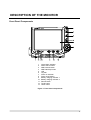
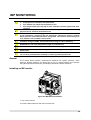
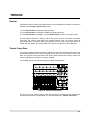
1. Turn on the monitor by pressing Power on/off button. Confirm that the Power on
indicator on the monitor’s front panel is lit.
2. After the checksum for flash memory is completed, the monitor performs POST. The
initial screen appears during POST. The initial screen displays the company logo, the
version of system and the current time.
3. If there is no error, all indicators are lit for at least 2 seconds and the post pass tone
sounds during POST. Confirm that the post pass tone sounds and all indicators are lit
during POST.
25