1
76
Spam Sleuth User's Guide
5.
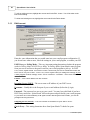
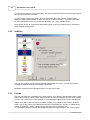
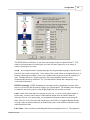
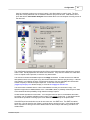
· EMail Address: Enter your e-mail address
· Incoming (POP3) Server: Enter the information from your e-mail program that you wrote down.
· Username: Enter the information from your e-mail program that you wrote down.
· Password: You can fill it in, or leave it blank. It will get it from your e-mail program.
· Outgoing Server (SMTP): Enter the information from your e-mail program that you wrote down.
· Check Every: Leave it at 0
Go back to your e-mail program and set "Incoming (POP3) Server" to 127.0.0.1, and username to
your full e-mail address as you entered in the step above.
Choose One:
Still not working.
It is working great now.
5.1.1.3.3 Troubleshooting-Anti Spam Conflict
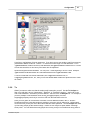
We don't recommend running two anti-spam solutions. Please uninstall the other anti-spam solution
and use Spam Sleuth exclusively.
Choose One:
Still not working.
It is working great now.
5.1.1.4
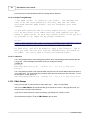
POLL should be PRXY
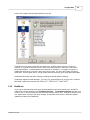
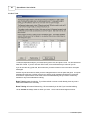
If it says POLL in the status area, when it should say PRXY, go to File->Configure.../Accounts and
make sure the accounts you want to be POP3 Proxy Mode are set that way. Then make sure that you
choose the correct account from the drop-down in the upper right-hand corner of the Mail Jail.
Choose One:
It is working now.
It still says POLL, when it should say PRXY.
5.1.2
Polling Mode - Not getting e-mail
You are running in Polling Mode. In this mode, Spam Sleuth does not affect the normal flow of e-mail.
Your e-mail program will get e-mail just as it has before. For Spam Sleuth to be effective, it must
check for e-mail before your e-mail program, and remove the bad (spam) e-mail from your e-mail
server before your e-mail program checks for e-mail. We recommend POP3 Proxy Mode for most
people. Click here for more information on the pros and cons of use Polling Mode.
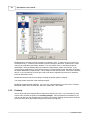
In Polling Mode, Spam Sleuth does not affect whether your e-mail program can get e-mail. If you
have switched between POP3 Proxy Mode and Polling Mode, it is possible that the settings in your email program have been changed. Please change them back to the original settings. When you use
Polling Mode, no changes are necessary to your e-mail program. If you suspect that Spam Sleuth has
changed your setting and you don't know what they are, there is an AutoConfigure.log file in the Spam
Sleuth program directory which logs all the changes made to your e-mail program.
Check One:
I've set my e-mail settings back to their original settings and everything is working.
I can get e-mail now, but I have other problems.
© 2004 Blue Squirrel