1
LED Indicators
Reference Manual (SIP Version)
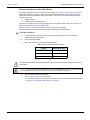
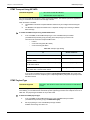
Special Vocal Features
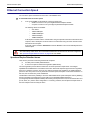
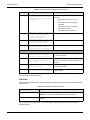
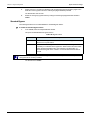
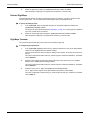
When entering special characters on your telephone pad, the Mediatrix 2102 talks back to you with relevant
information.
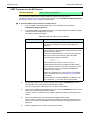
X To access special vocal features:
1.
Take one of the telephones connected to the Mediatrix 2102.
2.
Dial one of the digits sequence on the keypad.
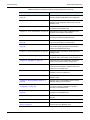
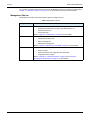
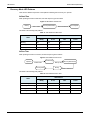
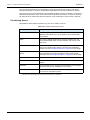
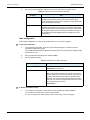
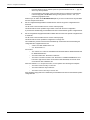
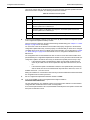
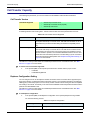
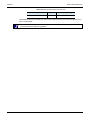
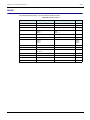
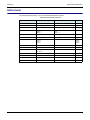
Table 8: Special Vocal Features
Digits to Dial
*#*0
Information Vocally Sent by the Mediatrix 2102
Current IP address of the Mediatrix 2102 (static or DHCP).
Note: If you are using the Mediatrix 2102 in TAS mode, the LAN IP address is
returned.
*#*1
MAC address of the Mediatrix 2102.
*#*2
Current WAN IP address of the Mediatrix 2102.
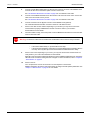
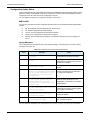
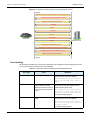
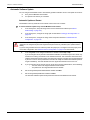
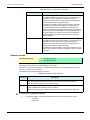
LED Behaviour in Starting Mode
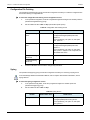
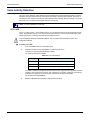
When the Mediatrix 2102 starts and it is not configured to use a DHCP server, it uses static IP addresses. If
the static information is not valid, the Power and Ready LEDs blink at 1 Hz with 75% duty cycle. This lets you
know that you must perform a Factory reset or Recovery mode operation. See “Default Settings Switch” on
page 20 for more details.
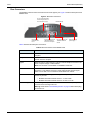
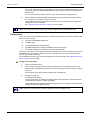
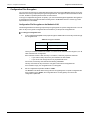
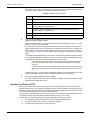
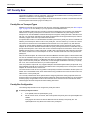
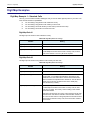
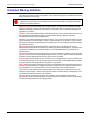
LED Indicators
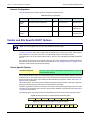
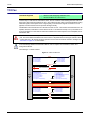
A LED can be ON, OFF, BLINKING or controlled by hardware (HW). The blinking behaviour is described in
terms of rate (in Hertz – Hz) and duty cycle (in percentage). For instance, a LED that turns on every two
seconds and stays on for one second would be described as: blink 0.5 Hz 50%. The hardware (HW) behaviour
is not defined. It is usually the standard state for the LAN LED.
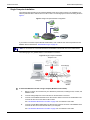
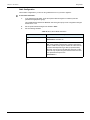
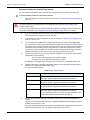
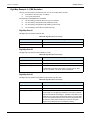
Ready LED
The Ready LED provides an “at-a-glance” view of the Mediatrix 2102 operational status. It is an aid for
installation and on-site support. This LED is:
ON when all elements of the ifAdminOpState column are “enabled”.
OFF when all elements of the ifAdminOpState column are “disabled”.
Blinking when at least one element of the ifAdminOp State column is “enabled” and at least one
element is “disabled”.
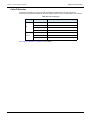
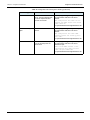
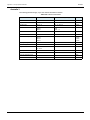
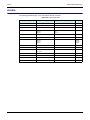
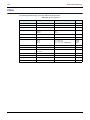
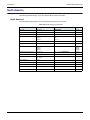
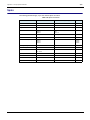
Patterns and meanings of the Ready LED are described in Table 10 on page 18.
Refer to the MIB Reference Manual for more details on the ifAdminOpState variable.
In Use LED
The In Use LED provides feedback of the activity on the line. If a line is ringing, off-hook, or displaying
information (ADSI), then this LED is ON. The In Use LED is ON when at least one element in the
ifAdminUsageState column is “busy”. Patterns and meanings of the In Use LED are described in Table 10 on
page 18.
Refer to the MIB Reference Manual for more details on the ifAdminState variable.
Mediatrix 2102
15