1
The modules area
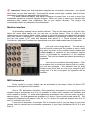
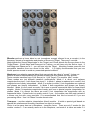
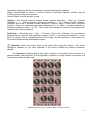
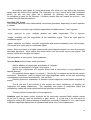
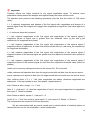
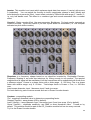
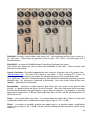
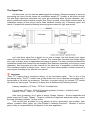
The Modules area is actually the 16 modules queue slots where you can place any
processing module from the modules palette. The right click on any slot will show the modules
menu.
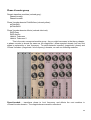
Add Module – opens the palette submenu (modules
are sorted by category) and adds modules to the
processing slot. (See Chapter 3)
Delete – removes the module from a slot.
Bypass – allows a module to be bypassed (i.e. turns
off internal module processing).
Use Sampler – Switches processing code to
modulation sample or sidechan instead of input data.
Load Preset and Save Preset - these are just
shortcuts of their respective knobs to speed up the
load and save processes.
Clear sampler - release current loaded sample only
(and clear “Lock Sample” state), New - releases all loaded samplers and deletes all modules.
Plug-in modes
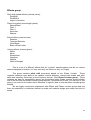
That option menu change the plug-in processing architecture and signal flow. There are
four distinct plug-in architectures available:
Stereo ext. 2+1 in 2 out. This is the default plug-in mode offering two input signals that
are processed with an external modulation signal. The result will be two stereo output signals.
Require three FFT input blocks - this is a relatively slow mode, but well worth the wait.
Mono ext. 1+1 in 2 out. In this mode, the plug-in affects only the left channel and uses
an external sample as the modulation source to preserve CPU usage. The resulting signal can
be stereo –the right channel is the same as the left. Requires two FFT inputs: one for the main
signal input and another for the external modulation sample.
As sated previously, you can use the Right input channel instead of an external
modulation sample. In this case, the sampler module is turned off and the plug-in works only as
mono input / output. This is Sidechan mono 2 in 2 out mode. This is fastest processing mode
because it requires only two FFT input blocks for the left channel (main input) and right channel
(used as carrier).
The latest mode, Sidechan stereo 4 in 2 out works in the same way as the previous
mode except that the modulation uses another stereo input channel. This mode is not supported
in every host so please refer into your host manual for instructions on how to route four inputs to
a plug-in.
10