1
Powador-gridsave eco – Application Note –
Installation GS eco link and Powador-gridsave eco – PC connection
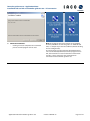
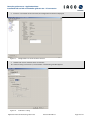
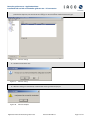
14. The bottom of the main window will display that the settings have to be transmitted to the converter
("Download required"). The transfer of the settings can be started with "Download All Changes".
Figure 18.
Transfer settings
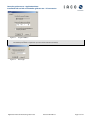
15. Confirm transfer with "Yes".
Figure 19.
Transfer setting
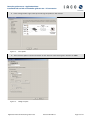
16. After the settings are transferred, a confirmation message will be displayed.
Figure 20.
Transfer complete
Application Note for Powador-gridsave eco
Version: 2014-02-19
Page 17 of 22