1
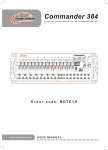
DMX 512 CONTROLLER SERIES
Item
Button or Fader
Function
1
Scanner select buttons
Fixture selection
2
Scanner indicator LEDS
Indicates the fixtures currently selected
3
Scene select buttons
Universal bump buttons representing scene
location for storage and selection
4
Channel faders
For adjusting DMX values, Ch 1~16 can be adjusted
immediately after pressing the respective scanner
select button
5
Program button
Used to enter programming mode
6
Music/Bank Copy button
Used to activate Music mode and as the copy
command during programming
7
LED display window
Status window displays pertinent operational data
8
Mode Indicator LEDS
Provides operating mode status,
(manual, music or auto)
9
Bank Up button
Function button to traverse Scene/Steps in
banks or chases
10
Bank Down button
Function button to traverse Scene/Steps in
banks or chases
11
Tap Display button
Sets the chase speed by tapping, and toggles between
values and percentages.
12
Blackout button
Sets the shutter or dimmer value of all fixtures to
all light output to cease
13
Midi/ADD button
Activates MIDI external control and also used to confirm the
record/save process
14
Auto/Del button
Used to activate Auto mode and as the delete function key during
programming
15
Chaser buttons
Chase memory 1 ~ 6
16
Speed fader
This will adjust the hold time of a scene or a step
within a chase
17
Fade-Time fader
Also considered a cross-fade, sets the interval
time between two scenes in a chase
18
Page select button
0
causing
In manual mode, press to toggle between pages
of control
USER MANUAL
4/18