1
iNodeConfig iC User Manual
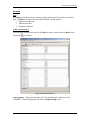
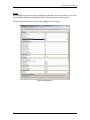
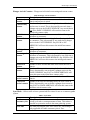
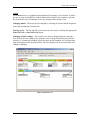
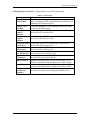
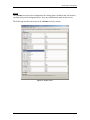
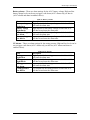
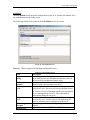
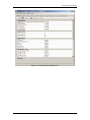
Digital setup - Digital channels are used for signals that have only one of two states, high
or low. The high or low states are recognized as high or low, or ON or OFF states that are
used to trigger an alarm or action.
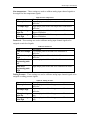
Table 25. Digital Setup
Item
High LP digital
input channel
OFF digital input
channel
On digital input
channel
Shut-in digital
input channel
Soft alarm digital
input channel
Description
Digital channel to use as a source for high line pressure.
Digital channel to use as a source for OFF action.
Digital channel to use as a source for ON action.
Digital channel to use as a source for shut-in action.
Digital channel to use as a source for a soft alarm. This is
used to send an SMS alarm to warn of an approaching
alarm condition.
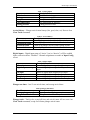
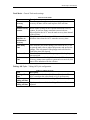
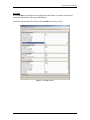
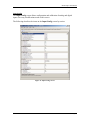
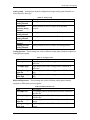
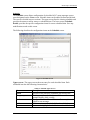
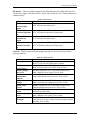
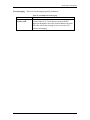
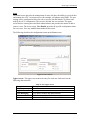
General – General analog input configuration.
Table 26. Input Configuration General
Item
Analog channel
scan rate
Trend storage rate
Reference voltage
Description
Rate at which the analog channels are scanned: Once per
second, once per minute, or disabled.
Rate at which analog channel scans are averaged and
stored to the trend log: Three minutes or disabled.
Reference voltage for the analog signals. FACTORY
SETTING - DO NOT CHANGE.
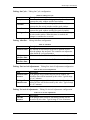
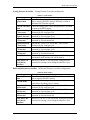
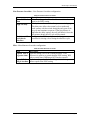
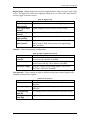
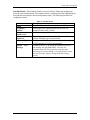
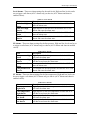
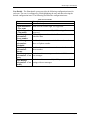
Line pressure - These settings are used to calibrate analog input channel signals to be
assigned as line pressure signals.
Table 27. Line Pressure
Item
LP sample low
LP sample high
LP engineering
units low
LP engineering
units high
9/15/2008
Description
Low sample point of the line pressure calibration in
millivolts.
High sample point of the line pressure calibration in
millivolts.
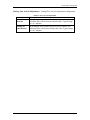
Low sample point of the line pressure calibration in psig.
High sample point of the line pressure calibration in psig.
Version 1.0.0
Page 45