1
Chapter 5
Dual access
(Black & White only)
Note
5
You can dial a number and start scanning the
fax into memory—even when the machine is
sending from memory, receiving faxes or
printing PC data. The LCD shows the new job
number and available memory.
Overseas Mode
Note
If the Out of Memory message appears
while scanning a document, press
Stop/Exit to cancel or Black Start to send
the scanned pages.
If the memory is full and you are sending a
black & white fax from the ADF, the machine
will send the document in real time (even if
Real Time TX is set to Off). Color faxes
and faxes from the scanner glass cannot be
sent until you clear some of the memory.
Sometimes, you may want to send an
important document immediately, without
waiting for memory transmission. You can
turn on Real Time TX.
46
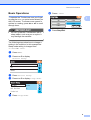
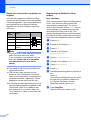
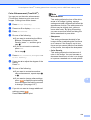
Press
(Fax).
Load your document.
Press d or c to display Real Time TX.
Press Real Time TX.
Press On.
a
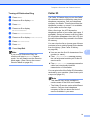
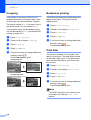
Press
b
c
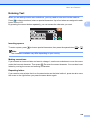
Load your document.
d
e
Press Overseas Mode.
5
When you are sending a fax, the machine will
scan the document into the memory before
sending. Then, as soon as the telephone line
is free, the machine will start dialing and
sending.
a
b
c
d
e
5
If you are having difficulty sending a fax
overseas due to possible interference on the
telephone line, we recommend that you turn
on the Overseas mode. After you send a fax
using this feature, the feature will turn itself off.
The number of pages you can scan into the
memory will vary depending on the data that
is printed on them.
Real time transmission
In real time transmission, the automatic
redial feature does not work when using
the scanner glass.
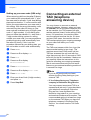
(Fax).
Press d or c to display
Overseas Mode.
Press On (or Off).
Delayed Faxing
(Black & White only)
5
During the day you can store up to 50 faxes
in the memory to be sent within 24-hours.
These faxes will be sent at the time of day you
enter in step f.
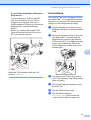
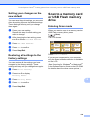
a
Press
b
c
d
e
f
Load your document.
(Fax).
Press d or c to display Delayed Fax.
Press Delayed Fax.
Press On.
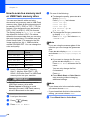
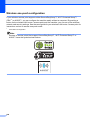
Enter the time you want the fax to be
sent (in 24-hour format) using the
buttons on the LCD.
(For example, enter 19:45 for 7:45 PM.)
Press OK.