1
n
Issue: Release
Revision : 4.03
p
r
D ie
o
t
N a
o r
t y
D In
is f
t o
r r
ib m
u a
t t
e io
Title : Guardian Offline Proofing - Software User Manual
Ref. :
Date :June 2011
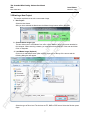
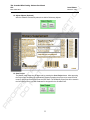
3.4 Image Zoom Buttons
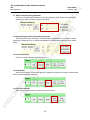
The image zoom buttons are used adjust the operators view of the image being inspected.
1.
2.
3.
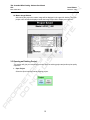
Zoom In
When zoom in is used the main viewing area displays an enlarged view of a specific portion of
the image. The more zoomed in the smaller the portion of the main image being viewed.
Zoom Out
When zoom out is used the area being viewed becomes larger. Zoom out can will only work until
the whole image is displayed in the main viewing area.
Zoom Fit
When zoom fit is used the main viewing area displays the complete image being inspected.
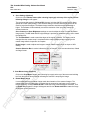
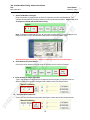
3.5 Image Displayed Buttons
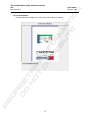
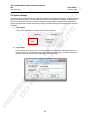
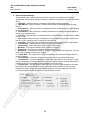
These buttons allow the operator to cycle through an inspected image, the master image and a displayed
image.
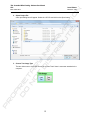
1. Results - 1
Clicking on this button or pressing the 1 button on the keyboard will display the inspection results.
2. Test - 2
Clicking on this button or pressing the 2 button on the keyboard will display the test image without
the inspection results.
3. Master - 3
P
r
o
Clicking on this button or pressing the 3 button on the number keyboard will display the master
image.
21