1
C100 Series IP Camera User Manual
Chapter 3
3 Configure method
If you need to access external networks through a router to connect to the
Internet, network cameras, to be carried out within the router network settings,
so that it can be a normal dial-up Internet access. Here we G285 router, for
example, to WEB interface settings.
3.1. WEB
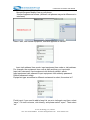
Please enter http://192.168.0.1 in the IE address bar as shown below:
End of the IE address bar enter the IP address and enter, the screen will pop
up logon dialog box, asked to enter a user name and account number, cellular
router products leaving the factory default user name and account number are
the "guest"
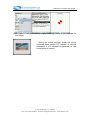
Into the preparation interface, first of all to see is to set out the basic system
status and configuration information, as shown below
E-Lins Technology Co.,Limited
Tel: +86-755-83700465 E-mail: sales@szelins.com www.szelins.com