1
You will be required to plug in your headset before starting the FM
Radio. The headset works as antenna for the FM radio.
CHANGING THE PHONE’S VOLUME
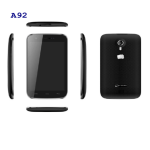
You can adjust the volume of your handset by using the volume keys
on the right side of the handset as shown:
SENSORS
Your phone has gravity sensors to detect gravity and display correct
orientation based on the motion.
You can disable the auto-rotate feature from Application Menu →
A61
17