1
14
en | ISA Menus
IntuiKey Script Application
–
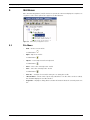
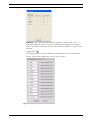
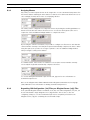
Configure COM Port... invokes a dialog for selecting a PC COM port that is used to
communicate with an IntuiKey keyboard. Selections are limited to COM1 through
COM16.
Toolbar button:
Figure 5.3
5.4
COM Port Setup dialog box
Server Menu
–
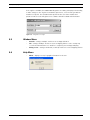
Set Allegiant Server Document Association... (either the Allegiant LTC 8059/00 Master
Control Software for Windows® or the LTC 8850/00 Allegiant GUI software must be
installed on the PC for this option to be enabled) – opens a dialog which allows an
Allegiant server (.alg) pathname to be stored in conjunction with the currently active
IntuiKey Configuration (.int) file. When configuring keyboard softkeys to execute Allegiant
Command Scripts, this feature allows a user to easily refer to the corresponding macros
that have been programmed in the Allegiant’s software configuration program.
Toolbar button:
Figure 5.4
–
Associate an Allegiant Server Document
Launch Allegiant Server (either the Allegiant LTC 8059/00 Master Control Software for
Windows® or the LTC 8850/00 Allegiant GUI software must be installed on the PC for this
option to be enabled) – launches the Allegiant server (.alg) file specified in the Server |
Set Allegiant Server Document Association... option.
Toolbar button:
F.01U.143.295 | 1.0 | 2009.11
User’s Manual
Bosch Security Systems, Inc.