1
BIOS Utilities
The Setup Program
The Phoenix Setup program tells the system how to configure itself and manage basic features and subsystems (e.g. port configuration).
Entering Setup
5
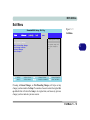
To enter Setup, turn on the computer and press F2 during the POST. The prompt
(Press F2 to Enter Setup) is usually present for a few seconds after you turn on the
system. If you get a “Keyboard Error”, (usually because you pressed F2 too quickly)
just press F2 again.
If the computer is already on, reboot using the Ctrl + Alt + Delete combination and
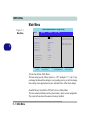
then hold down F2 when prompted. The Setup main menu will appear.
5 - 4 The Setup Program