1
ENGLISH
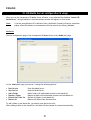
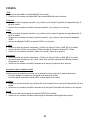
HDMI:
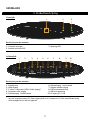
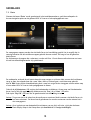
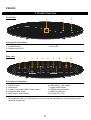
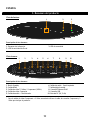
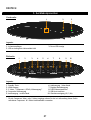
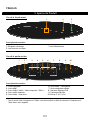
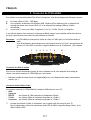
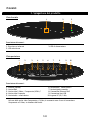
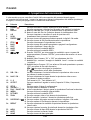
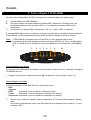
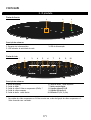
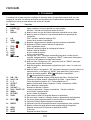
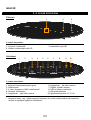
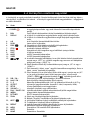
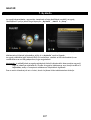
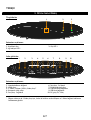
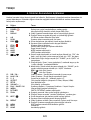
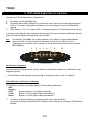
• Connect the HDMI cable to the HDMI output [2] of the unit.
• Connect the other end of the HDMI cable to a free HDMI input on your TV.
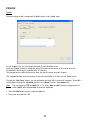
Composite:
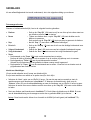
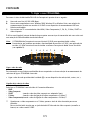
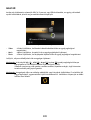
• Connect the Composite cable (Yellow, Red, and White) to the corresponding Composite jacks [4 , 5 , 6]
on the unit.
• Connect the other side of the Composite cable (Yellow, Red, and White) to your TV.
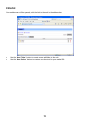
SCART:
• Connect the Composite cable (Yellow, Red, and White) to the corresponding Composite jacks [4 , 5 , 6]
on the unit.
• Connect the other side of the Composite cable (Yellow, Red, and White) to the jacks on the SCART
Adapter.
• Connect the SCART Adapter to the SCART Input of your TV.
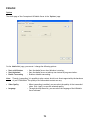
S-Video:
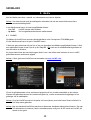
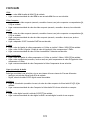
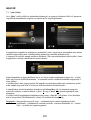
• Connect the the Component & S-Video connection cable to the S-Video & YPbPr jack [3] of the unit.
• Connect the S-Video cable to the S-Video connection of the the Component & S-Video connection
cable.
• Connect the other end of the S-Video cable to the S-Video Input on your TV.
Component:
• Connect the the Component & S-Video connection cable to the S-Video & YPbPr jack [3] of the unit.
• Connect the Component Cable (Red, Green, and Blue) to the Component jacks of the Component &
S-Video connection cable.
• Connect the other end of the Component cable to the Component Jacks on your TV.
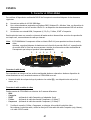
Connecting the Audio Cable(s)
You can connect the unit to your TV and/or your home cinema system in 2 different ways:
- Analog, through the RCA Audio Jacks of the unit.
- Digital, Through the Coaxial Digital S/PDIF output of the unit.
Analog:
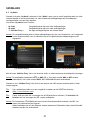
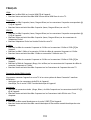
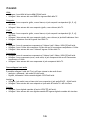
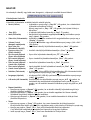
• Connect the Audio jacks (Red, White) of the Composite cable to the RCA Audio jacks [5 , 6] of the unit.
• Connect the other end of the Composite cable to the RCA Audio Jacks of your TV or receiver.
Digital:
• Connect the Digital coaxial cable to the S/PDIF output [7] of the unit.
• Connect the other end of the Digital coaxial cable to the Digital coaxial input of your receiver.
34