1
User Manual Ha-VIS mCon Switch Management Software
10.Redundancy
10.1 RSTP
This section allows you to construct redundancy within your network topology. Redundant or
spare links can be implemented to provide automatic backup paths if an active link fails.
STP (Spanning-Tree Protocol) is a link management protocol that provides path redundancy while
preventing undesirable loops in the network that are created by multiple active paths between
stations. To establish path redundancy, STP creates a tree that spans all of the switches in an
extended network, forcing redundant paths into a standby, or blocked, state. For an Ethernet
network to function properly, only one active path must exist between two stations. Multiple active
paths between stations in a bridged network can cause loops in which Ethernet frames can
endlessly circulate. STP can logically break such loops and prevent looping traffic from clogging
the network.
One of the problems with the Spanning Tree algorithm is that, in a large LAN, it can take a
considerable time for the LAN topology to stabilize following a reconfiguration event - times of the
order of 30 seconds being typical of the original form of the algorithm. To avoid this, HARTING
supports RSTP (Rapid Spanning Tree Protocol). The operation of RSTP provides rapid recovery
of connectivity in case of a link failure. RSTP avoids large delays by calculating an alternate root
port and immediately switching over to the alternate port if the root port becomes unavailable
RSTP in compliance with IEEE 802.1D (2004).
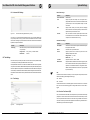
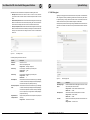
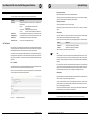
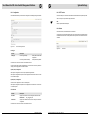
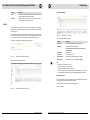
This section is divided into three tabbed sections for altering and viewing RSTP parameters:
Basic Settings, Port Settings and Port Status. Each of these tabs is described below.
Redundancy
Function
Description
Status
Select whether to disable or enable a global redundancy protocol on the
switch.
Range of value:Enable / Disable
Default value:Enable
Version
Select the protocol version.
Range of value: RSTP Compatible / STP Compatible
Default value:
RSTP Compatible
Priority
Specify the STP priority. This is used to identify the root bridge in a spanning
tree. The bridge with the lowest value has the highest priority and is the
root. A higher numerical value means a lower priority; thus, the highest
priority is 0. The highest numerical value on the drop-down list is 61 440.
Range of value: 0 ... 61 440 in steps of 4096
Default value:
32 768
Max Age
Specify the time in seconds (STP) or hop count (RSTP) that the information
received in a RSTP BPDU (bridge protocol data unit) is valid.
Range of value: 6 ... 40
Default value:
20
Hello Time
Specify the time interval in seconds between two successive configuration
BPDUs.
Range of value: 1 ... 2 sec
Default value:
2 sec
Tx Hold Count
Specify the maximum number of BPDUs that can be transmitted in a
second.
Range of value: 1 ... 10
Default value:
6
Forward Delay
Specify the period of time in seconds that a bridge will wait (the listen and
learn period) before beginning to forward data packets.
Range of value: 4 ... 30 sec
Default value:
15 sec
Dynamic Path
Cost Calculation
Select whether the dynamic path cost calculation is allowed or not. Cost
calculation is allowed when this is set to True, the pathcost of all the ports
will be calculated dynamically based on the speed of the interface.
Range of value: True / False
Default value:
True
Note
When the switch boots up, RSTP is enabled by default. The default configuration is applicable
for most applications, thus, usually no additional configurations have to be done in this section.
10.1.1Basic Settings
Note
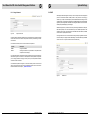
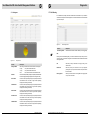
Figure 10-1
Basic Settings tab
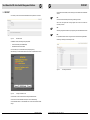
The tabbed section on p. 41 allows you to specify the following global settings.
It is recommended to use RSTP instead of STP to reduce the time for the network recovery in
case of a link failure.
Note
The parameter Max Age must be set to the worst case diameter within a RSTP topology to
prevent loops. In a ring structure of 20 switches for example, the Max Age value must be set to
at least 20.
The following two mathematical relationships must be observed when assigning values for Hello
Time, Forward Delay and Max Age parameters:
2 x (Forward Delay - 1) >= Max Age
Max Age >= 2 x (Hello Time + 1)
40
HARTING Electric GmbH
Management Software Ha-VIS mCon Series / Edition 2.4
41