1
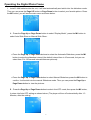
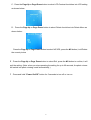
C.Press the Page Up or Page Down button to select LCD Contrast it switches into LCD setting
as shown below:
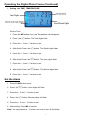
D. Press the Page Up or Page Down button to select Delete it switches into Delete Menu as
shown below:
Press the Page Up or Page Down button to select NO/YES, press the M1 button, it will Delete
the current picture
E.Press the Page Up or Page Down button to select Exit, press the M1 button to confirm, it will
quit the setting. (Note: when you stop operating the setting for up to 60 seconds, the photo viewer
will switch into photo viewing mode automatically.)
F.Press and hold “Power On/Off” button for 5 seconds to turn off or turn on.
6