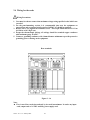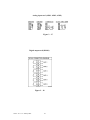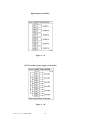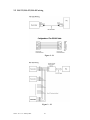
1
Job1, Job2: various jobs as described in 4.1 Channel, 2 jobs for each totalizer.
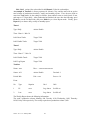
An example of Totalizer: A factory operates for 8 hours a day, and the staff wish to get the
total volume of production from daily, weekly and monthly reports. First, the user needs to
enter into Tools mode, do the settings as follows, then totalizer starts to work from 8:30 am,
and stops at 17:30 pm daily. After production has finished, the user does the following: press
Event key on the left hand side, and press Mode key to select Report mode. Finally, press
Report key to choose daily, weekly or monthly report.
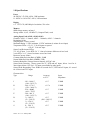
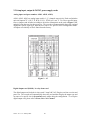
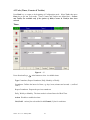
Timer1
Type: Daily
Action: Enable
Time - Hour: 8 Min: 30
Job1: Reset Totalz
Target: Tolz1
Job2: Enable Totalz
Target: Tolz1
Timer2
Type: Daily
Action: Enable
Time - Hour: 17 Min: 30
Job1: Disable Totalz
Target: Tolz1
Job2: Log Report
Target: Tolz1
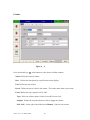
Totalizer
Name: xxxx
Desc : xxxxxxxxxxxxxxxxx
Source: AI1
Action: Enable
Decimal: 1
Period: Min
Unit: xxxx
Preset: 0.0
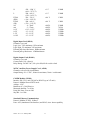
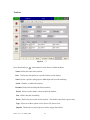
Event
No
Type
Setpoint
Job1
Job2
1
Hi
xxxx
Log Alarm
Set DO on
2
Low
xxxx
Log Alarm
Set DO off
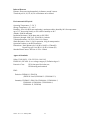
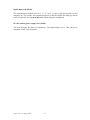
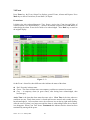
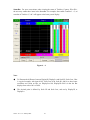
The Weekly Report shows the following information:
The week’s production volume: Monday: 990, Tuesday: 1010, Wednesday: 1020, Thursday:
1020, Friday: 980 respectively. The weekly report shows production volume 5,020.
VR18 - v2.0 - 1L: January 2005
42