1
2.
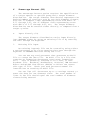
Basal Area Thin (BA)
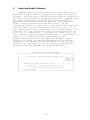
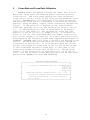
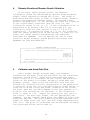
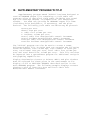
You can choose a basal area thin to remove a certain
amount of basal area from the stand. ORGANON first prompts
you for the species or species group to which the basal area
thin will be applied. The total amount of basal area in the
species group you selected will then be displayed on the
screen. ORGANON prompts you for the basal area amount to
remain after cutting. The basal area cut can be performed
from above, below or proportionally across the diameter
classes.
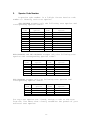
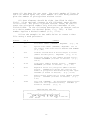
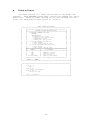
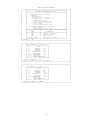
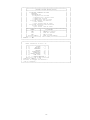
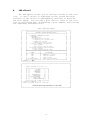
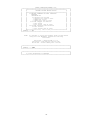
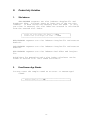
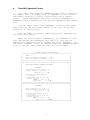
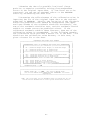
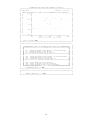
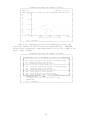
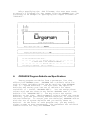
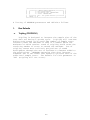
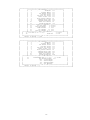
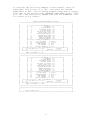
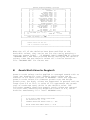
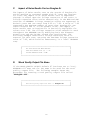
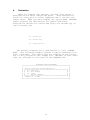
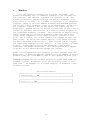
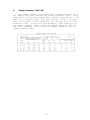
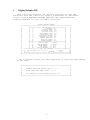
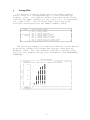
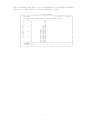
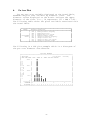
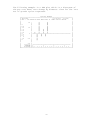
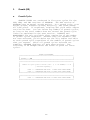
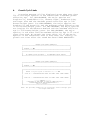
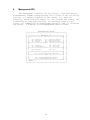
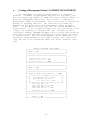
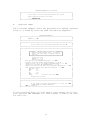
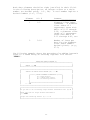
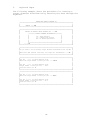
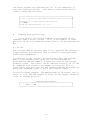
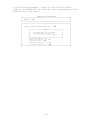
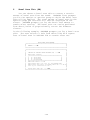
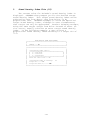
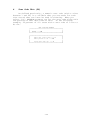
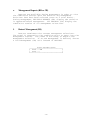
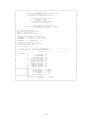
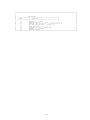
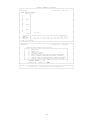
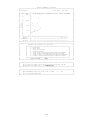
In the following example, ORGANON prompts you for a basal area
thin. The user selects a thin from above with 42.8 square
feet of basal area in DOUGLAS FIR to remain after cut.
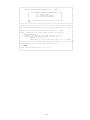
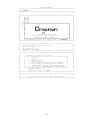
BASAL AREA THIN EXAMPLE
┌─────────────────────────────────────────────────────────┐
│
│
│
MANAGE ---> BA
│
└─────────────────────────────────────────────────────────┘
┌─────────────────────────────────────────────────────────┐
│
│
│
SPECIES OR SPECIES GROUP DESIRED (AL) ---> DF
│
│
│
│
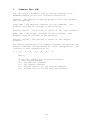
Basal Area control:
│
│
┌──────────────────────────────────────────────┐
│
│
│
A - from above
│
│
│
│
B - from below
│
│
│
│
P - proportional
│
│
│
└──────────────────────────────────────────────┘
│
│
Enter BA Control ---> A
│
│
Total Basal Area = 63.3 sq. ft. for DOUGLAS FIR
│
│
Enter basal area sq.ft. to remain after cut ---> 42.8 │
│
20.5 sq. ft. basal area to cut ...
│
│
│
│
Accept this thin (Y)? ---> <CR>
│
└─────────────────────────────────────────────────────────┘
104