1
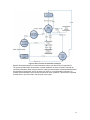
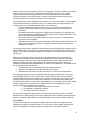
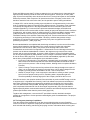
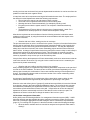
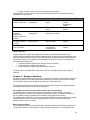
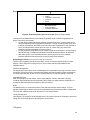
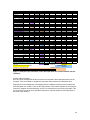
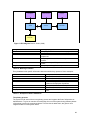
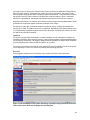
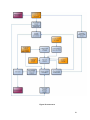
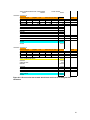
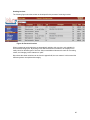
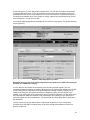
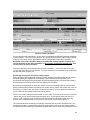
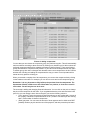
Picture 6: Order-calculation
You see that the order-calculation is in red, this is to emphasize the difference with the calculation
in inquiry-phase. If you have major revisions you can do this here with the [Make revision] button
on the top. This works exactly the same as with the [Offer] button in the inquiry calculation.
Remember: this order-calculation always resembles the contract with the customer. It is
used as the basic for the after calculation, so do not enter unexpected mishaps here. This
can be entered in after-calculation.
This order-calculation works the same as the inquiry-calculation. In the other tabs for an order
you can add and change a lot of variables. Try it! It is important you know what these variables do
and how they work so test it out.
Purchasing components and saving a final product
After engineering defined the final product by making a drawing the final product can be ordered
and purchased by the department of purchasing. They define the product by adding new
components and replacing the components as you defined them before. Of course this happens
on a special place inside the system and new within your calculation.
But because the department of sales also carries out some purchasing tasks you need to know
how to purchase items officially according to the system. But of course, this is quite easy. Click on
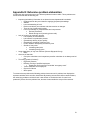
Processing -> Orders in the main screen (in the top-left corner). Now you get the total order-list.
You can see a lot of information about the running orders.
There is one column with the products which are in an order. The name of the column is Products
/ Status and you can click on these products which are in. Find a specific order and click on a
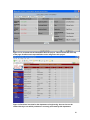
product. Do it! It will open a pop-up with all product-information, and different tabs on the top.
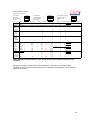
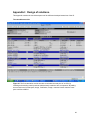
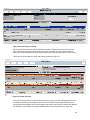
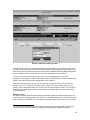
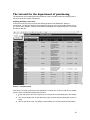
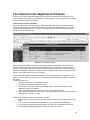
You can see a components-tab. If you click on it you will see a screen like in picture 7.
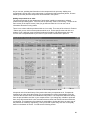
The components which are directly from the pre-calculation are red in this component-list: if you
change any variable or purchase them, they will become black. Later more about these actions.
The department of purchasing is responsible to update this list to an exact copy of the parts list as
85