1
Philips Semiconductors Nijmegen
USB - CODEC configuration editor v2.01
1.5.2
User Manual
Loading a configuration
Select the
button to initiate the window for loading files. You can also use your keyboard by pressing on
the TAB key until the dashed marker appears on the button you want en strike the space bar to activate it (for
more information about disabled buttons and functions of them, please read chapter 2.2).
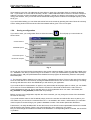
Once the load file window is on your screen (like illustrated in Fig. 2), you can browse freely through the available
drives and directories to select any configuration file.
The current
selected format
Load the selected
file
Listed files in the
Currently selected
Drive & directory
Currently selected
drive
currently selected
file
Format selection
Fig. 2
Depending on the format you have selected, only the respective extensioned files will appear on the listed file
sub-window. If you need to look for files with other formats, press on the corresponding spin-button control (see
Fig. 2) to display the list of available formats and select the one you want.
However, you will discover that there is only one file format supported /selectable. If you finally found your file,
select this and press on the Load button to load it and decode the contents.
+ You can also double-click on the respective file to load.
8