1
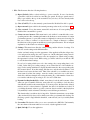
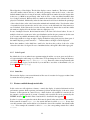
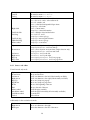
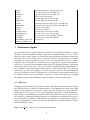
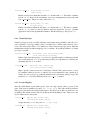
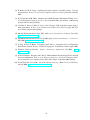
[D-BUS Service]
Name=com.gwt.vampir
Exec=/private/utils/bin/vng+
Figure 10: An example of the com.gwt.vampir.service file
2.3.2
Display of most severe pattern instances using a trace browser
If a statistic file also contains information about the most severe instances of certain patterns, CUBE
can be connected to a trace browser (currently Vampir [2, 8] and Paraver [4, 1] are supported) in
order to view the state of the program being analyzed at the time this most severe pattern instance
occurred. For collective operations, the most severe instance is the one with the largest sum of the
waiting times of all processes, which is not necessarily the one with the largest maximal waiting
time of each individual process.
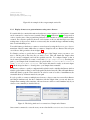
To use this feature you first have to connect to a trace browser by using the Connect to trace browser
menu item of the File menu, which offers to connect to Vampir as well as to Paraver. This will open
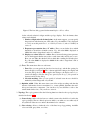
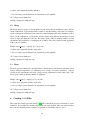
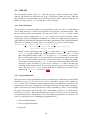
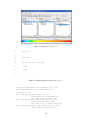
one of the two dialog windows shown in figure 11.
For Vampir you have to specify the host name and port of the Vampir server you want to connect to and the path of the trace file you want to load. This will launch the Vampir client
(if it is correctly configured) and load the specified trace file. To configure Vampir so that it
can be started automatically by CUBE, a service file (com.gwt.vampir.service), describing the
path to your Vampir client executable must be placed under /usr/share/dbus-1/service or
$HOME/.local/share/dbus-1/services. This service file must be exactly as shown in figure
10 with the exception that Exec should point to your Vampir client executable.
For Paraver, you have to specify a configuration file (which is used to initialize the Paraver window
which is opened when zooming) as well as the path of the desired trace file. This will launch Paraver
which will directly open the correct trace file. In order for CUBE to be able to launch Paraver, the
executable directory of Paraver must be in your path.
It is also possible to connect to multiple trace browsers so that you can view a trace file in Paraver
and Vampir simultaneously, but due to limitations with the Vampir client you can only have two
Vampir clients running at the same time. All trace browsers will be zoomed simultaneously if you
select a zoom command (as described below).
Figure 11: The dialog windows for a connection to Vampir and to Paraver.
Once CUBE is connected to a trace browser you can select the Max severity in trace browser menu
24