1
CDSVAN
PSU04
Set-up
Before power-on the power supply unit PSU04, please connect the necessary cables. Then proceed with the
DIP-switch settings regarding to your specific system. After correct DIP-switch settings and termination (see
chapter “DIP-switch settings”) you can power-on the PSU04. The green LED in the mains switch and the green
LED´s from the connected lines light up in case that the installation is correct.
In case of a short-circuit, the corresponding red indication LED on the front panel will light up. (See chapter
“Short-circuit protection”)
Operation
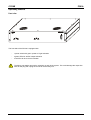
ON/OFF switch
Power ON/OFF switch with power „ON“ indication (Green light).
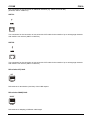
Output indication
Green LED for +48VDC output indication UNITS 1, A/B and UNITS 2, A/B
Short-circuit indication
For power failure indication (short-circuit) UNITS 1, A/B and UNITS 2, A/B
Short-circuit protection
The 4 outputs of the PSU04 are electronically short-circuit protected. In case of a short-circuit the output will be
automatically switched off. A corresponding red LED on the front panel indicates this.
-
Short-circuit < 2 sec.: Current limit to 1.5A max. per output
-
Short-circuit > 2 sec.: Output will switch to “OFF”, 65 sec. cycle time for switching the output to “ON”
again, if the short-circuit has been removed
Mains power connector
Inlet connector for non-heating apparatus. For mains power connection with the enclosed mains connection
cable.
13