1
Application
GTW/EN AP/C80
PACiS GTW gateway
4.4.2.8
Page 49/84
Defining a SCADA address for an MPS datapoint
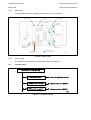
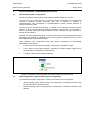
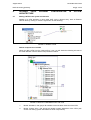
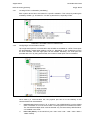
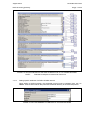
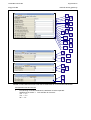
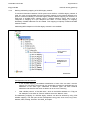
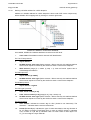
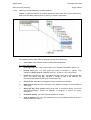
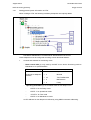
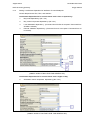
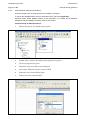
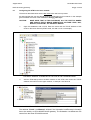
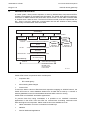
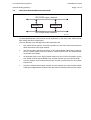
Addition of a SCADA address for an MPS datapoint is done under SCE via the “Object entry”
area at SCADA MPS mapping level by clicking on mouse’s right button.
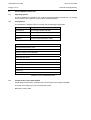
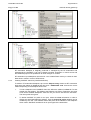
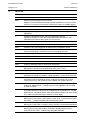
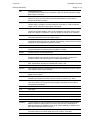
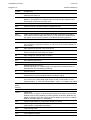
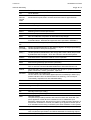
FIGURE 46: ADDING A SCADA MPS ADDRESS
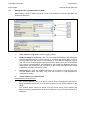
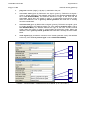
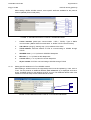
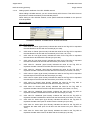
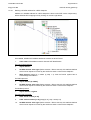
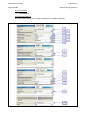
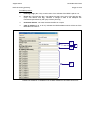
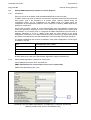
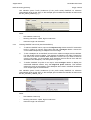
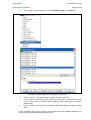
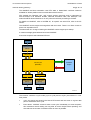
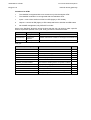
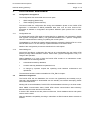
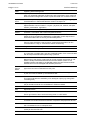
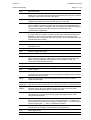
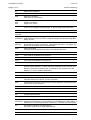
Once added, SCADA MPS address attributes must be set at SCE level:
1.
short name of the address used for internal SCE identification
For T101/T104 protocols:
2.
bitstring usage ( No / Yes): must be set to Yes. Indicates if the MPS is split or not.
3.
priority level (from 1 to 255): gives the priority of emission (1: higher). Only
significant if Event attribute is different from ‘No’. Is fixed to 1 for T104 protocol.
4.
Event (No / Yes with time tag / Yes without time tag): when set to ‘Yes with time tag’
(resp. ‘Yes without time tag’), indicates if change of state of the datapoint are
transmitted spontaneously with (resp. without) time tag
5.
Event record: indicates if the datapoint will be recorded in the SOE file
6.
Background scan (No/Yes): indicates if the datapoint belongs to the background
scan cycle
7.
Group ([0..16)] / 0=no group) (range [0,16], step 1) indicates to which “T101/T104
General Interrogation group” the datapoint is assigned. 0 means ‘no group’
assignation.
8.
multistate address: not used, because the MPS is not split
9.
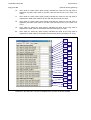
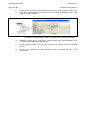
state_X address (0 to 15 for X): indicates the T101/T104 address which will be set if
the MPS takes the value X