1
General Domestic Water Use – Level Two
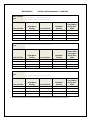
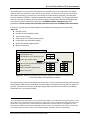
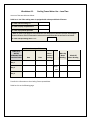
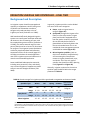
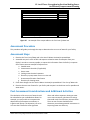
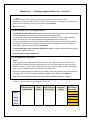
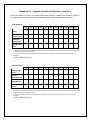
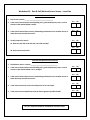
Visitor Population Data Input
Days/week Weeks/year Work Days
on site
on site
per Year
Enter Number of VISITORS
Percentage of VISITORS females**
30
5
30
150
50
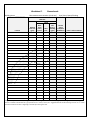
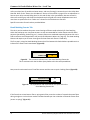
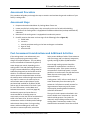
Figure 16. The Visitor Population Data Input table in the Utility Rate and Population Data tab
of the Domestic Plumbing Fixtures calculator.
After the population data is entered, scroll down on the same tab (Utility Rate and Population Data)
and enter the following information for each of the plumbing fixture types: (1) the water use rate of the
efficient fixture; (2) the cost to replace the fixture (for fixtures that must be replaced altogether); and
(3) the cost to perform maintenance on the fixture (for fixtures that only require maintenance to
perform at an acceptable efficiency level).
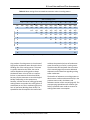
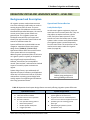
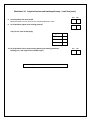
The first field of entry for each fixture is the efficiency water use rate for the potential retrofit (Figure
17). For this example, toilets on the campus are either 1.6 or 3.5 gpf and the evaluator would like to see
the potential costs and savings if each model was replaced with a 1.28 gpf model. The 1.28 is entered
into the Efficiency Water Use Rate cell. Continuing with the example, the cost for replacing or
retrofitting the fixture in question is then entered.
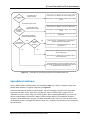
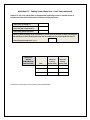
Toilets
Enter High Efficiency Water Use Rate
1.28
>>
Possible rates: 1.28, 1.1, 1.0 and 0.8 gals/flush
Replacement Cost
Adjustment/ Maintenance Cost
gals/flush
$245
$0
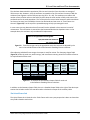
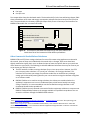
Figure 17. The Efficiency Water Use Rate input cell in the Individual Fixture tabs
of the Domestic Plumbing Fixtures calculator.
The two faucet types (lavatory and non-lavatory) and showerhead fixtures require you to indicate if the
fixture uses hot water. This allows the calculator to account for energy savings related to heating water
that occur when efficient aerators are used.
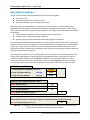
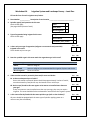
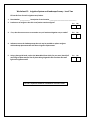
As discussed earlier, the flow rate for faucets and showerheads is measured either by recording the time
required to fill a known-volume container or by using a flow-gauge bag. You must indicate the
measurement method you used during the field survey by selecting from a dropdown menu in a gold
cell located on this tab (Utility Rate and Population Data). In the example in Figure 18, a two-cup
container was used to measure the flow rate of the facility’s lavatory faucets. This is selected once for
the entire worksheet, not once per fixture.
If you used a flow-gauge bag to measure flow, the result is given in gallons per minute from a graduated
scale on the bag. Indicate this by selecting “Flowbag” from a drop-down menu.
52
Water Efficiency Improvement Self-Assessment Guide