1
00873A-SD-6980SY-2
8/22/05 4:40 PM
Page 57
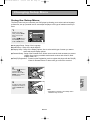
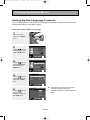
Changing Setup Menu
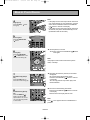
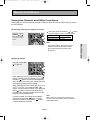
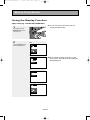
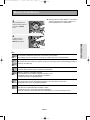
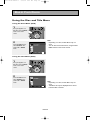
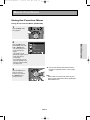
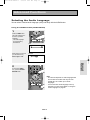
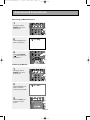
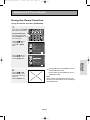
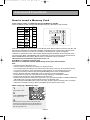
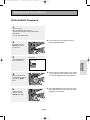
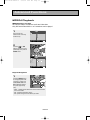
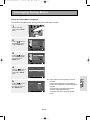
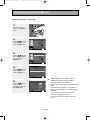
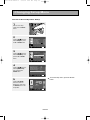
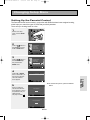
Using the Disc Menu Language
This function changes the text language only on the disc menu screens.
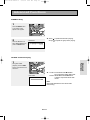
1
With the unit in Stop
mode, press the SETUP
button.
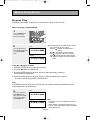
2
Press the …/†
† buttons to
select Setup, then press
the √ or ENTER button.
Language Setup
√
Audio Setup
√
Display Setup
√
Parental Setup :
√
DivX(R) Registration
√
Language Setup
√
Audio Setup
√
Display Setup
√
Parental Setup :
√
DivX(R) Registration
√
Setup
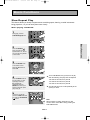
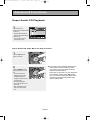
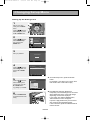
3
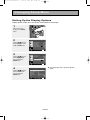
Press the …/†
† buttons to
select Language Setup,
then press the √ or
ENTER button.
Setup
4
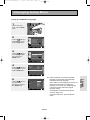
Press the …/†
† buttons to
select Disc Menu, then
press the √ or ENTER
button.
LANGUAGE SETUP
Player Menu
: English
√
Disc Menu
: English
√
Audio
: English
√
Subtitle
: Automatic
√
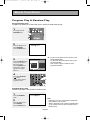
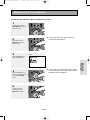
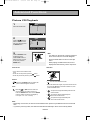
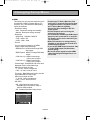
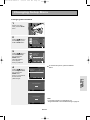
Press the …/†
† buttons to
select the desired
language, then press the
√ or ENTER button.
DISC MENU LANGUAGE
English
Disc Menu
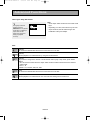
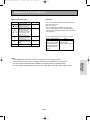
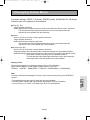
- Select “Others” if the language you want is
not listed.
- If the selected language is not recorded on
the disc, the original pre-recorded language is
selected.
Français
Deutsch
Español
Italiano
Nederlands
Others
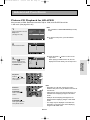
- The language is selected and the screen
returns to Language Setup menu.
- To exit the setup menu, press the SETUP
button.
ENG-57
Changing
Setup Menu
▼
5