1
5A Hartnett Close
Mulgrave 3170,
Australia
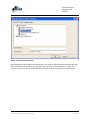
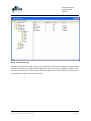
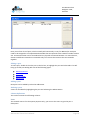
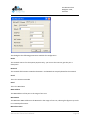
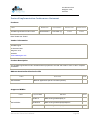
Here you will see a list of ports, which normally will contain only 1 entry for BACnet/IP. Each port
needs to be assigned to a unique Network Number that corresponds to the network number used on
site. A network number can be considered to be a physical connection between 1 or more devices,
devices on different networks are accessible only via a router that connects the two networks
together.
Editing a port
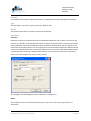
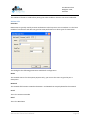
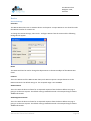
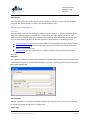
To edit a port, double click on the port in the list box, or highlight the port and select Edit. This will
bring up an Edit port Dialog with one of the following types:
BACnet Ethernet
BACnet/IP
BACnet MSTP
BACnet PTP
Adding a port
New ports can be added by select the Add Button.
Deleting a port
A Port can be added by highlighting the port and selecting the Delete Button.
Column Definitions
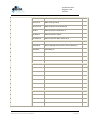
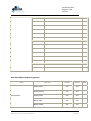
The List box contains the following columns.
Name
The network name is for descriptive purposes only; you can use the name to give the port a
description.
BACnet OPC Client User’s Manual
Page 10