1
III. Keypad Functions
~
G=GROSS
: Numeric keys
1
2
3
N=NET
4
5
6
7
8
9
10 11 12 13 14 15 16 17 18
HEAD
: Decimal point key.
G/N .
: If there is a minor weight displayed, without anything
on the pan; hit the zero key to clear the display.
: Use this key to subtract the container’s weight.
Indicate that the current weight reading is net
weight.
: Use this key to clear the total count accumulation.
: Use this key to eliminate the count check entries.
: Use this key for checking the number entry
confirmation.
3
4
:
5
6
+/7
8
9
10 11 12 13 14 15 16 17 18 19 20 21
DATA
U
.
W
.
1
2
3
4
:
5
+
6
7
o
t
UNIT
g
8
l
:
/
p
c
CR
s
CR LF
9 10 11 12 13 14 15 16 17 18 19
DATA
a
CR
(K) g CR LF
HELD
T
UNIT
+
UNIT
p
c
CR
s
CR LF
EXAMPLE:
G.W. : +
100g
U.W. : +
0.2g/pcs
T0tal : +
500pcs
(XV) External Calibration
: Use this key to clear the readings entered.
g
2
W .
HELD
: This key is used for total count accumulation.
g
1
DATA
: Used when manually keying in the unit weight.
: Sample Key . Used when keying in a sample amount.
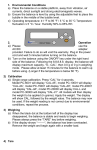
When the scale does not read accurately, you may
calibrate it with weight. Turn the scale on; press and hold
until the end of self-test.
It will show “CAL”. Press
to show “ 0” ; place a weight
IV. Operations
(2/3 of the Max. Capacity is recommended) on the tray; input
(I) Power on-
the value of the weight via numeric keys. The unit is kg. (Ex. The
Remove all objects from the tray; push the switch to “ ON” to
turn the scale ON. The scale will self test and then go to
2
Max . Capacity is 3kg ; the weight should be 2kg ; then enter 2).
after stable, press
to confirm the entered . Now the
7