1
MIDI Operation
SysEx Automation
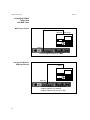
The PCM 90 will transmit SysEx automation messages when Control Mode
parameter 3.4, MIDI Automation is set to On. Almost all changes made by front
panel operations are transmitted as PCM 90 SysEx messages. This is intended
primarily for use in configurations where it is desirable for one or more PCM 90s
to be slaved to a single PCM 90 acting as a master. The current mode (Program
Banks, Register Banks, Edit, Control or Tempo) of the slave does not follow the
master, but the actual parameter values do. (SysEx automation can also be
stored on a sequencer and replayed in real-time. As a general rule, automating
more than two or three SysEx program changes at once is not recommended.)
Automation
The PCM 90 can receive SysEx messages when Control mode 3.7 MIDI SysEx
is set to Receive On. Note that when using SysEx automation, the device of the
receiving PCM 90 must match the Target ID of the transmitting PCM 90, or the
transmitting device must use the All Devices ID.
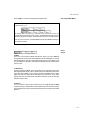
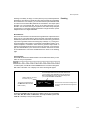
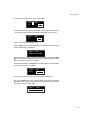
The Target ID setting can be adjusted from Control 3.4 MIDI Automation. It is
selected by pressing Load/✱ after setting Automation to On. The default setting
for the Target ID is All.
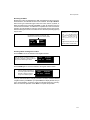
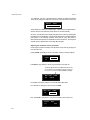
The Device ID setting can be adjusted from Control mode 3.7 MIDI SysEx. It is
selected by pressing Load/✱ after setting SysEx to Receive On. The default
setting for the Device ID is 0.
Controller Automation
For applications where it is desirable to "automate" changes made to PCM 90
effects with its own controls (ADJUST, Custom 1-4, Foot Pedal, Footswitch 1 or
Footswitch 2), we recommend assigning the controllers to MIDI destinations and
recording the changes with a MIDI sequencer (see Control Mode parameter 3.5,
MIDI Destinations).
Reset All Controllers
The PCM 90 recognizes the “Reset All Controllers” message. When received,
all patched parameters are reset to their stored values. Patched parameters may
also be reset from the PCM 90 front panel —Control Mode parameter 3.0 (the
message will be transmitted from the PCM 90 as well).
MIDI Clock and Clock Commands
The PCM 90 recognizes MIDI clock messages when Tempo Mode parameter
0.2, Tempo Source is set to MIDI. Any Delay or Mod row parameter set to display
tempo values will be synchronized to the tempo of the incoming MIDI clock.
MIDI Clock and Clock Commands are also available as Dynamic MIDI patch
sources. The value of MIDI Clock when used as a patch source is a linear scaling
of 0 to 127 (0 = 40 BPM and 127 = 400 BPM). The value of Clock Commands
when used as a Dynamic MIDI patch source is 127 for START and CONTINUE
and 0 for STOP.
5-7