1
Programming manual WINMAG plus
4.2.2.3.2
49
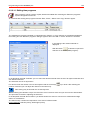
Edit WINMAG plus stations
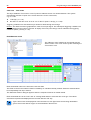
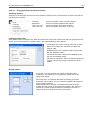
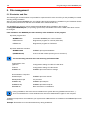
In the network configuration, linked components such as PCs with WINMAG plus or PCs with drivers must be
able to identify each other via the event protocol. In a WINMAG plus multi-station system “linked” means that the
PCs can exchange data via the PC network.
PCs can be linked either as a distributed PC with separate database or as a multi-station client with identical
database.
The master computer has the default value 130 for virtual address.
In a multi-station system, all network data must be configured at the master station, (the master database is
transmitted to the clients as a central database).
In a distributed system, every PC must be individually configured.
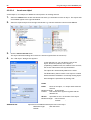
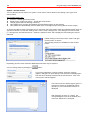
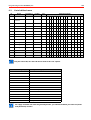
Sequence for connecting computers (Point 1-6) and computer with event protocol, IGIS loop or Essernet
components (Point 1):
1.
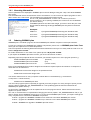
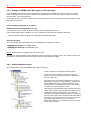
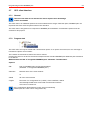
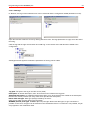
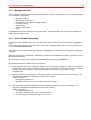
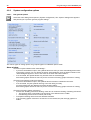
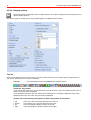
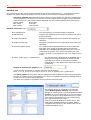
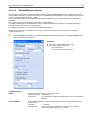
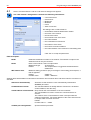
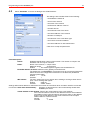
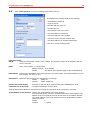
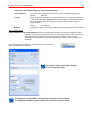
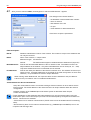
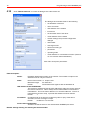
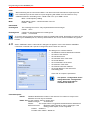
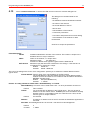
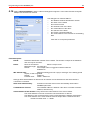
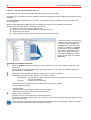
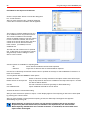
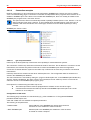
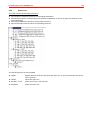
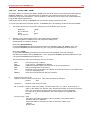
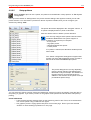
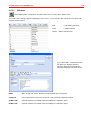
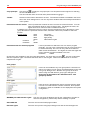
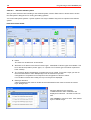
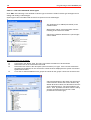
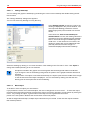
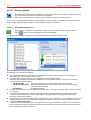
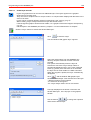
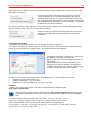
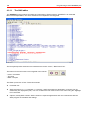
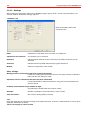
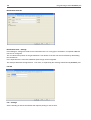
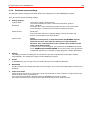
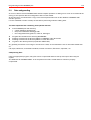
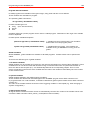
Select “WINMAG plus:Master” from the left window and click the “Edit” button. The “Edit WINMAG plus
stations” dialogue box appears.
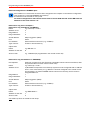
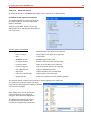
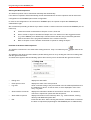
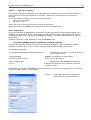
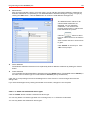
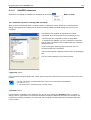
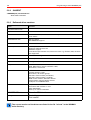
Important:
! the unique virtual address (here 130)
! the correct address of the PC
- as IP address or
- the host name of the computer
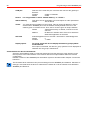
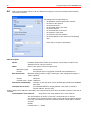
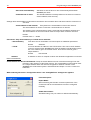
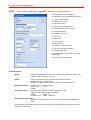
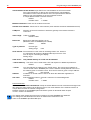
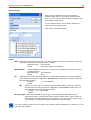
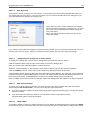
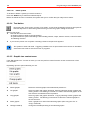
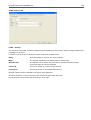
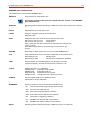
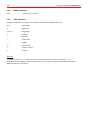
Field description:
Name:
Virtual address
Name of the client computer, i.e. unique name
Maximum length: 40 characters
Initial value
The default name appears together with a “free” event protocol
address
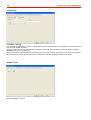
Event protocol address of the PC. The address must be a unique address in the
event network.
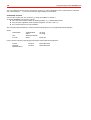
Possible
1 to 32767
Default value:
a free event protocol address - at master 130 - at clients
numbers following 130 e.g. 131, 132 etc.