1
2.3
D6
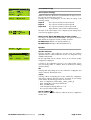
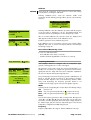
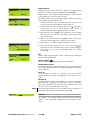
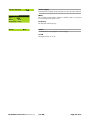
Boot screen
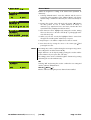
The boot procedure takes approximately 4 seconds during which the
device name, the manufacturer's name (d&b audiotechnik) and the
firmware version are displayed.
d&b
audiotechnik
D6 V X.xx
The transition to the Main screen is carried out automatically.
Fig. 1: Boot screen
2.4
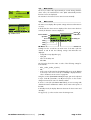
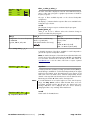
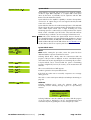
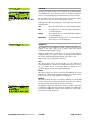
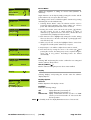
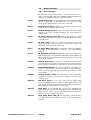
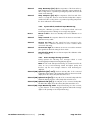
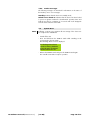
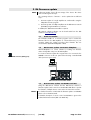
The main screen displays all important settings and status information in
one view.
D6 Stage right
Q7
Q-SUB
-3.0dB
+0.0dB
CUT HFA
EQ 0.1 CSA 100
Main screen
EQ
In the first line the device name is displayed. If no device name has been
entered, the firmware version is displayed.
Link A B
indication
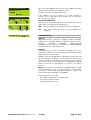
Fig. 2: Main screen
Device Name
Speaker
Level
Filter_1
D6 Stage right
Q7
Q-SUB
-3.0dB
+0.0dB
CUT HFA C+1 EQ 0.1 CSA 100
D
Delay on
EQ
Filter_2
Filter_3
EQ Master on
Remote on
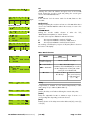
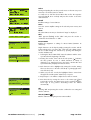
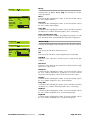
Starting from the second line the main menu of the D6 is split into
channel A and B and the following settings and information are
displayed:
- loudspeaker setups (Speaker type)
- input gain
- status of the delay and
- Link A»B.
The lowest line shows the status or value of the following settings for
both channels:
- Filter_1, Filter_2, Filter_3 (value)
- EQ
- In the center of this status line the dbCAN-Id (if remote mode dbCAN
is selected) or the remote mode (if not dbCAN) is displayed. Please
refer to the Remote menu section on page 20.
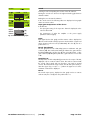
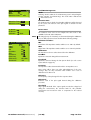
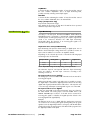
Using the encoder (LEVEL/PUSH MENU) the input gain can be adjusted
in steps of 0.5 dB (–57.5 dB to +6 dB). A brief press on the encoder
changes between level control of channel A and B.
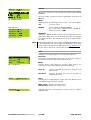
If an error occurs (the red OVL/Err-LED flashes), an error message with
channel information will alternate with the device name in the top line of
the LCD.
In Standby Mode, the display alternates between the device name and
“Standby”.
A long press (1 s) on the encoder enters the Settings menu.
D6 Software manual (Firmware V1.x.x)
(1.2 EN)
Page 7 of 32