1
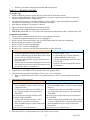
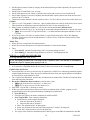
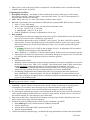
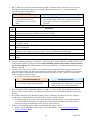
A person other than Surviving spouse or personal representative will sign their own name - POA required Form 1310 Refund due a deceased taxpayer will be required if the return is filed by other than a surviving spouse and there is a refund Power of Attorney (POA) If an agent is signing the return for a taxpayer, a Power of Attorney (POA) must be filed When a POA is used to sign the taxpayer's return, the POA must be attached to Form 8453, Transmittal for IRS e-file, and sent to the appropriate IRS Processing Center in Austin, TX - your ERO should have prepaid mailing labels To load and print Form 8453 in TaxWise, the preparer must add Form 2848, Power of Attorney and Declaration of Representative, and check the box which states "check here if using this form" This will automatically load Form 8453 and mark the box beside, "Form 2848, Power of Attorney and Declaration of Representative, (only for electronic return signed by an agent)” Shred the Form 2848 when it prints with the return; instead, the POA provided by the taxpayer's agent will be attached to the Form 8453 A Power of Attorney expires when a person dies Attachments (8453) Some returns require attachments (listed in the “Self Select and Practitioner PIN” section of the MAIN INFO form and on Form 8453) Two copies of the 8453 and attachments shall be given to the ERO who sends one copy to the IRS processing center in Austin, TX and the other copy to the IRS SPEC Attachments –PDF forms TW will allow attachment of pdf forms used to explain or provide additional information A return using such forms is out-of-scope for Tax-Aide PAPER RETURNS When paper returns are required because the return cannot be e-filed, verify that the following has been done to prevent generating e-files: “Paper” is checked under Type of Return on the MAIN INFO form, for the federal return CA Note: “No” is checked in response to the question “do you want to electronically file this return” on page 3 of the CA 540 TAXWISE DESKTOP TAXWISE ONLINE Change Return Stage to “Ready to file” by clicking on the Return Stage button and the “Ready to File” to inform ERO of status. Change Return Stage to “Paper” Select the following print packets: Taxpayer Federal Copy – if a federal return is being filed, for taxpayer’s records Taxpayer State Copy – if a state return is being filed, for taxpayer’s records Taxpayer Federal Copy to be Mailed – if a federal return is being filed, this copy is signed and mailed by the taxpayer(s) Taxpayer State Copy to be Mailed – if a state return is being filed, this copy is signed and mailed by the taxpayer(s) Your LC may instruct you to use the “File Copy” instead of the taxpayer copies. Change Return Stage to “Paper” by clicking on the “Check Return Status” link in the “Refund Monitor” and then clicking on “Return Stage” under the “E-file Status” group. Then select the “Paper” line to inform ERO of status Click the “Print Return” icon on the Toolbar Note: Return Stages are set by districts and the values they use may be different than the ones specified here. Check with your site manager if the Return Stage choice isn’t obvious. Collate the returns Federal – according to Attachment Sequence No. (at the top right of the form) CA – according to numerical / alpha sequence, followed by federal return if required The taxpayer(s) must sign the second page of the IRS 1040 AND the CA 540 returns being mailed 70 9/10/2012