1
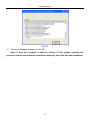
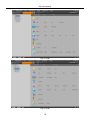
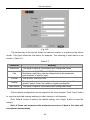
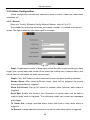
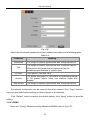
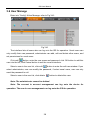
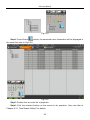
ISS User Manual 3.6 User Manage Enter into “Config”User Manage; refer to Fig 3-41: Fig 3-41 The interface lists all users who can log onto the ISS for operation. Usual users can only modify their own password, administrator can add, edit and delete other users, and set permissions for usual users. Click add button, enter the user name and password, click OK button to add this user into the list; click Cancel button to exit the current interface. Select a user in the user list, click edit button to enter the edit user window. If you select administrator, user can modify the password; if select usual users, user can only reset the password to null. Select a user in the user list, click delete button to delete this user. Note: The administrator cannot be deleted. Note: The account in account management can log onto the device for operation. The user in user management can log onto the ISS for operation. 38