1
Menu Settings
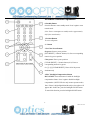
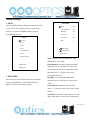
1. MENU
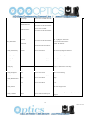
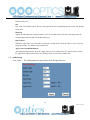
EXPOSURE
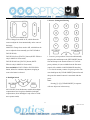
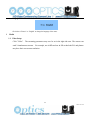
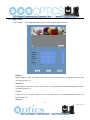
Press the [MENU] button to display the main menu on the
Mode
Auto
screen. Use the arrow button to move the cursor to the
ExpCompMode
Off
item to be set. Press the [HOME] button to enter the
Backlight
Off
corresponding sub-menu.
Gain Limit
3
Anti-Flicker
Off
DRC
3
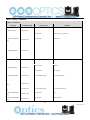
MENU
Exposure
Color
Image
P/T/Z
Select Item
Noise Reduction
Change Value
Setup
[Menu] Back
Restore Default
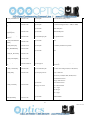
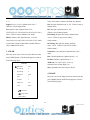
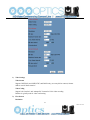
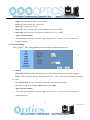
Mode: Exposure mode. Optional items: Auto,
Manual, SAE, AAE, Bright
[Home] Enter
ExpCompMode: Exposure compensation mode,
[Menu] Exit
Optional items: On, Off (Effective only in Auto
mode). ExpComp: Exposure compensation value,
Optional items:-7 ~ 7(Effective only when
ExpCompMode is On)
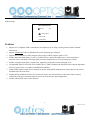
2. EXPOSURE
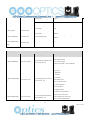
Backlight: Set the backlight compensation,
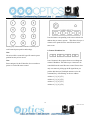
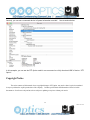
Move the cursor to the Exposure item in the main menu
Optional items: On, Off (Effective only in Auto
and press [HOME] button. The EXPOSURE menu
mode)
appears, as shown in the following figure.
Gain Limit: Maximum gain limit. Optional
items: 0 ~ 15 (Effective only in Auto, AAE, Bright
modes)
Anti-Flicker: Anti-flicker. Optional items: On, Off,
50Hz, 60Hz (Effective only in Auto, Bright mode)
27
Rev 1.2 7/15