1
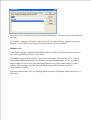
To recall a saved viewpoint, open the Viewpoints dialog box, select the desired viewpoint and
click OK.
If you name a viewpoint "Default" (without quotes), you can recall it by simply pressing the
Home key. It will also be the current viewpoint when you load a model file.
Multiple views
VirtualMEC supports working with multiple models at a time. This means that you can open
more than one model each in its own window.
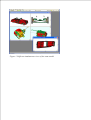
VirtualMEC supports also multiple views of the same model. You can open a new window
for the same model by choosing New Window from the Window menu. Or you can split a
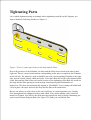
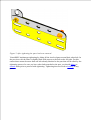
single window in two or four panes showing different views of the same model. To split a
window click and drag any of the split bars located near at the left or the top of the
corresponding scroll bar.
You can operate on any view as well apply different styles of rendering, blocks shown, etc. to
each view.