1
Prior Information from Database Dialog
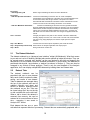
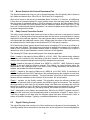
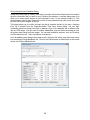
Hitting this button pops up a dialog from which you select a Simulation-Experiment that contains
the prior information that you want to use. Following this selection, a second dialog pops up to
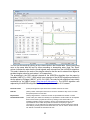
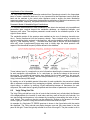
allow you to select which portion of the Experiment to use if it has multiple Loops in it. This
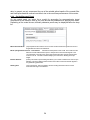
second widget is shown here. Select the one set of Loop parameters you want to use as a basis
set from the Loop list widgets at the top.
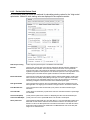
This dialog allows you to modify the basis set that is imported similarly to the way a ‘Analysis
Prior’ file is created from the Vespa-Simulation Third Party Output dialog. You can ‘split’
metabolite resonance groups into parts by adding a copy of a metabolite with a different start
and end PPM range. You can scale ‘truncated’ metabolites (such as choline-truncated) to have
the proper areas using the Scale widget. You can add ‘metabolite mixtures’ such as Glx which
could be defined as a 5:1 ratio of glutamate to glutamine.
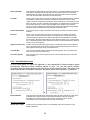
Once all additions and changes have been made, hitting the OK button sets these new values
into the Analysis-Fitting-Metabolite tab. Click on the Cancel button to default back to the current
values in the Fitting-Metabolite tab.
30