1
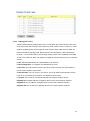
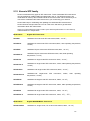
Global Configuration Mode: Press configure terminal in privileged EXEC mode. You
can then enter global configuration mode. In global configuration mode, you can configure
all the features that the system provides you.
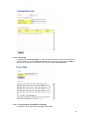
Type interface IFNAME/VLAN to enter interface configuration mode, exit to leave. ? to
see the command list.
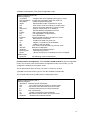
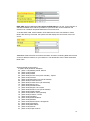
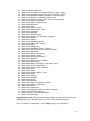
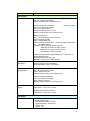
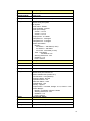
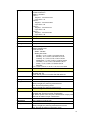
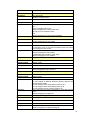
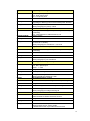
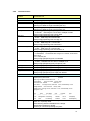
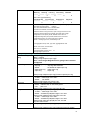
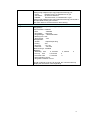
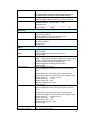
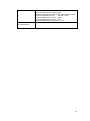
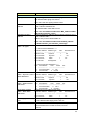
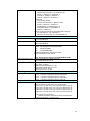
Available command lists of global configuration mode.
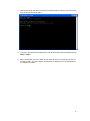
Switch# configure terminal
Switch(config)#
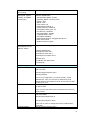
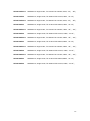
access-list
Add an access list entry
administrator
Administrator account setting
arp
Set a static ARP entry
clock
Configure time-of-day clock
default
Set a command to its defaults
end
End current mode and change to enable mode
exit
Exit current mode and down to previous mode
gvrp
GARP VLAN Registration Protocol
hostname
Set system's network name
interface
Select an interface to configure
ip
IP information
lacp
Link Aggregation Control Protocol
list
Print command list
log
Logging control
mac
Global MAC configuration subcommands
mac-address-table mac address table
mirror
Port mirroring
no
Negate a command or set its defaults
ntp
Configure NTP
password
Assign the terminal connection password
qos
Quality of Service (QoS)
relay
relay output type information
smtp-server
SMTP server configuration
snmp-server
SNMP server
spanning-tree
spanning tree algorithm
super-ring
super-ring protocol
trunk
Trunk group configuration
vlan
Virtual LAN
warning-event
Warning event selection
write-config
Specify config files to write to
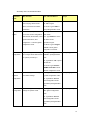
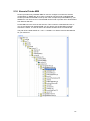
(Port) Interface Configuration: Press interface IFNAME in global configuration mode.
You can then enter interface configuration mode. In this mode, you can configure port
settings.
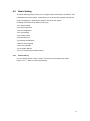
The port interface name for fast Ethernet port 1 is fa1,… fast Ethernet 7 is fa7, gigabit
Ethernet port 8 is gi8.. gigabit Ethernet port 10 is gi10. Type interface name accordingly
when you want to enter certain interface configuration mode.
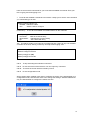
Type exit to leave.
Type ? to see the command list
21