1
3.2 Install LAN Driver
3.2.1 Driver Installation for WIN 2000/XP
Please follow the following procedure:
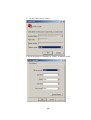
1. Boot Windows from your hard disk and log in as Administrator.
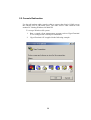
2. From the “Control Panel”, double-click the “System” icon, select the
“Hardware” tab, and click the “Device Manager” button.
3. Expand the “Computer\Other” devices. Highlight "PCI Ethernet
Controller" and click on "Properties".
4. From the “Properties” dialog box, click the “Driver” tab and click the
“Update Driver” button. The Update Device Driver Wizard
appears. Click “Next”.
5. In the "Update Device Driver Wizard" window, select “Display a list
of the known drivers for this device”.
6. Click “Hard have…”. Click Specify a location and click “Browse”
button. Then, navigate to “F:\82559er” (where “F” should be
substituted as your CD-ROM drive), and click “Next”.
7. Click “Next” to accept the updated driver for “Intel(R) GD82559ER
Fast Ethernet Adapter”. Click “Next” to continue with LAN
driver installation.
8. Follow the instructions on the screen. Click “Finish” to complete
installation.
38