1
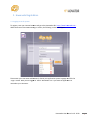
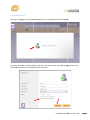
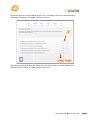
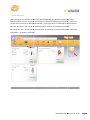
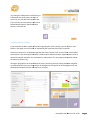
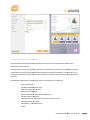
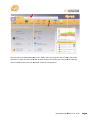
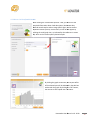
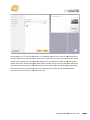
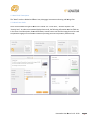
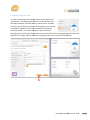
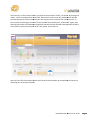
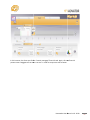
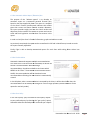
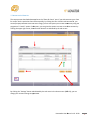
By clicking the “Add pension card” button (as
indicated by the red arrow on the right of
screen 19), you can add a new pension card,
if the client has an extra pension card such as
Defined benefit pension and Contribution
pension, see screen 20.
20
3.4.1 Have: Pension Card Info
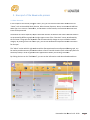
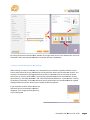
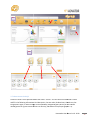
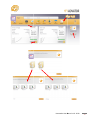
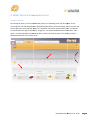
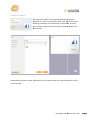
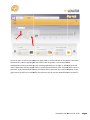
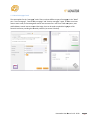
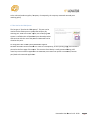
If you would like to add or modify information regarding the client’s pension, you can click the “pen”
button in the upper part of the card, as indicated by the red arrow to the left of screen 19.
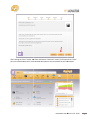
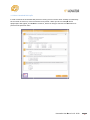
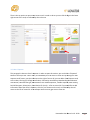
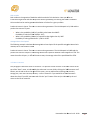
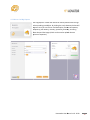
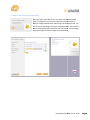
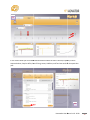
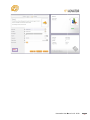
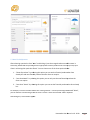
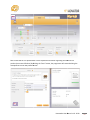
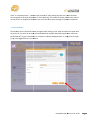
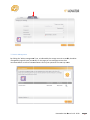
Screen 21 presents a list of questions regarding the client’s pension card. You can select a card holder’s
name and fill in the following information: Card description, Retirement date, expected future value on
retirement, Benefit indication, Pay--out frequency,
ency, and Duration. The set image can be used to upload
the pension provider’s log.
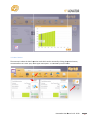
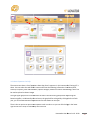
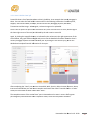
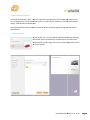
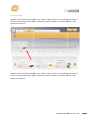
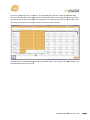
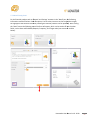
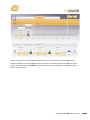
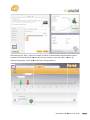
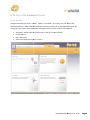
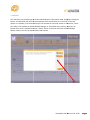
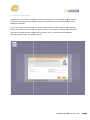
The upper left graph on the card indicates the client’s annual income. By clicking the button magnifier,
as indicated by the red arrow, the graph will be enlarged. By clic
clicking
king the line of each year you can see
detailed and complete financial information for that year.
21
Hawanedo User Manual v1.0 - 2010
20