1
U
DF-60-32-SG-S0 Electric Encoder
Contents
Preface
Safety
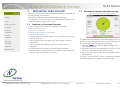
7. Rotate the sha /encoder to the next posi on and click the
C
bu on (c) - the sha should be in STAND STILL
during the calcula on. Follow the indica on / interac ons
during the cyclic process for posi on the sha --> stand s ll
--> reading calcula on.
8. Repeat the above step for all the defined points. Finish (d)
UZP
bu on (e).
9. Click the C
8.1 S
E
Z
M
P
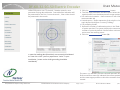
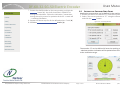
Applica on zero posi on can be defined in the working sector.
1. Rotate the sha to the desired “0” mechanical posi on .
2. Select “Set current posi on as “0”” using the relevant op on
and click the F
bu on.
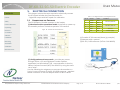
Figure 03: Connec ng the Rotor
Product Overview
Unpacking
Electrical
Connec on
So ware
Installa on
Moun ng
Verifica on
Calibra on
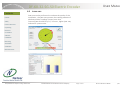
The encoder “0” can be defined all over the working sector , AP
- absolute posi on indica on will be posi ve from this point up
to the resolu on range.
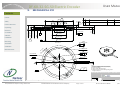
Mechanical ICD
All specifications are subject to change without notice
Confidential Netzer Precision Motion Sensors LTD Propriety
Page 14 of 16
DF-60-32-SG-S0 User Manual
| Rev 1.0