1
www.hubsan.com
www.hubsan.com
5.2 Transmitter Stick Calibration
Mode 2: Push both sticks to the upper left position and hold, then power on the transmitter. Rotate
both sticks twice. Hold down any trim until the LED on the transmitter blinks red, indicating
successful calibration.
Mode 1: Push the left stick to the upper left position and right stick to the upper right position and
hold, then power on the transmitter. Rotate both sticks twice. Hold down any trim until the LED on
the transmitter blinks red, indicating successful calibration.
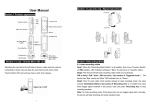
Remove Propellers: Hold the propeller, insert
the U wrench under the propeller, pull up
and the propeller will easily come off the
motor shaft.
Install Propellers: Pinch the propeller hub,
align the hole to the motor shaft, and press
it straight down firmly but gently.
5.3 Transmitter Battery Installation
Notice: Do not mix old and new batteries.
The propellors are dangerous when the quadcopter is flying. To avoid injury or damage,
Do not mix different types of batteries.
install the protection cover.
Do not charge non-rechargeable batteries.
Note:
Remove the propellers. Position the cover’s four holes with the motors. Press each of them onto
the motors, then re-install the propellers in their correct positions on the X4 .
When removing the protection cover, remove the propellers first as in the above steps, and
PUSH
Remove the cover
08 H107
THE HUBSAN X4
PUSH
Install 4 x AAA batteries
according to the correct polarities
pinch the protection cover from each motor. After any crash landing, always check to make sure
the protection cover is still on tight, and that the body, motors and propellers are not damaged.
Replace cover
17 H107
THE HUBSAN X4