1
10.1.12 Links
42
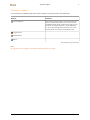
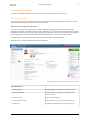
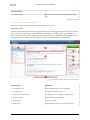
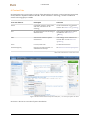
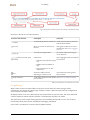
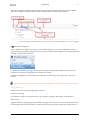
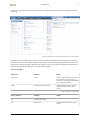
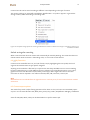
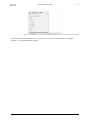
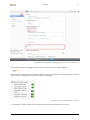
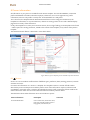
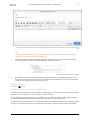
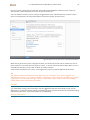
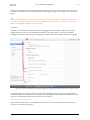
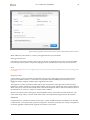
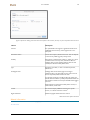
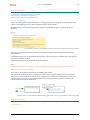
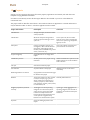
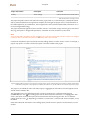
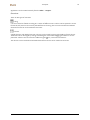
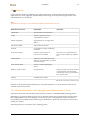
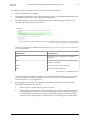
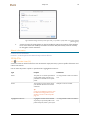
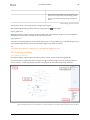
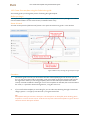
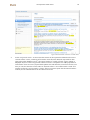
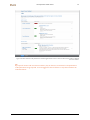
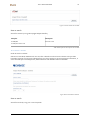
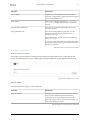
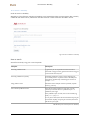
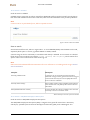
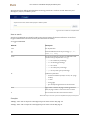
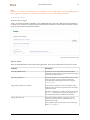
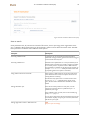
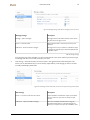
Figure 35 Options for adding a document. Due to the dynamic nature of Pure, this may vary a bit compared to the local version.
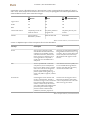
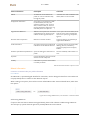
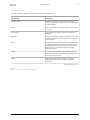
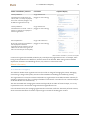
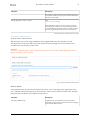
Feature
Description
File title
The uploaded file can be given a significant file title more
readable for the human eye, if the original title is nondescriptive.
Document version
Can be set to Preprint, Author version etc. This can depend
on the current publishing policy of the journal.
Visibility
Select where to make the file visible, e.g. public on a portal
or backend from Pure only. Note, this has no effect on
Embargo date, but if an embargo date has been set and
reached, the selected visibility will be valid.
Type
Specify the type of file, i.e. Text or audiovisual product,
software etc.
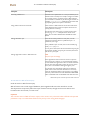
Embargoed until
Embargo date can be entered, again according to
publishing policy. This will make sure the content not can
be seen on portals/websites before this date.
For example, by setting an embargo date of 1/1/2015, the
file will NOT be visible on a public portal/website before this
date has been reached. It will only be available when logged
into Pure.
When that date is reached the visibility of the content, as
selected above, will be valid.
License
The content may be published according to a specific
license, i.e. Creative Commons or other.
Rights statement
(Additional) rights statement for the content.
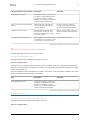
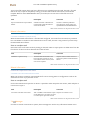
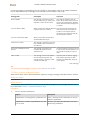
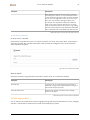
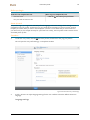
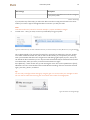
Table 23 Document upload information
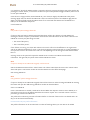
Related information
• Section 14 Full text documents and copyright/open access-issues in Pure
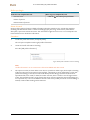
10.1.12 Links
42