1
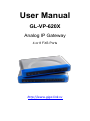
GL-VP-620x User Manual
Table of Content
1
2
3
4
5
6
7
WELCOME ................................................................................................................... 4
1.1
Gateway GL-VP-620x Overview .................................................................... 4
1.2
Safety Compliances ....................................................................................... 4
1.3
Warranty ......................................................................................................... 5
CONFIGURE YOUR GL-VP-620X ............................................................................... 5
2.1
Equipment Packaging .................................................................................... 5
2.2
Connect The GL-VP-620x.............................................................................. 5
2.3
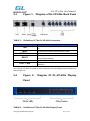
Figure 1: Diagram of GL-VP-620x Back Panel ........................................... 6
2.4
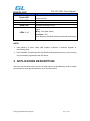
Figure 2: Diagram Of GL-VP-620x Display Panel ...................................... 6
APPLICATION DESCRIPTION .................................................................................... 7
3.1
Examples Of GL-VP-620x Configurations ..................................................... 8
3.1.1
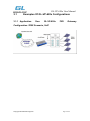
Application One: GL-VP-620x FXS Gateway Configuration / PBX
Scenario, VoIP....................................................................................................... 8
3.1.2
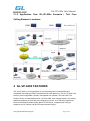
Application Two: GL-VP-620x Scenario / Toll- Free Calling Between
Locations ............................................................................................................... 9
GL-VP-620X FEATURES ............................................................................................. 9
4.1
Software Features Overview ....................................................................... 10
4.2
Hardware specification................................................................................. 11
BASIC OPERATIONS ................................................................................................ 12
5.1
Understanding GL-VP-620x Voice Prompts ................................................ 12
5.2
Placing A Phone Call.................................................................................... 14
5.2.1
Phone or Extension Numbers............................................................... 14
5.2.2
Direct IP Calls ....................................................................................... 14
5.3
Call Hold ....................................................................................................... 15
5.4
Call Waiting .................................................................................................. 15
5.5
Call Transfer ................................................................................................. 15
5.6
3-Way Conferencing .................................................................................... 16
5.7
Hunting Group .............................................................................................. 16
5.8
Iter-port Calling............................................................................................. 18
5.9
PSTN Pass Through/Life Line ..................................................................... 18
5.10
Sending And Receiving Fax ......................................................................... 18
CALL FEATURES ...................................................................................................... 19
CONFIGURATION GUIDE ......................................................................................... 20
7.1
Configuring GL-VP-620x Via Voice Prompt ................................................. 20
7.2
Configuring GL-VP-620x With Web Browser............................................... 21
7.2.1
Access The Web Configuration Menu .................................................. 21
7.3
Important Settings ........................................................................................ 22
7.3.1
NAT Settings ......................................................................................... 23
7.3.2
DTMF Methods ..................................................................................... 23
7.3.3
Preferred VOCODER (Codec).............................................................. 23
Copyright © 2009-2011 GigaLink
Page 2 of 45