1
Chapter 6. User Actions
Geant4 user actions are the way the user can interact with a job at the beginning/end of each run, beginning/end of each event, beginning/end of each track
or at each step. The user can write a class, inheriting from one of the Geant4 user
action abstract classes, and Geant4 will take care of calling the user code.
The GAMOS user actions classes provide all the functionality of the Geant4
classes, and also allow the user to define several user actions of the same type in
the same job and to define a class that inherits from several user action types at
the same time. Moreover, as they are plug-in’s, the user can activate them by
means of a user command.
User actions can be associated to filters or classifiers, as explained below.
Several functionalities are already implemented in GAMOS as user actions (like
histograms, event classifiers, ...) and you may use them as examples for creating
your own one.
All user actions are instantiated with the same user command:
/gamos/userAction USER_ACTION_NAME
Adding a filter
One or several filters can be added to a user action by simply adding their names
in the user command where an action is selected. See section on Filters to get a
list of the available filters in GAMOS and how to add parameters to a filter.
If the filter you are using is a step filter and your user action is a stepping user
action, the method SteppingAction will only be called if all the filters accept the
step. If the filter you are using is a track filter it affects the callings to the PreUserTrackingAction and PostUserTrackingAction for tracking actions and ClassifyNewTrack for stacking actions.
For example
/gamos/userAction GmTrackDataHistosUA GmGammaFilter
will only produce histograms for tracks whose particle is a gamma.
Adding a classifier
One classifier can be added to a user action by simply adding their names in the
user command where an action is selected. See section on Classifiers to get a list
of the available classifiers in GAMOS and how to add parameters to a classifier.
It is up to the concrete user action to use the classifiers or not. See examples in
this User’s Guide. For example
/gamos/userAction GmTrackDataHistosUA GmClassifierByParticle
will produce a different set of histograms for each particle type.
User action name
The name of the user action is the name of the class itself plus the name of the
filters (in the order which they are given in the user command) plus the name of
the classifier, all separated by underscore characters. For example if you typed:
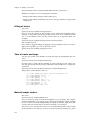
/gamos/userAction
GmTrackHistosUA
GmClassifierByParticle
GmGammaFilter
GmPrimaryFilter
the
name
of
the
user
action
will
be
GmTrackHistosUA_GmGammaFilter_GmPrimaryFilter_GmClassifierByParticle. Unless explicitly
mentioned in this guide, this name will be the name of the histogram or data file
in case the user action is writing a file (plus the corresponding file suffix), unless
77