1
People Finder II User Manual
3.
Two-tone pagers
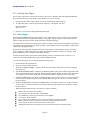
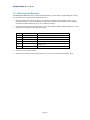
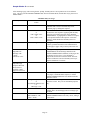
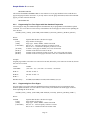
Two tone pagers accept a sequence of two tones. The CAPCODE is a number between 0 and 999. A large
number of standard tone plans are supported by the PEOPLE FINDER II Base. Pagers with non-standard
tone frequencies may be programmed via the database upload command. After the paging tones are sent,
an alert sound or a voice message from the telephone interface or console may optionally be sent to the
pager. Alternatively, the phone patch may be initiated.
Typically it takes a second or more to send a page to a pager. If the page is intended for a group of pagers, it
may take longer. A group consisting of 10 pagers may take 5-10 seconds to transmit, and a group of 100 pagers
may take 50-100 seconds to transmit.
2.6
Group Page
The PEOPLE FINDER II Base can send a page to a group of pager numbers through the entry of a single group
number. The pager numbers that are members of the group must have been previously assigned using the
Assign Group configuration menu. When sending a group page, the PEOPLE FINDER II Base sequentially
sends the page to each pager in the group.
The procedure for sending a group page is the same as for the individual page described in the above procedure.
Group pages generally take longer to send out, so you may find the PEOPLE FINDER II Base will take a bit
longer to return to the PAGER NO= prompt when a group page is sent.
2.7
Tone Paging to Alphanumeric or Numeric Pagers
Some pagers can receive tone or numeric pages. If you wish to send a tone page (make it beep) to a POCSAG
pager that is set-up for numeric or alpha paging, you can press the F4 (Tone) key when entering the page
instead of the F1 (Enter) key. Pressing the F4 key after entering the pager number will force the PEOPLE
FINDER II Base to send a tone page to the pager.
2.8
2-Way Voice Communications
The PEOPLE FINDER II Base can communicate with portable and mobile two-way radios. The PEOPLE
FINDER II Base has a privacy feature called Continuous Tone Coded Squelch System (CTCSS). CTCSS blocks
the reception of signals or noise that are not encoded with certain preset low frequency tones. You will only
hear signals at the PEOPLE FINDER II Base that have the correct CTCSS tone encoded on them. This means
that the radio channel may be in use by someone else, and you will not hear anything come out the speaker
because the CTCSS decoder has muted it.
To disable the CTCSS decoder momentarily in order to monitor all of the communications on the channel, press
the F2 key on the built-in keypad.
To talk on the radio channel, press and hold down the F3 key on the built-in keypad. If the channel is not in
use, the PEOPLE FINDER II Base will turn the transmitter on and display TALK on the LCD. Your voice will
be transmitted out over the air. The microphone is located on the front of the unit, so speak clearly towards it in
a normal voice.
2.9
Alarm Pages
The PEOPLE FINDER II Base has 8 alarm inputs located at the rear of the unit. The unit may be configured to
send a page when an alarm input changes states. Different messages may be sent for high or low going changes
of state.
For convenience sending pre-programmed messages, alarm pages may also be initiated from the external
keyboard. Low change alarm messages may be generated by pressing CTRL and a number key "n"
simultaneously, where "n" is the desired alarm number. High change alarm messages may be generated by
pressing CTRL, SHIFT and the number key simultaneously.
Page 8