1
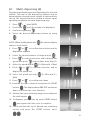
8.1. Multi-dispensing (d)
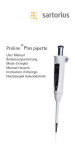
The pipette performs repetitive dispensing of a selected
volume. The sum of the dispensing aliquots and an
automatically selected excess volume is aspirated into
the tip. The excess volume is needed to ensure equal
operating conditions for each dispensing step.
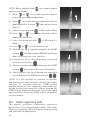
1.Press
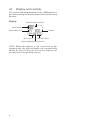
to display MULTI
2. Scroll with
until the symbol d is displayed.
3. Confirm by pressing
4. Select the desired dispensing volume by using
NOTE: When holding down the
the volume display
starts to scroll faster.
5.Press
or
to confirm the selection and to
display the aliquots
6. Select the desired number of aliquots with
7.Press
to confirm selection and to display the
speed in or press
and continue from Step 12.
8. Select the speed in with
9.Press
or
(1= Min and 9 = Max)
to confirm selection and to
display the speed out
10. Select the speed out with
(1= Min and 9 =
Max)
11. Press
or
to confirm selections
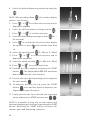
12. Position the tip to aspirate and press the START
button
. The display shows PRE OUT and arrow
down to indicate the reset function.
13. Position the tip to discard priming excess and press
the start button
.
14. To dispense, position the tip, press START button
and repeat until the cycle is complete.
15. Finally position the tip to discard any remaining
excess and press the START button twice
.
21