1
Chapter 6: Analysis of Incidents and Alarms
33
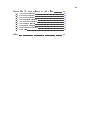
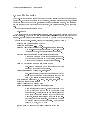
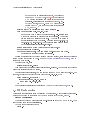
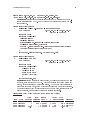
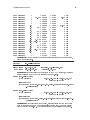
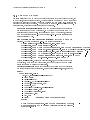
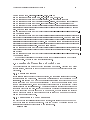
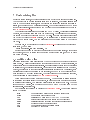
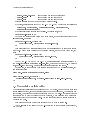
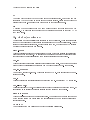
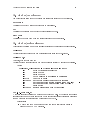
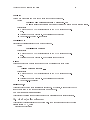
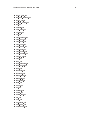
> grep %73280 http.hostname.04-11-22_12.52.42 | cf
Nov 22 15:18:30 %73280 start 128.333.48.179 > 80.143.378.186
Nov 22 15:18:30 %73280 GET /fitness/default.htm (200 "OK" [10473])
Nov 22 15:18:30 %73280 GET /javascripts/cms_common.js (304 "Not Modified"[0])
Nov 22 15:19:47 %73280 GET /food_nutrition/default.htm (200 "OK"[13177])
Nov 22 15:19:47 %73280 GET/NR/rdonlyres/eirwwu3xtlr22dkat5cim4ziupouzxb6kz4xb
zbr4zs255ca57cvv5mhcjcrmrfg6kpcrevyndo2za3yoi5esheiolf/News111904Dairy NotFor
Diet.jpg (200 "OK" [6572])
Nov 22 15:19:51 %73280 GET /NR/rdonlyres/0D25692F-D59A-4B90-AB53-8BBC9E75A286.
gif (200 "OK" [189])
Nov 22 15:19:51 %73280 GET /NR/rdonlyres/eqpbdbex34wpqpagp2fcbxh35omcjtq45feyf7
zgtjff6fhrybfbsvtszeu4rc2clayghhslfimaafkoocae6cv6wof/doctor.jpg (200 "OK" [161
5])/NR/rdonlyres/enhskrfoodzuquvmbli2hasjspusrgsvyhbd3nlue5msoli2ueagrwdxw56gqa
aa7sosee3yn2hwywcg6kgv4wcv6jc/bigback.gif (200 "OK" [8192 (interrupted)])/NR/rd
onlyres/ej2cpd275ghrefp23ezou43haqe6fmj3oyeqxkvopf4bv4zhwbqimfrrbndqpotx55pogc7
xiqvdcovaxo66afyqfof/smallleg.jpg (200 "OK" [1010])
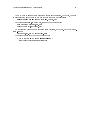
Nov 22 15:22:12 %73280 GET /NR/rdonlyres/eirownz4tqwlseoggqm2ahj5cqsdbedlaxyye7
kvdz7rnh6u4o2v2gpvmoggqjlekzdtulryyatiinj3xwimmiavgfb/smallshoulders.gif (200 "
OK" [1134])
Nov 22 15:22:13 %73280 GET /NR/rdonlyres/49D86A33-AF6C-4873-AD11-F26DDBF222B1.g
if (200 "OK" [167])
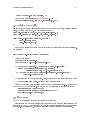
By examining this session it can clearly be seen that the session is simply a web visit to
a tness website. There is no need to investigate further.
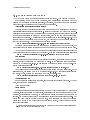
6.6 Examine the Connection and Weird Logs
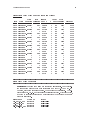
The connection logs are a record of every connection Bro detects. Although they don't
contain content, being able to track the network movement of an attacking host is often
very useful.
6.6.1 Breakin Indicators
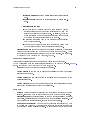
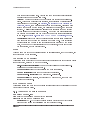
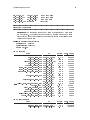
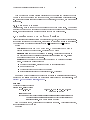
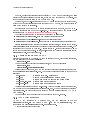
If it is still not clear if a suspect host is an attacker, the connection surrounding the suspicious connection can be examined. Here are some questions that might be answered by the
`conn' logs. itemize item How many more successful connection the attacker make to the
target host? item How much data was transfered? A lot of data means something more
than an unsuccessful probe. item Did the target host connect back to the attacker? This is
a fairly sure sign of a successful attack. The attacker has gained control of the target and is
connecting back to his own host. item What was the time duration? If several attacks occur
in a very short time and then slow down to human speed, it could indicate the attacker
used an automated attack to gain control and then switched to a manual mode to "work
on" the compromised target host.
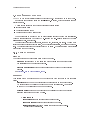
6.6.2 Connections to Other Computers
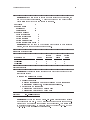
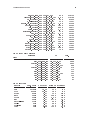
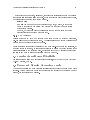
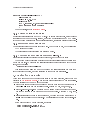
If a host has been successfully identied as an attacker, it is useful to know what and how
many other hosts the attacker has touched. This can be found by grepping through the
`conn' logs for instances of connections by the suspect host.
example here