1
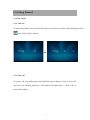
Your tablet lists the networks within range. Tap a network to connect. If
necessary, enter Network SSID, Security, and Wireless password, and tap
“Connect”. When your tablet is connected to the network, the wireless
indicator
appears in the status bar. Waves indicate connection strength.
3.1.2 Turn off Wi-Fi
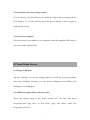
Please turn off Wi-Fi if you’re not using it to save the battery. To turn off
Wi-Fi, Tap it again.
3.1.3 Add a Wi-Fi network
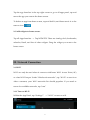
Users may also add a Wi-Fi network under “settings”. In “settings”, tap
“
” on the upper right corner. Enter the SSID (name) of the network. If
necessary, enter security or other network configuration details. Touch Save.
3.2 Bluetooth
3.2.1 Make device discoverable
You must pair your tablet with a device before you can connect to it. Once
you pair your tablet with a device, they stay paired unless you unpair them.
Under “Settings”, choose “Bluetooth”. Tap Bluetooth to turn on it and tap
“Search for devices”. The Bluetooth indicator
bar.
9
then appears in the status