1
TDP43ME
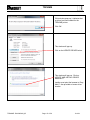
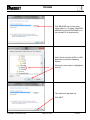
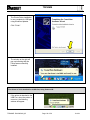
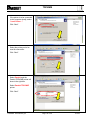
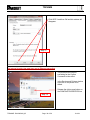
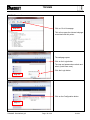
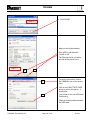
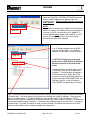
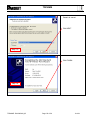
7. During the first installation of a
Panduit TDP43ME printer,
select “Replace existing
driver”.
Click “Next” to continue.
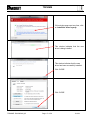
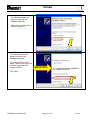
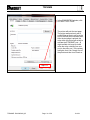
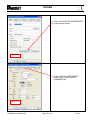
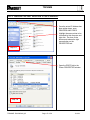
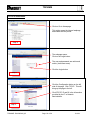
8. Select a name for the Printer
that is being installed. The
default name should be used,
unless multiple printers are
being installed.
Click “Next” to continue.
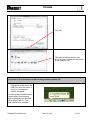
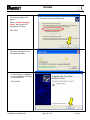
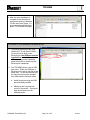
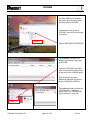
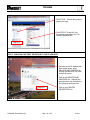
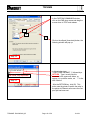
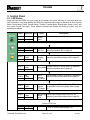
9. If requested, follow the instruction on
screen to set "Printer Sharing" and
"Print Test Page".
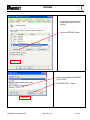
10. A description page of printer settings
will be displayed after all settings are
completed.
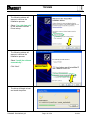
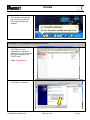
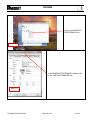
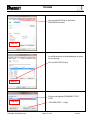
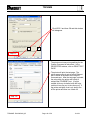
11. Check if all printer settings are correct
and then press “Finish” to start
copying driver files.
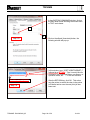
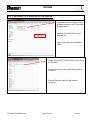
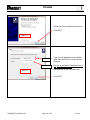
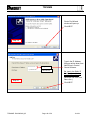
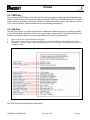
12. If a reminder message pops up, just
click "Continue Anyway" to continue
the installation.
13. Wait for file copying to finish and
complete the installation.
TDP43ME: PA26305A01_05
Page: 25 of 59
12-2011